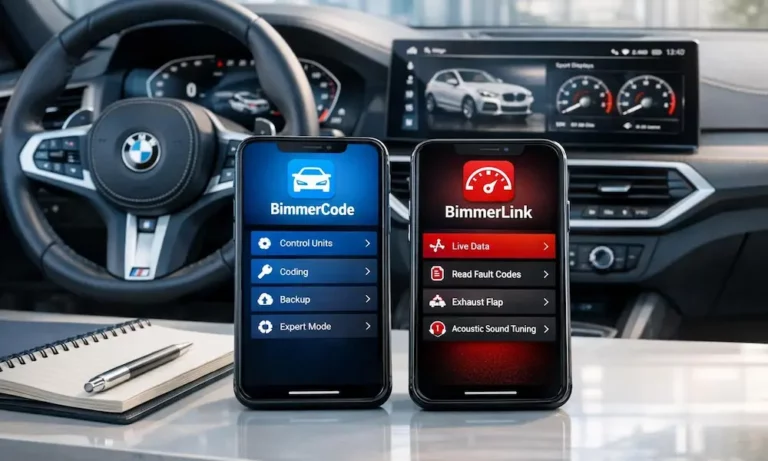
You just got a BMW and everyone’s telling you to download BimmerCode and BimmerLink. But what’s the actual difference? Do you need both? This guide breaks down exactly what each app does, what you’ll get for your money, and which one makes sense for your situation — stick around, because the answer might surprise you.
They’re Sister Apps, But They Do Completely Different Things
Both apps come from the same developer, SG Software GmbH. They both connect through your car’s OBD-II port. That’s where the similarity ends.
Think of it this way:
- BimmerCode changes what your car does
- BimmerLink reports what your car is doing
One is for personalization. The other is for diagnostics and maintenance. You can absolutely use just one — but most serious BMW owners end up with both. Reddit’s BMW community backs this up, with owners consistently recommending the pair as the essential DIY toolkit.
BimmerCode: Unlock What BMW Already Built In
Your BMW shipped with dozens of features that are either switched off or restricted based on your market. BimmerCode lets you flip those switches. It doesn’t install new software — it just toggles existing settings inside the factory-installed code.
This process is called FDL (Function Data List) coding, and BimmerCode’s FAQ confirms that Standard Mode creates automatic backups before any change. So if something goes sideways, you can roll back.
Standard Mode vs. Expert Mode
Standard Mode keeps it simple. You get a clean menu of pre-validated toggles. Want to fold your mirrors automatically when you lock the car? One tap. Want to kill that seatbelt chime? Done. These options are tested for your specific firmware version, so the risk is low.
Expert Mode is a different beast. It opens up the full parameter list for each control unit. This is where you’d activate things like:
- The Alpina instrument cluster layout with a 200 mph speedometer
- Specific RGB ambient lighting values
- The Assisted Driving View on G20 3 Series models
But be careful here. A wrong entry in Expert Mode can disable safety systems or require a dealer-level reflash to fix. Stick to Standard Mode until you genuinely know what you’re changing.
What You Can Actually Code
Here’s a quick look at the most popular BimmerCode modifications by module:
Body Domain Controller (BDC)
- Auto-fold mirrors on lock/unlock
- Enable rear LEDs with DRLs (standard in Europe, often off elsewhere)
- Adjust Angel Eyes brightness from 10% to 100%
Headunit / iDrive
- Remove startup legal disclaimers
- Enable Video in Motion for passengers
- Unlock Bowers & Wilkins or Harman Kardon DSP profiles like “Concert” or “On-Stage”
Instrument Cluster (DKOMBI)
- Alpina or M-style gauge layouts
- Add digital speed readout to the center display
Drivetrain Defaults
- Set Sport or Eco Pro as the startup driving mode
- Enable “Memory” for Auto Start/Stop so it stays off permanently
The BimmerCode G20 3 Series page and X3 coding page show the full list of available options per model, so check those before buying.
BimmerLink: Your BMW’s Real-Time Diagnostic Brain
Generic OBD apps read basic emissions-related P-codes. BimmerLink goes much deeper. It queries every installed control unit — including your transmission, crash module, and body controllers — to pull BMW-specific fault codes that standard scanners simply can’t see.
This includes “shadow codes,” which are faults that haven’t triggered your Check Engine Light yet. These are gold for pre-purchase inspections and for confirming a repair actually worked.
Real-Time Data You Can Actually Use
BimmerLink lets you build a custom dashboard and log exactly the data you care about. Here are the most useful parameters and why they matter:
| Parameter | What It Tells You |
|---|---|
| Oil Temperature | Prevents high-load driving on cold starts |
| Transmission Temp | Flags fluid degradation or cooler failure |
| Boost Pressure | Detects vacuum leaks or turbo issues |
| Battery Voltage | Diagnoses intermittent electrical gremlins |
| Timing Advance | Evaluates fuel quality and knock events |
| Coolant Temperature | Early warning for thermostat or pump failure |
All of this data logs to a CSV file for post-drive analysis. If you’re running a tune or just want to verify your engine isn’t pulling timing, this feature is genuinely useful — not just a gimmick.
Active Controls You Didn’t Know You Needed
BimmerLink isn’t just a data reader. It also gives you direct control over certain systems:
- Exhaust flaps — Force them open for more sound, or closed for a quiet highway cruise
- Active Sound Design (ASD) mute — If you’ve upgraded your audio system, ASD’s synthetic engine noise often bleeds into aftermarket amps and creates a drone. BimmerLink kills it with one toggle
- Parking Brake Service Mode — Electronically retracts the calipers so you can swap rear brake pads without buying expensive specialized tools
That last one alone can save you $150+ at a shop.
Battery Management: The Feature That Pays for Itself
This is the most misunderstood area, and it’s where BimmerCode and BimmerLink actually work together.
Modern BMWs use an Intelligent Battery Sensor (IBS). As your battery ages, the car cranks up the charging voltage to compensate. Install a new battery without telling the car? It’ll overcharge the new unit immediately, shortening its life significantly. Battery registration really is that important.
Here’s the critical distinction:
Battery Registration (BimmerLink): Required every time you replace a battery, even with an identical unit. It resets the charging maps and logs the mileage.
Battery Coding (BimmerCode): Only required if you change the battery’s specs — say, upgrading from an 80Ah lead-acid to a 95Ah AGM. You code the new chemistry first, then register with BimmerLink.
Skip either step and you’re either overcharging a fresh battery or running incorrect charging profiles. Neither is good.
Other Maintenance Tools Inside BimmerLink
Beyond battery work, BimmerLink handles several other dealer-level tasks:
- CBS (Condition Based Service) resets — After an oil change or brake replacement, reset the service countdown yourself
- DPF regeneration (diesel models) — If you drive mostly short trips, your Diesel Particulate Filter may never get hot enough to self-clean. BimmerLink lets you manually trigger a regeneration cycle, which can prevent a full blockage that costs thousands to fix
What Adapter Do You Actually Need?
Your connection method matters more than most people realize. A dropped connection mid-coding can corrupt an ECU module. Here’s how the options stack up:
| Connection Type | Hardware | Stability | Best For |
|---|---|---|---|
| Wired ENET | ENET Cable + RJ45 Adapter | 100% | Critical ECU coding, module updates |
| High-Speed Wi-Fi | MHD / Thor / BM3 Adapters | 95% | Performance tuning, diagnostics |
| Bluetooth 5.1 BLE | OBDLink CX / UniCarScan | 90% | Light coding, real-time data |
| Legacy Bluetooth | Generic ELM327 | 60% | Basic fault scanning only |
For G-series and newer i-series models, the OBDLink CX is the most recommended adapter — it was specifically engineered for the BimmerCode environment. For anything involving MGU or BDC module writes, use a wired ENET connection if possible. The consensus on Bimmerpost is clear: don’t risk an unstable Bluetooth connection during a write operation.
Also keep your battery above 12.5V during any coding session. Use a tender or keep the engine running.
Pricing and Platform Differences
Here’s what you’ll pay:
| App | Platform | Price | Notes |
|---|---|---|---|
| BimmerCode | iOS | ~$39.99 | One-time purchase |
| BimmerCode | Android | ~$49.99 | One-time purchase |
| BimmerLink | iOS / Android | ~$39.99 | One-time purchase |
| CarPlay Add-on | iOS only | $9.99 | Shows live data in iDrive |
| Android Auto Add-on | Android only | $9.99 | Similar CarPlay functionality |
Worth noting: Android users have reported that certain coding options — like fine-tuning blind-spot monitor activation speed — occasionally appear in the iOS version but not Android. The iOS build tends to stay slightly ahead in feature parity.
The CarPlay add-on for BimmerLink is genuinely useful if you want sensor data displayed directly on your iDrive screen. Some users report minor UI stutters when scrolling through long sensor lists, but the core functionality works well.
BimmerCode vs BimmerLink vs the Competition
A few alternatives worth knowing about:
OBDeleven — Good for beginners thanks to “One-Click Apps” that automate complex coding sequences. But it runs on a subscription or credit model, which gets expensive if you only want to code your own car a handful of times.
Bimmergeeks ProTool — Closer to factory ISTA software. Supports brake bleeding and injector coding, but the interface is harder to navigate than BimmerCode’s ecosystem.
ISTA/INPA — The actual BMW dealer tools. Full functionality, but requires a dedicated laptop, a complex setup, and an ENET or ICOM interface. Overkill for most DIYers, but necessary for deep module reflashing.
For most BMW owners, BimmerCode and BimmerLink cover 95% of what you’d ever want to do outside of a dealership.
One Thing to Know About iDrive 8 and Newer Models
If you own a late G-series LCI or newer model with iDrive 8 or 8.5, some classic coding options are locked down. BMW has introduced Secure Vehicle Gateway technology that restricts third-party modifications to certain modules. Things like permanently disabling Auto Start/Stop or changing cluster layouts may be unavailable.
This is BMW’s push toward “Features on Demand” — where heated seats and driver assists become recurring subscriptions rather than one-time software unlocks. It’s frustrating, but it’s the direction things are going. The good news? BimmerLink’s diagnostic and maintenance functions remain fully intact regardless of which iDrive version you’re running.
So, Which App Do You Need?
Here’s the short answer:
- Just bought a used BMW and want to check for hidden faults? Start with BimmerLink.
- Want to unlock features and personalize your car? Start with BimmerCode.
- Planning to do your own maintenance long-term? You’ll want both.
The total investment is under $100 for tools that would cost $150–$300 per dealership visit for the same tasks. For anyone serious about DIY BMW ownership, that math is pretty straightforward.