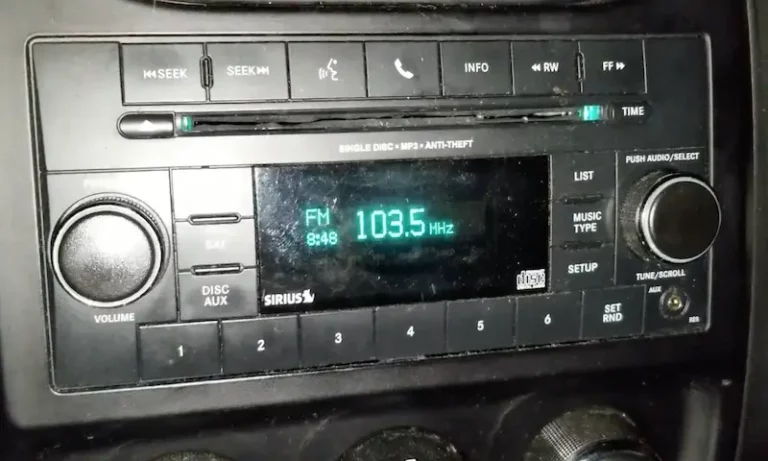
Your car stereo lights up, the screen responds, but nothing comes out of the speakers. Frustrating, right? The good news is that most causes of this problem follow a predictable pattern. Work through this guide from top to bottom, and you’ll either fix it yourself or know exactly what needs replacing before spending a dime at a shop.
Why Your Car Stereo Has Power But No Sound From Speakers
A powered-on display only tells you one thing: the head unit’s logic circuit is getting electricity. It says nothing about the audio signal chain — the separate path that carries sound from the source to your speakers.
That chain includes the head unit, signal cables, an external amplifier (in most modern cars), and the speakers themselves. A break anywhere along that path kills your sound while leaving the screen fully lit. Common car stereo problems almost always trace back to one of these points.
Start Here: The Easy Checks That Fix Most Problems
Before touching a single wire, run through these quick checks. They solve the problem more often than people expect.
Check your audio settings first.
- Is the volume actually up?
- Are the fader and balance controls centered? Pushing the fader all the way to the rear or front cuts sound from the other pair entirely.
- Is the correct audio source selected? An aux input with nothing plugged in plays silence.
Try a system reset. A hard reboot clears software freezes that can lock the system in a permanent mute state. Hold the power button for 10 seconds, or disconnect the battery for two minutes, then reconnect.
Check for anti-theft lockout. If your battery recently went dead or you jump-started the car, many Ford and GM head units trigger a security mode that silences everything. The screen works fine, but the unit waits for a code or a factory reset before it produces any sound.
Check Every Fuse — Not Just the Obvious One
Here’s the mistake most people make: they check one fuse, find it’s fine, and move on. Modern cars use separate fuses for the head unit and the amplifier. The head unit fuse (usually 10–15 amps) might be perfectly intact while the amplifier fuse (often 20–30 amps) is blown.
A temporary short — like a speaker wire touching the chassis during a bump — can blow the amplifier fuse instantly while leaving the display circuit untouched.
Where to look:
- Passenger compartment fuse box (under the dash or in the glove box)
- Engine bay power distribution center
- An inline fuse on the amplifier’s main power wire
Don’t just eyeball a fuse. Use a multimeter or a test light to verify voltage on both sides. Microscopic fractures in the fuse bridge look fine to the naked eye but kill all continuity.
Is Your Amplifier in Protect Mode?
If your car has a factory premium system — Bose, Sony, JBL, or Mark Levinson — there’s a dedicated external amplifier hiding in your trunk, under a seat, or behind a trim panel. That amplifier has a built-in protection circuit that shuts down audio output to prevent hardware damage.
When it triggers, the display stays fully functional and the amp itself may show a red or flashing light. An amplifier in protect mode is your car’s way of saying something is wrong electrically.
| Protection Trigger | What Causes It | How to Address It |
|---|---|---|
| Overheating | Poor ventilation, blocked airflow | Clear obstructions, add cooling if needed |
| Overvoltage / Undervoltage | Weak battery or failing alternator | Test battery and charging system |
| DC offset | Internal amp component failure | Replace unit |
| Impedance mismatch | Speaker ohm rating too low | Verify speaker wiring and specs |
Most factory amps are rated for a 4-ohm speaker load. Wire multiple speakers incorrectly and the resistance drops below that threshold, the amp draws too much current, overheats, and shuts itself down.
The Remote Turn-On Wire: Small Wire, Big Problem
This one trips up a lot of people. External amplifiers don’t turn on by themselves. They wait for a 12-volt signal from a dedicated wire — the remote turn-on lead — that runs from the head unit to the amp.
If that wire is cut, corroded, or disconnected, the amplifier stays completely dormant. The head unit looks perfectly normal. There’s no error message. Just silence.
Use a multimeter to check for 12 volts on the amp’s remote turn-on terminal when the head unit is on. No voltage there means the amp never woke up, regardless of how healthy everything else is.
Check the Ground Connections
A bad ground is one of the most common causes of amplifier failure and it’s one of the cheapest to fix. The vehicle’s chassis acts as the return path to the battery. Any resistance at the grounding point — from corrosion, a loose bolt, or a painted surface — causes a voltage drop that prevents the amp from working correctly.
Grounding faults cause more audio failures than most people realize, especially in vehicles driven through road salt and high humidity. Set your multimeter to continuity mode and test between the amp’s ground wire and a bare metal point on the chassis. Any resistance reading where there should be none confirms the problem.
Wiring Faults: Shorts You Can’t See
Speaker wires routed under seat rails or door trim can get pinched, and that’s a bigger deal than it sounds. A wire pinched against the metal body of the car creates a short to ground. Modern head units and amps detect this immediately and cut all output to protect the internal amplifier chip.
To check for this, disconnect the speaker wires at the head unit or amplifier. Set your multimeter to resistance mode. Touch one probe to each speaker lead and the other probe to a chassis ground. You should read infinite resistance (open circuit). Any resistance reading at all confirms a short, and you need to trace the wire to find the pinch point.
Test Your Speakers With the Battery Pop Test
If all the electronics check out, the speakers themselves might be the problem. Speaker voice coils can break internally — this is called an “open” coil — which creates a complete break in the circuit. A speaker with an open voice coil produces zero sound even when the amplifier output is healthy.
The battery pop test is a fast, reliable field check:
- Disconnect the speaker wire at the harness.
- Touch a 1.5-volt AA battery briefly to the positive and negative terminals of the wire.
- A healthy speaker clicks audibly and the cone twitches.
- No movement, no click — the speaker is dead.
This tells you the mechanical integrity of the voice coil and magnet assembly without any special equipment.
Symptoms That Point to a Failing Internal Amplifier Chip
If your car doesn’t use an external amp, the amplification happens inside a small integrated circuit chip inside the head unit itself. These chips fail gradually under thermal stress, and the symptoms are easy to miss.
| Symptom | Probable Cause | Verification Step |
|---|---|---|
| Sound only works when the car is cold | Thermal paste dried out, overheating chip | Monitor whether sound returns after engine warms up |
| Intermittent crackling or popping | Failing output transistors | Voltage drop test under load |
| Faint smell of burnt electronics | Internal short or damaged component | Inspect for charring or swollen capacitors |
| Sound returns after bumps or jostling | Cold solder joint or loose pin | Wiggle wiring harness during playback |
Thermal paste between the chip and the head unit’s metal casing dries out over time. Once it fails, heat builds up and the chip throttles or shuts down entirely.
Manufacturer-Specific Issues Worth Knowing
Ford (Sony Systems, 2015–2019)
Ford F-150, F-250, and F-350 trucks with Sony audio use a separate amplifier and DSP module that are critical to all cabin sounds. The most common failure points are fuse #14 (20 amp) in the engine bay and fuse #33 (20 amp) in the passenger kick panel. Water intrusion through leaking sunroof drains or body seams is also a well-documented cause of amplifier failure in these trucks.
For SYNC-related muting issues, hold the power button and the right seek button simultaneously to perform a soft reset.
GM (Bose Systems, 2019–2023)
GM trucks and SUVs with Bose audio route all vehicle sound — including turn signals, park assist chimes, and seatbelt alerts — through the audio amplifier. When this amp fails, drivers lose safety alerts along with music. A common pre-failure warning is a sudden loud pop or persistent static.
Important: GM Bose amplifiers are programmed to the vehicle’s specific configuration. Swapping in a used unit from a salvage yard almost always requires professional reprogramming with a factory diagnostic tool.
Toyota and Lexus (JBL and Mark Levinson)
Lexus IS models from 2006 to 2009 have a well-known issue where a failed trunk vent seal allows rainwater to drip directly onto the amplifier. Toyota’s 2020 Camry and RAV4 JBL amplifiers were also subject to a technical service bulletin for internal failures causing total sound loss or loud crackling. Hold the volume knob for 10 seconds to reboot the head unit before assuming the hardware has failed.
Active Noise Cancellation: The Upgrade Trap
If you recently installed an aftermarket head unit or amplifier and your car had factory Active Noise Cancellation (ANC), this could be your culprit. ANC uses cabin microphones to feed an out-of-phase signal through the speakers. Without a proper bypass module, the ANC system can create loud feedback or trigger a protection shutdown of the entire audio system.
Bypass modules from PAC and Metra let the ANC system stay on the vehicle’s data bus while keeping it from interfering with your audio signal. This is a required step for any audio upgrade in a vehicle with factory ANC.
The Full Diagnostic Sequence at a Glance
Work through these in order. Stop when you find the fault.
- Check volume, fader, balance, and source selection
- Perform a hard reset (disconnect battery for 2 minutes)
- Check for anti-theft lockout (code entry or factory reset procedure)
- Inspect all audio fuses with a multimeter — both the head unit fuse and the amplifier fuse
- Locate the external amplifier and check for a protect mode light
- Verify 12 volts on the remote turn-on terminal when the head unit is on
- Test the ground connection from the amp to bare chassis metal
- Check speaker wires for shorts to ground using a multimeter
- Run the battery pop test on each speaker
- Check RCA or high-level signal cables for damage or loose connections
If power is confirmed at the amp input, the remote turn-on lead is live, the ground is solid, and the amp isn’t in protect mode — but still no output — the internal circuitry of the amplifier has failed. At that point, the amp needs replacement.
Repair vs. Replace: What’s It Going to Cost?
A blown fuse or a bad ground wire costs almost nothing — under $20 in most cases. A failed external amplifier is a different story.
| Repair Type | Estimated Cost | DIY Possible? |
|---|---|---|
| Blown fuse replacement | Under $5 | Yes |
| Ground wire repair | $5–$20 | Yes |
| Speaker replacement (pair) | $30–$200 | Yes |
| Aftermarket amplifier replacement | $80–$400 | Yes, with some experience |
| Factory premium amp (Ford/GM/Toyota) | $300–$1,000+ with labor | Possible, but GM needs reprogramming |
| Head unit IC repair (soldering) | $0–$50 in parts | Yes, if you can solder |
Factory-authorized amplifier replacements for premium systems can exceed $1,000 including labor. Used parts from salvage yards work fine for Ford and Toyota systems with matching part numbers, but GM Bose units require professional reprogramming.
Keep It From Happening Again
A few basic habits prevent most of the failures covered in this guide.
| Maintenance Action | What It Prevents | How Often |
|---|---|---|
| Clean battery terminals | Voltage drops and spikes | Every 12 months |
| Inspect trunk vents and seals | Water intrusion on the amp | Every 6 months in wet climates |
| Update head unit firmware | Software glitches and mute loops | Every 12–24 months |
| Check amplifier ground connection | Resistance buildup from corrosion | Annually |
| Monitor battery health | Undervoltage protection shutdowns | When engine cranks slowly |
Heat kills automotive electronics faster than anything else. Keeping amplifiers ventilated and protecting dashboard units from direct sunlight adds years of life to the system. And avoid running audio at maximum volume for extended periods — it pushes amplification stages to their thermal limits and invites the exact protect-mode failures described above.