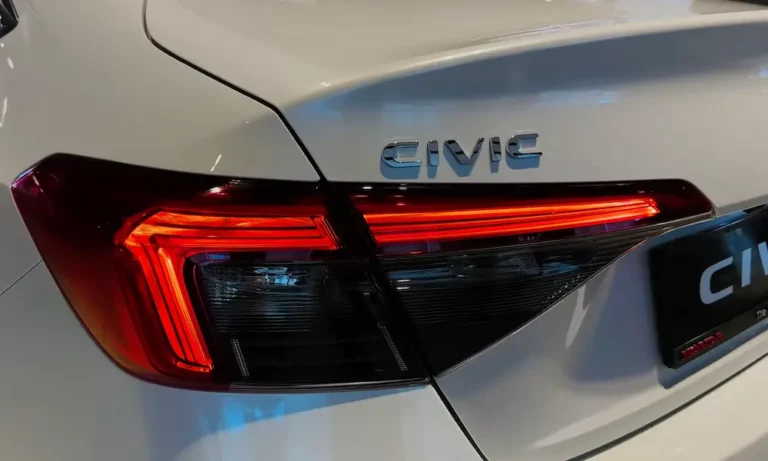
Is your Honda Civic’s alarm constantly waking the neighbors? Nothing ruins your day faster than rushing to your car in the pouring rain because that ear-splitting alarm won’t stop. You’re not dealing with a possessed vehicle—there’s usually a logical explanation for why your Honda Civic alarm keeps going off.
The Most Common Culprits Behind Your Honda Civic’s False Alarms
Faulty Hood Latch Sensor
That little sensor in your hood latch is often public enemy #1 when it comes to random alarm triggers. This component tells your car’s brain (the Body Control Module) whether the hood is properly closed.
When this sensor gets dirty, corroded, or misaligned, it sends false “hood open” signals to your car’s security system. Your Civic thinks someone’s tampering with the engine, so it sounds the alarm.
Some owners have completely resolved their alarm issues by:
- Cleaning the sensor contacts with electrical cleaner
- Adjusting the position of the sensor
- In extreme cases, disconnecting the hood latch switch entirely
A 2018 Civic SI owner traced their alarm nightmare to a simple misadjusted sensor clip on the hood latch that wasn’t making proper contact with the system. Such a simple fix for such a big headache!
Weak or Dying Battery
Your Civic’s electrical system is surprisingly sensitive to voltage changes. When your battery starts failing, voltage can drop enough to trigger your alarm system—especially during cold nights when battery performance naturally decreases.
Here’s what happens: as battery voltage drops below 12.4V, your car’s systems get confused, interpreting the fluctuation as potential tampering. This is particularly common in vehicles over 3 years old with the original battery.
Testing your battery is simple:
- Turn off all electrical systems
- Connect a multimeter to the battery terminals
- A healthy battery should read above 12.4V with the engine off
If your reading falls below that threshold, a battery replacement will likely solve your alarm problems.
Body Control Module Glitches
Your Honda Civic’s Body Control Module (BCM) manages several electronic systems, including the alarm. Like any computer, it occasionally needs a reboot.
BCM issues typically cause multiple electrical quirks beyond just alarm problems, like:
- Flickering dashboard lights
- Erratic door locking/unlocking
- Multiple warning lights appearing simultaneously
- Power window malfunctions
While Honda issued a recall for BCM issues affecting 737,000 vehicles (primarily Accords and Insights from 2018-2020), many Civic owners report similar problems in online forums.
Resetting the BCM often fixes glitches:
- Disconnect the negative battery terminal
- Wait 15 minutes (this allows capacitors to fully discharge)
- Reconnect the battery
For persistent issues, the dealership can update the BCM software or, in rare cases, replace the module.
Key Fob Problems
Your key fob communicates with your Civic using radio frequencies that can be disrupted by:
- Low battery in the fob itself
- Interference from other electronic devices
- Signal confusion from proximity sensors
One 2022 Civic SI owner discovered their alarm triggered specifically when opening the trunk using the exterior button—a classic case of conflicting signals between the proximity sensor and key fob.
The simplest fix is replacing the CR2032 battery in your key fob, which should be done every 2-3 years anyway. If problems persist, your dealer can reprogram the fob to properly sync with your vehicle.
How to Diagnose Your Honda Civic’s Alarm Issue
Step 1: Check the Hood Latch Sensor
Since hood sensors are the most frequent culprit, start your investigation there:
- Open your hood and locate the latch sensor (usually mounted on the latch assembly)
- Check for visible damage, corrosion, or debris
- Ensure the sensor’s metal contact points are clean
- Verify the sensor physically connects when the hood closes
For a quick test, try this: carefully disconnect the hood sensor connector (typically a small 2-wire plug near the latch). If your alarm problems stop, you’ve found your culprit.
Step 2: Test Your Battery Health
A failing battery often triggers alarms at night or in cold weather:
- Use a multimeter to check voltage (should be above 12.4V with engine off)
- Look for corrosion on battery terminals (white or greenish powder)
- Check battery age (if over 3-4 years old, it’s a prime suspect)
Many auto parts stores like AutoZone offer free battery testing if you don’t have a multimeter.
Step 3: Inspect Door and Trunk Sensors
After checking the hood sensor and battery, move on to the other sensors:
- Clean the door jamb sensors with electrical contact cleaner
- Check the trunk latch for proper alignment
- Make sure all doors fully close and latch correctly
Your Civic has multiple sensors that must all report “closed” status for the alarm to remain quiet.
Step 4: Reset the System
Sometimes, your Civic just needs a complete system reset:
- Disconnect the negative battery terminal
- Turn on the headlights to drain any residual power (they won’t light, but this drains capacitors)
- Wait 15 minutes
- Reconnect the battery
- Let the car sit unlocked for 5 minutes before testing the alarm
This reset clears temporary glitches in the BCM and security system.
Popular DIY Solutions From Honda Civic Owners
The Hood Sensor Bypass
Many Civic owners permanently solve hood sensor issues with this method:
- Locate the hood latch sensor connector (typically a 2-wire harness)
- Disconnect it from the sensor
- Use a jumper wire to connect the two pins in the harness connector
This trick effectively tells your car the hood is always closed. While this works reliably for many owners, remember you’ll lose the “hood open” warning on your dashboard.
The BCM Reset Procedure
For more stubborn issues, try this complete BCM reset:
- Disconnect the negative battery terminal
- Find the BCM fuse in the engine compartment fuse box (check your owner’s manual for location)
- Remove the BCM fuse
- Wait 30 minutes
- Reinstall the fuse
- Reconnect the battery
This comprehensive reset often resolves even complex electrical gremlins in your Civic.
Programming a New Key Fob
If you suspect your key fob is causing alarm issues, try programming it:
- Enter your car with all doors closed
- Insert the key into the ignition
- Turn from OFF to ON position (don’t start the engine) 3 times, ending in ON
- Press the lock button on your remote
- Turn the key to OFF and remove it
This sequence works for many Honda models and resets the key-to-car communication.
When Professional Help Makes Sense
While DIY fixes solve many Honda Civic alarm issues, certain situations warrant a trip to the dealer or mechanic:
- If multiple electrical systems are failing simultaneously
- When battery replacements and sensor cleaning don’t help
- If you’ve experienced water damage to the vehicle
- When alarm issues started immediately after service or repair
Honda dealerships have specialized diagnostic tools that can read BCM error codes and identify problems that aren’t visible to the naked eye. For instance, technicians can detect communication failures between modules that no DIY approach can diagnose.
The National Highway Traffic Safety Administration maintains a database of vehicle safety issues. While no specific Civic alarm recall exists, checking for technical service bulletins related to your model year might reveal known issues Honda has addressed in service updates.
Preventative Maintenance to Avoid Future Alarms
Once you’ve solved your current alarm crisis, take these steps to prevent future episodes:
- Regular Battery Testing: Check your battery voltage every six months, especially before winter.
- Clean Hood and Door Sensors: Twice yearly, clean contacts with electrical contact cleaner to prevent corrosion.
- Inspect Hood Latch Alignment: When changing oil or performing other maintenance, verify the hood closes properly and activates the sensor.
- Replace Key Fob Battery Annually: Don’t wait for it to die—preventative replacement avoids intermittent communication problems.
- Consider Software Updates: Ask your dealer about BCM software updates during regular service visits.
| Common Alarm Triggers | Diagnostic Signs | Typical Fix Cost |
|---|---|---|
| Hood Latch Sensor | Alarm stops when sensor disconnected | $20-150 (DIY to replacement) |
| Weak Battery | Voltage below 12.4V, multiple electrical issues | $120-200 (replacement) |
| BCM Glitch | Multiple systems affected simultaneously | $0-500 (reset to replacement) |
| Key Fob Issue | Intermittent operation, low range | $5-300 (battery to new fob) |
Real-World Success Stories
A 2016 Civic owner finally solved their random alarm triggers by tracing the issue to a corrupted BCM software file. After multiple failed attempts with sensor cleaning and battery checks, a dealership reset completely resolved the issue.
Another owner of a 2007 Civic discovered their alarm only activated at night. The cause? Battery voltage dropped with the evening temperature, falling just below the threshold needed to keep systems stable. A new battery fixed the problem immediately.
Most satisfyingly, a 2017 Civic owner who suffered through months of embarrassing alarm episodes finally traced the issue to a misaligned hood latch sensor. After disconnecting the sensor, they enjoyed complete silence.
With the right approach and a bit of detective work, you can solve your Honda Civic’s alarm issues and get back to enjoying your car—without being “that neighbor” whose car wakes everyone up at 3 AM!