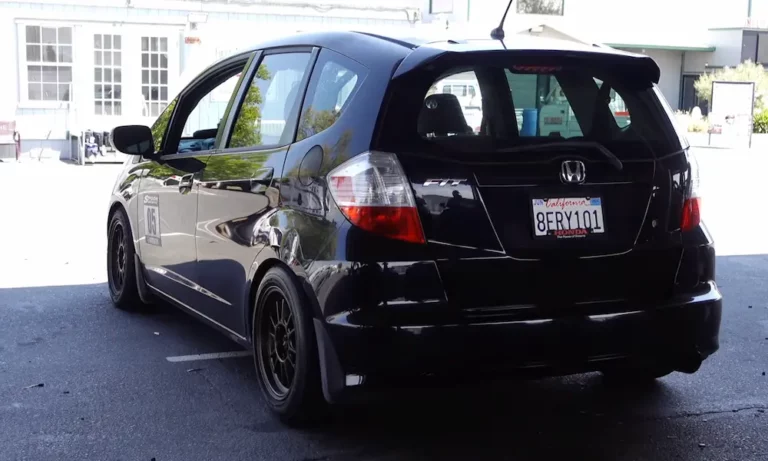
Is your Honda Fit’s tire pressure light stubbornly glowing on your dashboard? You’ve filled the tires to the correct pressure, but that pesky warning light won’t turn off. Don’t worry – you just need to reset your Tire Pressure Monitoring System (TPMS). This guide walks you through exactly how to perform a Honda Fit TPMS reset for every model year and trim level.
What Is TPMS and Why Does It Need Resetting?
The Tire Pressure Monitoring System in your Honda Fit is a safety feature that alerts you when your tires are underinflated. There are two types of TPMS in Honda Fit models:
- Direct TPMS (2008-2013 models): Uses physical sensors inside each tire that directly measure air pressure
- Indirect TPMS (2015-2020 models): Uses wheel speed sensors from the ABS system to detect pressure changes based on tire rotation patterns
Your TPMS needs resetting when you:
- Add air to your tires
- Rotate your tires
- Replace a tire or sensor
- Experience significant temperature changes
Without a reset, your Honda Fit’s computer won’t recognize the new pressure readings, and that warning light will keep bugging you.
Honda Fit TPMS Reset Methods: By Model Year
2008-2013 Honda Fit (Direct TPMS)
The early Honda Fit models use direct TPMS that requires a specific process:
- Turn the ignition to LOCK position
- Wait at least five minutes (this allows sensors to enter “sleep mode”)
- Use a TPMS tool like the ATEQ VT55 or Honda AKS0620006
- Activate each sensor in sequence (start with front left tire)
- Drive at approximately 28 mph for at least one minute to complete calibration
Important note: Without specialized equipment, you may need a dealer or tire shop to reset these older systems. The sensors in these models have batteries with an 8-12 year lifespan, so if your Fit is from this era, you might need sensor replacement soon.
2015-2020 Honda Fit (Indirect TPMS)
Newer Honda Fit models use indirect systems that are easier to reset yourself. The exact method depends on your trim level.
Base Trim Models with Physical TPMS Button
- Make sure all tires are properly inflated when cold (recommended pressure is typically 32-35 psi, check your doorjamb sticker)
- Turn the ignition switch to ON position (two clicks without starting the engine)
- Locate the TPMS button (usually below the steering wheel near the driver’s knee area)
- Press and hold the button until the TPMS light blinks twice
- Drive the vehicle to complete calibration
Higher Trims with Multi-Information Display (MID)
- Ensure tires are properly inflated
- Turn ignition ON or start the engine
- Use the steering wheel controls to navigate to Settings → Vehicle → TPMS Calibration
- Select Calibrate and confirm
- Drive for calibration to complete
Step-by-Step TPMS Reset Instructions with Photos
Method 1: Using the TPMS Button (Base Models)
This method works for Honda Fit LX and some Sport trims:
- Locate the TPMS Button
The button is typically located on the lower dash to the left of the steering wheel. It may be partially hidden near your knee area. - Prepare Your Vehicle
- Make sure all tires are properly inflated
- Turn ignition to ON position (don’t start engine)
- Reset the System
- Press and hold the TPMS button
- Wait until the TPMS light blinks twice (about 3 seconds)
- Release the button
- Complete Calibration
- Drive at speeds between 30-65 mph for about 30 minutes (doesn’t need to be continuous)
- The system needs this time to relearn tire dynamics
Method 2: Using the Info Display (Higher Trim Models)
For Honda Fit EX, EX-L and some Sport trims with the information display:
- Navigate to Settings
- Use the steering wheel buttons to access the vehicle menu
- Press the INFO button repeatedly until you see “Vehicle Settings”
- Select TPMS Calibration
- Navigate through: Settings → Vehicle → TPMS Calibration
- Select Calibrate and confirm
- Complete System Initialization
- The display will show “Calibration Started”
- Drive to complete calibration as noted above
Common Honda Fit TPMS Problems and Solutions
Problem: TPMS Light Still On After Reset
Possible causes and solutions:
- Tire pressure still incorrect: Double-check all tires with a quality gauge, including the spare on some models
- Incomplete calibration drive: Complete the required driving time at proper speeds
- Temperature fluctuations: Cold weather can reduce pressure by about 1 psi per 10°F drop
- Sensor batteries dead (2008-2013 models): Batteries last 8-10 years; may need replacement
Problem: Flashing TPMS Light
A TPMS light that blinks for about 1 minute before staying solid indicates a system malfunction:
- In direct systems (2008-2013): Likely a dead sensor battery or damaged sensor
- In indirect systems (2015-2020): Potentially an ABS sensor issue
Problem: Can’t Find TPMS Button
If you can’t locate the physical TPMS button:
- Check near the driver’s left knee area
- Look under the dashboard on the driver’s side
- Some Canadian models with heated steering wheels have the TPMS button near heating controls
- International Honda Jazz models may not have physical buttons at all
Regional Differences in Honda Fit TPMS Systems
The Honda Fit (sold as Honda Jazz in some markets) has regional variations:
| Region | TPMS Type | Reset Method | Notes |
|---|---|---|---|
| North America | Direct (2008-2013) Indirect (2015-2020) |
Tool required (2008-2013) Button or menu (2015-2020) |
All US models have TPMS by law |
| Canada | Similar to US models | Similar to US | Button placement may vary |
| Europe/Asia (Jazz) | Some models lack TPMS | Menu-based when available | Many international models use menu-only reset |
TPMS Maintenance Best Practices
To keep your Honda Fit’s TPMS working properly:
- Check tire pressure monthly with a mechanical gauge rather than relying solely on the warning light
- Keep sensors maintained by having them checked during tire service
- Reset after significant temperature changes (when seasons change)
- Update TPMS firmware during regular dealer service visits
- Replace sensors proactively if your Fit is over 8 years old with original sensors
Direct vs. Indirect TPMS: Pros and Cons for Honda Fit Owners
| TPMS Type | Years | Pros | Cons |
|---|---|---|---|
| Direct | 2008-2013 | More accurate readings Shows actual pressure values |
Sensors need battery replacement More expensive to maintain |
| Indirect | 2015-2020 | No sensor batteries to replace Less expensive maintenance |
Less accurate Needs recalibration more often |
Special Considerations for Honda Fit Trim Levels
Different trim levels have varying TPMS interfaces:
- LX (Base) Trim: Uses physical button reset method
- Sport Trim: Most use button reset, but 2018-2020 models may use touchscreen
- EX and EX-L Trims: Often integrate TPMS settings into the 7-inch touchscreen interface
- Hybrid Models (not sold in US): May have unique TPMS systems
When buying replacement tires, ensure the shop properly handles your specific TPMS type. For 2008-2013 models, this means correctly transferring or replacing sensors.
When the TPMS Warning Can’t Be Ignored
While sometimes the TPMS warning can wait, here are situations where you should address it immediately:
- Light comes on during highway driving
- You notice uneven tire wear
- Vehicle handling feels unstable
- Light flashes continuously before staying solid
The National Highway Traffic Safety Administration reports that properly inflated tires can improve fuel efficiency by up to 3% and extend tire life by thousands of miles.
Driving After TPMS Reset: What to Expect
After resetting your Honda Fit’s TPMS:
- The warning light should turn off immediately after the reset procedure
- The system enters “calibration mode” during your next drive
- For indirect systems, complete calibration requires:
- Driving 30-65 mph
- Accumulating about 30 minutes of drive time
- Maintaining relatively consistent speed
- Avoid rapid acceleration, hard braking, or extremely winding roads during calibration
- The system may not detect new pressure issues until calibration completes
The Technology Behind Honda Fit’s TPMS Evolution
The transition from direct to indirect TPMS represents Honda’s push for maintenance simplification. The indirect system eliminates battery-dependent components while maintaining safety functionality.
For 2015-2020 models, the indirect system can detect pressure drops of approximately 25% below recommended levels. While less precise than direct sensors, this is sufficient to alert drivers to significant pressure problems before they become dangerous.
Honda’s transition mirrors the industry trend toward more integrated vehicle systems. By leveraging existing ABS sensors, the company reduces components while maintaining safety standards.
Bottom Line: Maintaining Perfect Tire Pressure
Your Honda Fit’s TPMS is a valuable safety feature, but it’s not a replacement for regular tire maintenance. For best performance:
- Check pressure manually at least once monthly
- Always check pressure when tires are cold
- Follow the recommended pressure on your driver’s doorjamb sticker
- Reset the system after any pressure adjustments
- Complete the calibration drive cycle after each reset
With proper maintenance and timely resets, your Honda Fit’s TPMS will keep you safely rolling for years to come.