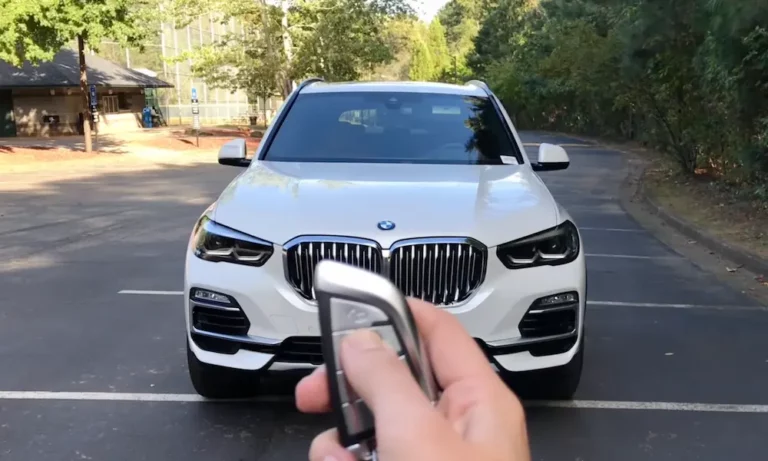
Your BMW key fob just stopped working. Your car won’t unlock. You’re standing in a parking lot feeling judged by strangers. Sound familiar? The fix is probably a dead battery — and it takes about two minutes. This guide covers every BMW key fob type, the exact battery you need, and what to do if the fob still doesn’t work after the swap.
First, Figure Out Which BMW Key Fob You Have
BMW has made several different key fobs over the years, and each one opens differently. Before you start prying at anything, identify your key type.
| Fob Type | Era | Battery Needed | Access Method |
|---|---|---|---|
| Smart Key (Large/Chunky) | 2009–2018 | CR2450 | Press release + pry with blade |
| F-Series Slant Fob | 2011–2018 | CR2032 | Twist-lock cover |
| G-Series Modern Fob | 2019–Present | CR2032 | Blade pry on backplate |
| Comfort Access (E-Series) | 2006–2011 | CR2032 | Slide-out cover |
| Display Key | 2016–Present | Internal Lithium-Ion | Charge via USB or wireless |
| Diamond Key (Legacy) | 1998–2006 | VL2020 (Soldered) | Sealed — needs cutting |
Once you know your fob type, jump to the right section below. If your BMW came with a touchscreen on the key, that’s the Display Key — skip straight to that section.
What You’ll Need Before You Start
Nothing fancy here. Grab these before you begin:
- A CR2032 or CR2450 battery (check the table above for your model)
- Your existing mechanical key blade (it doubles as a pry tool)
- A small flathead screwdriver (optional but handy for older models)
- Good lighting
One tip worth mentioning: don’t buy cheap, no-name batteries. BMW key fobs — especially those with Comfort Access — need strong peak current. A bargain battery that’s been on a shelf for three years might measure 3V but still fail under load. Stick with Energizer, Duracell, or Panasonic.
How to Change a BMW Key Fob Battery: Smart Key (CR2450)
The Smart Key is the large, boxy fob used on many SUVs and executive sedans from roughly 2009 to 2018. It uses the chunkier CR2450 — not the standard CR2032 — so double-check before buying.
Here’s how to replace the battery step by step:
- Press the small release button on the side or back of the fob.
- Slide out the metal emergency key blade.
- Look inside the slot where the blade was stored — you’ll see a small notch.
- Insert the tip of the key blade into that notch.
- Apply a gentle prying motion to pop the back cover off.
- Remove the old CR2450 battery, keeping the contact pins straight.
- Drop in the new battery with the positive (+) side facing you.
- Press the back cover on until it clicks around the full edge.
- Slide the key blade back in until it locks.
That’s it. No tools required — the key blade does all the work.
How to Change a BMW Key Fob Battery: F-Series Slant Fob (CR2032)
The F-Series slant fob is the most common BMW key on the road right now. It covers the F30 3 Series, F10 5 Series, F15 X5, and many more. It uses the standard CR2032 battery and has a twist-lock cover that trips up a lot of people the first time.
Follow these steps:
- Press the release button on the corner of the fob and pull out the valet key.
- Look into the valet key channel — you’ll see a small groove inside.
- Insert the tip of the valet key into that groove.
- Turn it clockwise to mechanically unlock the battery cover.
- Lift the cover away.
- Gently remove the CR2032 battery. A flathead screwdriver helps, but avoid touching the circuit board.
- Insert the new battery positive (+) side facing up.
- Snap the cover back on.
- Return the valet key to its slot.
The twist-lock step is where most people get stuck. If you just pull without turning, nothing moves. Twist first, then lift.
How to Change a BMW Key Fob Battery: G-Series Fob (CR2032)
BMW’s current G-Series key fob is heavier and more refined than its predecessors. It’s got silver accents, solid build quality, and — thankfully — a simpler battery door than the F-Series.
Here’s how the G-Series swap works:
- Remove the mechanical key blade by pressing the release.
- Look at the slot where the blade was stored — it’s the exact width of the blade tip.
- Insert the blade tip into the opening and give a gentle twist.
- The backplate pops off cleanly.
- Some G-Series fobs have a removable battery tray — slide it out if yours does.
- Swap the old CR2032 for a new one, positive (+) side up.
- Reinsert the tray (if applicable) and snap the backplate back on.
- Lock the blade back in place.
BMW’s official how-to page confirms this is a no-tools-needed process for most current models.
How to Change a BMW Display Key Battery
The Display Key is BMW’s touchscreen fob. It shows vehicle status, range, and lets you control certain functions remotely. Because of all that hardware, it runs on a rechargeable internal lithium-ion battery — not a coin cell.
Charging the Display Key
You don’t need to replace the battery for routine maintenance. Just charge it:
- Primary method: Place the key in the wireless charging tray in the center console, lock button facing up. A blue indicator light confirms it’s charging.
- Backup method: Use the micro-USB port on the side of the key with any standard USB charger.
BMW’s charging guide recommends keeping the Display Key charged whenever possible, especially if the car sits for extended periods.
Replacing the Internal Battery
If the Display Key no longer holds a charge at all, the internal battery may need replacing. This is more involved than a standard swap:
- Find the small notch at the base of the Display Key housing.
- Insert a small flathead screwdriver and twist to pop the rear shell open.
- Inside, you’ll find the battery connected to the motherboard via a small wiring harness.
- Lift the battery slightly and pull the connector plug out gently.
- Connect the replacement battery first, then seat it in the recess.
- Snap the rear shell back on.
- Hold the power button on the side for a few seconds to reinitialize the display.
This is the one job where taking your time really pays off. That wiring harness is delicate.
Signs Your BMW Key Fob Battery Is Dying
Don’t wait until the key stops working completely. Your BMW actually warns you early. Watch for these signs:
- Shorter range — you need to stand closer to the car for it to respond
- Comfort Access glitches — the door doesn’t unlock when you touch the handle, or you have to touch it two or three times
- Warning on the dashboard — the instrument cluster or iDrive screen shows a low key battery message
- Car doesn’t recognize the key for engine start, prompting an emergency start procedure
If Comfort Access is acting up, a weak battery is usually the first suspect. The proximity polling system that enables keyless entry draws more power than standard remote locking.
Syncing Your BMW Key Fob After a Battery Change
In most modern BMWs, you don’t need to resync after a battery swap. The Car Access System (CAS) or Body Domain Controller (BDC) remembers the key’s digital signature automatically.
But if the battery was dead for a long time, or the fob isn’t responding after the swap, you’ll need to re-initialize it.
For Older E-Series BMWs With a Physical Ignition Key
Follow this sequence:
- Sit in the driver’s seat with all doors and windows closed.
- Turn the key to Position 1 (accessory), then back to Position 0 — repeat this five times quickly. Don’t start the engine.
- Remove the key from the ignition.
- Hold the Unlock button on the fob.
- While holding Unlock, press the BMW logo button three times quickly.
- Release Unlock. The doors should lock and unlock to confirm sync.
- If you have a second key to sync, do the same button sequence within 30 seconds.
For Push-Button Start BMWs
Follow this steps:
- Get in the car and locate the key icon or signal symbol on the side of the steering column.
- Hold the key fob against that marked area.
- Press the brake pedal and then the Start/Stop button while keeping the fob in place.
- The car authenticates the key and links it to your driver profile.
This method works even if the key battery is completely dead — the steering column uses an inductive coil to power the key’s transponder chip directly.
Why Your Key Fob Still Isn’t Working After a Battery Change
If you’ve swapped the battery and the fob still isn’t cooperating, run through this checklist:
- Battery orientation — the positive (+) side must face the correct direction (up for most models, toward you for the Smart Key)
- Battery quality — a cheap or old battery can measure 3V but fail under load. Try a fresh name-brand cell
- Car battery voltage — if your BMW’s main battery is weak, it may shut down the remote entry receiver to save power for starting. A failing car battery is a surprisingly common cause of remote key issues
- RF interference — high-voltage power lines or cell towers can occasionally jam key fob signals. Try from a different location
- Immobilizer issue — if the remote buttons work but the car won’t start, the problem is likely in the transponder chip or the CAS/EWS module. That needs a diagnostic tool, not a new battery
A Note on Legacy Diamond Keys (E46, Early E60)
If you’ve got an older BMW with a diamond-shaped key, here’s the honest answer: that fob is sealed from the factory. BMW glued it shut because the internal VL2020 battery was meant to recharge through the ignition indefinitely.
After 15+ years, those batteries don’t hold a charge anymore. Your options are:
- Buy a replacement key from a BMW dealership (bring your VIN and ID)
- Cut the housing open along the seam with a jeweler’s saw, desolder the old VL2020, and solder in a new one with the correct 90-degree pin offset
Option 2 is a project for people who enjoy that sort of thing. Option 1 is the practical choice for most people. Either way, the standard coin-cell swap process doesn’t apply here.
Keep Your Key Fob in Good Shape Longer
A few simple habits keep the battery lasting longer:
- Don’t leave the fob in a hot car. Lithium batteries degrade fast in heat — direct sunlight through a window can cook the battery
- Keep it clean and dry. Lint and moisture cause short circuits that drain batteries fast
- Rotate your keys. If you have a spare key sitting in a drawer, use it occasionally. Batteries self-discharge over time, and a key that’s been ignored for a year will likely be dead when you need it most
- Check your car battery too. A weak main battery stresses every electronic system in the car, including the remote receiver