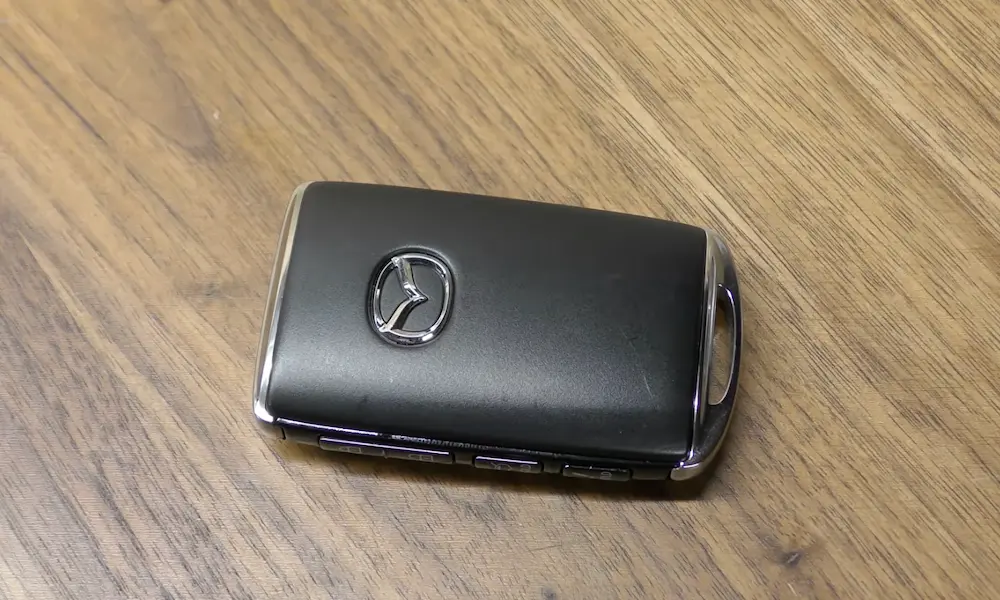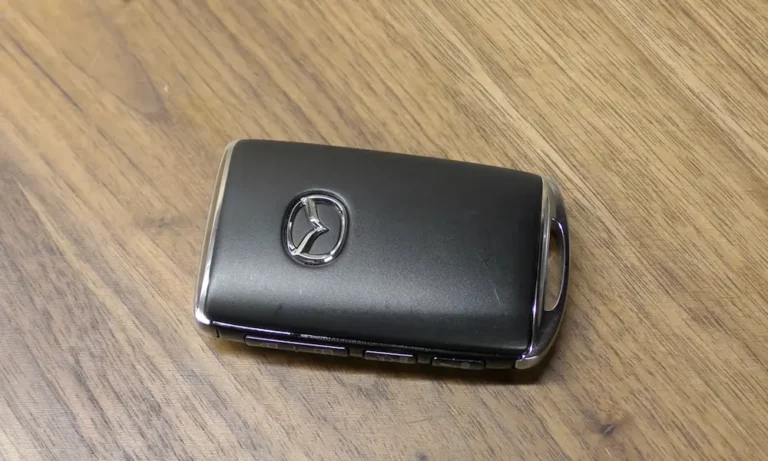
Your Mazda key fob is acting up — slow response, short range, or completely dead. Nine times out of ten, it’s just a dying battery. Good news: you can fix this yourself in under five minutes. This guide covers every Mazda fob type, the right battery to buy, and what to do if the fob still doesn’t work after the swap.
First, Identify Your Mazda Key Fob Type
Before you buy a battery or grab a screwdriver, figure out which fob you have. Mazda has used four distinct designs over the years, and each one opens differently.
| Fob Type | Common Models | Battery Needed | How to Spot It |
|---|---|---|---|
| Slim Vertical (2019–Present) | Mazda 3, CX-30, CX-50, CX-90 | CR2032 / CR2025 | Buttons on the side edge, not the front |
| Oval Proximity (2014–2018) | Mazda 6, CX-5, CX-9 | CR2025 | Rounded shape, splits along the middle seam |
| Flip Key (Legacy) | Mazda 3 (2004–2013), RX-8, MX-5 | CR1620 / CR1616 | Metal key blade folds out |
| Smart Card | CX-7, MX-5 (high trim) | CR2025 / CR1620 | Credit card shape, ultra-thin |
Got your type? Great. Now let’s talk tools.
What You Need Before You Start
You don’t need a toolkit from NASA. Here’s what actually helps:
- Small flathead screwdriver — wrap the tip in electrical tape or masking tape to avoid scratching the plastic
- Non-conductive tweezers — keeps skin oils off the battery contacts
- Microfiber cloth — wipe the new battery before it goes in
- Replacement battery — CR2032, CR2025, CR1620, or CR1616 depending on your fob type
The tape on the screwdriver isn’t optional fluff. Without it, you’ll leave permanent scuff marks along the seam and potentially damage the plastic latches that hold everything together.
How to Replace the Battery: Step-by-Step by Fob Type
Slim Vertical Fob (2019 and Newer)
This is the sleekest fob Mazda makes, but it has the most layers to navigate. Here’s how to open it without breaking anything:
- Find the release slider on the bottom of the fob. Slide it toward the outside edge.
- Pull out the metal emergency key.
- Look into the key slot — you’ll see a small recessed tab inside.
- Press that tab gently with your taped screwdriver to release the rear cover.
- Slide the cover downward to clear the interlocking notches — don’t yank it.
- You’ll see an inner plastic chassis. Insert your screwdriver into the corner slot and twist gently.
- The chassis splits open, revealing the battery compartment.
- There’s usually a small round plastic dust cover (black or clear) sitting over the battery. Lift it carefully — it holds the negative terminal contact underneath.
- Remove the old battery, drop in the new one, and reassemble in reverse order.
The dust cover alignment matters a lot here. If it’s not seated correctly, the fob won’t make proper electrical contact and you’ll think the new battery is dead when it isn’t.
Oval Proximity Fob (2014–2018)
This design is more forgiving to open. Follow these steps:
- Press the circular release button and remove the emergency key.
- Look at the inside of the key slot — you’ll see two small notches on the walls.
- Insert your taped screwdriver into one notch and gently pry.
- Work the tool around the perimeter seam slowly. Don’t force one single point.
- The two halves will separate.
- Inside, there’s a secondary protective cap over the battery. Lift it carefully.
- Underneath that cap sits a rubber O-ring seal. Don’t damage it. That seal keeps moisture out, and a cracked seal is the number one cause of circuit board failure in these fobs.
- Swap the battery, check the O-ring is seated properly, and snap everything back together.
Flip Key (Legacy Models)
The flip key is the most straightforward of the bunch. Here’s the process:
- Fold the key blade out.
- On the key head, look for a small slot or seam where the remote module sits.
- Insert your taped screwdriver and pry the module open gently.
- The battery sits in a cradle inside — pop it out with your tweezers.
- Note the battery type: flip keys often use CR1616 or CR1620, which are smaller than the 2032.
- Install the new battery, close the module, and test it.
Smart Card Fob
This one requires a delicate touch. The housing is thin plastic and cracks easily. Use minimal force and work slowly around the perimeter seam. The battery tray inside is specialized — make sure you’re using the exact battery spec written inside the housing before replacing it.
CR2025 vs CR2032: Does It Actually Matter?
Short answer: yes, it can. Here’s the real difference between these two batteries:
| Spec | CR2025 | CR2032 |
|---|---|---|
| Thickness | 2.5 mm | 3.2 mm |
| Capacity | ~165 mAh | ~225 mAh |
| Max Discharge | 10 mA | 20 mA |
| Longevity | Good | ~35% longer |
The CR2032 holds more charge and handles high-current bursts better (important for long-range signals). But that extra 0.7mm of thickness can over-compress the contact springs in older fob designs built specifically for the CR2025. That can permanently damage the spring tension.
Rule of thumb: Use whatever battery size your fob originally had. If you have a 2022 or newer model, the compartment usually fits either size, and many ship from the factory with a CR2032 already installed.
One more thing — always wipe the new battery with a microfiber cloth before inserting it. Skin oils leave a mild acidic film on the contacts that builds up over time and causes resistance issues.
Polarity: Don’t Skip This Step
Most Mazda proximity fobs want the positive side (the smooth, text-embossed side) facing you when you install the battery. But flip keys and smart cards sometimes use a “positive-down” orientation.
Before you pull the old battery out, take a photo of how it sits in the cradle. You’ll thank yourself when it’s time to put the new one in.
Signs Your Mazda Key Fob Battery Is Dying
Don’t wait until you’re stranded in a parking lot. Your Mazda actually tells you the battery is low if you know what to look for:
- Green “KEY” indicator light flashes on the instrument cluster for about 30 seconds after you turn the engine off — that’s your first warning
- The LED on the fob dims when you press buttons, or stops flashing entirely
- Reduced range — you used to unlock from 50 feet away, now you’re pressing the button three times standing right next to the car
- Intermittent response — the car only reacts to every few button presses
Any of these symptoms means your battery has dropped below the threshold for reliable signal. Replace it now, not next week.
What to Do If the Fob Still Doesn’t Work After Replacing the Battery
Sometimes a fresh battery isn’t enough. Mazda fobs use a rolling-code cryptographic system to communicate with your car — and if the fob was dead for a while, it can fall out of sync with the vehicle.
Quick Resync Fix
Stand near your car and press the lock and unlock buttons several times rapidly. This helps the car catch up to the fob’s current code sequence.
If that doesn’t work, hold the fob directly against the start/stop button while pressing the brake pedal. This triggers a high-priority handshake that often sorts things out fast.
Full Reset Method
Press and hold the lock and unlock buttons simultaneously for 60 seconds. If successful, the door locks or hazard lights will cycle to confirm it worked.
Ignition-Based Re-Learning (Vehicles with Physical Key Slot)
- Close all doors and make sure they’re unlocked.
- Insert the key into the ignition.
- Cycle the ignition from OFF to ON (don’t start the engine) three to five times within ten seconds.
- Wait for the door locks to cycle automatically — that confirms programming mode is active.
- Press any button on your fob. The locks will cycle again to confirm it’s registered.
Most Mazda vehicles support up to three or four remotes through this method, depending on the firmware version.
How to Make Your Key Fob Battery Last Longer
A few habits that actually extend battery life:
Use Battery Saver Mode for spare keys. This is a feature most Mazda owners don’t know about. For a fob you don’t use daily, press the lock button four times, then hold it down on the fifth press until the LED confirms. The fob stops searching for the car’s proximity signal, which is the biggest power drain. Press any button to wake it back up.
Keep the fob out of direct sunlight and heat. Leaving it on the dashboard in summer heat degrades the lithium cell faster and can warp the plastic casing, breaking the moisture seal.
Don’t carry heavy keychains. A bunch of keys banging against your fob stresses the buttons and the internal frame over time.
Replace batteries every 18 to 24 months proactively — even if the fob seems fine. It’s cheaper than getting locked out.
My Fob Works When Squeezed But Not Otherwise — What’s Going On?
That’s almost certainly a cold solder joint inside the fob — a cracked connection between a button and the circuit board from repeated drops. No amount of battery swapping fixes that. It needs a hardware repair or replacement fob.
If multiple fobs stop working at the same time, the issue isn’t the batteries. It’s either the car’s receiver module or radio-frequency interference from nearby electronics, power lines, or cell towers. Test by moving to a different location — if the fobs suddenly work, interference was the culprit.
If there’s green or white oxidation on the battery terminal contacts inside the fob, clean it off carefully with a precision cleaner before installing a new battery. Corrosion blocks the low-current signal the microprocessor needs to function.
And if you’ve lost all keys entirely, or the transponder has completely failed, that’s a job for the dealership. They use diagnostic software tied to your VIN to pair a new fob with the engine immobilizer — it’s not something you can DIY at that level.