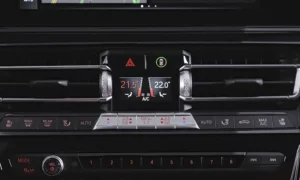
Seeing strange temperature readings like -40°F or +122°F on your BMW’s display? Your ambient temperature sensor might be acting up. While there’s no simple “reset button” for these sensors, there are several effective ways to address the problem and get accurate readings again. I’ll walk you through everything you need to know about troubleshooting and fixing your BMW’s ambient temperature sensor.
What Is a BMW Ambient Temperature Sensor?
The ambient temperature sensor in your BMW is a thermistor (temperature-sensitive resistor) that measures outside air temperature. This reading affects not just the temperature display but also how your automatic climate control system operates.
Unlike electronic components with memory, these sensors don’t store information that needs “resetting.” Instead, they provide real-time resistance values based on current temperature. When you see extreme readings like -40°F or +122°F, you’re looking at error codes rather than actual measurements:
- -40°F reading: Typically indicates an open circuit caused by a disconnected, damaged, or missing sensor
- +122°F reading: Usually signals a short circuit from damaged wiring or corroded connections
Why Your BMW’s Temperature Sensor Might Need Attention
Several issues can cause your BMW’s ambient temperature sensor to display incorrect readings:
- Physical damage to the sensor
- Accumulated dirt and road grime
- Corroded electrical connections
- Damaged wiring from road debris or rodents
- Sensor location receiving heat from the engine
Before attempting any fixes, it’s important to understand that true “resetting” isn’t possible since these sensors have no memory. What we’re really doing is troubleshooting and fixing the underlying issues.
Locating Your BMW’s Ambient Temperature Sensor
Finding the sensor is your first step. Its location varies by BMW model:
- E46/E90/E92 models: In the driver’s side wheel well, under the front bumper
- F30 models: Under the driver’s side front fender liner
- Newer models: Behind the front bumper near fog lights or air intakes
You might need to remove plastic underbody panels or wheel well liners to access it. The sensor usually looks like a small black plastic component with a wire connector.
Step-by-Step Troubleshooting and “Reset” Procedures
1. Physical Inspection and Cleaning
Start with the basics:
- Locate the sensor using your model information above
- Inspect the sensor for visible damage or dirt
- Clean the sensor with a soft cloth to remove road grime
- Inspect the electrical connector for corrosion or damage
- Use isopropyl alcohol and a small brush to clean connector pins
- Ensure the connector is properly seated and secure
2. Battery Disconnect Method
This is as close to a true “reset” as you can get with these sensors:
- Turn off your BMW completely
- Disconnect the negative battery terminal
- Wait 15-30 minutes (some recommend up to 2 hours)
- Turn the headlights on briefly to drain any residual power in the system
- Reconnect the battery terminal
- Start the vehicle and monitor the temperature display
This method forces all electronic systems to restart and can sometimes resolve sensor communication issues.
3. Driving Calibration Method
Sometimes simply driving your BMW can help calibrate the sensor:
- After completing steps above, drive your vehicle at speeds over 15 mph
- Continue driving for 5-10 minutes
- Monitor the temperature display as you drive
- Be patient – it may take several driving cycles for readings to stabilize
4. Diagnostic Code Clearing
If you have access to an OBD scanner:
- Connect the scanner to your BMW’s OBD port (usually under the dashboard)
- Check for codes P0070 or 2F9A (BMW-specific temperature sensor codes)
- Clear relevant codes after addressing physical issues
- Test drive to see if codes return
5. Hidden Menu Access (Mainly for E46 Models)
Some BMWs have hidden diagnostic menus that can help:
- Turn key to position 1 with car off
- Hold trip reset button while turning key
- Navigate to test “19” using trip button
- Access test “7.1” to view temperature readings
- Check if readings normalize after repairs
Wiring Inspection and Repair
If basic procedures don’t solve the problem, you’ll need to check the wiring:
Common Wiring Issues to Look For
- Inspect the entire wiring harness from sensor to connection point
- Look for:
- Frayed or exposed wires
- Chewed wiring (rodent damage)
- Stretched or pinched wires
- Water intrusion
Testing With a Multimeter
For the technically inclined:
- Disconnect the sensor
- Using a multimeter, check resistance across sensor terminals
- At room temperature (about 70°F), expect around 2.5-3.5 kΩ
- Resistance should decrease as temperature increases
- Check continuity in the wiring harness
- Verify proper voltage supply (typically 5V)
Sensor Replacement When Necessary
If troubleshooting doesn’t resolve the issue, replacement may be your best option:
When to Replace the Sensor
Consider replacement if:
- The sensor shows physical damage
- Cleaning doesn’t improve readings
- Diagnostic codes persist after clearing
- Temperature readings remain stuck at -40°F or +122°F
- Wiring is damaged beyond repair
Choosing the Right Replacement Part
For best results:
- Use OEM parts when possible
- Consider replacing both the sensor and connector with wiring pigtail
- Verify compatibility with your specific BMW model
- Check online for current part numbers, as they change over time
DIY Replacement Process
- Disconnect the battery
- Access the sensor location (may require removing panels)
- Unplug the electrical connector
- Remove the old sensor (usually twist or clip mounting)
- Install the new sensor
- Reconnect the electrical connector
- Reconnect the battery
- Test drive to verify proper operation
Understanding BMW Temperature Sensor Electronics
For the curious minds who want to understand more about how these sensors work:
The ambient temperature sensor in your BMW is a negative temperature coefficient (NTC) thermistor. As temperature increases, its electrical resistance decreases. The car’s computer measures this resistance and converts it to a temperature reading.
The error values you see (-40°F or +122°F) are actually the minimum and maximum values the system can display. When the computer detects an open circuit, it defaults to -40°F. When it detects a short circuit, it defaults to +122°F.
This is why there’s no true “reset” – the system is simply reporting the current electrical state of the sensor circuit.
Special Considerations for Different BMW Models
E46 3-Series (1999-2006)
- Sensor is often located in the front bumper, driver’s side
- Particularly susceptible to damage from road debris
- Forum threads show this is a common issue in these models
E90/E92 3-Series (2006-2013)
- Sensor typically located in the driver’s side wheel well
- Often affected by heat from the engine
- May require removing the wheel and liner for access
- Many owners have documented this issue in detail
F30 3-Series (2012-2019)
- Sensor usually under the driver’s side front fender liner
- Better protected than earlier models but still susceptible to damage
- The F30 forum has several threads addressing temperature sensor issues
Temperature Sensor Impact on Vehicle Systems
Your BMW’s ambient temperature sensor affects more than just the display:
- Automatic Climate Control: Uses outside temperature to determine heating/cooling needs
- Cold Start Procedures: May affect fuel mapping during cold starts
- Warning Systems: Freezing temperature warnings depend on accurate readings
- Engine Cooling Systems: Some models adjust cooling strategies based on ambient temperature
This is why fixing a faulty sensor is important for overall vehicle performance.
Proper Maintenance to Prevent Future Issues
To avoid temperature sensor problems in the future:
- Periodically clean the front bumper area where the sensor is located
- Check for damage after driving through deep snow or debris
- Avoid pressure washing directly at sensor locations
- Have electrical systems checked during regular maintenance
- Address check engine lights promptly
BMW Temperature Sensor Readings Comparison Table
| Reading | Likely Cause | Solution |
|---|---|---|
| -40°F (-40°C) | Open circuit/disconnected sensor | Check connections, inspect wiring, replace sensor if damaged |
| +122°F (+50°C) | Short circuit | Check for damaged wiring, corrosion, replace if necessary |
| Fluctuating readings | Intermittent connection | Clean connections, secure mounting, check for loose wires |
| Reading too high | Sensor absorbing engine heat | Verify proper mounting location, check for heat shields |
| Slow to update | Normal behavior | Sensor readings intentionally damped to avoid fluctuation, drive for 5-10 minutes |
Common Error Codes Related to Temperature Sensors
| Code | Description | Typical Causes |
|---|---|---|
| P0070 | Ambient Air Temperature Sensor Circuit | Wiring issues, faulty sensor |
| P0071 | Ambient Air Temperature Sensor Range/Performance | Sensor reading outside normal parameters |
| P0072 | Ambient Air Temperature Sensor Circuit Low | Short to ground in circuit |
| P0073 | Ambient Air Temperature Sensor Circuit High | Open circuit or short to power |
| 2F9A | BMW-specific temperature sensor code | Various sensor or wiring issues |
Remember that while there’s no simple “reset” for your BMW’s ambient temperature sensor, methodical troubleshooting can identify and resolve the underlying issue. With patience and attention to detail, you can restore accurate temperature readings and ensure your vehicle’s systems function properly.
If these steps don’t resolve your issue, don’t hesitate to consult with a BMW specialist who has access to manufacturer-specific diagnostic equipment for more advanced troubleshooting.