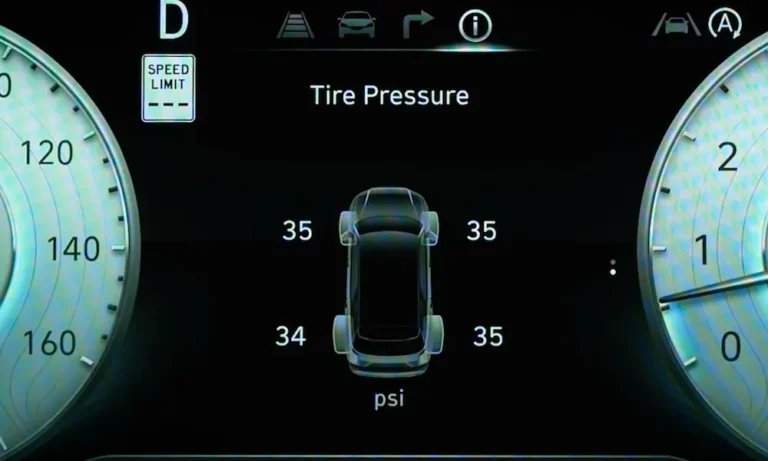
That little tire pressure warning light is staring at you. You’ve already pumped up your tires, but it’s still on. Sound familiar? This guide walks you through exactly how to reset Hyundai TPMS — step by step — covering every method for every model. Stick around, because the fix depends on which Hyundai you drive.
First, Check Your Tires Before Anything Else
Don’t skip this part. A reset won’t work if your tires are still underinflated.
Grab a manual tire pressure gauge and check all four tires when they’re cold — meaning the car has sat for at least three hours, or you’ve driven less than one mile. Hot tires read higher than they actually are, which throws off your calibration.
Check the sticker on your driver-side door jamb for the correct PSI. Don’t use the number on the tire sidewall — that’s the maximum, not the recommended pressure.
Here’s a quick reference for common Hyundai models:
| Hyundai Model | Recommended Cold PSI | Notes |
|---|---|---|
| Accent | 33 PSI | All trim levels |
| Elantra | 33 PSI | Sedan and hatchback |
| Sonata | 34–35 PSI | Higher for hybrid variants |
| Tucson (2021–2024) | 35–40 PSI | Varies by tire size |
| Santa Fe | 33–35 PSI | Standard SUV range |
| Palisade | 35 PSI | Important for heavy loads |
| Kona | 33 PSI | EV and combustion models |
One thing worth knowing: for every 10°F drop in temperature, your tire pressure drops by roughly 1 PSI. So a cold morning in winter can trigger the light even if nothing’s actually wrong with your tires.
Method 1: The Drive Reset (Works on Most 2020–2025 Models)
This is the simplest method, and it works on most modern Hyundais with a direct TPMS system.
Here’s what to do:
- Inflate all four tires to the exact PSI shown on your door jamb sticker
- Start your car and drive at speeds above 50 mph
- Maintain that speed for 10–20 minutes
- The TPMS light should turn off on its own
Why does driving work? Your direct TPMS sensors use an internal accelerometer that puts them into sleep mode when the car sits still. Once the wheels spin, the sensors wake up and start transmitting pressure data to your car’s computer. The system needs that data to confirm everything’s within range before it clears the warning.
If the light stays on after 20 minutes of driving, move on to the next method.
Method 2: Steering Wheel Menu Reset (2020–2025 Digital Clusters)
Newer Hyundai models ditched the physical reset button. Instead, you navigate a menu through your steering wheel controls.
Here’s the general process:
- Park the car with the engine running
- Use the steering wheel’s right-side controls to navigate to Tire Pressure in your instrument cluster
- Hold the OK button for 3–5 seconds
- Wait for a confirmation message like “Tire pressures stored”
- Take a short drive to finalize the reset
The exact menu path varies slightly by model. Here’s a breakdown:
| Model | Control Location | Menu Path |
|---|---|---|
| Elantra (2021–2025) | Right steering wheel pod | User Settings → Tire Pressure → Set |
| Sonata (2020–2025) | Right steering wheel pod | Vehicle Info → Tire Pressure → OK (Hold) |
| Santa Fe (2021–2025) | Right steering wheel pod | Information → Tire Pressure → OK (Hold) |
| Palisade (2020–2025) | Left steering wheel pod | Service Menu → Tire Pressure → Reset |
If you’re unsure which buttons to press, the Hyundai Owner’s Manual has model-specific diagrams.
Method 3: Physical Reset Button (Older Hyundai Models)
If your Hyundai is a 2015–2021 model, it likely has a physical TPMS reset button. Look for an icon that shows a tire cross-section with an exclamation mark.
Where to find it:
- Left of the steering column on the lower dashboard
- Near the hood release lever
- Inside the glove compartment (less common)
Here are typical locations by model:
| Model | Year Range | Button Location |
|---|---|---|
| Elantra | 2017–2020 | Lower dash, left of steering column |
| Sonata | 2015–2019 | Under steering wheel, near fuse panel |
| Tucson | 2016–2021 | Left-side dashboard cluster |
| Kona | 2018–2022 | Lower panel, left of steering wheel |
| Santa Fe | 2019–2022 | Bottom edge of driver’s side dash |
How to use it:
- Turn the ignition to ON without starting the engine
- Press and hold the TPMS button until the warning light blinks three times
- Release the button
- Start the engine and drive for 20 minutes, or let it idle
The three blinks confirm the system entered recalibration mode. Don’t rush off immediately — give it a few minutes to finish the process.
Method 4: The Pressure Cycle Trick (When Normal Methods Fail)
Still stuck with a stubborn light? This advanced method can jolt an unresponsive sensor back to life.
Here’s how it works:
- Inflate every tire — including the spare — to 3 PSI above the recommended maximum
- Fully deflate all four tires until they’re flat
- Reinflate every tire to the exact recommended PSI
- Drive the car for 10–20 minutes
The dramatic pressure swing forces each sensor to send an emergency data packet to your car’s computer. Think of it as a hard refresh for the sensors. This method works well when a sensor has gone quiet due to a minor communication glitch.
Method 5: Battery Disconnect Reset
This is the nuclear option for a persistent TPMS light — and it works by fully clearing your car’s electrical memory.
Steps:
- Turn the car off completely
- Disconnect the positive battery cable with a wrench
- Turn the key to the ON position
- Press the horn for 3–5 seconds — it won’t honk, but it drains residual power from the system’s capacitors
- Reconnect the battery
- Start the car
When the vehicle restarts, it runs a cold-boot diagnostic on all TPMS sensors. This forces the system to re-establish communication with each sensor from scratch — often clearing a glitch that no other method could fix.
What Your TPMS Light Is Actually Telling You
The behavior of the light matters. It’s not always the same problem.
Solid light — One or more tires is below the safe pressure threshold (roughly 25% below recommended PSI). Fill up your tires and run a reset. The NHTSA confirms underinflated tires contribute to thousands of accidents every year — so don’t ignore it.
Blinking light (60–90 seconds at startup, then solid) — This signals a system malfunction, not a pressure problem. A flashing TPMS light usually means a dead sensor battery, a damaged sensor, or a communication failure. No amount of tire inflation will fix this. You’ll need an OBD-II scanner to pull the specific diagnostic trouble code and find the faulty sensor.
The Spare Tire Problem
Here’s something that catches a lot of Hyundai owners off guard: most Hyundai spare tires don’t have a TPMS sensor.
When you put on the spare, the car notices a sensor is missing and immediately triggers the TPMS light. It’ll flash for about a minute, then stay solid. This is normal — it’s by design.
You can’t reset the light while the spare is on. The only fix is to repair your original tire, reinstall it, and then run a standard driving reset. Also avoid using tire sealant sprays — the foam can clog the sensor’s pressure port and permanently damage it, turning a $30 fix into a $150 sensor replacement.
TPMS Sensor Lifespan: What to Expect
If your light keeps coming back and you’ve ruled out actual pressure issues, your sensor battery might be dying.
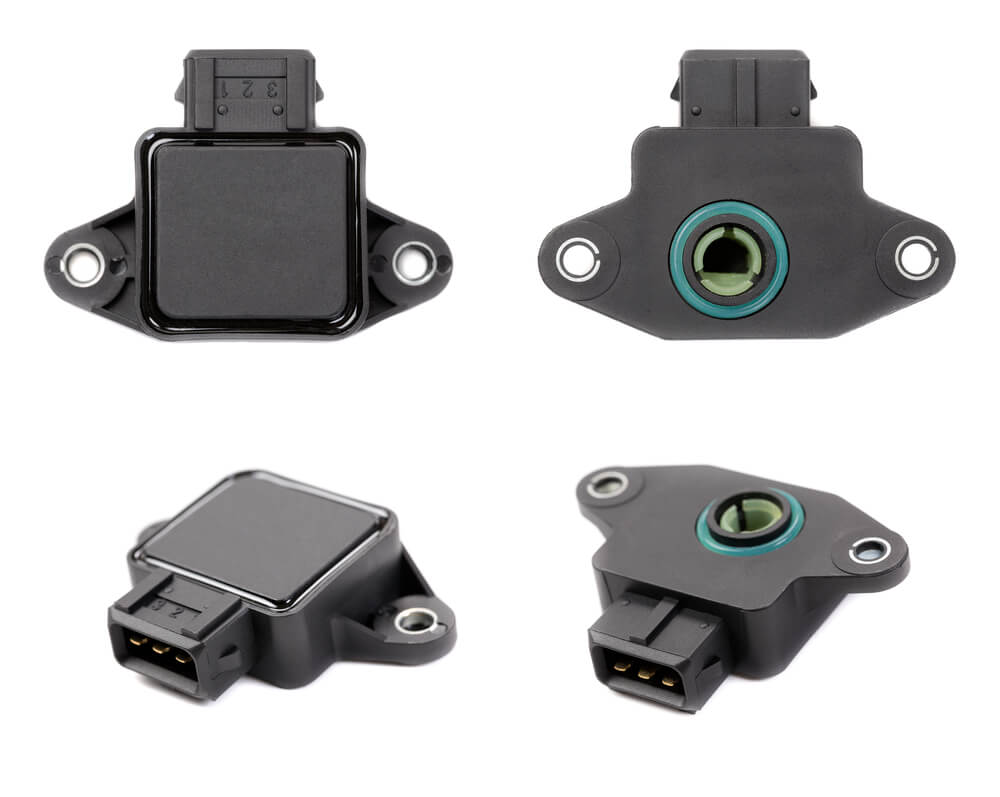
Direct TPMS sensors run on sealed internal batteries — you can’t swap the battery alone. The entire sensor needs replacing. Most Hyundai sensors last 5–10 years or around 100,000 miles, though cold climates can shorten that lifespan.
When you replace a sensor, it must be electronically paired to your vehicle using a TPMS programming tool via the OBD-II port. The new sensor gets its unique ID uploaded to your car’s computer. Without that step, the car keeps searching for the old sensor and the light stays on.
Hyundai models in the US typically use either 315 MHz or 433 MHz sensors — confirm the correct frequency for your model year before purchasing a replacement.
Quick Maintenance Habits That Prevent TPMS Headaches
A few simple habits keep the system working reliably:
- Check tire pressure monthly with a manual gauge — don’t rely solely on the warning light
- Reset after every tire rotation — older Hyundais can’t auto-locate sensor positions after a rotation
- Use valve caps with rubber seals — metal valve stems corrode in road salt states, which can seize the valve core and damage the sensor
- Check pressure before long drives — temperature changes during highway trips can push pressure above or below the threshold, triggering the light mid-journey
Proper tire inflation isn’t just about keeping the light off. It can improve fuel economy by 3–5% and extend tire life by up to 15%. That’s real money saved over the life of a set of tires.