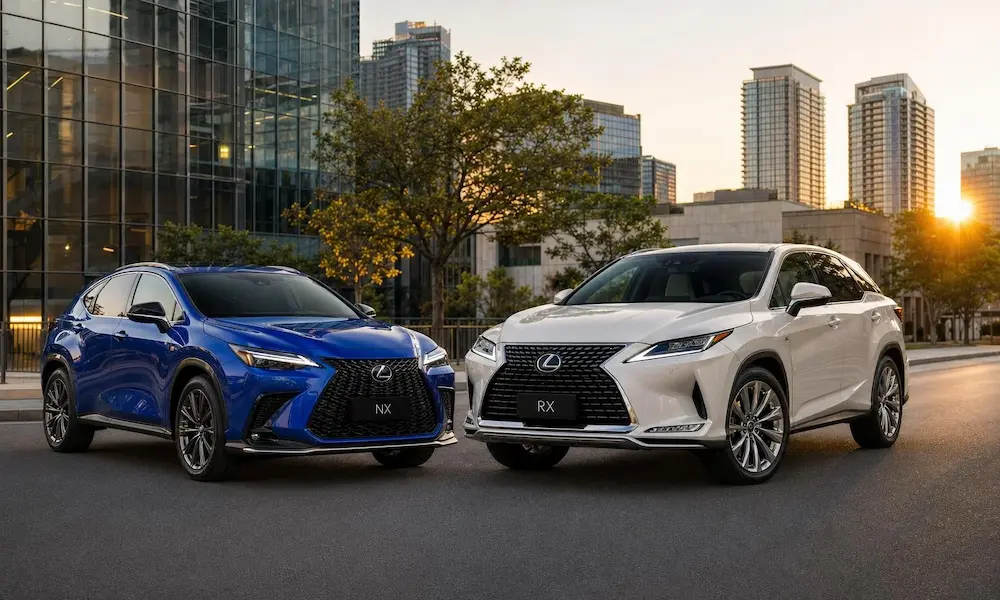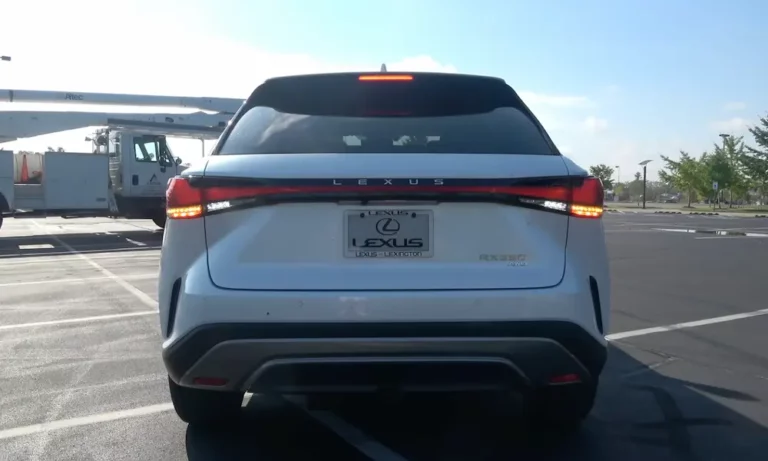
Figuring out how to turn on Lexus RX 350 parking assist shouldn’t feel like solving a puzzle. Whether you just bought a 2018 or you’re driving a 2024, the steps differ depending on your model year. This guide covers every generation, every button, and every menu screen — so you can stop guessing and start parking with confidence.
What Is the Lexus RX 350 Parking Assist System?
Before you start pressing buttons, it helps to know what you’re actually turning on.
The Lexus Intuitive Parking Assist system uses ultrasonic sensors embedded in your front and rear bumpers. These sensors send out high-frequency sound waves, measure how fast they bounce back, and calculate how close you are to an object. The closer you get, the faster and louder the beeping.
The system has two main layers:
- Parking Support Alert (PKSA): Gives you audible beeps and visual warnings on your screen
- Parking Support Brake (PKSB): Actually applies the brakes automatically if you’re about to hit something
Think of PKSA as the warning and PKSB as the safety net. Both work together to protect your bumper — and your wallet.
What the Beeping Patterns Actually Mean
The beeps follow a predictable rhythm that tells you exactly how close you are.
| Zone | Distance | Sound Pattern |
|---|---|---|
| Zone 1 – Distant | 3 to 6 feet | Slow, intermittent beeps |
| Zone 2 – Approaching | 1.5 to 3 feet | Faster, rhythmic beeps |
| Zone 3 – Critical | Under 1 foot | One continuous, loud tone |
The visual display mirrors this with color changes. Green means proceed cautiously, yellow or orange means slow down, and red means stop immediately. Memorize those three colors and you’ll never second-guess the system again.
How to Turn On Lexus RX 350 Parking Assist (2016–2022)
Fourth-generation RX 350 owners use the Multi-Information Display (MID) — that small screen sitting between your speedometer and tachometer. You control it with the button pad on the right side of your steering wheel.
Step-by-Step: Steering Wheel and MID Method
Here’s the exact process to activate parking assist on a 2016–2022 RX 350:
- Start the vehicle
- Use the left and right arrow buttons on the steering wheel pad to scroll through the top menu icons
- Find the Settings icon (looks like a gear)
- Press the center OK button to enter Settings
- Use the up and down arrow buttons to scroll until you see “Parking Assist” or the PKSA icon
- Press OK to toggle it on or off
- Look for the “P” with signal waves icon in the corner of the display — that confirms the system is active
That’s it. The whole process takes about 15 seconds once you know where to look.
Physical Buttons: Do You Have One?
Some fourth-gen trim levels skip the menu entirely and give you a dedicated physical button. Check these two spots:
- Lower dashboard area, to the left of your steering wheel, among other safety system toggles
- Center console, near the gear shifter or behind the electronic parking brake switch
If you find a button with a “P” and signal cone graphic, press it once to activate. A green light on the button or instrument cluster confirms it’s on. Press again to turn it off.
One thing to note: if you turned the system off during a previous drive, some models require a press-and-hold to reactivate it. Give it two to three seconds if a quick press doesn’t do anything.
How to Adjust Alert Volume and Sensor Sensitivity (2016–2022)
Turning the system on is step one. Fine-tuning how it behaves is step two. You do this through the central multimedia touchscreen, not the MID.
Adjusting the Settings
Follow this path on the screen:
- Press the Menu button on the center console (or tap the menu icon on the screen)
- Select “Setup” or “Vehicle”
- Tap “Lexus Park Assist” or “Parking Assist”
Inside that menu, you can adjust these settings:
| Setting | Options | What It Does |
|---|---|---|
| Alert Volume | Low, Medium, High | Controls how loud the proximity beeps are |
| Display | On / Off | Shows or hides visual sensor data on screen |
| Proximity Distance | Near / Far | Sets how early the beeping starts |
| PKSB Toggle | On / Off | Enables or disables automatic braking |
If you’re new to the vehicle, technicians recommend setting the volume to the highest level first. You’ll learn what the different beep rhythms mean faster that way. Once it clicks, you can dial it back to medium.
How to Turn On Lexus RX 350 Parking Assist (2023–2025)
The 2023 redesign brought the Lexus Interface, a completely digital cockpit that eliminated most physical buttons. If you own a 2023, 2024, or 2025 RX 350, your parking assist controls live inside the touchscreen — not the MID.
Step-by-Step: Touchscreen Method
- Tap the Settings icon on the left side or bottom of your 9.8-inch or 14-inch touchscreen
- Select “Driving Assist” or “Vehicle Settings”
- Open the “Parking Support” sub-menu
- Toggle “Intuitive Parking Assist” on or off
- If you want to manage the PKSB separately, it’s in the same sub-menu — you can keep the alerts on but turn off automatic braking if you prefer
This is a significant shift from previous generations. There’s no physical button as a shortcut. You need to navigate the touchscreen every time.
Using “Hey Lexus” Voice Commands
If tapping through menus while maneuvering sounds annoying — it is. That’s why 2024 and 2025 models include the Intelligent Assistant. Just say “Hey Lexus” and ask about your vehicle’s safety system status or request screen adjustments. It won’t repark the car for you, but it keeps your hands free during tricky maneuvers.
Parking Assist Is Now Standard on All 2023–2025 Trims
Here’s a quick breakdown of how availability changed over the years:
| Model Year | Availability | Key Change |
|---|---|---|
| 2016–2017 | Optional on base trims | Fourth-gen sensor array introduced |
| 2018–2019 | Available via Premium Package | Integrated with Lexus Safety System+ |
| 2020–2022 | Standard on most mid-tier trims | Touchscreen volume and sensitivity controls added |
| 2023–2024 | Standard on all trims | Lexus Interface launched; PKSB became standard |
| 2025 | Standard on all trims | Remote Park and voice commands refined |
Good news if you bought a 2024 or 2025: parking assist with automatic braking is standard across all six RX 350 grades — Standard, Premium, Premium+, Luxury, F Sport Handling, and F Sport Performance. You don’t need to check if you have it. You do.
Advanced Park: The Semi-Autonomous Option
If your RX 350 is a Luxury or F Sport Performance trim, you might have Advanced Park — a system that actually steers, brakes, and shifts the car into a spot for you.
Here’s how to use it:
- Press the Advanced Park button on the center console while driving slowly near parking spaces
- The vehicle scans for parallel or perpendicular openings
- Confirm the spot on the touchscreen
- Release the steering wheel and pedals
- Let the vehicle handle acceleration, braking, steering, and gear shifts
- When done, it engages the parking brake and notifies you on screen
It’s surprisingly smooth. But you still need to stay alert — the system can and will pause if it detects an unexpected obstacle.
When the Sensors Act Up: Common Issues and Fixes
The parking assist system depends entirely on clean, unobstructed sensors. When it starts beeping randomly — or stops beeping when it should — the sensors are usually the culprit.
Clean the Sensors First
In winter, road salt and ice accumulate directly on the sensor surfaces. Your dashboard will display a “Clean Sonar” message when this happens. Use a soft cloth and mild soap to clean the sensors gently. Never blast them with high-pressure water at close range — it can push the sensor into the bumper or damage internal wiring.
If the “Check Sonar” warning stays on after cleaning, a sensor may be physically displaced from road debris. That’s a dealer visit situation.
Why the System Might Miss Objects
A few real-world factors can trick the sensors or cause false alerts:
- Soft or irregular surfaces (thick bushes, heavy snowdrifts) absorb sound waves instead of reflecting them — so the system might not detect them in time
- Low objects like curbs or parking blocks can fall below the bumper-height sensor field entirely
- Loud environments with pneumatic equipment or heavy trucks create ultrasonic interference
- Bike racks or hitch-mounted cargo carriers will constantly trigger rear sensors while in reverse — just turn the parking assist off temporarily from your settings menu when you’re using them
The system is smart, but it’s not perfect. Knowing its blind spots makes you a better driver, not a dependent one.
One System, Part of a Bigger Safety Picture
The parking assist doesn’t work alone. It’s part of Lexus Safety System+ (LSS+), which evolved from version 2.0 to 3.0 between 2020 and 2023. The broader system covers high-speed scenarios through Pre-Collision Systems and Lane Tracing Assist, while parking assist covers the slow-speed, close-quarters situations.
When you back out of a spot in a 2024 RX 350, the parking sensors watch the walls on either side while the Rear Cross Traffic Alert watches for cars approaching on the street. If either detects a problem, the Parking Support Brake steps in. You get one unified warning — a red indicator and a continuous tone — regardless of what triggered it.
That simplicity is the whole point. You don’t need to monitor three separate systems. The car does the monitoring. You just need to know how to turn the system on and keep the sensors clean.