You set your phone on the charging pad. Nothing. Or maybe it charges for five minutes, then stops. Perhaps your phone’s getting hot enough to fry an egg. Don’t worry—we’re going to break down why your Hyundai wireless charging pad not working and what you can do about it. Stick around—there’s usually a simple fix hiding in here somewhere.
Why Your Charging Pad Suddenly Went Dark
Most people think their wireless charger just broke. But here’s the thing: Hyundai’s system is picky. It won’t charge unless specific conditions are met.
The Door Must Be Closed
Sounds obvious, right? But the wireless charging system shuts off the moment you open the driver’s door. It’s a safety feature to reduce electromagnetic exposure when you’re getting in or out.
If you’re testing the charger with the door open, you’ll think it’s broken. Close all doors first.
Your Car Needs to Be “On”
The charging pad only works when your ignition is in ACC (Accessory) or IGN/START mode. For electric models like the Ioniq 5 or Kona EV, the vehicle must be in “Ready” state.
Testing it while the car’s completely off? That’s why you’re not seeing any lights.
Check Your Settings Menu
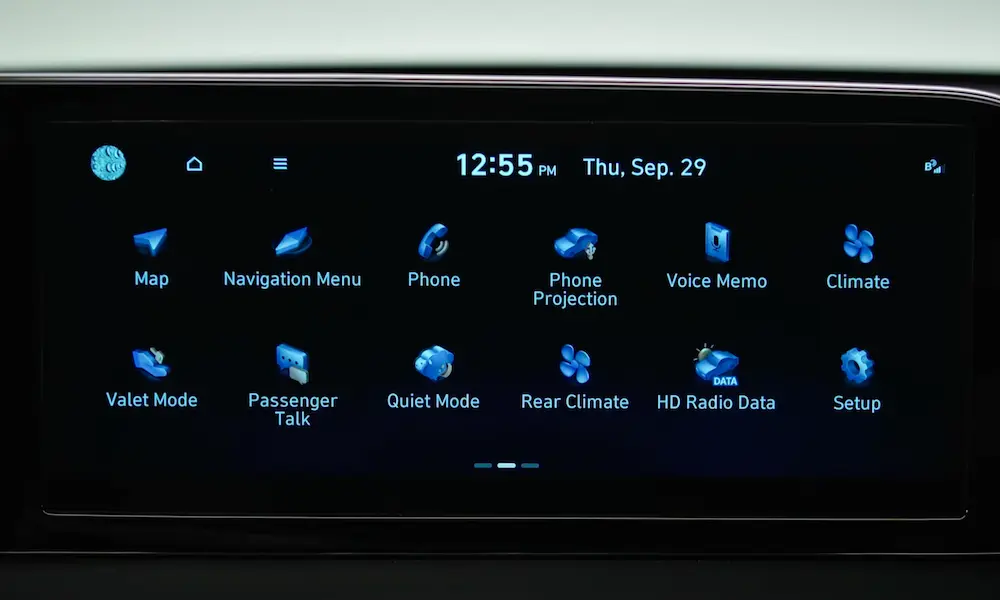
Here’s a sneaky one: there’s an on/off switch buried in your infotainment system. Navigate to Setup > Vehicle > Convenience > Wireless Charging System and make sure it’s checked.
If the option’s missing completely, that points to a deeper software issue we’ll tackle below.
Decoding the Blinking Orange Light
That orange light isn’t just decoration—it’s trying to tell you something.
| Light Status | What It Means | What to Do |
|---|---|---|
| Solid Orange | Actively charging | You’re good |
| Solid Blue/Green | Charge complete | Battery’s full |
| Blinking Orange (slow) | Foreign object detected, phone misaligned, or overheating | Remove phone, check for coins/keys, let it cool |
| Blinking Orange (fast) | System malfunction | Try a fuse reset |
| No Light | Charger off, door open, or fuse blown | Check prerequisites |
A blinking orange light that persists after you remove your phone? The system’s stuck in an error state and needs a reset.
The Smart Key Fob Problem
This one trips up a lot of people. If you place your key fob on or near the charging pad, the system freaks out.
Why? Your Hyundai’s wireless charger operates at 110-205 kHz, which overlaps with the 125 kHz frequency your smart key uses. The car detects interference and shuts down charging to prevent jamming the key signal.
Move your key fob to a pocket or the cupholder. Problem solved.
Why Your Phone’s Getting So Hot
This is the number one complaint with Hyundai’s wireless charging, especially in the Ioniq 5 and Tucson.
The Heat Trap Design
Wireless charging is inefficient—about 60-75% of the energy reaches your phone, and the rest becomes heat. In models like the Ioniq 5, the charging pad sits in a deep cubby with zero airflow. The rubber mat acts like an insulator, trapping heat against your phone’s back.
Your phone’s programmed to stop charging at 40-45°C to protect the battery. The car’s pad doesn’t shut down until it hits 70°C. See the problem? Your phone quits long before the car thinks there’s an issue.
Wireless CarPlay Makes It Worse
Running Wireless Android Auto or CarPlay while charging? Your phone’s CPU and Wi-Fi are working overtime, generating even more heat. Add that to charging heat, and you’ve got a recipe for thermal shutdown within minutes.
The fix? Use a wired connection for CarPlay if you need to charge. Or point an air vent toward the console.
The Camera Bump Gap
Modern phones—especially iPhone Pro models and Samsung Galaxy Ultra—have massive camera bumps. These bumps lift the back of your phone off the charging mat, creating a 2-4mm air gap.
Wireless charging efficiency drops dramatically with distance. To compensate, the transmitter cranks up the power, which generates more heat. Often, the phone won’t charge at all or it’ll charge for 5-10 seconds then stop as it vibrates out of position.
Try removing your phone case. If it’s thicker than 4mm or has a PopSocket, that’s probably your culprit.
The Magic Fuse Pull Fix
If your wireless charging option disappeared from the settings menu or the pad’s completely unresponsive, you’re dealing with a software lockup. Restarting the car won’t fix it because these modules stay powered in sleep mode.
The solution? Pull specific fuses to force a hard reset.
How to Reset Your Charging Pad
- Turn your vehicle completely off
- Locate the interior fuse panel (usually at your left knee, driver’s side)
- Use the fuse puller to remove the MODULE 2 fuse and MEMORY fuse
- Wait 60 seconds
- Reinsert the fuses
- Start your vehicle
- Check if the wireless charging option reappeared in settings
This fuse pull technique works across most Hyundai models because it forces the Body Control Module to reboot and re-recognize the charging pad.
Model-Specific Fuse Locations
Different Hyundai models use different fuse configurations. Here’s what you need:
| Model | Primary Fuse | Secondary Fuse | Location |
|---|---|---|---|
| Tucson / Santa Cruz | MODULE 2 (10A) | MULTIMEDIA | Interior panel, driver’s side |
| Kona / Kona EV | MODULE 2 (10A) | MEMORY 1 | Interior panel, driver’s side |
| Santa Fe | MODULE 5 (10A) | MEMORY | Interior panel, driver’s side |
| Elantra | MODULE 9 (10A) | N/A | Interior panel, driver’s side |
| Palisade | MODULE 3 (10A) | MEMORY | Interior panel, driver’s side |
For the Ioniq 5, you’ll want MODULE 2 or MEMORY fuses. Some owners report success pulling both simultaneously.
When the Infotainment System’s the Problem
If the fuse pull didn’t work, your head unit might be the issue. There’s a pinhole reset button near the volume knob on most Hyundai infotainment systems.
Press it with a paperclip for 5-10 seconds. This forces the AVN (Audio Video Navigation) system to reboot and re-scan for connected modules. Your radio presets will survive, but you might lose some convenience settings.
The Ioniq 5’s Special Challenge
The Ioniq 5 deserves its own section because the wireless charging complaints are off the charts.
The problem? The charging pad’s buried deep in a console pit with awful ventilation. Owners have gotten creative with 3D-printed fan mounts that draw power from nearby USB ports to actively cool their phones.
If you’ve got an Ioniq 5 and your phone keeps overheating, you’re not alone. Make sure your vehicle’s had any ICCU recall updates applied—these sometimes include fixes for peripheral electronics like wireless charging.
Troubleshooting Steps in Order
Don’t throw random fixes at the wall. Follow this sequence:
Step 1: Verify Prerequisites
- Close all doors completely
- Put the car in ACC or Ready mode
- Check Setup > Vehicle > Convenience for the wireless charging toggle
- Remove your key fob from the charging area
Step 2: Reset Your Phone
Before you blame the car, reboot your phone. A surprising number of handshake failures come from the phone’s software, not the vehicle.
Step 3: Check Physical Compatibility
- Remove thick phone cases (over 4mm)
- Make sure the camera bump isn’t preventing flush contact
- Center your phone on the pad
- Look for coins, cards, or other metal objects
Step 4: Try the Fuse Pull
If the settings option is missing or the pad’s completely dead, pull MODULE 2 and MEMORY fuses for 60 seconds.
Step 5: Reset the Infotainment System
Use the pinhole reset button if the fuse pull didn’t restore functionality.
What Hyundai Says About It
Hyundai released Technical Service Bulletin 21-BE-012H specifically addressing wireless charging diagnosis. It clarifies that the pad can reach 70°C before shutting down—but your phone will quit at 45°C.
This gives dealers a way to tell you the system’s working “as designed” even when your phone stops charging. Frustrating, but technically accurate.
The TSB also mandates checking door status, key fob location, and case thickness before authorizing warranty replacements. So if you take your car to the dealer, they’ll run through this same checklist.
The MagSafe Complication
Got an iPhone 12 or newer with MagSafe? Those magnets can confuse older Hyundai wireless chargers.
The Foreign Object Detection system monitors the magnetic field. When it sees MagSafe’s ring of magnets, pre-2023 firmware sometimes interprets them as metal debris and triggers a false alarm, stopping the charge.
Newer software updates have mostly fixed this. If you’re still having issues, ask your dealer about firmware updates for the wireless charging module.
Why the 2024+ Models Are Better
The 2024 Santa Fe and 2025 Ioniq 5 redesigns brought significant improvements. Dual charging pads, better ventilation, and Qi2 magnetic alignment in some trims address most of the issues plaguing earlier models.
The 2024 Santa Fe Calligraphy even adds UV sterilization to the charging pad, though this introduces another layer of logic that can occasionally malfunction.
When to Accept the Limitation
Here’s some real talk: wireless charging in cars isn’t perfect yet. The combination of heat, vibration, and geometric constraints means it’ll never be as reliable as a wired connection—at least not with current technology.
If you’re on a long road trip using Wireless CarPlay on a hot day, use a cable. Save wireless charging for short drives or when your battery’s above 50% and doesn’t need much power.
The car’s not broken. Physics is just undefeated.
What Dealers Actually Check
If you take your Hyundai in for wireless charging issues, the technician will scan for Diagnostic Trouble Code B1621. This code indicates an internal ECU error within the charging pad module.
If that code’s present, they’ll replace the pad assembly under warranty (if you’re covered). Without that code, they’ll run through the prerequisites and likely tell you it’s working as designed.
Push back if needed. The TSB gives you ammunition to argue that overheating at 40°C isn’t acceptable user experience, even if it’s “technically” the phone protecting itself.
The Bottom Line
Most Hyundai wireless charging pad not working issues aren’t hardware failures. They’re either logic lockups (fixable with a fuse pull) or thermal limitations (fixable by changing how you use it).
Master the fuse pull technique for your specific model. Understand that wireless charging while running Wireless CarPlay generates serious heat. Accept that modern phone camera bumps create charging gaps.
Do those three things, and you’ll solve 90% of wireless charging frustrations without ever visiting a dealer.