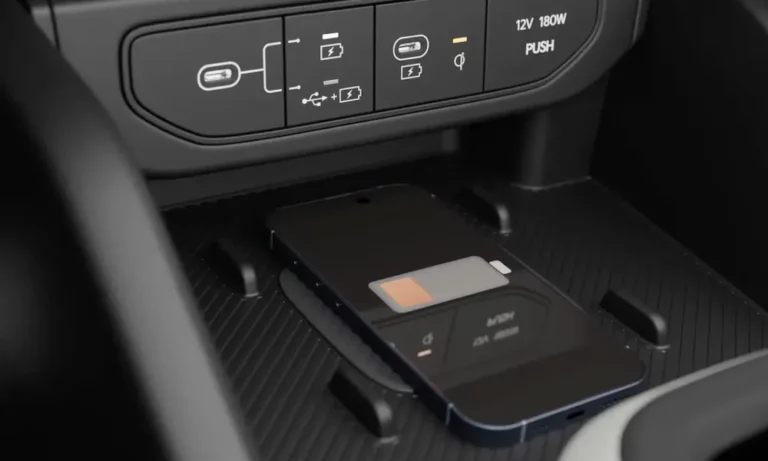
You place your phone on the charging pad, see a light blink, and… nothing. Or worse, your phone gets so hot you can’t touch it. If your Kia’s wireless charger won’t cooperate, you’re dealing with one of the most common tech frustrations in modern vehicles. The good news? Most of these issues aren’t actually broken hardware—they’re fixable problems with simple solutions.
Understanding Your Kia’s Wireless Charger Signals
Your Kia uses a small LED to tell you what’s happening with the wireless charger. But decoding these lights can feel like learning Morse code.
When the light is off, your system is either in standby mode or disabled. Check your infotainment settings under Setup → Vehicle → Convenience → Wireless Charging System. Many owners discover their charger was simply turned off after a software update or battery disconnect.
A solid amber light means power is flowing. Here’s the catch: your phone’s battery percentage might still drop if you’re running GPS and streaming music. The charger can’t always keep up with what your phone is consuming.
Blinking amber signals a problem. A slow blink usually means your phone shifted out of position or the system is cooling down. A rapid blink? That’s the charger detecting metal where it shouldn’t be—like keys in the charging bin or a MagSafe case triggering a false alarm.
The Heat Problem That Plagues Most Kias
Here’s what’s really happening when your phone becomes burning hot on the wireless charger: you’re asking it to do too much at once.
Running wireless Android Auto or Apple CarPlay while charging wirelessly creates a perfect storm. Your phone’s processor works overtime rendering maps, the modem blasts data over Wi-Fi, and the charging pad pumps heat into the back of your device. Add a sun-baked center console, and you’ve created a miniature oven.
The device temperature warning documented by Kia explains this phenomenon. Your phone hits its thermal limit—usually around 104°F—and shuts down charging to protect the battery. The Kia charger didn’t fail; your phone told it to stop.
The EV6 and Telluride suffer worst because their charging pads sit in poorly ventilated cubbies. The floating console design in the EV6 looks futuristic but traps heat like a greenhouse. That thick rubber mat? It’s a thermal insulator blocking heat escape.
Quick Cooling Fixes
Remove the rubber mat if your model allows it. The hard plastic underneath still works and dissipates heat slightly better.
Point your air conditioning vent toward the charging area during hot weather. Even cool cabin air can’t reach the pad if it’s buried in a console.
For serious relief, some owners install small USB-powered fans that blow air into the charging cubby. It’s the only reliable way to maintain fast charging during navigation-heavy trips.
Why Your Phone Case Is Breaking the Charger
Modern phone cases create two major problems for wireless charging: thickness and magnets.
The camera bump issue affects iPhone 14/15 Pro Max and Samsung Galaxy Ultra devices. Those protruding cameras create a 2-4mm air gap when the phone rests on the pad. Magnetic coupling drops exponentially with distance. Your charger tries to compensate by working harder, generates excess heat, and eventually gives up.
MagSafe interference is even trickier. The magnetic ring in iPhone 12 and newer MagSafe cases triggers the charger’s foreign object detection. The system thinks there’s metal debris on the pad and shuts down for safety—that’s the rapid blinking amber light MagSafe users report.
Test this by removing your case entirely. If charging suddenly works, you’ve found your culprit. Switch to a thinner case (under 3mm) without magnets, or accept that you’ll need to remove the case for charging.
The Sliding Phone Problem in EV6 and Sportage
Kia’s large, flat charging pads look sleek but don’t grip phones securely. When you corner or brake hard, your phone slides off-center.
If the phone shifts more than half an inch, the inductive coupling breaks. The charger resets, blinks, and tries again. This cycle repeats throughout your drive, leaving you with a hot phone that gained zero battery.
The 3D-printed spacer solution has become popular among Kia owners. These custom inserts create physical guides that hold your phone centered over the coil. Many designs include a raised shelf for camera bumps, allowing the phone back to sit flush.
If you don’t have access to a 3D printer, try the “chapstick trick” mentioned by Sorento owners: place a tube of chapstick or similar object alongside your phone to prevent sliding.
Critical Software Updates You Might Need
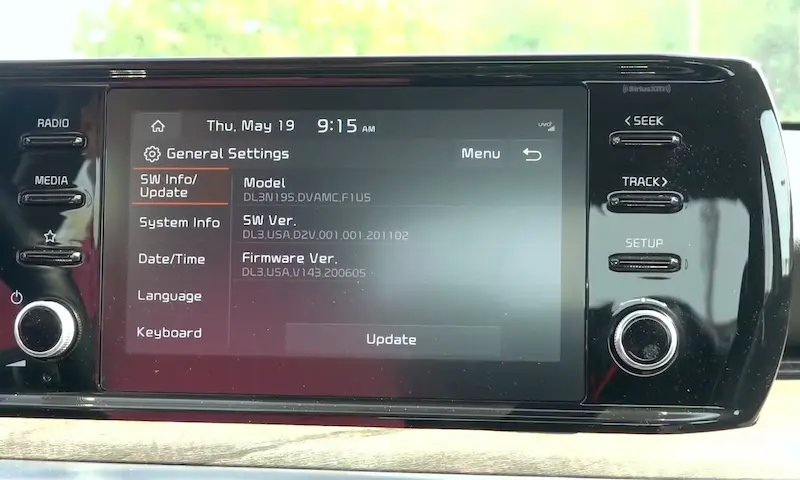
Some Kia models have genuine firmware bugs that prevent charging. These aren’t user errors—they’re documented defects with official fixes.
The EV9 Battery Drain Issue
2024 Kia EV9 vehicles built between November 2023 and May 2024 have a serious logic flaw in the wireless charger. The module doesn’t sleep when you turn off the car. It continues drawing power from your 12V battery, potentially leaving you stranded with a dead battery even though your main EV battery is fully charged.
If you own an affected EV9, your dealer must perform an ECU upgrade through the Kia Diagnostic System. This isn’t optional maintenance—it’s a critical fix to prevent being unable to start your vehicle.
The Sorento Logic Problem
2024 Sorento models from December 2023 through February 2024 suffer from unstable charging logic. The system randomly switches between standby and active modes or fails to recognize phones.
Dealers fix this with a software flash (Event #726 in Kia’s system). If your newer Sorento has intermittent charging, this update validates those “sometimes it works, sometimes it doesn’t” experiences.
When It’s Actually a Blown Fuse
Before assuming your charger is broken, check the fuse. It’s easier than you think.
Open your driver’s side fuse panel (usually behind the knee bolster). Look for fuses labeled IG3, MODULE, or Multimedia. In the EV6, it’s typically IG3 slot 8 (10A).
Pull the fuse and inspect it. If the thin metal strip inside is broken, you’ve found your problem. Replace it with an identical amperage fuse.
The Hard Reset Trick
If the fuse looks fine, try a power cycle reset:
Pull the wireless charger fuse with the car off. Wait 60 seconds to let capacitors discharge. Reinsert the fuse and restart your car.
This forces the charging module to cold boot, clearing temporary logic glitches that freeze the system. Many owners report this solves mysterious “blinking light” issues.
The Smart Key Interference Nobody Mentions
Check your Seltos or Carens owner’s manual—there’s a warning most people miss. If your smart key sits on the charging pad, the system stops charging your phone.
The Digital Key sensor and Qi charging coil share space. The system prioritizes searching for your key fob over charging. This creates the frustrating scenario Telluride owners report: the charger works perfectly until they toss their keys in the same bin.
Keep your keys in your pocket or the cupholder. It’s a simple fix for an annoying problem.
Why Older Models Charge So Slowly
If you own a 2021-2022 K5 or Stinger, your wireless charger might be working perfectly—it’s just underpowered for modern phones.
Early Kia wireless chargers deliver about 5 watts. After efficiency losses, your phone receives roughly 3.5 watts. Meanwhile, running Google Maps with Spotify drains 4-5 watts.
The math doesn’t work. Your battery percentage drops even with the amber charging light on. This isn’t a malfunction—it’s a specification mismatch between your charger’s output and your phone’s demands.
The Upgrade Solution
Aftermarket companies sell replacement wireless charging modules that deliver 15 watts. Installation requires removing center console trim with plastic pry tools and swapping the charging unit. The new module plugs into your factory harness.
This upgrade lets modern phones actually gain charge while running navigation and music simultaneously.
Practical Fixes That Work Right Now
For overheating phones: Switch to wired charging during long navigation trips. A USB cable delivers power more efficiently with less waste heat. Save wireless charging for short trips or when you’re just playing music.
For alignment issues: Mark the sweet spot on your charging pad with a small sticker. Once you find the position where your phone charges reliably, create a visual guide so you can place it perfectly every time.
For thick cases: Keep a thin backup case in your car specifically for charging. Swap cases when you need to charge, then switch back. It’s annoying but effective.
For MagSafe phones: Remove the case for charging, or switch to a non-magnetic case thin enough for Qi compatibility. Some users successfully remove just the magnetic ring from their existing case.
The Negative Charging Phenomenon
Here’s something that confuses many owners: the charging light is on, but the battery percentage decreases.
This happens when your phone’s power consumption exceeds the charger’s input. Running wireless CarPlay with navigation, streaming, and a bright screen can draw more power than a basic 5-watt charger provides.
You’re technically charging—just not fast enough to overcome what you’re using. The charging system is functional; it’s simply outmatched by your phone’s appetite.
Lower your screen brightness, close background apps, or plug in a cable for power-hungry tasks.