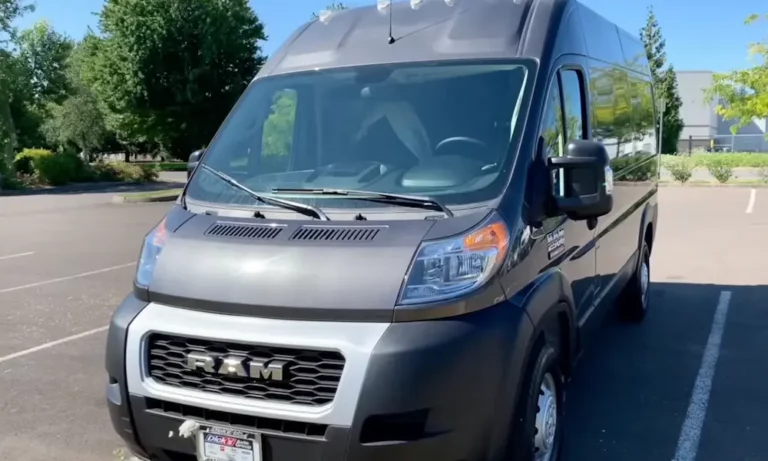
Driving around with that pesky “Oil Change Required” message on your Ram ProMaster’s dash? You’re not just ignoring an annoying alert – you’re missing critical information about your van’s maintenance needs. Let’s fix that.
Why Your ProMaster’s Oil Reset Matters
Your Ram ProMaster doesn’t simply track oil life by mileage. It uses a smart system that analyzes your actual driving habits. This means your oil change intervals can vary from 3,500 miles to 10,000 miles depending on:
- How often you make short trips
- Whether you tow heavy loads
- If you drive in extreme temperatures
- Your idling time and driving speed
Skipping the reset after an oil change means your van’s computer can’t accurately track when you’ll need the next service. Plus, that persistent alert might make you miss other important warnings.
The Complete Oil Reset Process for Ram ProMaster
Getting rid of that oil change notification is straightforward once you know the steps. Here’s how to do it right the first time:
Before You Start
- Complete your oil change using the correct oil (typically 5W-20 or 5W-30 depending on your model year)
- Park on level ground
- Set the parking brake
- Put the transmission in Park (auto) or Neutral (manual)
Method 1: The Three-Pedal Press (Most Common)
This method works for most ProMaster vans from 2013-2024:
- Without starting the engine, turn the ignition to the ON/RUN position
- For key ignition: Turn to the second position
- For push-button start: Press the START button twice without touching the brake
- Press the accelerator pedal completely to the floor three times within 10 seconds
- Timing is crucial – too slow and it won’t work
- Make sure you press all the way down each time
- Turn the ignition OFF
- Start the vehicle to verify the reset worked. The “Oil Change Required” message should disappear.
Troubleshooting Failed Resets
If the warning light stays on, try these fixes:
- Double-check your ignition position: The engine should NOT be running
- Time your pedal presses: Use your phone or watch to ensure all three presses happen within 10 seconds
- Press harder: Some sensors require full pedal travel to register
Model-Specific Considerations
Your ProMaster’s model year affects the reset process slightly:
| Model Years | Ignition Type | Special Notes |
|---|---|---|
| 2013-2019 | Key ignition | Turn key to second position without starting |
| 2020-2024 | Push-button | Press START twice without brake pedal |
Newer models (especially 2023-2024) may show a confirmation message like “Oil Life Reset to 100%” on the instrument cluster after a successful reset.
What If The Pedal Method Doesn’t Work?
If you’ve tried multiple times without success, you might be dealing with:
- A faulty accelerator pedal sensor
- An electronic glitch in the system
- A different reset procedure for your specific van
In these cases, authorized Ram dealers can reset your indicator using their WiTECH diagnostic tools. These tools connect directly to your ProMaster’s computer system and can force a reset when the manual method fails.
Best Practices After Resetting
After successfully resetting your oil indicator:
- Double-check your oil level using the dipstick
- Record the date and mileage in your maintenance log
- Note any changes in your driving habits that might affect future oil change intervals
For fleet operators with multiple ProMasters, resetting each van’s indicator helps maintain accurate maintenance tracking across your entire fleet.
Understanding Your ProMaster’s Oil Monitoring System
The Ram ProMaster uses what mechanics call a “duty-cycle-based” oil monitoring system. Unlike basic systems that simply track mileage, your van’s computer analyzes:
- Engine temperature fluctuations
- RPM levels during operation
- Time spent idling vs. highway driving
- Engine load conditions
This intelligent system helps protect your engine by recommending oil changes based on actual wear, not just distance traveled.
Why Regular Oil Changes Matter for Your ProMaster
Beyond just clearing that dashboard warning, regular oil changes with proper resets help:
- Maintain proper lubrication for engine components
- Remove harmful contaminants and debris
- Extend your ProMaster’s engine life
- Maintain fuel efficiency
- Prevent costly repairs
Commercial van operators who skip oil changes typically face shorter engine lifespans and higher maintenance costs over time.
When the System Might Trigger Early Warnings
Your ProMaster might display the “Oil Change Required” message earlier than expected if you:
- Frequently make short trips (less than 10 miles)
- Drive in extremely hot or cold conditions
- Operate in dusty environments
- Use your van for delivery services with frequent stops
- Regularly carry heavy loads or tow trailers
These conditions put additional strain on your engine oil, degrading it faster and triggering earlier warnings from the monitoring system.
The Technology Behind Your ProMaster’s Oil Monitoring
Modern Ram ProMaster vans use sensors to collect data about your engine’s operation. This information feeds into the Oil Life Monitor algorithm that calculates remaining oil life as a percentage.
When this percentage reaches a predetermined threshold (usually around 10-15%), the system triggers the “Oil Change Required” message. After a reset, the system recalibrates to 100% and begins monitoring again.
This progressive approach to maintenance improves on older systems that relied solely on mileage, which often led to premature oil changes or, worse, waiting too long between services.
How Fleet Managers Can Optimize ProMaster Maintenance
For businesses operating multiple ProMasters, proper oil reset procedures are just one part of a comprehensive maintenance strategy:
- Train all drivers on how to perform the reset
- Implement standardized service documentation
- Consider oil analysis to optimize change intervals
- Use fleet management software to track all maintenance
Fleet ProMasters (especially 2022-2024 models with Uconnect Fleet) can transmit oil life data to centralized systems, making maintenance scheduling more efficient across your organization.
Integrating Oil Resets With Complete ProMaster Maintenance
While resetting your oil change indicator is important, it’s just one element of proper ProMaster care. Each oil change presents an opportunity to check:
- Tire pressure and wear
- Brake pad thickness
- Air filter condition
- Battery health
- Fluid levels (coolant, transmission, brake)
- Belts and hoses for wear
Following Ram’s recommended maintenance schedule ensures all systems receive proper attention at appropriate intervals.
By mastering the oil reset procedure and understanding how your ProMaster’s oil monitoring system works, you’ll keep your van running smoothly for years to come. Remember that this simple reset step is crucial for accurate maintenance tracking and optimal engine protection.