Got a Subaru sitting in the driveway that’s mechanically perfect but digitally stuck in the past? You’re dealing with a common headache—your car might outlast your smartphone by a decade, but your infotainment system aged out years ago. Here’s the good news: there’s a Subaru Android Auto upgrade path for nearly every model year, whether you need a simple software fix or a full hardware overhaul.
What Year Did Subaru Start Supporting Android Auto?
Subaru’s rollout of Android Auto wasn’t exactly smooth. The tech debuted in the 2017 Impreza, then slowly trickled out to other models. The 2018 Legacy and Outback got it standard, along with the Crosstrek. But here’s where it gets messy: the 2018 Forester was left behind, still running the old Gen 2.0 system without any smartphone projection support.
By 2019, Subaru switched to Harman-built head units for most of the lineup, which brought bigger screens and better processing power. The WRX and STI joined the party that year too.
Here’s the critical distinction: If you’ve got a 2015-2016 vehicle, no software update will magically add Android Auto. The hardware simply can’t handle it. For 2017-2018 models, it depends on which specific model and trim you own.
Check Your Starlink Generation First
Before you spend a dime, figure out what you’re working with. Subaru’s Starlink system went through several generations, and each requires a different upgrade strategy.
Gen 2.0 (2015-2016): These units from Fujitsu Ten and Clarion run proprietary software. The USB ports can’t handle the data throughput Android Auto demands. You’re looking at hardware replacement only.
Gen 2.1 (2017-2018): The transition era. These technically support Android Auto, but early firmware versions were buggy disasters—freezing maps, endless reboots, random disconnects.
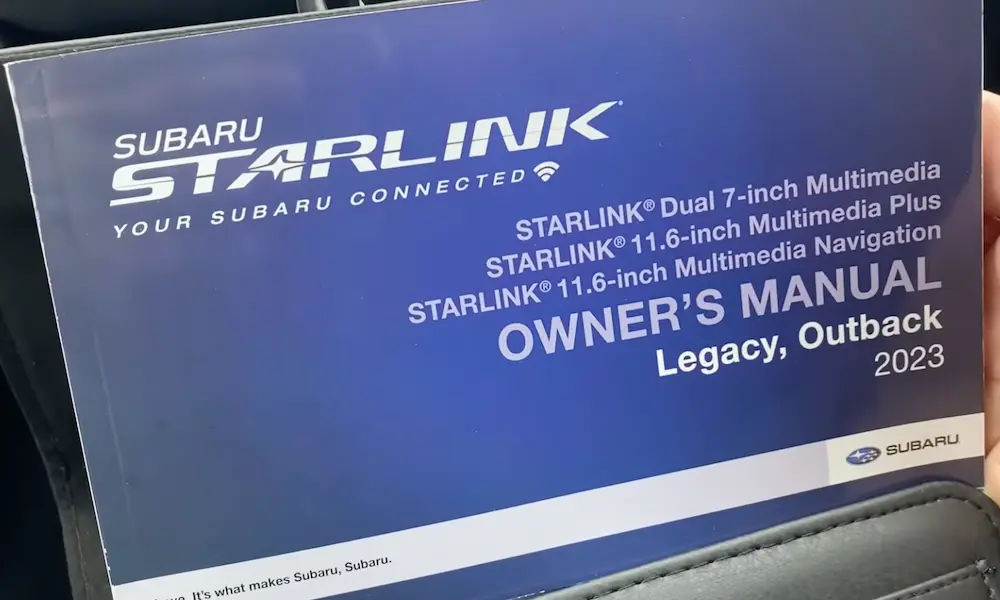
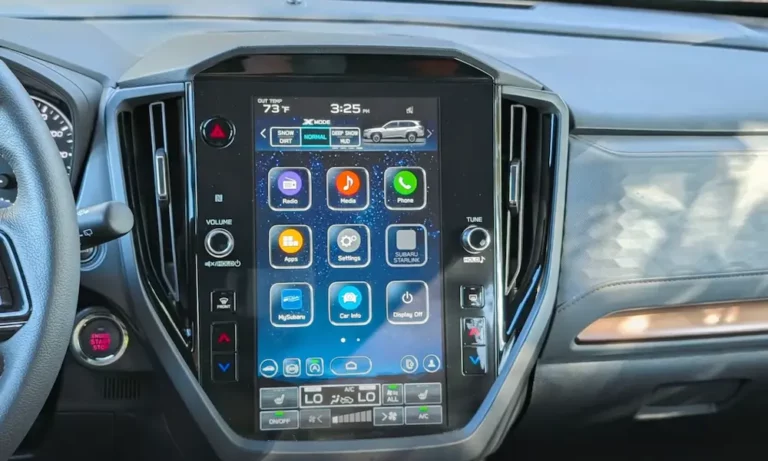
Gen 3.0 and 3.1 (2019+): Harman-built systems with either 7-inch or massive 11.6-inch screens. These are software-driven and highly fixable through firmware updates.
To check your version, navigate to Settings > General > System Information on your head unit.
The Firmware Fix: For 2018+ Vehicles With Native Support
If your Subaru came with Android Auto from the factory but it’s acting flaky—dropping connections, freezing during navigation, or refusing to recognize your Samsung S24—you don’t need new hardware. You need better software.
The Problem With Factory Firmware
Many 2019-2020 vehicles shipped with firmware version Rel_U0.18.43.20. This code is notoriously unstable. It struggles with modern USB-C power delivery and can’t keep up with newer Android OS versions.
The target version you want is Rel_UA.22.13.70 or newer. These releases fixed connection dropouts, audio glitches, and the infamous black screen freeze issue.
Skip the Wireless Update
Subaru advertises over-the-air updates for Gen 3.1 units, but here’s the reality: Wi-Fi updates fail constantly. If your connection hiccups during verification, or your battery voltage drops because the engine isn’t running, you risk corrupting the boot partition. The result? A black screen that won’t turn off, slowly draining your battery overnight.
The USB Update Method (The Right Way)
Professional installers universally recommend USB updates. Here’s how to do it properly:
Get your USB drive ready:
- Use a 16GB to 32GB drive (larger drives often won’t work)
- Format it to NTFS (not FAT32 or exFAT)
- Extract the update files to the root directory—not inside a folder
Critical warning: There are separate firmware packages for “High” (navigation-equipped) and “Mid” (non-navi) units. Installing the wrong version can permanently brick your system. If you’ve got a “Map” button on your dash, you need the “High” version.
The update process:
- Disconnect all other USB devices and Bluetooth connections
- Keep the engine running (or use a battery maintainer)
- Insert the USB and navigate to Settings > General > Check for Updates
- Wait 20-40 minutes—the screen may go black briefly
- Don’t touch anything or cut power
If something goes wrong and your system freezes, disconnect the negative battery terminal, press the brake pedal to discharge residual current, and wait 30 minutes before reconnecting.
Hardware Upgrades for Older Models (2015-2017)
For vehicles without native Android Auto support, you’ve got three paths forward.
Interface Modules: Keep the Factory Look
These “piggyback” devices intercept the video signal between your factory computer and screen. When you activate them (usually by long-pressing a steering wheel button), they hijack the display to show Android Auto.
Top options:
- Hamilton Motor Company: Premium build quality with automotive-grade components rated for extreme temperatures
- NavTool: Made in USA with lifetime warranty and wireless capability
- Unavi: Focus on seamless OEM integration
These systems route audio through your AUX input, which limits sound quality compared to digital connections. Installation requires disassembling the dashboard to plug in ribbon cables—not a weekend DIY project unless you’re comfortable with trim removal.
Full Head Unit Replacement: Maximum Quality
Swapping in a Pioneer or Kenwood gives you the best audio quality and most reliable performance. But Subaru integrated their head units deep into the vehicle network, so you can’t just plug in a standard radio.
You’ll need:
- An aftermarket head unit (Pioneer, Kenwood, Sony)
- The iDatalink Maestro RR or RR2 module (mandatory)
- The HRN-RR-SU1 or SU2 T-harness
- A proper dash kit (Scosche SU2030SB gets better reviews than Metra)
The Maestro module translates Subaru’s CAN bus signals—steering wheel controls, backup camera triggers, tire pressure data—into language your aftermarket radio understands.
Critical installation detail: Subaru backup cameras run on 6 volts, not the standard 12V. If you connect the factory camera directly to an aftermarket head unit’s reverse output, you’ll instantly fry the camera. The Maestro harnesses include a voltage step-down converter, but if you’re wiring manually, you need a separate regulator.
Android Tablet Units: Modern Look
Brands like Idoing offer massive touchscreens running full Android OS that replace your entire factory bezel. They’re plug-and-play with Subaru-specific harnesses and don’t always need the Maestro module.
The downside? Lower-quality audio DACs compared to Pioneer or Kenwood, and subpar microphone performance for phone calls.
Adding Wireless Connectivity to Wired Systems
If you’ve got a 2019+ Subaru with wired Android Auto but want wireless convenience, a USB adapter is the easiest upgrade.
How Wireless Adapters Work
These dongles don’t use Bluetooth for video—it lacks the bandwidth. Instead, Bluetooth handles the initial handshake, then the adapter creates a private 5GHz Wi-Fi Direct connection for the H.264 video stream.
The Subaru Disconnect Problem
Many owners report constant disconnections with wireless adapters. The issue? Subaru’s native Bluetooth aggressively tries to connect to your phone while the dongle is simultaneously attempting the same thing.
Fix it:
- Delete your phone pairing from Subaru’s memory entirely
- Disable “Auto-Connect” in Subaru settings
- Turn off Wi-Fi scanning on your Android device
Adapter Recommendations
Motorola MA1: Google-licensed and simple, but some users report thermal throttling with Subaru’s USB power delivery.
AAWireless: Preferred by power users. The companion app lets you toggle “VAG Mode” or “Passthrough” settings to fix timing glitches in Harman head units.
AI Boxes (Carluex): Run full Android and stream to your screen via CarPlay protocol. Great for Netflix, but they introduce input lag and slow boot times.
Professional Installation: Finding Competent Help
While DIY is possible, the complexity of CAN bus integration and voltage converters argues for professional work. Not all shops are equal.
Chicago Market Analysis (Applicable Nationwide)
Tier 1 specialists: Showtime Audio represents top-tier custom fabrication shops. With 23+ years of experience, they handle complex compatibility issues other shops give up on.
Tier 2 system integrators: Mobile Electronics USA and Safe & Sound exemplify suburban specialists. Reviews highlight honest pricing and willingness to educate customers on why specific modules are necessary.
Tier 3 big box: Best Buy often lacks Subaru-specific knowledge, leading to installations where the radio works but the backup camera or steering wheel controls don’t.
Look for shops that specifically mention Maestro module experience and Subaru integration in their service descriptions.
The Delamination Crisis: An Unexpected Upgrade Catalyst
A manufacturing defect in 2018-2019 Harman Gen 3.1 units causes the touch layer to separate from the LCD. Moisture gets in, creating “ghost touches”—the system randomly beeps, changes stations, or dials contacts without input.
While Subaru extended warranties for some VINs, many owners face $1,500+ replacement costs. For these folks, upgrading to an aftermarket system isn’t just a feature upgrade—it’s a cost-effective repair strategy.
Your Upgrade Path: Quick Decision Guide
2019+ owners: Update firmware to Rel_UA.22+ via USB. Add an AAWireless adapter for wireless convenience. Total cost: $90 or less.
2018 Legacy/Outback/Crosstrek: Same as above—your vehicle has the hardware.
2018 Forester/WRX: You’re stuck with Gen 2.0. Choose between a Hamilton interface module ($400-600) for OEM aesthetics or a full Pioneer/Maestro replacement ($800-1,500) for superior audio.
2015-2017 all models: Interface module if you want factory appearance, full replacement if you’re an audiophile, or Idoing tablet for a Tesla-style modern look.
Technical Tips for DIY Installers
Microphone Impedance Matters
Don’t splice factory microphones into aftermarket units. Subaru mics are active, noise-canceling units with specific impedance. The volume will be too low or distorted. Always use the high-quality microphone that comes with your new radio, mounted on the steering column shroud.
Starlink Telematics Retention
The Starlink SOS button routes operator audio through front speakers via the head unit. Removing the factory radio can break this safety feature. The iDatalink Maestro RR includes specific wiring (usually a 2-pin connector) to retain this audio path.
USB Formatting Is Critical
The Harman bootloader can’t read exFAT or GPT partition tables. Use NTFS formatting, and make sure update files are in the root directory—not nested in folders. A file structure like G:/Rel_UA.22.13.70 works; G:/Update_Files/Rel_UA.22.13.70 fails.
What’s Your Next Step?
The Subaru Android Auto upgrade landscape is mature and well-documented. Solutions exist for every budget and technical skill level. Start by identifying your exact model year and Starlink generation, then choose the path that balances cost with the level of integration you need.
For most 2019+ owners, a simple firmware update solves stability issues entirely. For 2015-2017 owners, the decision comes down to aesthetics versus audio quality. Either way, you don’t have to live with a mechanically sound vehicle that’s digitally obsolete.