
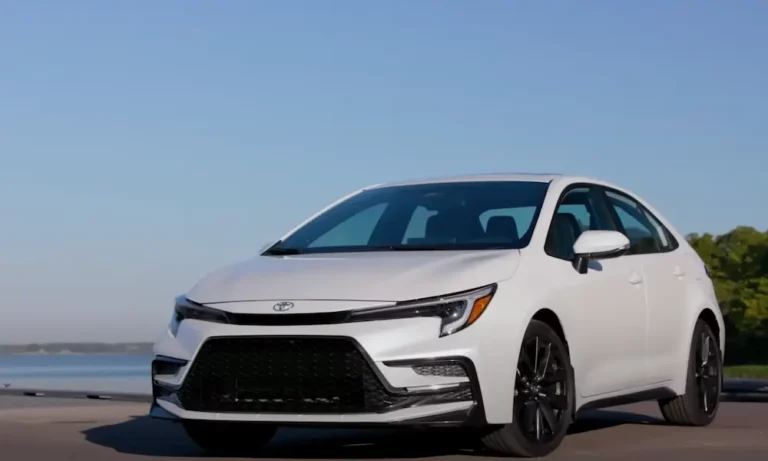
You turn the key or push the button in your Toyota Corolla, but instead of hitting the road, you’re greeted with a frustrating “Not Ready to Drive” message. What gives? This common issue affects many Corolla owners, particularly those with hybrid models, but don’t worry – in most cases, it’s something you can fix yourself.
What Exactly Does “Not Ready to Drive” Mean?
When your Toyota Corolla displays “Not Ready to Drive,” it’s telling you one of two things:
- Your vehicle hasn’t fully initialized its systems and isn’t prepared for operation
- Your car’s emission monitoring systems haven’t completed their self-tests
The message is most common in Corolla Hybrids, but can appear in any model with push-button start or during emissions testing preparation.
Common Causes of “Not Ready to Drive” in Toyota Corollas
Not Fully Started (Especially in Hybrids)
The most frequent reason your Corolla shows this message is simply that it’s not fully started. This happens a lot with hybrid models because they operate differently from conventional vehicles.
In a Corolla Hybrid, you might think the car is on when you see the dashboard light up, but it’s actually just in accessory mode. The car isn’t truly ready until you see the green “READY” indicator illuminated on your dashboard.
When starting your Corolla Hybrid properly:
- Have your Smart Key inside the vehicle
- Sit in the driver’s seat
- Press and hold the brake pedal firmly
- Push the POWER button once
- Wait for the green READY indicator to light up
If you skip any of these steps – especially not pressing the brake pedal firmly enough – you’ll get the “Not Ready to Drive” message.
System Checks and Safety Features
Your Toyota has multiple safety systems that prevent driving when conditions aren’t safe. The “Not Ready to Drive” message might appear if:
- The parking brake is engaged
- Your car isn’t in Drive or Reverse
- A door or trunk is open
- Your seat belt isn’t fastened
- There’s a system malfunction
OBD-II Emissions Testing Readiness
The other context where you might encounter “Not Ready to Drive” is during emissions testing. This refers to your vehicle’s OBD-II readiness monitors not being completed.
After your battery is disconnected or codes are cleared, your Corolla needs to go through several driving cycles before all emissions systems report as “Ready” for testing. Until then, a scanner might show “Not Ready to Drive” for emissions purposes.
How to Fix Toyota Corolla “Not Ready to Drive” Message
For Starting Issues (Most Common)
- Verify proper starting procedure:
- Make sure your key fob is inside the car
- Sit in the driver’s seat
- Firmly press and hold the brake pedal
- Press the power button once
- Wait for the green READY indicator
- Check your 12V battery:
In Corolla Hybrids, a weak 12V auxiliary battery can prevent the hybrid system from initializing properly, even if the rest of the car seems to power up. If you have trouble getting the READY light to come on, your 12V battery might need charging or replacement. - Look for other warning lights:
If other warning lights accompany the message, your Corolla might have detected a system error. Check your dashboard warning lights to identify specific issues.
For Emissions Testing Readiness
If you need your Corolla to pass emissions testing and you’re getting “Not Ready” on the OBD scanner:
- Complete the Toyota drive cycle:
- Start with a warm engine
- Idle for 2 minutes in Park
- Drive at highway speeds (40-55 mph) for 5 minutes
- Slow down without braking
- Come to a complete stop and idle for 1 minute
- Repeat several times
- Drive at 65 mph for 3 minutes to set oxygen sensor monitors
- Drive normally for 1-2 days:
Sometimes the best approach is simply driving normally for several days, including a mix of city and highway driving, which allows all monitors to complete their tests naturally.
Hybrid-Specific “Not Ready to Drive” Issues
Toyota Corolla Hybrids have unique starting procedures that can confuse drivers, especially those new to hybrid technology.
Understanding the Hybrid Startup Sequence
Unlike conventional cars, hybrid vehicles have multiple power states:
| Power State | What It Means | What You See | Can You Drive? |
|---|---|---|---|
| OFF | All systems powered down | Nothing on dashboard | No |
| ACCESSORY | Electronics on, hybrid system off | Some dash lights | No |
| ON | Electronics on, hybrid system initializing | Most dash lights | No |
| READY | Full power available | Green READY indicator lit | Yes |
Many drivers mistake the ON or ACCESSORY mode for being fully started because the dashboard lights up. But your Corolla Hybrid won’t drive until you see that green READY indicator.
Common Hybrid Starting Mistakes
- Not pressing the brake pedal firmly enough: The hybrid system requires a definite brake pedal press during startup
- Pressing the power button too quickly: Sometimes a quick tap doesn’t register properly
- Releasing the brake too soon: Hold the brake until READY appears
- Low hybrid battery charge: If the hybrid battery is extremely low, the system might not initialize until it recovers some charge
What If Nothing Works?
If you’ve followed all the proper procedures and your Toyota Corolla still shows “Not Ready to Drive”:
- Check for error codes: Use an OBD-II scanner to check for specific error codes that might explain the problem
- Reset the system: Try disconnecting the 12V battery (negative terminal first) for about 10 minutes, then reconnect it (positive terminal first) to reset the vehicle’s computers
- Visit a Toyota dealer: If the message persists, especially with other warning lights, your Corolla likely has an issue that requires professional diagnosis. The Toyota dealer service department can run comprehensive diagnostics to identify specific system malfunctions.
Preventing “Not Ready to Drive” Messages
To avoid seeing this message in the future:
- Follow proper starting procedures: Always press and hold the brake firmly when starting
- Maintain your 12V battery: Even in hybrids, a weak 12V battery can cause starting issues
- Read your owner’s manual: Toyota’s official documentation explains the proper starting sequence for your specific Corolla model
- Address warning lights promptly: Don’t ignore dashboard warnings that might lead to starting problems
Toyota Corolla Hybrid vs. Conventional Models
The “Not Ready to Drive” message appears differently depending on your Corolla model:
| Corolla Type | How “Not Ready to Drive” Typically Appears | Most Common Cause |
|---|---|---|
| Hybrid | Text message on dashboard or center screen | Improper startup sequence |
| Conventional with push-button start | Text message or failure to start | Not pressing brake during startup |
| Conventional with key ignition | Rarely shows message directly | Usually only during emissions testing |
Technical Background: Why This Happens
Your Toyota Corolla has sophisticated control systems that must initialize before driving is allowed. In modern vehicles, particularly hybrids, dozens of electronic control units need to communicate and verify proper operation before the vehicle permits driving.
When you start a Corolla Hybrid, the vehicle runs through a sequence of system checks:
- Power management system activation
- High-voltage system safety verification
- Battery state of charge assessment
- Drive system readiness checks
- Safety system initialization
If any of these checks fail or don’t complete, the “Not Ready to Drive” message protects you from operating the vehicle in an unsafe condition.
Corolla Model Years Most Affected
While all Toyota Corollas can potentially display this message, it’s most common in:
- 2020-2023 Corolla Hybrid models
- 2019+ Corolla models with push-button start
- Any Corolla that has recently had its battery disconnected or codes cleared
Older Corolla models with traditional key ignitions rarely show this message unless you’re specifically checking emissions readiness.
Be Patient with Your Hybrid
If you’ve recently switched from a conventional car to a Corolla Hybrid, remember that hybrids start and operate differently. The silence when you press the power button doesn’t mean nothing’s happening – the computers are working to prepare your car for driving.
Always wait for the green READY indicator before trying to drive. Once you get used to the hybrid startup sequence, it becomes second nature.
So, the next time your Toyota Corolla displays “Not Ready to Drive,” check that you’re pressing the brake firmly, push the power button, and wait for that READY light. In most cases, that’s all it takes to get back on the road.













