Your Toyota’s SOS light is glowing red like a warning beacon, or maybe your battery’s dead after sitting for two days. You’re not imagining things—your Data Communication Module (DCM) is probably throwing a fit. Let’s figure out what’s happening and get you back on the road without dropping thousands at the dealership.
What Is the DCM and Why Does It Matter?
Think of your Toyota’s DCM as the cellphone inside your car. It handles everything from emergency calls to remote start requests through the Toyota app. The module connects to AT&T’s cellular network, talks to your dashboard, and controls your microphone routing.
Here’s the problem: when it fails, it doesn’t just kill your connected services. The DCM can hijack your Bluetooth microphone, drain your battery overnight, or throw error messages that make you think your entire car’s electrical system is toast.
The failures break down into three generations:
2018-2020 Models (Continental hardware): Dead microphones and speaker static are your telltale signs. This is a hardware failure that usually requires replacement.
2020-2024 Models (LG hardware): Battery drain and “Communication Module Activation Failed” messages point to firmware bugs that Toyota addressed in technical bulletins.
2025 Models: App sync issues and activation failures stem from backend server problems and the new “Go Anywhere” subscription rollout.
How to Know If Your DCM Is Actually Broken
Your overhead console’s SOS light tells you everything. Here’s the decoder ring:
Solid Green Light
You’re good. The DCM powered up, connected to AT&T’s network, and verified your subscription status. However, this only confirms the hardware works—it doesn’t mean your Toyota app will cooperate.
Solid Red Light
This is bad news. Your DCM has failed its internal diagnostic check. Possible culprits include a dead internal backup battery, a fried cellular modem, or a disconnected antenna (common after windshield replacements).
Press the SOS button. If you hear “Safety Connect is not active” or nothing at all, the system’s completely dead.
Red and Green Alternating
The DCM is stuck in “shipping mode”—it’s alive but lost its configuration data. This happens after corrupted over-the-air updates or memory failures. The good news? The hardware probably isn’t dead; it just needs a software kick.
No Light At All
Either your subscription expired (the system goes dark to save power) or the DCM fuse blew. Press the SOS button. If you get a voice message about subscription status, the hardware’s fine. Silence means power or hardware failure.
The Dead Battery Problem Everyone’s Talking About
If you own a 2019-2021 RAV4 or Camry, you’ve probably experienced this nightmare: you park the car Friday night, and Monday morning it won’t start. The culprit is a firmware bug that keeps your DCM awake.
Here’s what happens: when you turn off the ignition, the DCM should tell AT&T’s network “I’m going to sleep now” and drop into low-power mode. Buggy firmware versions get stuck waiting for a network response that never comes. Instead of sleeping, the DCM stays awake, constantly pinging the cell tower and draining 300mA to 3A from your battery.
A typical car battery holds about 70 amp-hours. This “insomnia” can kill it in 24 to 48 hours.
Hybrid owners, you’re extra vulnerable. Your 12V battery is smaller (it only boots computers, not cranks the engine), so it dies even faster.
The Microphone Hijacking Issue (2018-2020 Models)
You can hear callers perfectly through Bluetooth, but they can’t hear you. Welcome to the Continental DCM failure.
The DCM sits between your roof-mounted microphone and the head unit. During emergencies, it takes control of the mic to route your voice to the SOS operator. When Continental units fail, they get stuck thinking there’s an emergency happening. They hog the microphone permanently.
Bonus annoyance: the right-front speaker often goes silent or crackles because the DCM keeps the “mute” line active. This is the signature of Technical Service Bulletin T-SB-0112-20.
The 30-Minute Reset That Actually Works
Before you drive to the dealer, try this. It’s free and fixes about 60% of DCM issues on 2020+ models.
Step 1: Pop the hood and find your 12V battery (ignore any orange cables—those are high-voltage hybrid stuff).
Step 2: Disconnect the negative (black) terminal. Tuck it away so it doesn’t touch metal.
Step 3: Set a timer for 30 minutes. Don’t cheat. Five minutes won’t cut it.
Why 30 minutes? The DCM has internal capacitors and a backup battery that maintain memory. Only a prolonged power loss forces a complete reboot and clears corrupted memory buffers.
Step 4: Reconnect the terminal. Turn the ignition to ON (don’t start the engine yet).
Step 5: Watch the SOS light. If it turns solid green after 5-10 seconds, you wonned. If it stays red, you’ve got a hardware problem.
You’ll need to reset your clock and re-calibrate your power windows (hold the up button for 2 seconds after the window closes).
When the Firmware Update Is Your Only Hope
If the reset didn’t work and you own a 2020-2024 model, you probably need the official firmware update outlined in TSB T-SB-0089-21. This isn’t a DIY job unless you have Toyota Techstream software and a J2534 cable.
Here’s what dealers do:
- Hard reset (the 30-minute battery disconnect).
- Activate a temporary subscription if yours expired. The update server won’t talk to an unsubscribed DCM.
- Flash the new firmware using Techstream while maintaining exactly 13.5 volts with a battery maintainer.
If voltage dips during the 5-10 minute flash process, you can permanently brick the DCM. That’s why dealers use dedicated power supply units—not jumper cables.
The Network Outage That Fooled Thousands of Owners
In November 2025, AT&T had a massive outage affecting Toyota’s backend servers. Owners across Chicago and beyond saw red SOS lights and “Activation Failed” messages.
The problem wasn’t the cars—it was the cellular network. Before you tear apart your dashboard, check Toyota’s service status page or search “Toyota app down” on Reddit.
Model-Specific Problems You Should Know About
RAV4 (2019-2021)
The poster child for battery drain. If you own one, check whether the firmware update was applied. If your battery’s been drained multiple times, it’s probably damaged and needs replacement alongside the software fix.
Camry (2018-2020)
Continental DCM failures are common. Dead microphones require hardware replacement (part number 86741-06xxx), which runs $1,200-$2,000 at dealers.
Camry (2025)
A weird bug: if you use the Toyota app to remote start, wireless CarPlay breaks. You have to manually toggle Bluetooth settings to reconnect. Toyota’s working on a fix.
4Runner (2020-2025)
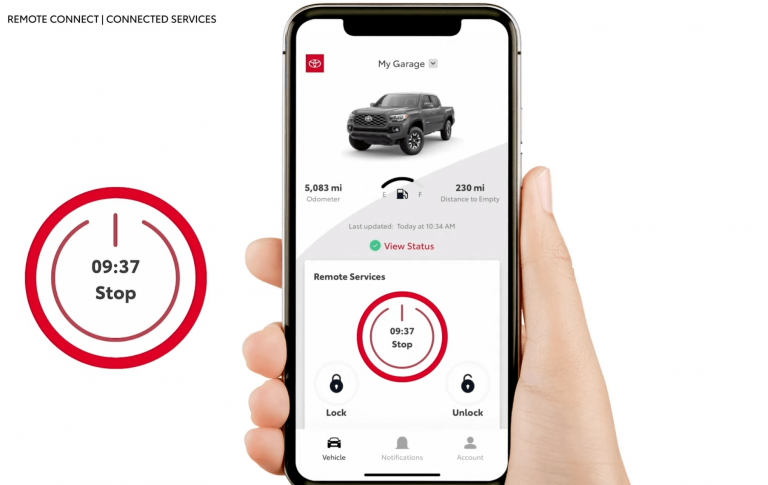
The new 2025 6th-gen model has issues with the “Remote Connect” app. Lock/unlock commands spin forever without completing. This is a backend integration problem with the new “Go Anywhere” subscription platform.
Crown Signia (2025)
Launch day failures where Connected Services won’t activate at all. The issue is VIN provisioning lag—AT&T’s database wasn’t ready for this new model. Dealers have to manually whitelist VINs through Toyota’s support system.
The “Ghost Subscription” That Drives People Crazy
You renewed your subscription through the app. It shows “Active.” Your car still says “Activation Failed.” What gives?
The DCM needs a specific data packet from Toyota’s server to unlock features. If your car was parked in a basement garage with no cell signal when that packet was sent, it never received the unlock command.
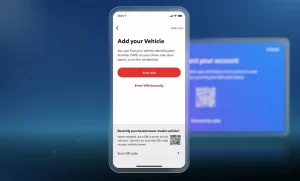
The fix: delete the vehicle from your Toyota app completely. Have a dealer perform a “DCM Reset” to wipe the old profile. Re-add your VIN—this forces fresh cryptographic keys and a new activation push.
Should You Just Disable It?
Some owners pull the DCM fuse to stop data collection and battery drain. The 7.5A fuse is easy to remove, but you’ll lose emergency SOS and remote start.
On 2018-2020 models with Continental units, pulling the fuse also kills your Bluetooth microphone. Advanced DIYers bypass this by removing the DCM entirely and jumping the microphone wiring—you get voice calling back while completely unplugging the cellular modem.
Just know that Toyota’s “Insure Connect” feature shares your driving habits with data brokers. Opting out in the app should stop it, but if you don’t trust software toggles, the fuse pull is nuclear-level effective.
What It’ll Cost to Fix Properly
Here’s the reality check:
| Fix | Cost | When It Works |
|---|---|---|
| 30-minute battery reset | Free | 2020+ firmware bugs |
| Dealer firmware update | $150-$300 ($0 under warranty) | LG units with battery drain |
| OEM DCM replacement | $1,200-$2,000 | 2018-2020 Continental hardware failures |
| Used DCM from eBay | $300-$500 (plus labor) | Risky—often subscription-locked to old VIN |
Don’t buy used DCMs unless you know what you’re doing. They’re VIN-locked and subscription-linked. Installing one requires Techstream software to rewrite the VIN, and even then, it might refuse to activate if the donor vehicle had account issues.
5G and the Future Headache
AT&T’s aggressive 5G rollout is creating new problems. Older DCMs (2020-2022) weren’t optimized for rapid tower handoffs between LTE and 5G bands. This can cause the modem to hang while waiting for network acknowledgment—triggering the same battery drain loops that firmware updates were supposed to fix.
The good news: your LTE DCM won’t go obsolete like the 3G units did. The bad news: you’re on a network that increasingly prioritizes 5G traffic, potentially causing slower remote command response.
What Dealers Won’t Tell You
If your warranty expired, dealers often jump straight to “you need a new DCM” without trying the firmware update. The update is free under warranty, but out-of-warranty owners get charged $150-$300.
Before authorizing a $1,500 replacement, demand they check for applicable TSBs and attempt the firmware fix. You can reference TSB T-SB-0089-21 (for 2020-2022 RAV4/Camry) or T-SB-0095-20 (similar issues) by number.
The Bottom Line
Most Toyota DCM problems aren’t death sentences. If you’ve got a 2020+ model with battery drain or activation errors, start with the 30-minute reset. If that doesn’t work, the firmware update usually does—and it’s way cheaper than replacement.
For 2018-2020 owners with dead microphones, you’re stuck with hardware replacement or living without Bluetooth voice calls. It’s expensive and frustrating, but at least you know what you’re dealing with.
And if your 2025 model is acting up? Check the network status before you panic. AT&T outages and Toyota’s backend hiccups can mimic hardware failures perfectly.
Your DCM might be a pain, but with the right approach, you don’t have to let it drain your wallet along with your battery.