Lost your Toyota key fob signal? Got a new spare that won’t unlock anything? Toyota key fob programming sounds intimidating — but it doesn’t have to be. This guide covers every method, from the classic manual “Chicken Dance” to modern diagnostic software, so you know exactly what you’re dealing with before spending a dollar.
First, Know What Type of Toyota Key You Have
Before you touch a single button, identify your key type. Toyota has used several different key systems since 1998, and the programming method depends entirely on which one you’ve got.
| Key Type | Years | Chip Inside |
|---|---|---|
| Transponder Key (physical blade) | 1998–2010 | 4C, 4D-67 |
| Remote-Head Key (blade + buttons) | 2007–Present | 4D, G, H |
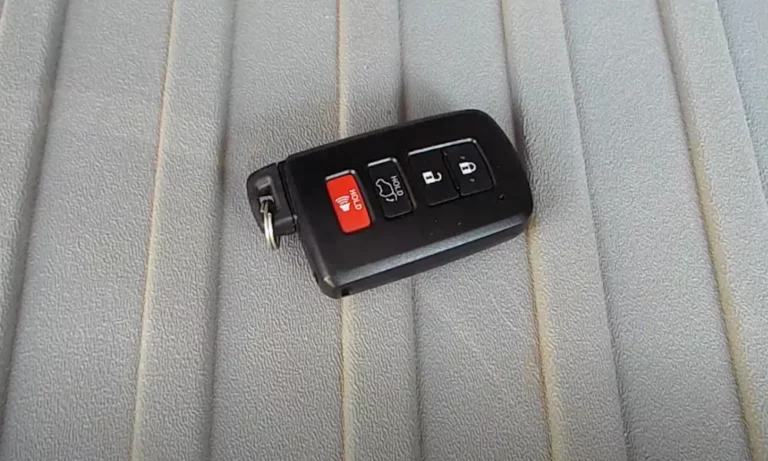
| Smart Key (push-button start) | 2004–Present | 4D, 8A, 4A |
| Digital Key (smartphone) | 2022–Present | Software Token |
Here’s a quick way to check: look at the metal blade of your key. If it has a small dot or dimple stamped on it, you’ve got an older 4D chip. Keys made after 2010 often carry a “G” stamp (80-bit encryption). Post-2014 keys carry an “H” stamp, which uses 128-bit encryption — a significantly harder system to work with.
Also know the difference between your Master Key and Valet Key. Your Master Key is the one that controls everything — it can open the trunk, the glove box, and most importantly, it’s the only key that can authorize new key registrations. Your Valet Key can start the car and open doors, but it can’t register new keys to your system. Don’t lose your Master Key.
Toyota Key Fob Programming: The Manual Method (The “Chicken Dance”)
For most Toyota models built before the mid-2010s — Camry, Corolla, RAV4, 4Runner, Sienna — you can program the remote buttons yourself without any tools. Technicians call this sequence the “Chicken Dance” because of how rhythmic and oddly specific it is.
This method only programs the remote entry buttons (lock/unlock). It doesn’t program the transponder chip for engine start. Those are two separate processes.
Step-by-Step: Remote Button Programming
- Sit in the driver’s seat. Leave the driver’s door open and all other doors closed.
- Insert the key into the ignition and remove it twice within five seconds.
- Close and open the driver’s door twice.
- Insert the key into the ignition once more, then remove it.
- Close and open the driver’s door twice again.
- Insert the key and close the door.
- Turn the ignition from OFF to ON, then back to OFF.
If the timing was correct, your door locks will cycle automatically — that’s the car saying “I’m ready.” Now press the lock and unlock buttons on your fob simultaneously for about 1.5 seconds, then press lock once. Another lock cycle confirms success.
If the locks cycle twice instead of once, the handshake failed. Common reasons:
- Fob battery is weak or dead
- You exceeded the 5-second or 40-second windows by even a fraction
- The fob’s RF frequency doesn’t match your car (more on this below)
Step-by-Step: Transponder Chip Registration (Master Key Required)
This is the process that tells your car’s immobilizer to accept a new key for engine start. You must have your original Master Key to do this manually.
- Insert the Master Key into the ignition five times, leaving it in on the fifth.
- Open and close the driver’s door six times.
- Remove the Master Key. The security light on your dashboard should glow solid red.
- Insert the new, unprogrammed key into the ignition.
- Watch the security light — it’ll flash for roughly 60 seconds while registering.
- When it stops flashing, the new key is registered.
Toyota Key Fob Programming With Techstream (Dealer-Level Software)
Once Toyota moved to “H” chip keys and Smart Entry systems, manual programming was mostly phased out. Modern vehicles use Toyota Techstream — proprietary diagnostic software — connected via a J2534-compliant interface.
Adding a Key When You Have a Working One
In Techstream, navigate to the Immobilizer or Smart Key system, then select “Utility.” Here’s how it works:
- Hold the existing registered key near the engine start button. The car beeps to confirm it recognizes it.
- Hold the new, unprogrammed key to the button. The Smart ECU writes its unique ID to the registry.
- Techstream confirms the new key is added and shows you the total count of registered keys (capped at six on most models).
All Keys Lost? You Need a Smart Code Reset
If you’ve lost every key, standard registration won’t work because there’s nothing to authenticate against. A Smart Code Reset wipes the entire key registry so you can start fresh. Here’s the process:
- Initiate the reset in Techstream. The ECU generates a unique 96-character Seed Number.
- Submit that seed to Toyota’s Technical Information System (TIS) to receive a 12-digit Passcode.
- In North America, accessing that passcode requires NASTF credentials — meaning only verified security professionals can do this.
- Enter the passcode in Techstream.
- Wait 16 minutes. The vehicle must stay powered on with all doors closed. This isn’t a bug — it’s a deliberate theft deterrent built into the system.
| Method | Working Key Needed? | Time Required | Risk Level |
|---|---|---|---|
| Standard Key Addition | Yes | ~2 minutes | Low |
| Smart Code Reset | No | 20–30 minutes | High |
2022+ Toyota Models: A Whole Different Beast
Toyota’s newer models — the 2022+ Tundra, Land Cruiser J300, Corolla Facelift — use 8A-BA and 4A smart key protocols. These vehicles also include a security gateway that blocks unauthorized write commands through the standard OBD-II port.
To program keys on these vehicles, technicians bypass the OBD-II port entirely using specialized 30-pin cables that plug directly into the Smart Key Box inside the dashboard.
| Protocol | Smart Box Type | Models |
|---|---|---|
| 4A | TMLF19T | Yaris (2020+), Corolla Facelift (2022+), Aqua (2022+) |
| 8A-BA | TMLF19D | Sienna (2020+), Tundra (2021+), RAV4 Facelift (2022+), Venza |
Accessing the Smart Key Box often means pulling apart part of the dashboard. This isn’t a DIY job — it’s a full mechanical repair that requires the right tools and technical knowledge.
Key Fob Frequencies: Why Your Fob Might Not Work at All
Here’s something most people miss. Toyota doesn’t use a single universal frequency for key fobs. Your car’s receiver only accepts signals on the frequency it was built for.
| Region | Frequency | Signal Type |
|---|---|---|
| North America | 315 MHz | ASK/FSK |
| Japan (JDM) | 312.1 / 314.3 MHz | FSK |
| Europe / UK | 433.92 / 434.1 MHz | ASK |
This matters a lot if you’ve bought a JDM import or a used fob from overseas. A JDM Toyota Alphard broadcasting at 312MHz won’t connect to a UK-spec receiver expecting 434MHz — even if the transponder chip registers fine for engine start. The remote buttons just won’t work.
Cheap aftermarket fobs also cause this problem. Their oscillators often drift off frequency, making them invisible to your car’s receiver even when the chip itself is valid.
Key Fob Battery: The First Thing to Check
Before assuming your key needs reprogramming, check the battery. A dead CR2032 or CR2016 disables the remote buttons entirely.
The good news: Toyota’s Smart Key system has a backup. Hold your fob directly against the start button and the car uses an inductive loop to power the chip and start the engine.
After swapping the battery:
- Don’t touch the circuit board with bare fingers (skin oils cause oxidation)
- Some models need a re-sync — stand near the driver’s door and cycle lock/unlock a few times
- If the remote still doesn’t respond, check vehicle battery voltage. Below 12.0V, the Immobilizer ECU may refuse to write new data
What Aftermarket Key Programmers Do Technicians Actually Use?
Toyota Techstream and official TIS subscriptions are expensive and require credentials. That’s pushed a lot of independent locksmiths toward professional aftermarket tools.
| Tool | Best For | Key Feature |
|---|---|---|
| Lonsdor K518 PRO | All Keys Lost scenarios | Cloud-based LKE emulator for AKL |
| Xtool AutoProPAD G3 | High-volume models (Camry, Highlander) | Smart Assist auto-detection |
| Autel MaxiIM IM608 | Gateway-protected newer models | EEPROM bench work, XP400 Pro |
| Xhorse Key Tool Plus | Generating aftermarket fobs | XM38 smart key generation, BA cable |
The Lonsdor K518 PRO handles All Keys Lost by capturing the vehicle’s challenge signal, running a cloud calculation, and generating a virtual master key. This skips the 16-minute Smart Code Reset entirely and lowers the risk of accidentally bricking an ECU.
What Does Toyota Key Fob Programming Actually Cost?
Here’s the honest breakdown. Dealerships use OEM parts and charge fixed labor rates. Locksmiths often do the same job on-site for less.
| Service | Dealership Cost | Locksmith Cost |
|---|---|---|
| Transponder Key (Cut & Program) | $300–$600 | $150–$350 |
| Smart Key (Push-to-Start) | $500–$1,000 | $350–$700 |
| All Keys Lost Recovery | $800–$1,500+ | $500–$900 |
| Spare Remote Fob (Add only) | $200–$450 | $100–$250 |
There’s also the towing cost to factor in for All Keys Lost at a dealership — often $100 to $300 on top of the service. A mobile locksmith comes to your car, which cuts that entirely.
Common Reasons Toyota Key Fob Programming Fails
- Low vehicle battery voltage — Keep it above 12.0V during programming
- RF interference — Remove phones and Bluetooth devices from the cabin. Toyota’s own technical bulletins recommend this
- Wrong fob for your region — 312MHz won’t sync to a 315MHz receiver
- Cheap aftermarket fob — Noisy oscillators drift off frequency
- Timing errors in manual sequences — Miss the 5-second window and start over completely
- Using a Valet Key instead of Master Key — Won’t enter programming mode
Toyota’s Digital Key: What’s Coming Next
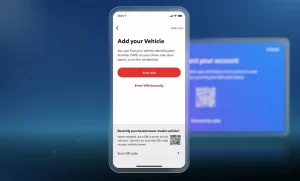
The Toyota Digital Key, introduced on 2022+ multimedia platforms, lets you use your smartphone as the primary key via Bluetooth Low Energy. You manage everything through the Toyota App, and you can even share access with other users digitally.
The trade-off? Smartphone battery death, app glitches, and potential cloud-level vulnerabilities. That’s exactly why Toyota still includes a physical emergency blade inside every smart fob — because physical authentication remains the most reliable fallback, and probably will for years to come.