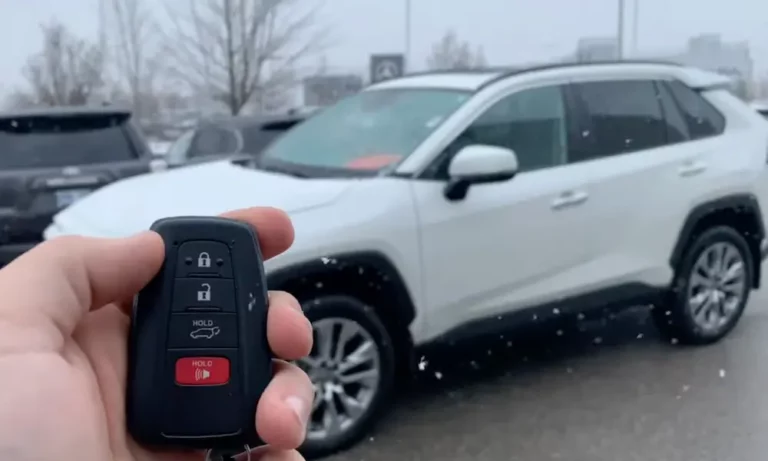
Your Toyota remote start stopped working, and now you’re standing in the cold wondering what went wrong. The good news? Most causes are fixable — often in minutes. Keep reading and you’ll know exactly where to look.
Check These Basic Conditions First
Before diving deep, Toyota’s system runs a safety checklist every time you hit that remote start button. If anything fails, the engine won’t start. Toyota’s official support page lists all the conditions your car must meet before it fires up remotely.
Here’s what the system checks:
- All doors, hood, and trunk must be fully closed and locked
- Gear shifter must be in “Park”
- Brake pedal must not be pressed
- No Smart Key detected inside the cabin
- Fuel level must be above the low fuel warning
- No active alarm triggered
Any one of these can kill a remote start attempt instantly. Walk around your car and confirm each one before blaming the app or fob.
The Hood Pin Is a Bigger Deal Than You Think
Toyota’s Remote Engine Starter Owner’s Guide is very clear on this: if the hood pin sensor reads “open,” the engine won’t start remotely. Even a slightly misaligned hood can trigger this. Give it a firm push and try again.
Your Subscription Might Have Expired
This trips up a lot of people. Toyota remote start isn’t just a hardware feature — it’s tied to a Remote Connect subscription for 2018 and newer models.
What surprises most owners is that even the physical key fob remote start can stop working when the subscription expires. That’s because Toyota links the fob’s remote start logic to the status of your connected services plan.
| Plan | Monthly Cost | What You Get |
|---|---|---|
| Remote Connect (Standalone) | ~$8/month | Engine start, door lock/unlock, vehicle finder |
| Go Anywhere Bundle | $15/month | Remote Connect + navigation |
| Music Lover Bundle | $15/month | Remote Connect + streaming |
| Premium Plan | $25/month | All of the above |
Check your Toyota App right now. If it says “Failed” or “Expired,” your hardware is probably fine — the software key has just been revoked. You can review current subscription options here.
The 7-Day Rule Nobody Tells You About
Here’s a quirky one. If you haven’t manually started your Toyota in seven consecutive days, the telematics system enters a deep-sleep mode. It does this to protect your 12V battery from parasitic drain.
In sleep mode, the cellular receiver shuts off completely. It won’t wake up to receive your remote start command — from the app or anything else.
The fix: Get in the car, start it manually with the key or push button, drive it a short distance, and then try remote start again. This resets the timer.
Is Your Check Engine Light On?
A lit Check Engine Light (CEL) will immediately disable Toyota remote start. Toyota’s remote start owner’s manual confirms this is intentional.
Think about it: if your engine has an active fault and the car runs unattended for 15 minutes, a small problem could become a very expensive one. Toyota shuts remote start down to protect the engine.
Common CEL triggers that block remote start include:
- Loose gas cap (triggers an EVAP system fault)
- Misfires or cooling system faults
- VSC or traction control system errors
Fix the underlying issue, clear the fault code, and remote start typically comes right back.
Your 12V Battery Might Be the Hidden Culprit
Remote start demands more from your battery than a manual start does. The Data Communication Module (DCM) needs a stable cellular connection and has to complete a complex handshake between multiple systems — all before the engine turns over.
| Battery Voltage (Resting) | State of Charge | Remote Start Reliability |
|---|---|---|
| 12.6V or higher | 100% | Reliable |
| 12.4V | 75% | Usually fine, possible slow crank |
| 12.1V | 50% | Unreliable; DCM may crash mid-handshake |
| 11.9V or below | Under 25% | Remote start typically blocked |
A battery can look healthy at rest but sag badly once the telematics system wakes up. If your battery is more than three or four years old, have it load-tested — a surface charge reading of 12.4V can still mask a weak cell that collapses under load.
DCM Firmware Issues: The Fix Toyota Doesn’t Advertise
If your car meets every precondition and your subscription is active, the problem might be a Data Communication Module firmware bug. This has affected thousands of owners — and Toyota has issued Technical Service Bulletins to address it.
2020–2021 Camry, Corolla, and RAV4
Owners of these vehicles frequently reported the Toyota App showing “Error 42” or going completely unresponsive. The underlying cause was a DCM fault code: B15A804, pointing to a failure in the telematics unit’s ability to maintain a stable cellular connection.
The NHTSA-documented fix (T-SB-0095-20) requires two steps:
- Disconnect the 12V battery for at least 30 minutes — this fully drains the DCM capacitors and clears memory errors
- Reflash the firmware to version LG-N010gg7 or higher using Toyota’s Techstream diagnostic software
This is a dealer-level fix. If your 2020 or 2021 Toyota remote start stopped working and you see Error 42, bring this TSB number to your dealer.
2023–2024 Prius, Crown, and RAV4 Prime
Newer models have a different bug. The NHTSA TSB T-SB-0039-24 covers a power-management logic error where the DCM fails to wake from low-power mode after the car sits for more than three hours. The remote climate feature stops working entirely.
The fix is a firmware update to version LG-N210hh1V1V-09 or later. Again — dealer visit required.
2021 Corolla Hybrid and RAV4 Prime
A third TSB (T-SB-0021-20) targets Wi-Fi and remote connectivity failures on these models, requiring a firmware update to version LG-N010ffB.
| Model Range | TSB Number | Firmware Version | Symptom |
|---|---|---|---|
| 2020–2021 Camry, Corolla, RAV4 | T-SB-0095-20 | LG-N010gg7 | Error 42, app inoperative |
| 2023–2024 Prius, Crown, RAV4 Prime | T-SB-0039-24 | LG-N210hh1V1V-09 | Remote climate fails after 3 hours |
| 2021 Corolla Hybrid, RAV4 Prime | T-SB-0021-20 | LG-N010ffB | Wi-Fi and remote connection failure |
Do You Own a 2010–2019 Toyota? Read This
If your Toyota was built between 2010 and 2019, your app-based remote start might be permanently gone — and it’s not your fault.
On November 1, 2022, major North American carriers shut down their 3G networks. Toyota’s DCM units in this model range ran exclusively on 3G. When the network went dark, so did every connected service: Remote Connect, Safety Connect, and the Stolen Vehicle Locator.
Toyota confirmed that no retrofit or modem upgrade path exists for these vehicles.
Affected models include:
- 4Runner (2010–2019)
- Camry / Camry Hybrid (2013–2017)
- Highlander / Highlander Hybrid (2014–2018)
- Prius (2010–2016)
- Sienna (2011–2017)
- Avalon / Avalon Hybrid (2013–2018)
- Land Cruiser (2011–2017)
If your vehicle is on this list, the key fob remote start — if it was originally included — may still work locally. App-based control, though, is gone for good.
Is Your Phone’s OS Too Old?
The Toyota App now requires iOS 17.0 or later and a current version of Android. If you’re on an older device, the app might not open at all or block you with a pop-up warning.
This isn’t a vehicle problem — it’s a mobile compatibility issue. Older operating systems lack the encryption and biometric authentication tools Toyota needs to safely transmit ignition commands.
If you’re using an older iPhone or Android device, check whether your phone can update to a supported OS. If it can’t, you’ll need either a newer phone or a different remote start solution.
The Safety Shutdown That Confuses Everyone
Here’s something that’s not broken — it just feels like it is. When you remote-start your Toyota and then open a door, the engine immediately shuts off.
That’s intentional. Toyota’s FAQ explains this is a deliberate anti-theft feature. By killing the engine when a door opens, Toyota makes sure someone can’t smash a window and just drive away in a running car.
Once you’re inside, start the car normally with your key or push button. The engine’s ready to go — you’re just taking manual control.
Aftermarket Remote Start: Is It Worth It?
If subscription costs are the sticking point, aftermarket kits from companies like MPC offer a real alternative. They use a T-harness to integrate with your vehicle’s existing wiring and let you start the car using a 3-click sequence on the factory fob — no monthly fee required.
| Feature | Toyota Remote Connect | Aftermarket (e.g., MPC) |
|---|---|---|
| Monthly cost | $8–$25 | $0 for RF-based start |
| App control | Toyota App | Third-party app (may cost extra) |
| Range | Global via cellular | RF only (~2,000–2,800 ft) |
| Safety logic | Full ECU integration | Mimics factory logic |
| Warranty risk | None | Possible if improperly installed |
The trade-off is range and depth of integration. You lose global app control and vehicle health reporting, and a bad install can create electrical headaches — especially on a car still under warranty. If you go this route, a plug-and-play kit like this one reduces that risk significantly.
Quick Troubleshooting Checklist
Work through this in order before booking a dealer appointment:
- ✅ Confirm all doors, hood, and trunk are fully closed and locked
- ✅ Check the gear shifter is in “Park”
- ✅ Make sure the low fuel warning isn’t on
- ✅ Check for an active Check Engine Light
- ✅ Manually start and drive the car if it’s been sitting for 7+ days
- ✅ Open the Toyota App and check your subscription status
- ✅ Check your phone’s OS version (iOS 17+ or current Android required)
- ✅ Test your 12V battery with a multimeter — it needs 12.6V or higher at rest
- ✅ Check if your model is on the 3G sunset affected list
- ✅ Ask your dealer about open TSBs for DCM firmware updates
Most Toyota remote start failures land somewhere in this list. Work through it methodically and you’ll likely find the answer before you even need to call the dealer.