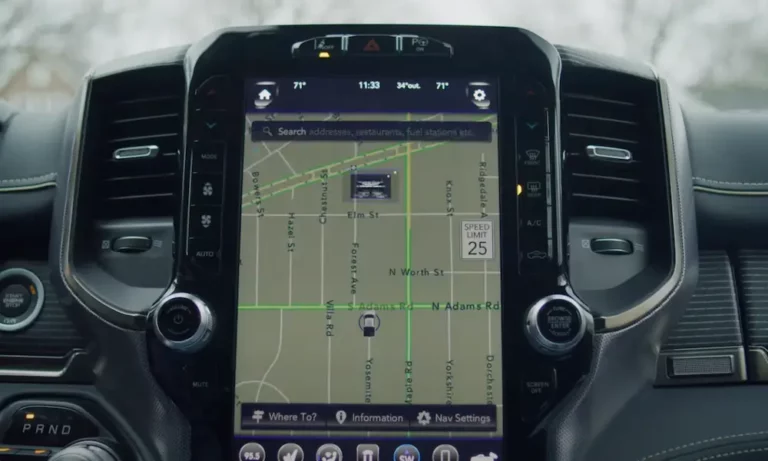
Has your vehicle’s Uconnect system locked you out? Finding yourself staring at a screen demanding a security code after replacing your car battery? You’re not alone. Understanding Uconnect anti-theft codes is essential for every Chrysler, Dodge, Jeep, and Ram owner.
This guide explains everything you need to know about retrieving, entering, and troubleshooting these security measures so you can get back on the road with all your vehicle’s features working properly.
What Are Uconnect Anti-Theft Codes?
Anti-theft technology in vehicles has evolved significantly over the years. For Uconnect systems, there are actually three distinct security codes you might encounter, each serving a different purpose:
1. Radio Anti-Theft Code
This is the most common code you’ll encounter. It’s designed to prevent radio theft by making the unit inoperable if disconnected from power.
- Format: Typically a 5-digit code for many Dodge models, though some MyGIG and Uconnect 3/4 radios use 4-digit codes
- When you need it: After battery replacement/disconnection or if the radio is removed and reinstalled
2. Uconnect Access Security PIN
This is a separate 4-digit PIN that secures remote services accessible through the Uconnect Access App or Mopar Owner Connect website.
- Format: Always a 4-digit PIN
- Purpose: Authorizes remote commands like door locking/unlocking, engine start, or activating horn/lights
- When you need it: When using the app for remote functions or when contacting customer service
3. Engine Speed Limitation PIN
This advanced security feature was introduced for specific high-performance models.
- Format: 4-digit PIN
- Affected vehicles: 2015-2021 Challenger SRT, Charger SRT, and 2019-2021 Scat Pack models
- Function: Without the correct PIN, engine speed is limited to 675 rpm (about 2.8 hp), making the vehicle virtually undrivable for thieves
Why Your Radio Needs an Anti-Theft Code
Your Uconnect radio is designed to “lock down” whenever it loses power. This happens because:
- The security system interprets power loss as a potential theft attempt
- Without this feature, thieves could simply steal radios and install them elsewhere
- The code requirement makes stolen radios essentially worthless
The most common scenario when you’ll need this code is after replacing or disconnecting your car battery. What seems like an inconvenience is actually a critical security feature protecting your vehicle’s components.
How to Find Your Uconnect Radio Anti-Theft Code
If your radio is displaying “CODE” or a similar message, you’ll need to retrieve your security code. Here are several methods to try:
Check Your Vehicle Documentation
The easiest place to find your code is often right in your vehicle:
- Look for a small sticker in your glove box
- Check for a card in your owner’s manual packet
- The code is usually clearly labeled as “Anti-Theft Radio Code”
Using Your VIN and Radio Serial Number
If you can’t find the code in your documentation, you’ll need:
- Your Vehicle Identification Number (VIN)
- Located on driver’s side dashboard visible through windshield
- Also found on vehicle registration and insurance documents
- Your Radio Serial Number
- For older models: Located on the back of the radio unit (requires removal)
- For newer Uconnect 3/4 systems: Can be displayed through “Dealer Mode”
- To access: Click the “X” on the code entry screen
- Quickly press and hold TEMP UP, TEMP DOWN, and FRONT DEFROST buttons simultaneously for 5-10 seconds
- Select “System Information” then “Radio Part Information”
Contact Official Customer Service
With your VIN and radio serial number in hand:
- Call Dodge customer service at 1-800-423-6343
- Be prepared to provide:
- Your VIN
- Radio serial number
- Phone number
- Email address
- Zip code
- They’ll verify your ownership before providing the code
Alternative Methods (Use With Caution)
While not recommended, some third-party services offer radio code retrieval. Be aware that:
- These services require your radio’s serial number
- They typically won’t work for radios reported stolen
- There’s no guarantee of accuracy or security
- Official channels remain the most reliable option
How to Enter Your Uconnect Radio Anti-Theft Code
The exact entry method depends on your specific Uconnect model:
For 5-Digit Codes (Most Common)
- When your radio displays “CODE” or “0000”
- Use the radio preset buttons (1-5) that correspond to each digit
- For example, if your code is 12345, press preset button 1, then 2, then 3, etc.
- Upon successful entry, the radio should return to normal operation
For Uconnect 8.4 RA4/VP4 and 5.0 RA2/VP2 Systems (4-Digit Codes)
- When “CODE” followed by “0000” appears
- Use the steering wheel remote control:
- Rotate the “thumbwheel” to adjust the first digit
- Press the “¬” button (usually on stalk control) to confirm
- Repeat for remaining digits
- Once all four digits are entered, press and hold the “¬” button until you hear a beep
- Press and hold preset button “6” or “5” to finalize
Remember: Entry methods vary significantly between different Uconnect generations and models. Knowing your specific model is crucial for entering the code correctly.
Managing Your Uconnect Access Security PIN
If you use remote services through the Uconnect Access app, your security PIN is vital:
Setting Up Your PIN
You’ll create this 4-digit PIN when registering for Uconnect Access services:
- From the Uconnect Touchscreen:
- Select “Apps” → “Activate Services”
- Enter your mobile number to receive an enrollment link
- Alternatively, using the in-vehicle Assist Button:
- Press “Assist” on the rearview mirror
- Press “Activate” on the touchscreen
- Press “Customer Care” to speak with an agent
- Or register online:
- Press “Uconnect® Apps” on the touchscreen
- Enter your email to receive a registration link
- Complete registration on mopar.com
Using Your PIN
Your PIN will be required whenever you:
- Use the app to send remote commands (lock/unlock, start engine, etc.)
- Contact Uconnect Care for assistance with remote services
- Need to verify your identity with customer service
Keep this PIN secure but accessible, as it’s separate from your radio’s anti-theft code.
Using the Engine Speed Limitation PIN
For owners of high-performance Dodge models like the Challenger SRT, Charger SRT, or Scat Pack, this feature provides enhanced security:
- When you start your vehicle, you’ll need to enter your 4-digit security PIN
- Without the correct PIN, your engine will be limited to 675 rpm
- This renders the vehicle virtually useless to thieves
- The feature was available as a free software update at authorized dealers starting in 2021
This advanced security measure specifically targets high-theft models, making them dramatically less appealing to thieves.
Troubleshooting Common Uconnect Code Issues
If Your Code Isn’t Working
- Double-check the code against your documentation
- Verify you’re using the correct entry method for your specific model
- Ensure you’re not mixing up different types of security codes
- If problems persist, consult a professional service department
“Uconnect Box Requires Service” Message
This is different from a code issue and indicates a problem with the Telematics Box Module (TBM):
- Make sure your vehicle is in an area with strong cellular coverage
- Drive for at least 5 km/miles and leave ignition on for 10-20 minutes
- Try several ignition cycles (turning off and on again)
- If the message persists, visit an authorized dealer for diagnosis
Performing System Resets
For general Uconnect issues (not specifically code-related):
Soft Reset (preserves settings):
- Start vehicle, ensure it’s in “Run” mode
- Press and hold volume button and tuner knob simultaneously for 10-20 seconds
- Screen will flash logo, go dark, then reboot
Hard Reset (factory defaults, may trigger code requirement):
- Press and hold temperature up and down buttons simultaneously for about 5 seconds
- Select “reset to factory settings” from the menu
- Allow 30 seconds for complete reboot
Official Support Resources
When all else fails, reach out to official support channels:
| Service Type | Phone Number | Hours |
|---|---|---|
| Uconnect General Support | 1-877-855-8400 | Mon-Fri: 8am-9pm ET Sat: 9am-5pm ET |
| Dodge Radio Code Retrieval | 1-800-423-6343 | Standard business hours |
| SiriusXM Guardian™ Customer Care | 1-844-796-4827 | Varies |
| Uconnect Access Care | 1-855-792-4241 | Varies |
| Brand-Specific Connect Support | 1-800-777-3600 | Varies |
Online resources include:
- Mopar Owner Connect for system registration and account management
- DriveUconnect.com for FAQs and general support information
- Your vehicle’s owner’s manual for model-specific instructions
When Your Battery Dies: Be Prepared
Since battery disconnection is the most common trigger for needing your radio code, it’s wise to be prepared:
- Find your radio code before you need it
- Write it down in a secure place (not in the vehicle)
- Take a photo of any code cards/stickers with your phone
- Keep a record of your VIN and radio serial number
Having this information readily available will save you significant hassle when you least expect to need it.
Understanding Uconnect’s Evolution
The variety of security measures in Uconnect systems reflects the evolution of vehicle security:
- Early systems focused on component theft prevention (radio)
- Later systems added remote service security (app functions)
- Newest systems incorporate performance-limiting features for theft deterrence
This progression shows how manufacturers are adapting to increasingly sophisticated theft methods, particularly for high-value vehicles.
Preventing Future Code Issues
To minimize future hassle with anti-theft codes:
- Document all security codes and PINs in a secure location
- When servicing your vehicle, inform technicians about potential radio reactivation needs
- Consider a battery maintainer for vehicles stored long-term
- Keep your Uconnect software updated
- Register for all available Uconnect services to ensure support access
These proactive steps can prevent frustrating lockouts and ensure uninterrupted access to your vehicle’s features.
The Bottom Line
Uconnect anti-theft codes are a critical security feature that protects your vehicle and its components. While they may seem inconvenient when triggered unexpectedly, understanding which code you need and how to retrieve it will save you time and frustration.
Always rely on official channels for code retrieval, keep your documentation in a safe place, and remember that what seems like an annoyance is actually protecting your valuable vehicle systems from theft.