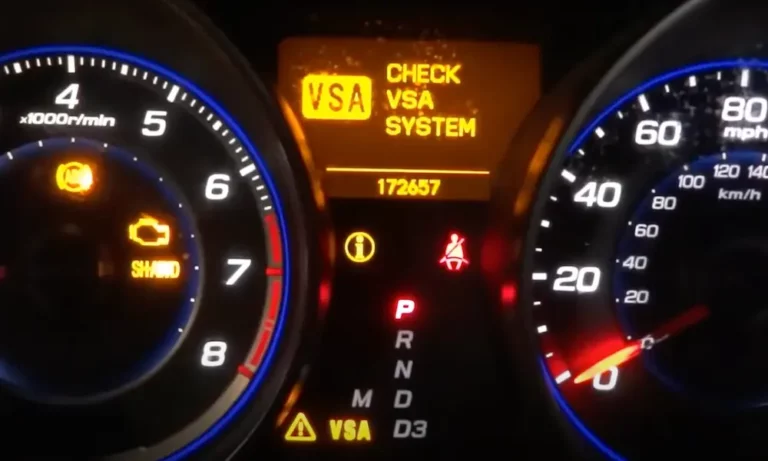
Got that dreaded VSA warning light on your Acura’s dashboard? You’re looking at one of the most common issues Acura owners face. Your Vehicle Stability Assist system is designed to keep you safe on the road, but when that warning light comes on, it can leave you confused and concerned about your vehicle’s safety.
In this guide, I’ll walk you through exactly what the VSA system does, why that warning light might be illuminated, and the steps you can take to diagnose and fix the problem. From DIY solutions to knowing when it’s time to visit the mechanic, I’ve got you covered.
What Is the Acura VSA System?
The Vehicle Stability Assist (VSA) system in your Acura is essentially an electronic stability control system that serves two critical functions:
- It helps maintain vehicle stability when cornering, preventing your car from spinning out
- It assists in maintaining traction on slippery surfaces
Think of VSA as your invisible co-pilot, constantly monitoring your vehicle’s movements and making micro-adjustments to keep you safely on your intended path. When working properly, the VSA system is a vital safety feature that most drivers don’t even notice until something goes wrong.
Understanding VSA Warning Lights
Before panicking when you see a warning light, it’s important to understand what different indicators mean:
Normal VSA Operation Indicators
When your VSA system is functioning correctly, you might occasionally see the VSA activation indicator blink briefly during operation. This is completely normal and actually shows the system is doing its job by actively working to stabilize your vehicle when needed.
If you see this light flash momentarily during acceleration or on slippery surfaces, the system is working as designed.
Warning Light Indicators to Watch For
| Warning Light | What It Means | Action Required |
|---|---|---|
| VSA System Indicator (Solid) | The system has detected a malfunction | Diagnostic check needed |
| Triangle with Exclamation Mark | General warning, often appears with VSA issues | Check other dashboard indicators |
| VSA OFF Indicator | VSA system has been manually disabled | Check if you’ve pressed the VSA OFF button |
When the VSA light stays solidly illuminated, particularly alongside other warning lights, it’s a clear indication that something’s wrong with the system and needs attention.
Common Causes of VSA Warning Lights
Several issues can trigger the VSA warning light in your Acura. Let’s examine the most common culprits:
Faulty Wheel Speed Sensors
The most frequent offender: Wheel speed sensors monitor how fast each wheel is rotating and send this data to the VSA control module. When one or more sensors fail, the system can’t properly determine if wheel slippage is occurring.
How to spot the issue: Your VSA light comes on, often accompanied by the ABS light, and sometimes you’ll notice inconsistent speedometer readings. This is the first component to check when troubleshooting VSA problems.
Steering Angle Sensor Problems
Your Acura’s steering angle sensor tells the VSA system which direction you’re steering and how sharply you’re turning. When this sensor fails or becomes uncalibrated, the VSA can’t properly determine if the car is going where you want it to go.
This issue is particularly common after wheel alignments or steering system repairs if the sensor isn’t properly recalibrated. In many cases, a specialized calibration procedure is required to resolve this problem.
Tire Pressure and Size Inconsistencies
One of the simplest causes is often overlooked: uneven tire pressure or mixing different tire sizes. The VSA system relies on all wheels turning at proportional speeds during straight-line driving. When tires have:
- Different pressures
- Uneven wear patterns
- Mismatched sizes
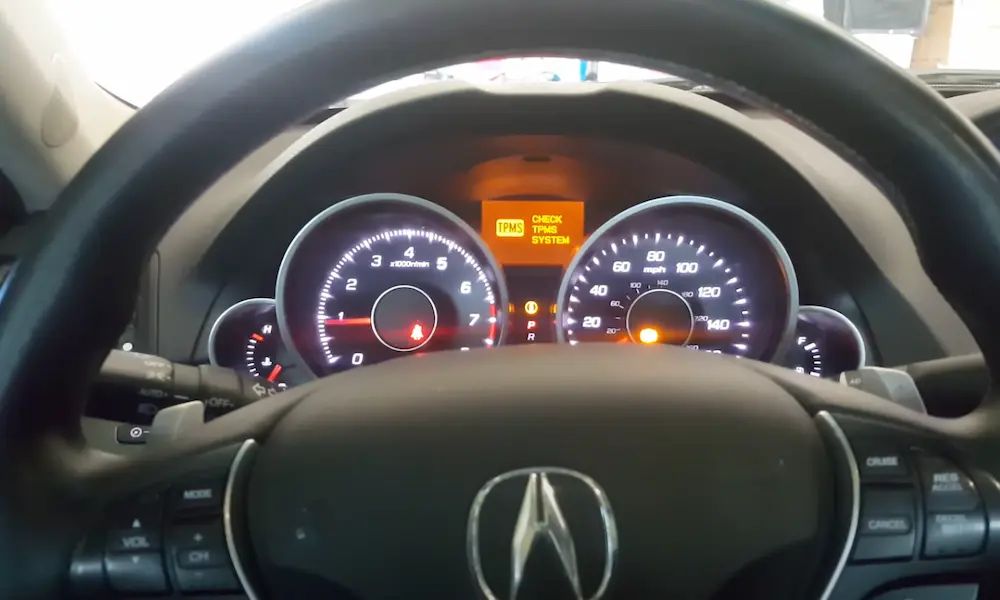
The wheels rotate at slightly different speeds, confusing the VSA system and triggering the warning light. Always check your tire pressure when the VSA light comes on, especially if your TPMS light is also illuminated.
ABS System Problems
Since the VSA system works in conjunction with your Anti-lock Braking System, problems with the ABS can disable VSA functionality. Common ABS issues that affect VSA include:
- Faulty ABS modules
- Damaged ABS sensors
- Low brake fluid
- Brake system electrical problems
When both the ABS and VSA lights illuminate together, there’s a good chance the problem originates in the ABS system.
Battery and Electrical Issues
Modern vehicles rely heavily on stable electrical systems, and the VSA is no exception. Problems that can trigger VSA warnings include:
- Low battery voltage
- Corroded battery terminals
- Damaged wiring (particularly from rodents)
- Blown fuses related to the VSA system
Many drivers don’t realize that simply having a weak battery can cause VSA malfunctions, which is why checking your electrical system should be part of your troubleshooting process.
DIY Diagnostic and Reset Procedures
Before heading to the dealership, there are several troubleshooting steps you can try yourself:
Basic VSA Reset Procedure
Sometimes, a simple reset will clear temporary glitches:
- Turn off your Acura completely
- Wait at least 30 seconds
- Restart the vehicle
If the VSA light turns off and stays off after this procedure, you likely had a temporary electronic hiccup. If the light returns, further diagnosis is needed.
Check Your Tires
Since tire issues are a common VSA trigger, perform these checks:
- Verify all tires are inflated to the pressure specified in your owner’s manual (usually on a sticker in the driver’s door jamb)
- Inspect all tires for uneven wear patterns
- Confirm all tires are the same size and type
- Check for any obvious damage to wheels or tires
Proper tire maintenance is essential for VSA system operation.
Verify VSA Isn’t Manually Disabled
It sounds obvious, but it’s worth checking if someone accidentally pressed the VSA OFF button. In most Acuras:
- Look for a button marked “VSA OFF” (typically near your dashboard or console)
- If pressed, the VSA OFF indicator should be lit
- Press the button again to re-enable VSA
This simple step sometimes solves what appears to be a complex problem.
Check Brake Fluid Level
Low brake fluid can trigger VSA warnings since the systems are interconnected:
- Locate your brake fluid reservoir under the hood
- Verify the fluid level is between the MIN and MAX lines
- If low, top off with the correct type of brake fluid for your Acura
- Check for leaks in the brake system
Low brake fluid can indicate either normal pad wear or a potentially dangerous leak in your braking system.
Advanced VSA Troubleshooting
When basic procedures don’t resolve the issue, more advanced troubleshooting is needed:
Using OBD-II Diagnostic Tools
Standard OBD-II scanners can read general codes, but VSA-specific issues often require specialized equipment:
- Connect an OBD-II scanner to the port under your dashboard
- Look for codes starting with “C” (chassis codes often related to VSA/ABS)
- Research the specific codes or consult a professional
For accurate diagnosis, you’ll ideally want a scanner that can access Acura’s specific subsystems rather than just basic engine codes. Tools like Honda’s HDS or compatible professional scanners can access the VSA module directly.
Neutral Position Memorization
Some Acura models require a procedure called “neutral position memorization” when the steering angle sensor becomes uncalibrated:
- Drive on a flat, straight road at a constant speed
- Keep the steering wheel centered while driving straight
- Use a compatible scan tool to initiate the memorization procedure
This procedure can’t typically be performed without proper equipment, but it’s often necessary after steering or suspension work to calibrate the steering angle sensor.
VSA Modulator Inspection
The VSA modulator is the component that physically controls your vehicle’s stability. Problems with this unit often require professional diagnosis:
- The modulator is typically located near the master brake cylinder
- Look for signs of leakage or physical damage
- Check electrical connections for corrosion or looseness
Issues with the modulator usually require professional repair or replacement, as this is a complex hydraulic and electronic component critical to both your ABS and VSA systems.
Model-Specific VSA Issues
Different Acura models can have unique VSA problems:
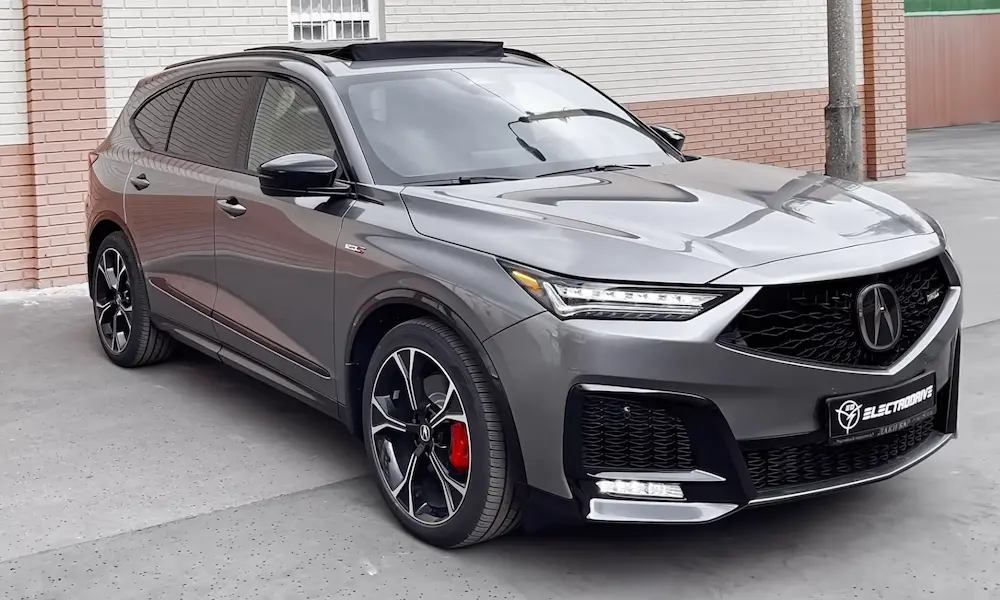
MDX VSA Concerns
The Acura MDX, particularly 2016-2018 models, can experience VSA warnings related to:
- Super Handling All-Wheel Drive (SH-AWD) integration issues
- Steering angle sensor calibration problems after service
- VSA modulator failures
MDX owners often report success with dealer calibration procedures that aren’t possible with consumer-level tools.
TL and TSX Common Problems
In Acura TL and TSX models, common VSA issues include:
- Emission control system interactions causing VSA warnings
- Variable Cylinder Management (VCM) related problems
- Wiring harness degradation, particularly in older models
There are documented cases where replacing the TSX’s emission control components resolved persistent VSA warnings.
RDX Considerations
The Acura RDX, especially redesigned models from 2019 onward, may experience:
- False VSA activations on rough roads
- Steering angle sensor calibration issues after alignment services
- Integration problems with other driver assistance systems
RDX owners should be particularly vigilant about maintaining proper tire pressure as the vehicle’s advanced chassis can make it sensitive to tire inconsistencies.
Understanding the VSA System’s Limitations
Even a perfectly functioning VSA system has limitations you should understand:
What VSA Can and Cannot Do
VSA can:
- Help maintain directional stability during cornering
- Reduce wheel slip during acceleration
- Assist with traction on slippery surfaces
VSA cannot:
- Override physics or prevent all skids
- Compensate for dangerous driving behaviors
- Function effectively with improper tire maintenance
Knowing these limitations helps maintain realistic expectations about the system’s capabilities.
When to Intentionally Disable VSA
There are legitimate reasons to temporarily turn off VSA:
- When rocking the vehicle out of mud, snow or sand
- During certain performance driving scenarios
- When using snow chains
- When driving on very rough surfaces where VSA might activate unnecessarily
Just remember to re-enable the system when returning to normal driving conditions by pressing the VSA OFF button again.
The Bottom Line on Acura VSA System Checks
The VSA system in your Acura is a sophisticated safety feature that helps keep you stable in challenging driving conditions. When that warning light comes on, it’s trying to tell you something important about your vehicle’s safety systems.
In many cases, the fix might be as simple as checking tire pressures or resetting the system. Other times, it signals more complex issues that require professional attention. By understanding what triggers VSA warnings and following the troubleshooting steps in this guide, you’ll be better equipped to address problems quickly and maintain your Acura’s optimal performance and safety.
Remember that while VSA enhances safety, it’s still just one system in your vehicle. Regular maintenance of all components, including tires, brakes, and electrical systems, is essential to keeping your Acura running safely for years to come.