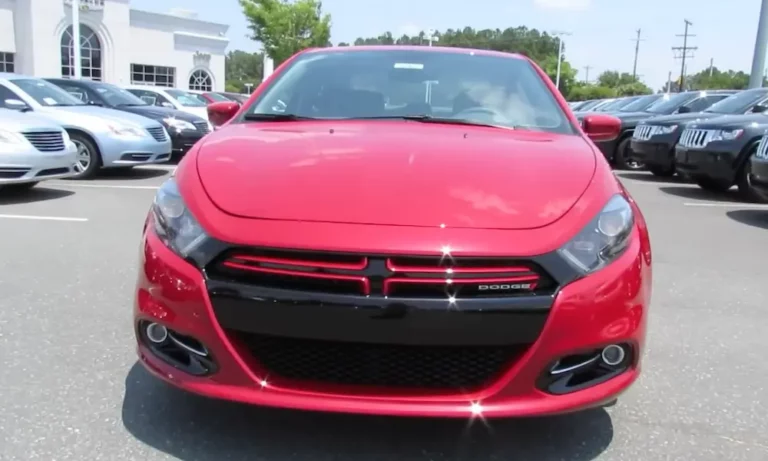
Is your Dodge Dart flashing that annoying “Park Light Out” message on your dashboard? You’re not the only one hitting this roadblock. The good news? You can likely fix this common problem yourself without an expensive trip to the mechanic. I’ll walk you through exactly what’s causing this issue and how to solve it—even if all your lights seem to be working fine!
What Does “Park Light Out” Actually Mean?
When your Dodge Dart displays the “Park Light Out” warning, it’s telling you there’s an issue with one of several possible lighting components:
- Front parking lights (those amber/orange bulbs in your headlight assembly)
- Side marker lights (the small lights on your vehicle’s sides)
- Rear tail light assembly components
Here’s the weird part: many Dart owners report getting this warning even when all lights appear to be working perfectly! The message typically pops up when you press the brake pedal or turn your headlights on.
Diagnosing Your Dodge Dart’s Light Problem
Before grabbing any tools, let’s figure out exactly what’s going on with your Dart’s lighting system.
Do a Complete Visual Inspection
Turn on all your vehicle’s lights and walk around the car to spot any obvious failures. The tricky part? Sometimes the issue isn’t a completely dead bulb but rather:
- A dual-filament bulb where only one filament has failed
- A loose connection in the wiring harness
- An LED conversion that’s causing electrical confusion
Check Each Light Function Separately
Test these functions one by one:
- Parking lights
- Turn signals (front and rear)
- Side markers
- Headlights (high and low beam)
Many Dart owners have found that the side marker lights are often the culprit behind this warning, even when they still appear to be working. According to a Reddit thread, replacing these inexpensive bulbs often solves the problem.
What You’ll Need for the Repair
Before starting, gather these tools and parts:
| Tool/Part | Why You Need It |
|---|---|
| Phillips and flathead screwdrivers | For accessing light housings |
| Pliers | To help remove stubborn bulb sockets |
| Gloves or paper towel | To avoid getting skin oils on new bulbs |
| Replacement bulbs | Specific to your Dart model year |
Common Bulb Types for Dodge Dart (2013-2016)
| Light Location | Typical Bulb Type | Average Cost |
|---|---|---|
| Parking lights | 7442NA amber bulbs | $5-10 per pair |
| Side markers | 194 bulbs | $3-8 per pair |
| Turn signal/DRL combo | Varies by year/trim | $10-15 each |
You can find these bulbs at AutoZone or Advance Auto Parts for reasonable prices.
Step-by-Step Replacement Guide
Let’s fix that annoying warning message by replacing the most likely culprits.
Accessing Front Parking Lights
- Open your hood and locate the back of the headlight assembly
- Look for the bulb sockets behind each headlight
- The parking light socket is typically smaller than the main headlight socket
The parking light bulb is usually accessible without removing the entire headlight assembly.
Replacing the Bulb
- Twist the bulb socket counterclockwise to remove it from the housing
- Pull the old bulb straight out from the socket
- Insert the new bulb without touching the glass portion (use gloves or tissue)
- Reinstall the socket by twisting clockwise until secure
- Test the light before closing everything up
For a visual guide to this process, check out this helpful YouTube tutorial on Dodge Dart light replacement.
Tackling Side Marker Lights
Side marker lights are often the hidden culprits behind persistent “Park Light Out” warnings. Here’s how to replace them:
- Locate the small side marker lights on the front fenders
- Some models allow access from the wheel well by turning the steering wheel fully
- Turn the socket counterclockwise to remove
- Replace the bulb (typically a 194-type)
- Reinstall and test
If you’re considering upgrading, Diode Dynamics offers LED replacements specifically designed for the Dart.
Common Issues That Trigger “Park Light Out” Messages
LED Conversion Problems
If you’ve installed LED bulbs in your Dart, you might be experiencing false warnings. LEDs draw less power than standard bulbs, which can trick your car’s computer into thinking a bulb is out. Solutions include:
- Installing load resistors to mimic the power draw of halogen bulbs
- Using “canbus-compatible” LED bulbs with built-in load resistors
- Reverting to standard halogen bulbs
Electrical Gremlins
Sometimes the issue goes beyond just the bulbs. Check for:
- Corroded connections at the bulb socket
- Damaged wiring harnesses (especially in the trunk area)
- Loose connections that might shift when driving or opening/closing doors
The Side Marker Mystery
Many Dart owners report that the small side marker lights are the true culprits. These $3-8 bulbs often cause the warning message even when they still appear to be working. Replacing these inexpensive bulbs frequently solves the problem completely.
How to Prevent Future Light Issues
Once you’ve fixed your current problem, here’s how to avoid repeating it:
- Always handle new bulbs with gloves or tissue to prevent oil contamination
- Replace bulbs in pairs to maintain even lighting and appearance
- Check connections regularly for corrosion or looseness
- Consider high-quality replacement bulbs for longer life
When the DIY Approach Isn’t Enough
If you’ve replaced bulbs and still get the warning message, you might be dealing with:
- A wiring harness issue needing repair
- A faulty body control module
- A problem with the vehicle’s computer system
In these cases, you might need to consult with a professional who has diagnostic equipment to identify electrical issues. The National Highway Traffic Safety Administration recommends addressing all lighting issues promptly, as they can affect vehicle safety.
The Bottom Line on Dodge Dart Park Light Problems
Most Dodge Dart “Park Light Out” warnings can be resolved with simple bulb replacement—particularly those seemingly invisible side marker bulbs. With basic tools and about 30 minutes of your time, you can save $50-100 in mechanic’s fees while eliminating that annoying dashboard warning.
Have you dealt with persistent light warnings on your Dart? Which solution worked for you? The parking light warning is one of the most common issues for Dart owners, but thankfully, it’s also one of the easiest to fix yourself.