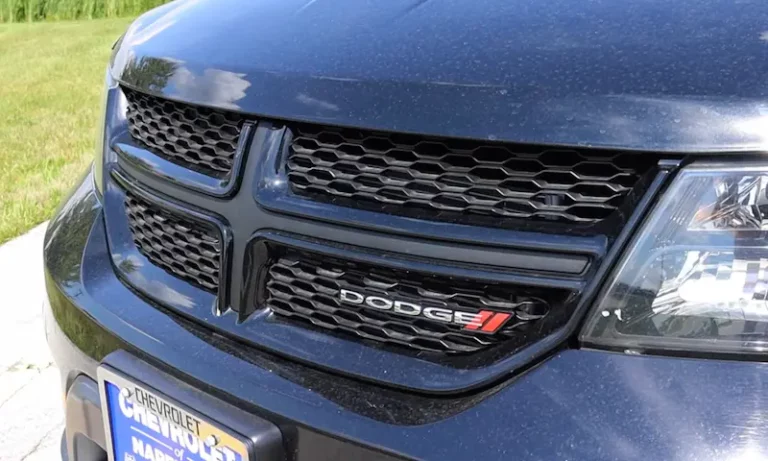
Is your Dodge Journey blowing warm air instead of the cool breeze you need? You might need an AC recharge. This straightforward maintenance task can restore your vehicle’s cooling power without an expensive trip to the mechanic. I’ll walk you through the entire process, from understanding your system to getting those ice-cold vents working again.
What’s Happening When Your Dodge Journey AC Stops Cooling
Your Journey’s AC system uses refrigerant (a special cooling fluid) to remove heat from the air inside your vehicle. Over time, small amounts of this refrigerant can escape through tiny leaks in the system’s seals and connections.
When refrigerant levels drop too low, your AC can’t cool effectively anymore. The good news? Recharging your AC is often a simple fix that restores proper cooling without major repairs.
Identifying Your Journey’s Refrigerant Type
Before buying any supplies, you need to know which refrigerant your Dodge Journey uses. This isn’t negotiable – using the wrong type can cause serious damage to your AC system.
Dodge Journeys use one of two refrigerant types:
- R134a: Used in most Journeys from 2008-2016
- R1234yf: Used in newer models, typically 2017 and later
To identify which one you need:
- Look for the AC specification sticker in your engine bay
- Check your owner’s manual
- The sticker will clearly state which refrigerant is required
Here’s a quick comparison of both refrigerant types:
| Feature | R134a | R1234yf |
|---|---|---|
| Used in | 2008-2016 Journeys | 2017+ Journeys |
| Approximate cost | $10-15 per can | $40-50 per can |
| Environmental impact | Higher global warming potential | Lower global warming potential |
| Port connector | Blue low-side fitting | Different fitting than R134a |
How Much Refrigerant Does Your Journey Need?
Adding the right amount is crucial – too little won’t cool properly, too much can damage your system. According to manufacturer specifications, the Dodge Journey typically requires:
- Standard system: 625 grams (about 1.4 lbs) of refrigerant
- With rear AC: 910 grams (about 2 lbs) of refrigerant
Most DIY recharge cans contain 12-14 ounces (0.75-0.88 lbs), so you’ll likely need 1-2 cans depending on how low your system is.
Tools and Materials You’ll Need
Before starting, gather everything you need:
- AC recharge kit with gauge and hose
- Correct refrigerant type (R134a or R1234yf)
- Safety glasses and gloves
- Thermometer (to measure vent temperature)
- Rags or towels
Most auto parts stores sell complete recharge kits that include the gauge, hose, and sometimes refrigerant. These typically cost $30-60.
Step-by-Step Dodge Journey AC Recharge
1. Find the Low-Pressure Service Port
The low-pressure charging port on the Dodge Journey is located toward the back of the engine bay, near the hood latch mechanism. You’ll recognize it by:
- A small black or blue protective cap
- Located on the larger of the two AC lines
- Might require removing a plastic engine cover for easy access
Don’t confuse it with the high-pressure port, which has a different size and should never be used for recharging.
2. Prepare Your Vehicle
Follow these steps to get your Journey ready:
- Start the engine
- Set AC to maximum cold
- Turn fan to highest speed
- Select the recirculate air option (the button with a circular arrow inside the car)
- Make sure all windows and doors are closed
Your engine needs to run throughout the entire charging process to circulate the refrigerant properly.
3. Check Current System Pressure
Before adding refrigerant:
- Remove the cap from the low-pressure port
- Attach your recharge kit’s hose firmly to the port
- Read the gauge to see your current pressure
The ideal pressure depends on the ambient temperature. As a general rule:
- Below 30 PSI (when compressor is running): system needs refrigerant
- Above 55 PSI (when compressor is running): system may be overcharged
4. Add Refrigerant Carefully
Now it’s time to add refrigerant:
- Shake the refrigerant can vigorously
- Connect the can to your recharge kit according to manufacturer instructions
- Open the valve to allow refrigerant flow
- Add in short 5-10 second bursts, checking pressure between additions
- Listen for the compressor to engage (a clicking sound followed by the engine RPM dropping slightly)
The compressor should engage when pressure reaches approximately 25-30 PSI. This is a good sign your recharge is working!
5. Monitor Temperature and Pressure
As you add refrigerant:
- Check vent temperature regularly (it should drop to 35-48°F on a 70-80°F day)
- Watch the pressure gauge to avoid overcharging
- Stop adding when:
- Vent temperature reaches desired level (typically 35-45°F)
- Or pressure gauge reaches proper level for current ambient temperature
When finished, close the valve on your kit and disconnect from the service port. Replace the port cap securely.
Common Dodge Journey AC Problems (Beyond Low Refrigerant)
If recharging doesn’t fix your cooling issue, you may have one of these common problems:
Compressor Not Engaging
If your compressor won’t turn on:
- Check the AC clutch fuse (F168 – 10A) in the main fuse box under the hood
- Listen for a clicking sound when AC is turned on
- Check for proper voltage at the compressor electrical connector
The compressor can also fail to engage if system pressure is too low or too high, or if there’s an electrical problem with the clutch.
Major Leaks
If your Journey’s AC loses cooling shortly after a recharge, you likely have a significant leak. Common leak locations include:
- Condenser (front of radiator)
- Evaporator (inside dashboard)
- Hose connections and seals
- Compressor shaft seal
A leak detection service at a professional shop can pinpoint the exact location.
Clogged Expansion Valve or Orifice Tube
These components control refrigerant flow in the system. When clogged, they prevent proper cooling. Signs include:
- AC alternating between cold and warm
- Frost or ice formation on AC components
- Inconsistent cooling performance
This requires professional repair, as these components are difficult to access and replace.
Professional AC Service vs. DIY Recharge
While DIY recharge works well for simple low-refrigerant issues, professional service offers significant advantages:
| DIY Recharge | Professional Service |
|---|---|
| $30-60 cost | $150-300 cost |
| Adds refrigerant only | Includes leak detection, evacuation, precise measurement |
| Quick fix for minor issues | Addresses underlying problems |
| No special equipment needed | Uses specialized diagnostic tools |
| Can’t remove moisture or air | Properly evacuates system before recharging |
Consider professional service if:
- The system was completely empty
- Recharge doesn’t fix the cooling issue
- You hear unusual compressor noises
- AC loses cooling quickly after recharge
- You’re uncertain about refrigerant type or procedure
Maintaining Your Journey’s AC System
To keep your AC running strong:
- Run the AC regularly (even in winter) to keep seals lubricated
- Replace your cabin air filter annually
- Listen for unusual noises that might indicate compressor problems
- Address minor issues before they become major repairs
- Consider an annual AC performance check
Important Safety Precautions
Working with AC refrigerant requires some safety measures:
- Always wear gloves and safety glasses
- Work in a well-ventilated area
- Never allow refrigerant to contact your skin (it can cause frostbite)
- Don’t exceed recommended pressure levels
- Never mix refrigerant types
- Avoid working on a hot engine
- Don’t attempt recharge if temperature is below 55°F outside
Troubleshooting After Your Recharge
If you’ve completed the recharge but aren’t getting optimal cooling, check these common issues:
Still Not Cold Enough
- Allow 5-10 minutes for the system to stabilize
- Verify the recirculate setting is on
- Check for airflow blockages at the condenser (front of radiator)
- Ensure proper refrigerant level (not too little, not too much)
Cooling Inconsistently
- Check if compressor is cycling on and off too frequently
- Look for frost on AC lines (indicates restriction)
- Listen for excessive compressor noise
- Monitor temperature changes as you drive vs. idle
Unusual Noises
- Squealing: Could indicate a worn belt or pulley
- Rattling: Might be a loose or failed compressor clutch
- Clicking: Normal compressor engagement, but excessive clicking could indicate electrical problems
Your Dodge Journey’s AC system should provide reliable cooling for years with proper maintenance and occasional recharging. This DIY approach can save you money while keeping you comfortable on even the hottest days.