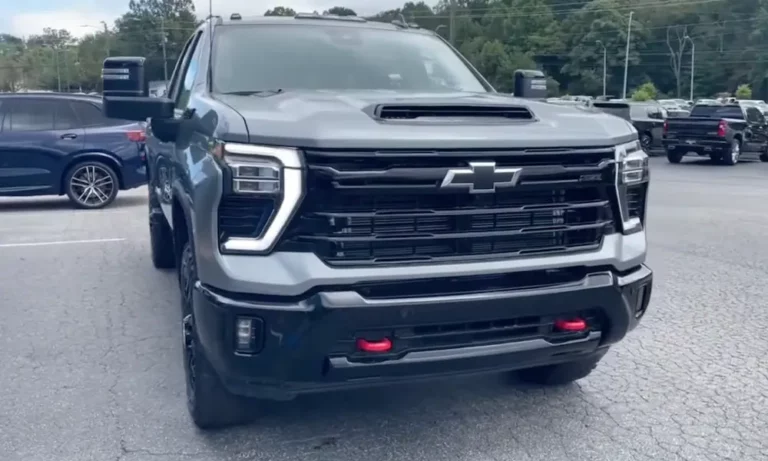
You’re cruising in your Chevy Silverado when suddenly it feels like someone cut your engine power in half. The dashboard lights up, showing “Reduced Engine Power,” and your truck struggles to get above 30 mph. Your Silverado has entered limp mode – a frustrating but necessary safety feature. Let’s dive into what’s happening and how you can get back on the road safely with practical fixes you can try today.
What Is Limp Mode in Chevy Silverados?
Limp mode (sometimes called “reduced engine power mode”) is your Silverado’s built-in protection system that activates when the vehicle’s computer detects a potential threat to your engine or transmission.
When your Silverado enters limp mode, you’ll notice:
- Drastically reduced acceleration (typically limited to 10-30 mph)
- Engine power that feels like it’s been cut by half or more
- Transmission stuck in lower gears (usually 2nd or 3rd)
- Dashboard warning lights including the check engine light
- “Reduced Engine Power” message on your instrument cluster
Think of limp mode as your truck’s way of saying, “Something’s wrong, and I’m limiting performance to prevent serious damage.”
Common Triggers for Limp Mode in Silverados
Understanding what causes limp mode is the first step to fixing it. Here are the most common culprits:
Throttle System Problems
The throttle system is often the primary suspect when your Silverado enters limp mode. Common issues include:
- Dirty throttle body: Carbon buildup prevents proper air control
- Faulty throttle position sensor (TPS): This is particularly common in 1997-2007 Silverados with 2.2L and 4.3L V6 engines
- Accelerator pedal position sensor failures: Your truck doesn’t know how much gas you’re giving it
- Throttle plate sticking: Preventing smooth operation
Electrical System Issues
Electrical problems are the second most common limp mode trigger:
- Poor ground connections: Especially the ground strap from engine to firewall
- Damaged wiring harness: Often found around the throttle body connector
- Corroded battery terminals: Creating voltage irregularities
- Failed body control module (BCM): The computer that manages many vehicle functions
Transmission-Related Triggers
Transmission issues that commonly activate limp mode include:
- Low transmission fluid: Unable to maintain proper hydraulic pressure
- Dirty transmission fluid: Contamination affects proper operation
- Failed transmission sensors: Giving incorrect readings to the computer
- Transmission control module (TCM) faults: The brain of your transmission system
Quick Temporary Fixes to Bypass Limp Mode
Before attempting any fixes, pull over to a safe location. These methods may help you get home or to a repair shop, but remember they’re temporary solutions only.
Method 1: The Simple Restart Technique
This basic fix works surprisingly often:
- Pull over safely and turn off your engine completely
- Wait 5-10 minutes for the system to fully reset
- Restart your Silverado
- Test if you can shift through all gears normally
This works because many minor electronic glitches can be cleared when the system fully powers down and restarts.
Method 2: Battery Disconnect Reset
This method forces a complete computer reset:
- Open your hood and disconnect the negative battery terminal first (the black one)
- Wait 15-30 minutes for all computer memory to clear
- Reconnect the positive terminal first, then the negative
- Start your Silverado and check if limp mode has cleared
The battery disconnect erases the error codes that triggered limp mode, essentially giving your truck’s computer a fresh start.
Method 3: OBD-II Scanner Reset
A more sophisticated approach uses a diagnostic tool:
- Connect an OBD-II scanner to your Silverado’s diagnostic port (usually under the dashboard)
- Read and write down any trouble codes (they’ll start with “P” followed by numbers)
- Clear the codes using the scanner
- Test drive briefly to see if limp mode returns
This method not only resets the system but gives you valuable diagnostic information about what triggered limp mode in the first place.
DIY Permanent Solutions for Limp Mode
While temporary fixes might get you home, here’s how to properly address the underlying issues:
Throttle Body Maintenance
The throttle body is a common trouble spot that’s relatively easy to fix:
- Locate the throttle body (typically on the intake manifold)
- Disconnect the battery before starting work
- Remove the air intake tubing connected to the throttle body
- Spray throttle body cleaner on the throttle plate and surrounding areas
- Use a clean cloth to wipe away carbon deposits
- Reassemble everything and attempt a throttle relearn procedure
If cleaning doesn’t resolve the issue, you might need to replace the throttle body entirely. This component typically costs $150-300 for parts plus labor if you can’t do it yourself.
Electrical System Repairs
Electrical issues require systematic troubleshooting:
- Inspect all ground connections:
- Check the engine-to-firewall ground strap for corrosion or damage
- Examine the ground connection under the driver’s door
- Make sure battery cable connections are clean and tight
- Test for damaged wiring:
- Look for pinched wires, especially around the throttle body connector
- Check for rodent damage (surprisingly common)
- Use a multimeter to test for continuity in suspicious wires
- Sensor testing:
- Test throttle position sensor voltage with a multimeter (should produce a smooth voltage change when the throttle moves)
- Check for proper voltage at the accelerator pedal position sensor
Transmission Maintenance to Prevent Limp Mode
Keeping your transmission healthy helps avoid limp mode:
Fluid Level and Condition Check
- Park on level ground with the engine warm and running
- Locate the transmission dipstick (often with a red handle)
- Check fluid level against the “FULL” and “ADD” markings
- Examine the fluid color:
- Good fluid is red to light brown and transparent
- Dark brown or black fluid with a burnt smell needs replacement
- Fluid with metal particles needs immediate professional attention
Transmission Fluid Change
If your fluid is dirty but without metal particles:
- Purchase the correct transmission fluid for your specific Silverado model
- Locate the transmission drain plug or pan
- Place a large drain pan underneath
- Remove the drain plug or transmission pan bolts
- Allow all fluid to drain completely
- Replace the drain plug or clean the transmission pan and replace the gasket
- Refill with fresh fluid to the proper level
The Importance of Proper Diagnosis
The table below shows why accurate diagnosis is crucial before attempting any fixes:
| Symptom | Possible Causes | Improper Fix Risks | Proper Diagnostic Approach |
|---|---|---|---|
| Sudden limp mode activation | • Throttle body issues • Ground connection failure • Low transmission fluid |
Replacing unnecessary parts | Use OBD scanner to read specific error codes first |
| Intermittent limp mode | • Loose wiring connections • Corroding ground straps • Failing sensors |
Temporary fixes that leave underlying problems | Systematic testing of all electrical connections |
| Limp mode after driving through water | • Water in electrical connections • Hydrolocked engine |
Ignoring potential serious damage | Thorough inspection for water damage before reset attempts |
Specific Solutions for Common Chevy Silverado Limp Mode Codes
Different trouble codes require different approaches:
P0121, P0122, P0124: Throttle Position Sensor Codes
- Check the throttle position sensor connector for damage
- Test the sensor with a multimeter
- Clean the throttle body thoroughly
- Replace the throttle position sensor if readings are inconsistent
P0700, P0706, P0722: Transmission-Related Codes
- Check transmission fluid level and condition
- Inspect transmission wiring connections
- Test transmission range selector switch
- Consider replacing transmission sensors if they test faulty
P0335, P0336: Crankshaft Position Sensor Codes
- Locate the crankshaft position sensor (typically on the engine block)
- Check for damaged wiring to the sensor
- Test sensor resistance with a multimeter
- Replace if readings are outside specification
Why You Shouldn’t Drive Long in Limp Mode
Tempting as it might be to just “deal with it,” driving in limp mode long-term is a bad idea:
- Engine damage risk: The underlying problem could worsen
- Safety hazards: Severely limited acceleration makes highway merging dangerous
- Transmission strain: Being stuck in lower gears stresses components
- Fuel efficiency drop: Your truck burns more fuel in limp mode
- Catalytic converter damage: Improper combustion can damage this expensive component
Prevention: Keeping Your Silverado Out of Limp Mode
An ounce of prevention is worth a pound of cure:
Regular Maintenance Schedule
Follow this maintenance timeline to prevent limp mode:
- Every 3,000-5,000 miles:
- Check transmission fluid level and condition
- Inspect electrical connections for corrosion
- Look for loose ground straps
- Every 15,000 miles:
- Clean the throttle body to prevent carbon buildup
- Replace air filter to ensure proper airflow
- Check battery terminals for corrosion
- Every 50,000 miles:
- Complete transmission fluid and filter change
- Inspect wiring harnesses for damage
- Test battery and charging system
Warning Signs to Watch For
Catch problems before they trigger limp mode:
- Hesitation during acceleration
- Rough idle or stalling
- Brief power fluctuations
- Occasional check engine light flickers
- Unusual transmission behavior
By addressing these warning signs early, you can often prevent full limp mode activation.
Real-World Experiences with Silverado Limp Mode
Many Silverado owners have found that ground strap issues are surprisingly common causes of limp mode. A Reddit user reported that after trying numerous fixes, the simple solution was a bad ground connection.
Similarly, throttle body problems are incredibly common in Silverados. In a popular YouTube tutorial, a mechanic demonstrated how carbon buildup on the throttle body was the sole cause of recurring limp mode.
For 2014-2018 Silverados, the accelerator pedal position sensor has been identified as a frequent failure point, often triggering limp mode without any other symptoms.
Working with Professional Mechanics
If DIY fixes don’t work, heading to a professional is your next step. Here’s how to communicate effectively with your mechanic:
- Provide specific information about when limp mode occurs (cold starts, during acceleration, etc.)
- Share any trouble codes you’ve retrieved
- Explain which reset methods you’ve already tried
- Mention any recent work or changes to the vehicle
- Ask about potential costs before authorizing work
A good mechanic should be willing to explain their diagnostic process and provide options at different price points.
Tools You’ll Need for DIY Limp Mode Fixes
If you’re tackling this yourself, have these tools ready:
- Basic socket and wrench set
- OBD-II scanner (basic models start around $30)
- Throttle body cleaner spray
- Clean shop rags
- Digital multimeter for electrical testing
- Proper transmission fluid for your specific model
- Flashlight for inspection
- Safety gloves
With these tools and the knowledge from this guide, you’re well-equipped to address most limp mode issues in your Chevy Silverado.
Remember, while temporary bypasses can get you out of a jam, properly diagnosing and fixing the underlying issue is the only way to permanently solve limp mode problems. Your Silverado will thank you with many more miles of trouble-free driving.