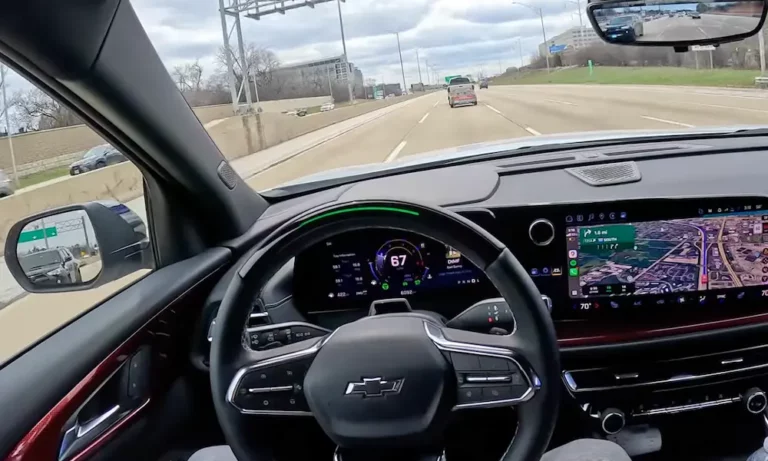
Got locked out of Super Cruise and the system won’t reactivate? You’re staring at that dreaded “Super Cruise Unavailable” message, and a quick stop-and-restart didn’t fix it. Don’t worry—there’s a specific reset procedure that actually works, and it’s simpler than GM’s owner’s manual makes it sound. Let’s get you back to hands-free driving.
What Causes a Super Cruise Lockout in the First Place
Super Cruise locks you out for specific reasons, and understanding why helps prevent it from happening again.
The system monitors your attention constantly using a camera mounted on your steering column. If you look away from the road too long or ignore the escalating warnings (green flashing light, then red flashing with seat vibration), you’ll trigger what GM calls a “behavioral lockout.” Think of it as the car putting you in timeout.
But driver distraction isn’t the only culprit. Your Super Cruise can also lock out due to:
Outdated map data – The system relies on LiDAR maps that expire after about seven months. Old maps mean no Super Cruise, even on roads where it previously worked.
Dirty sensors – A speck of dust on the driver attention camera or road grime blocking the front radar will shut everything down immediately.
Connectivity issues – Super Cruise needs to verify your subscription with GM’s servers. No cell signal? No activation.
System glitches – Sometimes the modules just need a hard reboot, like your computer when it freezes.
The frustrating part? The system doesn’t always tell you which problem you’re dealing with. That’s where knowing the right reset sequence becomes critical.
The Correct Way to Reset a Super Cruise Lockout
Here’s the reset procedure that actually clears the lockout flag from your vehicle’s memory. Most people skip the crucial step and wonder why it doesn’t work.
Step 1: Park Safely
Pull into a parking lot or safe area. You can’t reset while driving.
Step 2: Turn Off the Vehicle
Press your start/stop button to shut down. Your infotainment screen might stay on—that’s normal.
Step 3: Open the Driver’s Door (The Critical Step)
This is what everyone misses. Opening the door terminates what’s called “Retained Accessory Power.” Without this step, your car’s computer modules never actually power down, and the lockout flag stays active. Watch your screen—it should start its shutdown animation.
Step 4: Wait a Full 60 Seconds
Set a timer. Seriously. Waiting 30 seconds won’t cut it. The vehicle’s capacitors need time to discharge completely and flush the temporary memory where the lockout flag lives.
Step 5: Close the Door and Restart
Shut the door, press the brake, and hit the start button.
Step 6: Give It Time to Wake Up
Wait 30-45 seconds after starting. The system runs a self-check during this time. If you’re on a Super Cruise-compatible road, you should see the gray steering wheel icon reappear on your instrument cluster.
If the “Service Driver Assist System” message still shows up, you’re dealing with a deeper issue than a simple behavioral lockout.
When the Standard Reset Doesn’t Work
Sometimes the basic ignition cycle won’t clear the problem. That’s when you need the “deep sleep” reset.
This procedure forces every computer module in your vehicle to completely power down and restart fresh. It’s particularly effective for clearing communication errors between modules.
Lock your vehicle using the key fob after turning it off and opening/closing the door. Locking signals to the body control module that you’re done driving.
Take your key fob at least 20 feet away from the vehicle. If the fob stays nearby, your car’s passive entry system keeps the computers partially awake, defeating the whole purpose.
Wait 16 minutes minimum. This isn’t arbitrary—it’s how long GM’s modules take to transition from standby to full sleep mode. For stubborn issues, wait 30 minutes.
Return, unlock, and start. This triggers a complete cold boot of all systems.
I’ve seen this clear lockouts that persisted through multiple regular restarts. It’s especially useful if you’re getting weird messages about multiple systems being unavailable at once.
Fixing Map Data Issues That Cause Lockouts
If your Super Cruise worked fine last month but now shows “No Road Information” on highways you know are compatible, your map data has probably expired.
Super Cruise uses pre-mapped LiDAR data to know where it can operate. These maps get updated regularly with road changes, construction, and new compatible highways. But here’s the catch—your vehicle needs to download these updates, and there’s a configuration setting that blocks it.
Navigate to Settings on your infotainment screen, then System > Wi-Fi Hotspot.
Enable “Share Hotspot Data” even if you don’t have a hotspot subscription. This sounds counterintuitive, but there’s a software bug (addressed in Technical Service Bulletin 21-NA-189) that prevents map downloads when this setting is off.
Connect to Wi-Fi or drive for 15-30 minutes to trigger the download. The vehicle uses its cellular connection to grab map updates in the background.
Park and let it sit for 15+ minutes after the download completes. The installation happens during this “sleep” period.
You won’t see a progress bar or confirmation. The system just starts working again on roads where it was previously locked out.
Cleaning the Sensors That Trigger False Lockouts
You’d be surprised how often a “system fault” is just a dirty camera lens.
The driver attention camera sits on top of your steering column, usually near where the column meets the dash. It’s a small glass lens that collects dust, lint, and oils from your hands.
Use a clean microfiber cloth with a tiny amount of glass cleaner (no ammonia). Spray the cloth, not the camera, to avoid liquid seeping into the electronics. One gentle wipe usually does it.
If you’re getting constant red bar warnings despite looking straight ahead, this is probably your issue. The camera can’t see your eyes through the dust layer, so it assumes you’re not paying attention.
For the front radar and camera system, check your windshield and front grille emblem. The windshield camera is behind your rearview mirror—make sure there are no streaks or dirt directly in front of it. The radar hides behind your front emblem (the Cadillac crest, Chevy bowtie, or GMC logo).
In winter, even a thin layer of wet snow will block the radar and trigger an immediate lockout. Unlike some competitors, Super Cruise doesn’t have heated radar surfaces on most models, so you’ll need to manually clear ice and slush from your front bumper.
The Nuclear Option: Battery Disconnect Reset
When everything else fails and “Service Driver Assist System” won’t go away, it’s time for the hard reset.
Disconnecting your 12V battery forces every module to completely lose power and clear all temporary memory, including stubborn error flags.
Turn off your vehicle completely and pop the hood (or frunk on electric models).
Disconnect the negative terminal only using a 10mm wrench. That’s the black cable. Never remove the positive terminal first—you risk shorting the battery to the vehicle chassis.
Wait 10-15 minutes. This gives all the capacitors throughout the vehicle time to discharge, including safety systems like airbags.
Reconnect firmly and start the vehicle.
Drive in a straight line at 15+ mph for a few minutes. You might see warnings for StabiliTrak, ABS, and steering assist—these are normal. The sensors need to recalibrate, and the warnings should disappear after a short drive.
Warning for EV owners: If you drive a Lyriq, Hummer EV, or Bolt, be extra careful. The 12V system controls the high-voltage contactors. Improper disconnection can trigger additional fault codes. If you’re not comfortable with this, let a dealer handle it.
Subscription and Connectivity Problems
Super Cruise won’t activate if it can’t verify your subscription status with GM’s servers.
Even if you paid for your subscription, connectivity issues can make the system think you’re not authorized. This usually shows up as “Subscription Required” or prompts you to press your OnStar button.
The quickest fix: Press your blue OnStar button and ask the advisor to send a “refresh signal” to your vehicle. This forces your car to re-sync its subscription status with GM’s backend.
If you’re in an area with poor AT&T LTE coverage (Super Cruise uses AT&T’s network), the handshake might fail. Drive to an area with better signal and park for a few minutes to let the system reconnect.
For persistent subscription errors even with good signal, you might need OnStar to verify your account status. Sometimes billing issues on GM’s end can flag your account incorrectly.
Google Built-In Infotainment Reset for Newer Models
If you’re driving a 2022+ GMC Sierra, Silverado, or Cadillac Lyriq with the Google Built-In infotainment system, there’s a specific quirk you should know.
The Super Cruise visualization is integrated into the Android Automotive operating system. If the infotainment crashes, it can prevent the Super Cruise icon from appearing, making it look like a lockout even when the system is actually functional.
You can force a reboot without stopping: Hold the “End Call” button on your steering wheel for 15-20 seconds. The center screen will go black and restart. This soft reset often clears display-layer errors that block system engagement.
It won’t fix actual Super Cruise faults, but it’s worth trying before moving to more complex resets.
Understanding the “Three Strikes” Warning System
Super Cruise doesn’t lock you out on the first inattention alert. There’s an escalation system designed to give you multiple chances.
First warning: The light bar flashes green. This is gentle—just look back at the road and it clears with no penalty.
Second warning: Red flashing light plus seat vibration (or chimes). This is your serious warning. If you ignore this or trigger it repeatedly in one drive, you’re approaching lockout territory.
Third warning: Voice command “Take Control,” the vehicle slows down, and hazard lights activate. Once you hit this stage, Super Cruise is disabled for the rest of that drive cycle.
The “three strikes” rule isn’t about three individual incidents. If you trigger the second-level warning (red bar) three times in a single drive, even if you comply each time, the system may lock you out as a pattern of inattention.
Sunglasses can make this worse. While GM says the system works with most sunglasses, certain lens coatings that block near-infrared light can blind the camera. When the system can’t see your eyes, it relies on head position tracking, which is less forgiving. A slight head turn that would be fine with visible eyes might trigger an alert with IR-opaque sunglasses.
Common Error Messages and What They Actually Mean
The messages on your driver information center aren’t always clear. Here’s what they really mean:
“Super Cruise Unavailable” without additional detail usually means environmental issues (bad weather, glare, unmapped road) or operational issues (door open, trailer connected, seatbelt unbuckled). Check the basics first.
“Super Cruise Unavailable: No Road Information” specifically points to map data problems. Either you’re on an incompatible road, or your maps are outdated.
“Super Cruise Locked Out: See Owner’s Manual” is the behavioral lockout. You ignored too many warnings. Standard ignition cycle reset applies here.
“Service Driver Assist System” means the vehicle detected a hardware fault or communication error between modules. This requires advanced troubleshooting or dealer intervention.
“Subscription Required” means exactly what it says—but it can also appear due to connectivity failures that prevent subscription verification.
When You Actually Need a Dealer
Some Super Cruise lockouts can’t be fixed at home, and that’s okay.
If you’ve tried the full reset procedure, cleaned all sensors, verified your subscription, and the system still won’t activate, you’re likely dealing with a diagnostic trouble code (DTC) that requires professional equipment to read and clear.
Common dealer-level issues include:
Corrupted map data that needs a USB update through GM’s Service Programming System. The code is usually B126B.
Communication faults between modules (U-codes like U0100 or U0422), often caused by loose connectors or damaged wiring.
Hardware failures in the steering column camera, radar units, or the Active Safety Control Module itself.
Dealers can also apply Technical Service Bulletins that address known software bugs. TSB 23-NA-003, for example, fixes a specific “Service Driver Assist System” issue on the Cadillac Lyriq that requires sequential reprogramming of multiple modules.
If your Super Cruise lockout happened immediately after an accident or rough impact (even hitting a deep pothole), the sensors may have been knocked out of alignment. This requires recalibration with dealer equipment.
Quick Reference: Match Your Symptom to the Right Fix
Different symptoms need different solutions. Here’s how to diagnose your specific situation:
| What You’re Seeing | Most Likely Cause | Try This First |
|---|---|---|
| Red flashing light, then lockout | Driver inattention strike | 60-second door-open reset |
| Works sometimes, fails in same spots | Dirty sensors or weather | Clean steering column camera and front sensors |
| “No Road Information” on known highways | Expired maps | Enable “Share Hotspot Data” setting |
| “Service Driver Assist” message | Module communication fault | Deep sleep reset (16+ minutes) |
| No Super Cruise icon on screen | Infotainment crash | Hold “End Call” button for 15 seconds |
| “Subscription Required” | Server sync issue | Press OnStar button for refresh signal |