Ever stood in your driveway repeatedly clicking a garage door remote that refuses to work? Or maybe you’ve just installed a new Chamberlain opener and aren’t sure where to start with programming? You’ve come to the right place.
What You Need Before Programming Your Chamberlain Opener
Before diving into programming steps, gather these essentials:
- Your Chamberlain garage door opener unit
- Remote controls you want to program
- A ladder (for reaching the opener unit)
- The owner’s manual (helpful but not required—we’ve got you covered)
- 5-10 minutes of uninterrupted time
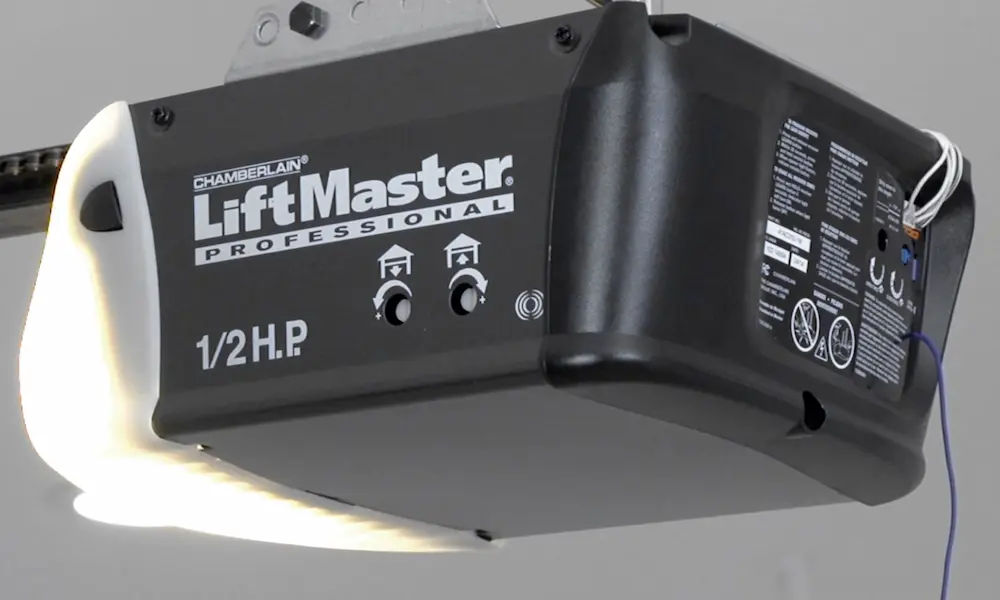
The programming buttons on Chamberlain units are typically located on the left side panel of your opener. You’ll need to identify which color your “learn button” is, as this determines your specific model and programming method.
Identifying Your Chamberlain Opener Model
Your programming steps will vary slightly based on your specific Chamberlain model. Here’s how to identify yours:
| Learn Button Color | Type of System | Compatible With |
|---|---|---|
| Yellow | Security+ 2.0 | MyQ technology, latest remotes |
| Purple | Security+ | Most remotes made after 1997 |
| Orange/Red | Billion Code | Older systems, fewer compatible accessories |
| Green | DIP Switch | Legacy systems (pre-1993) |
Look for the model number label on the left side panel of your garage door opener unit. This information helps when troubleshooting or purchasing compatible accessories.
How to Program a Chamberlain Remote Control
Follow these straightforward steps to program your remote:
- Position yourself near the garage door opener unit
- Locate the “Learn” button on your opener (it might be labeled CODE, CODE SET, or RADIO SET)
- Press and hold the “Learn” button until the LED light comes on (about 2-3 seconds)
- Within 30 seconds, press and hold the button on your remote that you want to program
- Release the button when the opener light blinks or you hear a click
- Test the remote by pressing the programmed button
For Chamberlain’s Universal Remote specifically, the process is slightly different:
- Press and hold the bottom button until the blue LED stays solid (about 15 seconds)
- Release the button (the LED will stay lit for 60 seconds during programming)
- Press the learn button on your opener for 2-3 seconds
- Press the remote button you wish to program
- Wait for the blue LED to change from blinking to solid
- Press the same remote button again
- The blue LED will flash every 3 seconds when successful
- Test by pressing the button to activate the door
This entire process typically takes less than a minute with the Chamberlain Universal Remote, which works with all major garage door opener brands.
Programming Travel Limits on Your Chamberlain Opener
Travel limits determine where your door stops when opening and closing. Improper settings can damage your door or opener. Here’s how to set them:
Before Programming Travel Limits
First, check your door’s balance:
- Close the door completely using a remote or wall control
- Disengage any door locks
- Pull the emergency release handle to disconnect the trolley
- Manually raise and lower the door
- A properly balanced door should stay in place when raised halfway
If your door doesn’t stay in place, the springs may need adjustment—contact a professional.
Setting Travel Limits
For most Chamberlain models:
- Press and hold the black adjustment button until the up arrow button flashes
- Press and hold the up arrow button until the door reaches your desired “fully open” position
- Press the adjustment button to set the open limit
- The down arrow button will now flash
- Press and hold the down arrow until the door reaches your desired “fully closed” position
- Press the adjustment button to set the close limit
- The opener will now automatically cycle through a complete open and close movement
This setting travel limits process ensures your door opens and closes to the perfect positions.
Installing and Programming a New Chamberlain Opener
When installing a completely new unit, follow these steps:
Physical Installation Steps
- Assemble the rail system first
- Attach the rail to the motor unit using the provided “U” bracket and bolts
- Install the idler pulley, making sure to grease the inside center
- Install the chain or belt drive system
- Attach the rail to the header bracket
- Position the opener unit securely
Initial Programming
After physical installation:
- Connect the opener to power
- Program the travel limits (see section above)
- Test the safety reversal system by placing a 1-1/2 inch board in the door’s path
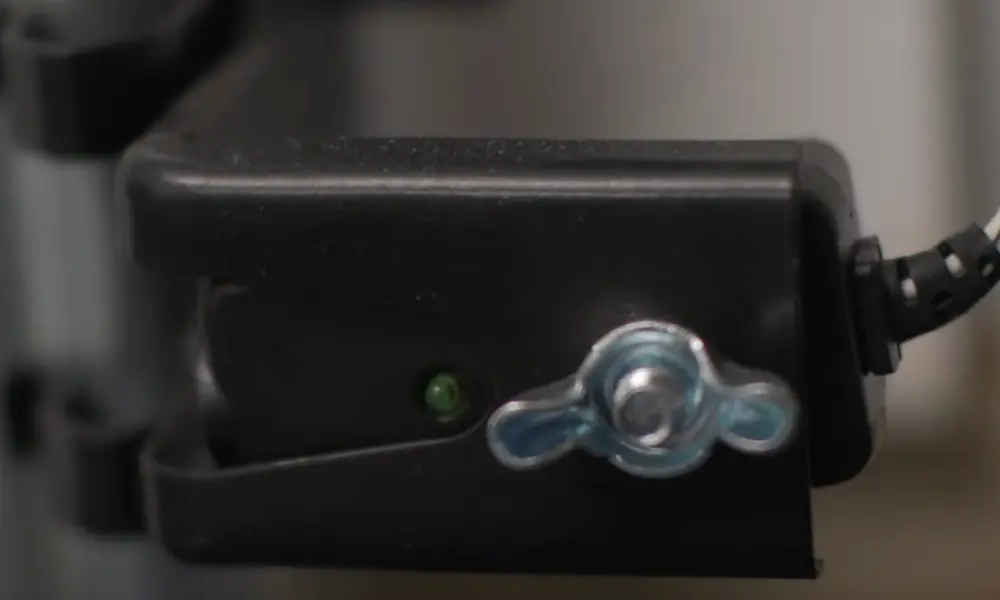
- Set up and align the safety sensors (The Protector System)
- Program your remote controls
Remember: New Chamberlain openers typically come with pre-programmed remotes, but you’ll still need to set up the travel limits and safety features.
The garage door will not close unless the Protector System is properly connected and aligned.
Programming the Keyless Entry Pad
Many Chamberlain systems include a wireless keypad for keyless entry. Here’s how to program it:
- Locate the “Learn” button on your garage door opener
- Press and release the “Learn” button (the LED will light up)
- Within 30 seconds, enter a 4-digit PIN of your choice on the keypad
- Press the “Enter” button
- The opener lights will blink (or you’ll hear clicks) when the code is accepted
- Test your new PIN by entering it and pressing Enter
For enhanced security, some models allow temporary PINs for service providers or visitors.
Programming MyQ Smart Features
Modern Chamberlain openers feature MyQ technology for smartphone control. To set it up:
- Download the MyQ app from the App Store or Google Play
- Create an account or log in
- Select “Add New Device”
- Choose “Garage Door Opener”
- Follow the app’s step-by-step instructions
- When prompted, press the “Learn” button on your opener
- Complete the pairing process in the app
With MyQ, you can monitor and control your garage door from anywhere, receive alerts when the door opens or closes, and even set schedules.
Programming HomeLink in Your Vehicle
Many vehicles feature built-in HomeLink systems that can operate your garage door. Here’s how to program it:
- Clear existing programming from your vehicle’s HomeLink buttons
- Park your vehicle just outside the garage
- Press and hold the desired HomeLink button until it flashes
- Press and hold your Chamberlain remote button while simultaneously holding the HomeLink button
- When the HomeLink indicator changes from slow to rapid flashing, release both buttons
- Press the “Learn” button on your garage door opener
- Return to your vehicle and press the programmed HomeLink button for 2 seconds
If your Chamberlain has Security+2.0 features, you may need to press the programmed HomeLink button a second time to complete the training.
Troubleshooting Common Programming Issues
When programming doesn’t go as planned, try these solutions:
Remote Won’t Program
- Replace the battery in your remote
- Ensure you’re within range of the opener during programming
- Verify your remote is compatible with your opener model
- Clear all remote codes and start fresh
Travel Limits Issues
- Check for mechanical problems like binding or sticking
- Ensure the door rolls smoothly on its tracks
- Verify the door is properly balanced
- Repeat the travel limit programming process from scratch
Safety Sensors Problems
- Clean the lenses of both sensors
- Check for loose wiring connections
- Ensure sensors are properly aligned facing each other
- Verify the indicator lights are steady (not blinking)
For persistent issues, consult your complete owner’s manual or contact Chamberlain customer support.
Maintaining Your Programmed Garage Door Opener
Once programmed, keep your opener working smoothly by:
- Testing safety features monthly
- Lubricating moving parts twice yearly
- Checking door balance quarterly
- Inspecting hardware for wear
- Keeping remote batteries fresh
Chamberlain recommends regular safety checks to ensure all programmed functions continue operating correctly.
Programming Multiple Remotes and Accessories
Need to program multiple remotes? Follow these steps:
- Program the first remote using the standard procedure
- For additional remotes, repeat the same process
- Each remote should be programmed separately, one at a time
- Test each remote after programming
For households with multiple vehicles or users, you can program up to 8 remote controls or wireless keypads to most Chamberlain openers.
Erasing All Programmed Codes
If you’re selling your home or want to start fresh:
- Press and hold the “Learn” button on your opener for about 6 seconds
- Release when all indicator lights turn off
- This erases ALL programmed remote controls, keypads, and MyQ devices
- You’ll need to reprogram any devices you want to use
This security feature ensures previous codes can’t be used once erased.
Safety Precautions When Programming Your Opener
Always prioritize safety when working with your garage door:
- Keep children away from the garage during programming
- Ensure the door path is clear of people and objects
- Never program the opener with people under the door
- Test the safety reversal system after programming
- Verify safety sensors are working properly
Remember that the door won’t close unless the safety sensors are properly aligned.
Programming for Specific Chamberlain Models
While the basic programming concepts apply to most Chamberlain openers, some models have unique features:
HD950WF and Smart Models
- Feature built-in WiFi
- Require additional setup in the MyQ app
- Allow for integration with smart home systems
- Program like standard models, plus app setup
Belt Drive Models
- Typically quieter operation
- Programming is identical to chain drive models
- May have additional anti-vibration features
DC Battery Backup Models
- Include battery backup systems
- Program travel limits and remotes normally
- May require periodically testing backup operation
Check your specific model documentation for any unique programming requirements.
Enhancing Security Through Programming
Modern Chamberlain openers use rolling code technology that changes your opener’s code after each use, preventing code theft. To maximize security:
- Program all remotes and keypads with unique codes
- Change keypad PINs periodically
- Use temporary PINs for one-time access
- Enable security lock mode when away for extended periods
- Keep your MyQ app password secure
These security practices protect your home from unauthorized garage access.
With these comprehensive instructions, you’re well-equipped to program every aspect of your Chamberlain garage door opener. Take your time, follow each step carefully, and enjoy the convenience of a properly programmed garage door system.