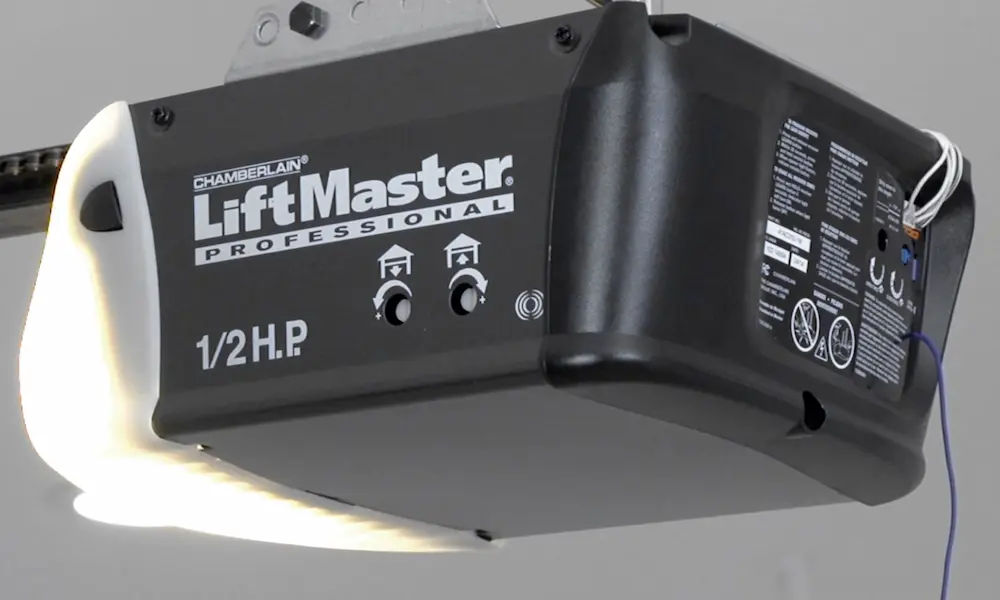
Your LiftMaster garage door opener stopped working, and now you’re stuck in the driveway or locked out of your garage. Before you call anyone or spend money on parts, there’s a good chance you can fix this yourself. This guide walks you through every likely cause — from simple power issues to sensor faults to worn-out gears — so you can pinpoint the problem fast.
Start Here: Check Your Power Source First
This sounds obvious, but it’s the most overlooked fix. Your LiftMaster garage door opener not working might have nothing to do with the opener itself.
Check these three things before anything else:
- GFCI outlet: Many garages have a GFCI outlet on the ceiling or wall. If it’s tripped, the opener gets zero power. Push the reset button on the outlet.
- Breaker box: Flip the breaker off, then back on.
- Power plug: Make sure the plug is fully seated in the outlet. Vibration from the door can loosen it over time.
If your unit has a battery backup, it might still seem “on” while the AC power is dead. A depleting battery can mimic a dead opener, so don’t assume the unit is running normally just because the light is on.
Read the Blink Codes: Your Opener Is Telling You What’s Wrong
LiftMaster openers flash the overhead light in specific patterns after a failed cycle. These blinks aren’t random — they map directly to specific failures.
| Number of Blinks | What It Means |
|---|---|
| 1 Blink | Sensor wire is disconnected or cut |
| 2 Blinks | Sensor wires are shorted or reversed |
| 3 Blinks | Wall control wire is shorted or faulty |
| 4 Blinks | Safety sensors are misaligned or dirty |
| 5 Blinks | Motor can’t detect rotation — possible jam |
| 6 Blinks | Internal logic board or motor drive failure |
| 10 Blinks | Something blocked the sensors during closing |
Count the blinks carefully right after a failed open or close attempt. On models made after 2011, you’ll also see arrow codes on the side of the motor head — one up arrow and five down arrows, for example, means a communication error between the logic board and the travel module.
If your unit is beeping, that’s a separate language. Here’s what the beeps mean:
| Beep Pattern | What It Signals |
|---|---|
| Every 2 seconds | Running on battery backup — AC power is lost |
| Every 30 seconds | Battery is low or can’t hold a charge |
| Constant beeping | Battery is dead or charging circuit is damaged |
The Safety Sensors Are the #1 Reason Doors Won’t Close
If your LiftMaster garage door opener opens fine but won’t close, the safety reversing sensors — LiftMaster calls them The Protector System — are almost always the cause.
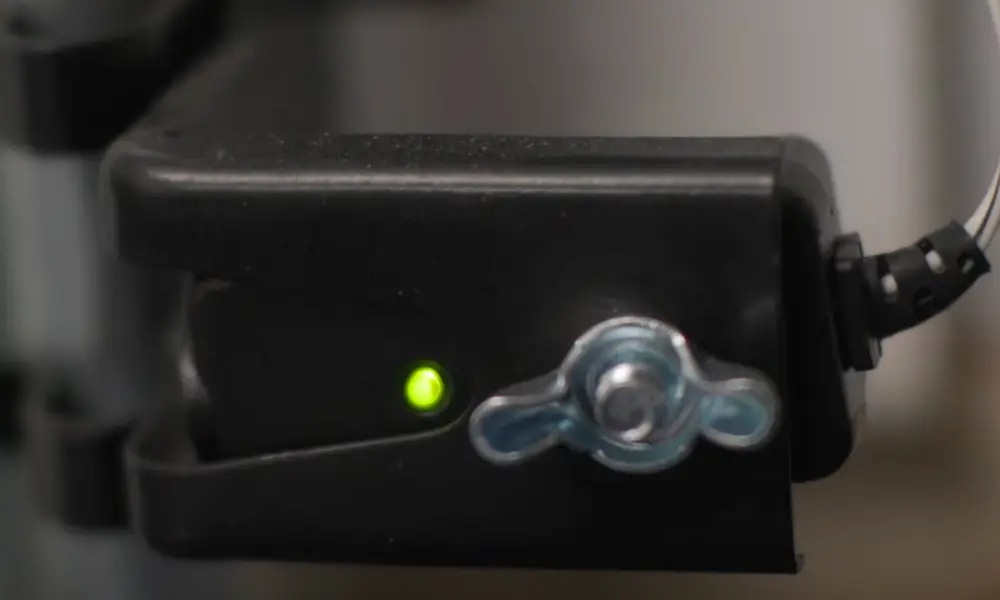
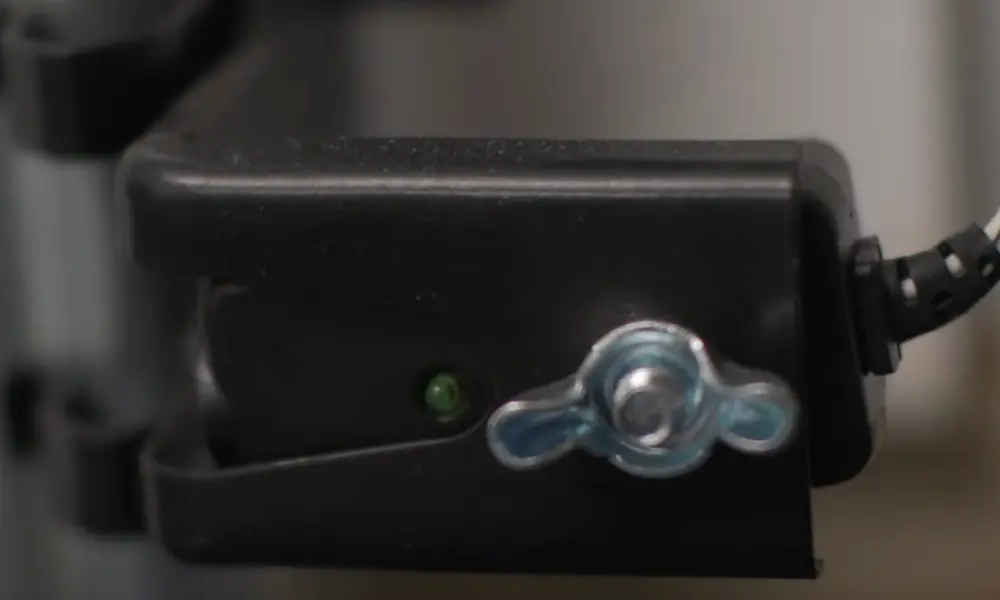
These sensors sit about six inches off the ground on each side of the door. One sends an infrared beam (amber LED), and the other receives it (green LED). If the green LED is off or blinking, the door won’t close.
Check these things in order:
- Look for obstructions. A spiderweb, leaf, or piece of dirt on the lens is enough to break the beam.
- Check alignment. Both sensors need to point directly at each other. Even a slight bump can knock them out of position.
- Inspect the wires. Staples driven through the wire insulation are a surprisingly common cause of 1-blink and 2-blink errors. Run your hand along the wire from the sensor up to the motor head and look for staples, kinks, or bare spots.
- Check wire polarity. The solid white wire goes to Terminal 2, and the white wire with the black stripe goes to Terminal 3. Reversing them causes a specific handshake failure the board can’t ignore.
Here’s a sneaky one: If your door randomly reverses in the afternoon on sunny days, you’re likely dealing with sunlight saturation. Direct sunlight hitting the receiving sensor overwhelms it, masking the sender’s signal. The fix? Swap the sensor positions or make a simple sun shield from a cardboard tube.
Your Remote Stopped Working? Don’t Replace It Yet
When the wall button works but the remote doesn’t, the problem is in the RF system — not the motor.
First, check the obvious stuff:
- Replace the remote battery.
- Make sure “Lock Mode” isn’t active on the wall control. Lock Mode disables all remotes. A blinking LED on the wall control is your clue.
Now check your light bulbs. This one surprises a lot of people. Standard LED bulbs use a switching power supply that emits radio frequency interference in the exact range your opener uses (315–390 MHz). If your opener’s interior lights are on, they could be jamming your remote signal — especially from the driveway, where the signal is already weaker. The fix is to swap in LiftMaster’s LMLED1 bulb, which is shielded specifically to suppress this interference.
Remote out of sync? After a power surge or battery swap, the rolling code can get out of sync. Wipe the memory by holding the Learn button for 6–10 seconds until the LED turns off, then reprogram your remotes from scratch.
Know your Learn button color. This tiny detail determines what remotes and accessories are compatible with your unit.
| Learn Button Color | Frequency | Protocol |
|---|---|---|
| Green | 390 MHz | Billion Code (1993–1997) |
| Red / Orange | 390 MHz | Security+ Rolling Code |
| Purple / Brown | 315 MHz | Security+ 315 MHz |
| Yellow (Round) | 310/315/390 MHz | Security+ 2.0 |
| Yellow (MC) | 310/315/390 MHz | Security+ 2.0 Tri-Band |
| White | Multi-band/BT | Security+ 3.0 |
Purple button units are especially vulnerable to 315 MHz interference from nearby radio systems. If you have an older purple button unit and remotes stopped working suddenly, nearby radio interference could be the culprit.
Motor Hums But the Door Doesn’t Move
That humming sound usually points to one of two physical failures: a bad starter capacitor or stripped drive gears.
Bad Capacitor
The capacitor gives the motor the initial kick it needs to start moving. When it fails, the motor hums and strains but can’t generate enough torque to move the door.
Signs of a failing capacitor include:
- Loud humming with zero door movement
- Motor housing that’s extremely hot to the touch
- Visible bulging or leaking on the capacitor itself
Important: Before you touch the capacitor, discharge it by bridging the terminals with an insulated screwdriver. It stores electrical charge even when the unit is unplugged.
Stripped Drive Gear
If you hear the motor spinning freely while the chain or belt stays perfectly still, the plastic drive gear is stripped. Open the motor head, and you’ll see white plastic shavings — that’s the gear grinding itself apart. This almost always happens because the door was out of balance, forcing the motor to carry weight it wasn’t designed to lift alone.
The Door Isn’t the Opener’s Job — It’s the Spring’s Job
A huge percentage of “LiftMaster garage door opener not working” calls are actually door problems in disguise. The opener is a towing device. The springs do the actual lifting.
Run this balance test to find out if your door is the problem:
- Pull the red emergency release cord to disconnect the opener.
- Manually lift the door to about halfway (3–4 feet off the ground) and let go.
- If the door holds its position, the springs are properly tensioned.
- If it falls, the springs are weak. If it shoots up, they’re over-tensioned.
Also move the door through its full range by hand. Any sticking, dragging, or grinding indicates a bent track, seized rollers, or both. Seized rollers make the opener’s force sensors trip early — regular silicone-based lubrication prevents this.
Spring work is dangerous. Torsion springs are under enormous tension. Adjusting or replacing them without proper training and tools is genuinely risky.
Travel Limits Are Off — Door Opens or Closes Too Far
If your door slams into the floor or doesn’t open all the way, the travel limits need adjustment.
On newer Security+ 2.0 models (yellow Learn button), it’s a digital process. Hold the rectangular adjustment button until the up arrow flashes, then move the door to the correct positions. The opener runs a Force Learn cycle and remembers how much resistance is normal at every point in the travel.
On older models, you’ll see two white plastic screws on the side of the motor head — one for Up travel, one for Down. Turn clockwise to increase travel. Don’t over-adjust the Down limit; pushing the door too hard into the floor causes the rail to bow upward, triggering an automatic safety reversal.
Wall Control Isn’t Responding
Try this jump test directly at the motor head: short Terminals 1 and 2 with a small piece of wire. This simulates pressing the wall button.
- Motor runs when jumped: The problem is the wall station or the wiring between the wall and the motor head.
- Motor doesn’t run even when jumped: The logic board’s input circuit is likely damaged — often from a lightning strike or power surge.
A damaged logic board can also act strangely: lights that won’t turn off, random openings, or remotes that lose programming every few days. If you’re seeing that kind of “insane” behavior, the board itself needs replacement.
Your LiftMaster Troubleshooting Checklist
Work through this in order. Most problems get caught in the first three steps.
| Step | What to Do | What You’re Looking For |
|---|---|---|
| 1. Power Audit | Check GFCI, breaker, and plug | Tripped circuit or loose connection |
| 2. Read Blink Codes | Count light flashes or check arrow codes | Sensor, wiring, or board fault |
| 3. Inspect Safety Sensors | Check LED status, alignment, and wires | Obstruction, misalignment, or short |
| 4. Check RF Environment | Look for Lock Mode and LED interference | Jammed signal or locked wall station |
| 5. Balance Test | Disengage trolley and lift door by hand | Broken spring or binding track |
| 6. Component Check | Inspect capacitor, jump test the board | Physical or electrical component failure |
Once everything is working, do the UL 325 safety reversal test: lay a 2×4 flat on the ground in the door’s path and close the door. The door must reverse when it contacts the board. If it doesn’t reverse, the force settings are too high, and the system isn’t safe — even if the door opens and closes normally.