Your garage door won’t close, and the opener light is flashing like a disco ball. Sound familiar? This guide walks you through exactly how to align garage door sensors — step by step — and covers the sneaky causes most people miss. Read to the end, because the fix might be simpler than you think.
What Garage Door Sensors Actually Do
Your garage door has two small sensors sitting a few inches off the ground on either side of the door frame. One sends an invisible infrared beam. The other receives it.
When something breaks that beam — a kid, a dog, a stray boot — the door stops and reverses. It’s a federally mandated safety feature designed to prevent serious injuries, and it’s been required on all residential garage doors since 1993.
The sensors must sit no higher than six inches above the garage floor. That height catches small children, pets, and low objects that a higher-mounted sensor would miss entirely.
When the sensors fall out of alignment, the opener thinks something’s always blocking the door. Result? The door refuses to close, or it closes and immediately bounces back open.
Read Your Sensor Lights First
Before you touch anything, look at the LED lights on both sensors. They tell you exactly what’s wrong.
The sending sensor (emitter) has one LED. The receiving sensor has another. Their colors and behavior vary by brand.
| Brand | Sending Sensor (Normal) | Receiving Sensor (Normal) | Misalignment Signal |
|---|---|---|---|
| LiftMaster / Chamberlain / Craftsman | Solid Amber | Solid Green | Green blinks |
| Genie | Solid Red | Solid Green | Either light blinks |
| Guardian | Solid Green | Solid Red | Green flashes |
| Linear | Solid Green | Solid Red | Red off or blinking |
| Ryobi | Solid Red | Solid Green | Green off |
| Skylink (ATOMS) | Solid Red | Solid Blue | Either light unsteady |
The most common sight? A solid amber on the sender and a blinking green on the receiver. That blinking green is your garage door’s way of saying “I can see the beam, but just barely.” That’s a classic misalignment.
If both lights are off, you’ve got a power or wiring problem, not an alignment issue. Jump to the wiring section below.
How to Align Garage Door Sensors: Step-by-Step
Step 1: Unplug the Opener
Safety first. Unplug the motor unit from the ceiling outlet or flip the circuit breaker. You don’t want the door moving while your hands are near the tracks.
Step 2: Clear the Area
Remove anything between the sensors — bikes, boxes, garden hoses. Even a thin cobweb can block the infrared beam.
Step 3: Clean the Lenses
This step solves the problem more often than people expect. Dust, spider webs, and condensation scatter infrared light and make the receiver think it’s misaligned.
Wipe both lenses gently with a dry microfiber cloth. Don’t use paper towels, glass cleaner, or anything abrasive. Scratching the plastic lens permanently weakens the sensor’s ability to read the beam.
Step 4: Check the Height on Both Sides
Grab a tape measure. Both sensors should sit at the same height — ideally 4 to 6 inches off the floor. If one sits higher than the other, the beam travels at an angle and the receiver struggles to catch it.
Step 5: Loosen the Receiving Sensor
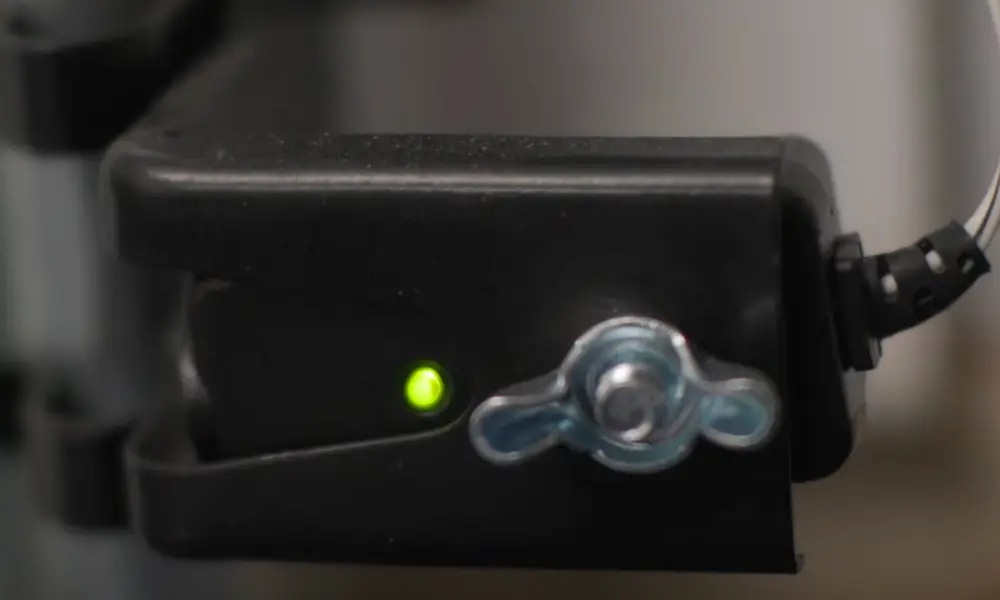
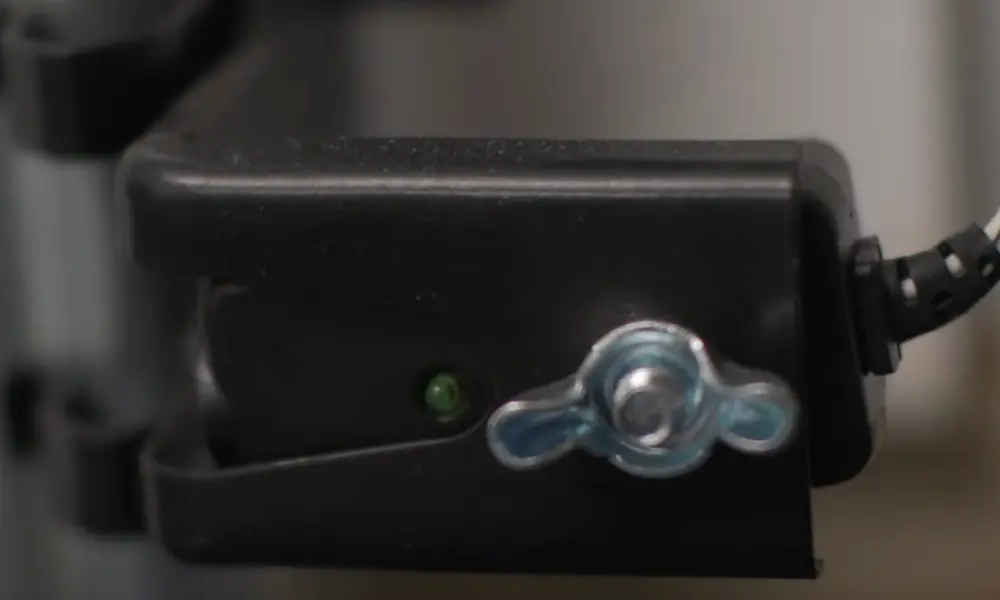
The receiving sensor (the one with the green light on most brands) mounts on a bracket with a wing nut. Loosen it just enough so the sensor can pivot and slide. Don’t remove it completely.
Step 6: Align Using the LED Method
Plug the opener back in. Watch the receiving sensor’s LED while you slowly move the sensor — small adjustments, up, down, left, right. When the LED stops blinking and holds steady, you’ve found the beam.
Hold the sensor body firmly with one hand. Tighten the wing nut with the other. Don’t let the sensor twist as you tighten — that one move knocks it out of alignment again.
Step 7: Use the String Method for Tricky Setups
If your garage tracks aren’t perfectly parallel, the LED method alone might not cut it. The string method gives you a physical reference line.
- Tie a string tightly between both sensor brackets
- Run it directly across the center of each lens
- Place a level on the string and confirm it’s perfectly horizontal
- Adjust the brackets until both sensors center on the string
This is especially useful in wide garage openings where the beam weakens over distance.
Step 8: Run the Safety Reversal Test
This step isn’t optional. Open the door fully, then start a closing cycle. Place a piece of lumber flat on the floor in the door’s path. The door must stop and reverse the moment it hits the board or breaks the beam.
If it doesn’t reverse, something’s still wrong. Don’t use the door until it passes this test — an automatic door that doesn’t reverse is a genuine safety hazard.
Diagnosing Wiring Problems
Physical alignment isn’t always the culprit. If both LEDs stay dark, or alignment doesn’t fix the blinking, the wiring might be the issue.
Garage door sensors connect to the opener’s logic board with thin bell wire. That wire runs along the ceiling and walls, and it’s vulnerable to damage.
Common wiring failure causes:
- Staples driven too tightly into the wire
- Rodents chewing through the insulation
- Corrosion from moisture in the terminals
- Wire pinched by the door track
Here’s a quick way to test whether it’s the wire or the sensor itself: disconnect both sensors and reconnect them directly to the motor unit using fresh, short wire. Point them at each other at close range. If both LEDs light up solid, the original wire run is faulty. If they stay dark, the sensors or logic board need replacing.
| Symptom | Likely Cause | Fix |
|---|---|---|
| Both LEDs off | No power or broken wire | Check outlet; inspect terminals at the motor head |
| Amber solid, green off | Broken wire to receiving sensor | Trace and replace the green sensor wire |
| Learn button flashes 4 times | Sensor error | Check for loose terminals or broken wire leads |
| Green blinks constantly | Misalignment or dirty lens | Clean lenses and realign |
When the Sun Is the Real Problem
Here’s one that trips up a lot of people. Your sensors align perfectly in the morning but cause problems every afternoon.
That’s sunlight interference. The receiving sensor looks for infrared light. The sun blasts massive amounts of infrared radiation, especially when it’s low on the horizon in the afternoon. That flood of infrared overwhelms the signal from the sender, and the receiver can’t tell them apart.
The fix? Swap the sender and receiver positions. Put the receiving sensor on the shadier side of the door opening. The sender isn’t affected by sunlight — only the receiver is. That one swap often solves a months-long “phantom reversal” problem.
You can also add a small sun shield — a hood that clips over the sensor to block direct light. These are inexpensive and work well in garages with a western-facing opening.
Bulbs Can Also Mess With Your Sensors
Certain CFL and LED bulbs emit infrared noise or radio frequency interference that disrupts the sensor circuit — or even the remote receiver. If you recently changed the bulbs in your opener and suddenly have sensor issues, that’s likely the cause.
Use bulbs specifically rated for garage door openers. They’re designed to avoid this kind of interference.
Keeping Sensors Aligned Long-Term
Alignment drifts over time. Vibration from the door’s daily operation gradually loosens wing nuts. Temperature swings in an unconditioned garage cause metal tracks to expand and contract by a few millimeters each season — enough to knock sensors off beam.
A few habits that prevent repeat problems:
- Use lock washers behind the wing nuts to resist vibration
- Mount brackets to the wall rather than the track when possible — walls don’t flex as much
- Check and clean sensors every six months as part of a quick maintenance routine
- Inspect wiring for chew marks, pinches, or corroded terminals once a year
Sensors don’t last forever either. After about a decade of use, the infrared emitter in the sender loses intensity and the receiver becomes less sensitive. If alignment keeps becoming “finicky” — working today, failing tomorrow — replacement is probably overdue.
One important note for LiftMaster and Chamberlain users: newer Security+ 2.0 systems require sensors that use a proprietary digital signal. Installing generic sensors won’t work. Always match the replacement sensors to your specific opener model to avoid a communication mismatch error.
Sensor alignment is one of those maintenance tasks that sounds complicated but usually takes under 15 minutes. Clean the lenses, check the height, watch the LED, tighten carefully, and test the reversal. Most of the time, that’s all it takes.