Your Chamberlain garage door opener stopped working, and now you’re standing in the driveway like a confused tourist. Before you call anyone or buy anything, most fixes take less than 10 minutes. This guide walks you through every likely cause — from dead batteries to sensor gremlins — so you can get back inside fast. Read to the end, because the fix is probably simpler than you think.
Start Here: Check Your Power First
When your Chamberlain garage door opener not working situation begins, power is always the first suspect. It sounds obvious, but it’s the most overlooked step.
Check these three things right now:
- Your circuit breaker — Find the garage circuit in your panel. If it’s in the middle “tripped” position, flip it fully off, then back on.
- Your GFCI outlet — Garages use GFCI outlets that trip from moisture. Look for a small outlet near the opener with “Reset” and “Test” buttons. Press Reset firmly.
- The outlet itself — Plug a phone charger or lamp into the ceiling outlet. If it doesn’t work, the outlet is your problem, not the opener.
If the opener has power but still won’t respond, do a hard reset. Unplug the unit for 30 seconds, then plug it back in. This clears the logic board and solves more problems than you’d expect.
What Your Battery Backup LED Is Telling You
If your Chamberlain has a battery backup, check the LED near the Learn button on the motor housing:
| LED Color | What It Means | What to Do |
|---|---|---|
| Solid Green | Battery fully charged | Nothing — all good |
| Flashing Green | Battery is charging | Wait — normal after a power outage |
| Solid Red | Battery failed | Replace the battery |
| Solid Red + beeping every 30 seconds | Battery is dead | Replace immediately |
Battery backups typically last three to five years. If yours is older than that, a dead battery could be causing odd behavior even when the main power is fine.
Your Door Won’t Close? Check the Safety Sensors
This is the number one reason a Chamberlain garage door opener won’t close. Federal safety rules require two small infrared sensors mounted at floor level — one on each side of the door. If those sensors aren’t talking to each other, the door refuses to close. Full stop.
Here’s how to read the sensor lights:
| Sending Sensor (Amber) | Receiving Sensor (Green) | What It Means |
|---|---|---|
| Solid | Solid | All good — beam is connected |
| Solid | OFF | Sensor blocked or misaligned |
| Solid | Flickering | Weak alignment — adjust the bracket |
| Both OFF | Both OFF | Wiring issue or power loss |
If the main lights on your opener flash 10 times when you try to close the door, the sensor circuit is broken. That’s your diagnostic signal.
How to Fix Misaligned Sensors in 3 Steps
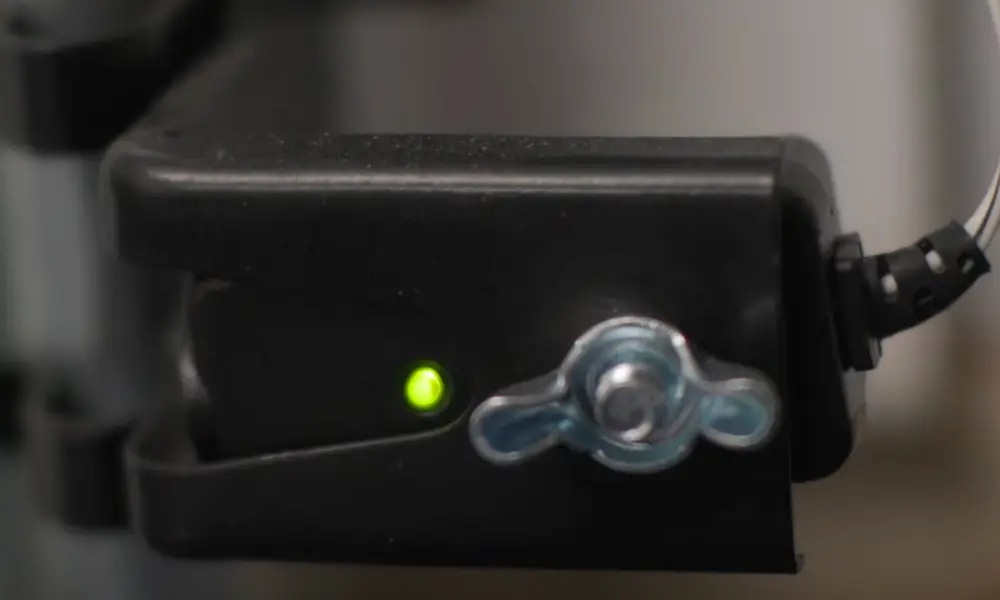
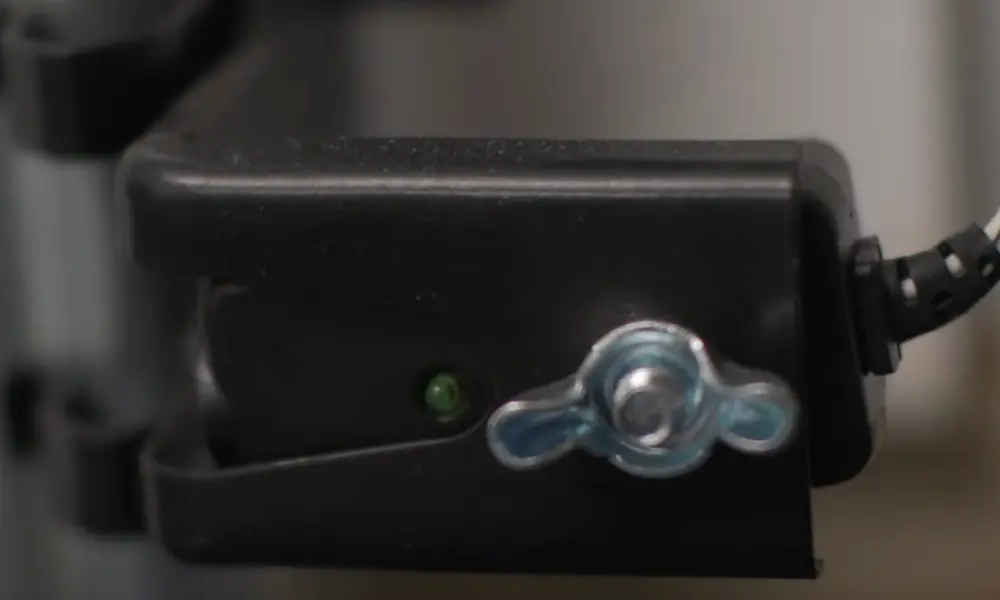
- Loosen the wing nut on the sensor bracket (don’t remove it fully).
- Rotate the sensor slowly until the green LED glows steadily.
- Tighten the wing nut back down and test the door.
Watch out for sunlight interference. If your door won’t close in the afternoon but works fine at night, the sun is washing out the sensor signal. A small cardboard shade taped above the receiving sensor blocks the glare.
The Sensor Wiring Test
If both sensor LEDs stay dark after realignment, you might have a wiring short. Staples driven too deep into the sensor wire insulation are the usual culprit.
Run a short wire test: disconnect the sensors and wire them directly to the motor unit terminals using a fresh piece of wire. If they work in this configuration, the problem is in the wall wiring, not the sensors.
Remote Not Working? It’s Probably Not the Remote
A Chamberlain garage door opener not responding to the remote is frustrating. But before you reprogram or replace anything, check these fast fixes:
Replace the battery first. Most remotes use a CR2032 coin battery. A weak battery cuts range dramatically before it dies completely.
Check for LED bulb interference. This one surprises a lot of people. Many standard LED bulbs emit electromagnetic noise that jams the opener’s radio signal. If your remote works when the garage lights are off but fails when they’re on, the bulbs are the problem. Switch to bulbs specifically labeled “garage door compatible.”
Check the antenna. The thin wire hanging from the motor unit needs to hang straight down. If it’s coiled, tucked away, or touching metal, your range drops significantly. Straighten it out and test again.
Check if Lock Mode is on. This is a sneaky one. If someone pressed the Lock button on the wall panel, all remote signals get blocked. Hold the Lock button for two seconds to toggle it off.
Other Sources of RF Interference
| Interference Source | Frequency Overlap | Quick Fix |
|---|---|---|
| Standard LED bulbs | 315 MHz / 390 MHz | Use garage-door-compatible bulbs |
| Baby monitors | 390 MHz | Move monitor away from opener |
| Older Wi-Fi routers | Near 315 MHz | Switch router to 5 GHz band |
| Military/airport radar | 315 MHz | Install an antenna extension kit |
If signal issues persist in a garage with metal siding or heavy insulation, an antenna extension kit moves the receiver to the outside wall where it gets a clean signal.
Decoding the Flashing Light Patterns
Your Chamberlain garage door opener not working often comes with a clue built right in. The motor unit flashes specific patterns to tell you exactly what’s wrong. These diagnostic codes show as sequences of Up and Down arrow flashes on the motor unit.
| Flash Code | What It Means | What to Do |
|---|---|---|
| 1-1 | Sensors disconnected | Check sensor wiring at motor terminals |
| 1-2 | Sensor wires reversed or shorted | Rewire sensors correctly |
| 1-4 | Sensor momentarily blocked | Check for loose bracket or vibration |
| 1-5 | No RPM in first second | Motor hums — likely a stripped gear |
| 4-1 | Too much closing force | Lubricate tracks; adjust down limit |
| 4-2 | Too much opening force | Adjust up limit; re-run force cycle |
| 4-6 | Persistent sensor error | Reset unit; realign sensors |
| 5-5 | Motor overheated | Wait 15–30 minutes for it to cool |
A 5-5 code just means the motor got too hot from repeated use. Unplug it, wait 30 minutes, and try again. Don’t force it.
The Door Reverses or Stops Mid-Travel
When your door closes but bounces back up, or opens halfway and stops, you’re dealing with travel limit or force setting problems.
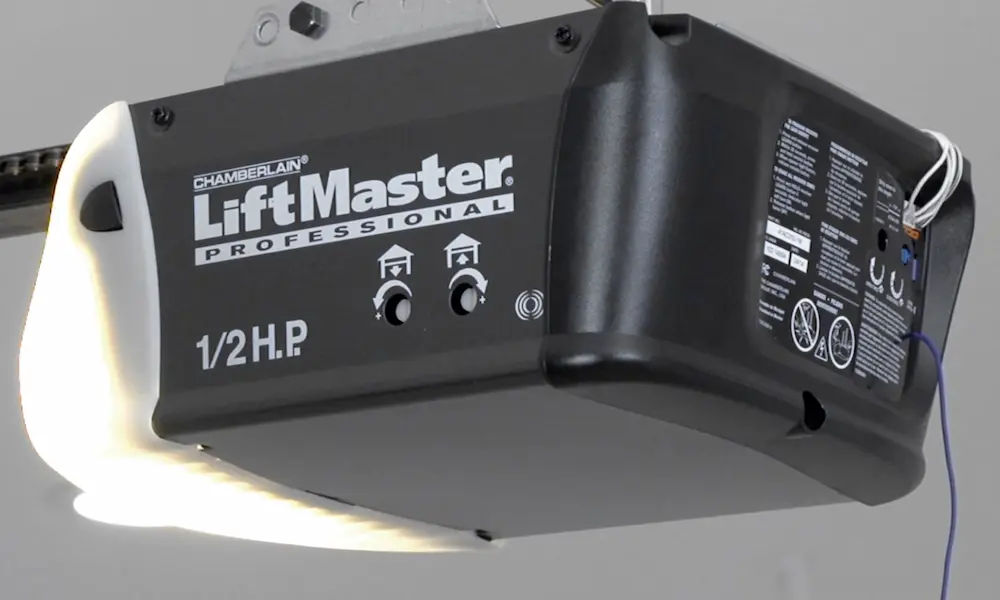
Travel limits tell the motor where to stop. If the down limit is set too deep, the door hits the floor and the motor reads it as an obstruction — then reverses. On older Chamberlain models, a small plastic screw on the side of the motor adjusts this. Turn it clockwise to reduce downward travel.
Force settings control how hard the motor pushes before assuming something is in the way. Sticky tracks or rusty rollers create enough friction to trigger a reversal. Lubricate the rollers, hinges, and springs with a silicone or lithium-based spray — not WD-40, which strips protective coatings and speeds up wear.
After any adjustment, always run the Safety Reversal Test. Place a 2×4 flat on the floor in the door’s path. Press close. The door must reverse immediately when it touches the board. If it doesn’t, the force setting is too high and poses a real danger to kids and pets.
Motor Runs But the Door Doesn’t Move
This one has two likely causes, and they’re easy to tell apart.
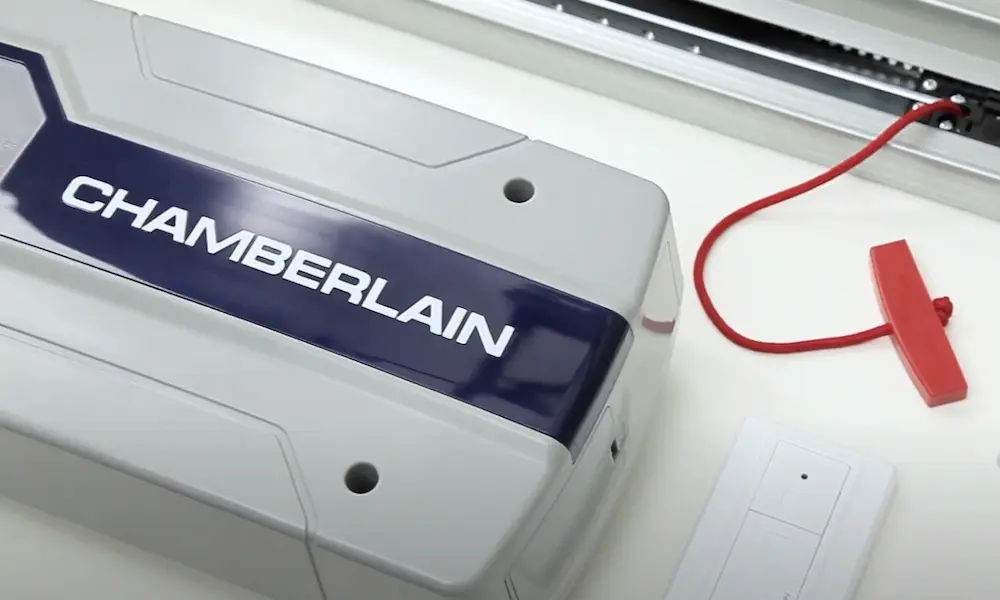
Cause 1: Manual override mode. Someone pulled the red emergency release cord. The motor runs, the chain moves, but the door just sits there. To re-engage the door, close the door fully, then pull the red cord down and back toward the motor. The trolley spring-loaded lever will click back into the drive position. Run the opener once to confirm it’s locked back in.
Cause 2: Broken torsion spring. Look at the spring above the door. A broken spring has a visible gap in the coils. Springs are rated for about 10,000 cycles before the metal fatigues. When a spring breaks, the opener carries the full weight of the door — often stripping the internal nylon gear in the process. This repair needs a professional. Don’t attempt to fix torsion springs yourself. They store lethal tension.
Do the Balance Test to check your springs: pull the red cord to disconnect the opener, lift the door manually to waist height, and let go. A balanced door stays put. If it crashes down or shoots up, the springs need attention before you run the opener again.
Wireless Keypad or Wall Button Not Working
Keypad Won’t Light Up
Replace the 9-volt battery first. Extreme temperatures drain these batteries fast, and if your garage goes from freezing winters to hot summers, you’re looking at more frequent replacements than you’d expect. If a fresh battery doesn’t fix it, reprogram the keypad by pressing the Learn button on the motor, then entering your PIN on the keypad followed by Enter.
Wall Button Flashing
A flashing LED on the wall control usually means Lock Mode is active. Hold the Lock/Vacation button for two seconds to turn it off. If the LED flashes a different pattern, check the Chamberlain support page for your specific model.
myQ App Shows “Offline”
If your Chamberlain’s myQ app can’t connect, the Wi-Fi signal in the garage is usually too weak. The motor unit’s LED tells you what’s happening:
- Blinking green — unit is trying to connect to your router
- Solid green — connected successfully
- Solid blue — the unit is in Learn/pairing mode
Fix a weak signal by placing a Wi-Fi range extender halfway between your router and the garage. Also check whether your router broadcasts on 2.4 GHz — myQ doesn’t connect to 5 GHz networks. If the app started acting up after working fine for years, check for a firmware update through the myQ app. Software bugs do get fixed through updates.
Quick Maintenance That Prevents Most Problems
Most Chamberlain garage door opener issues are preventable. Here’s what to do twice a year:
- Lubricate rollers, hinges, and springs with silicone or lithium spray
- Clean sensor lenses with a dry cloth — dust and cobwebs block the beam
- Inspect the drive chain or belt for slack — it should have about half an inch of sag
- Test the Safety Reversal with a 2×4 on the floor
- Run the Balance Test by disconnecting the opener and lifting manually
- Check sensor LED colors — both should be solid (amber and green)
Industry guidance recommends a professional inspection once a year. Technicians catch worn cables, frayed rollers, and early gear wear before they turn into expensive failures. A modern Chamberlain unit lasts 10 to 15 years with proper care — skipping maintenance cuts that number in half.