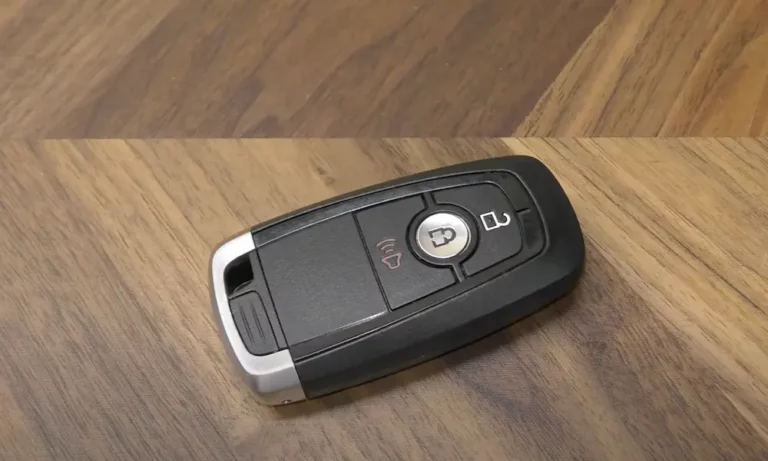
Your Ford key fob stopped working, and you’re standing in a parking lot clicking it like it owes you money. Good news: this is almost always a dead battery. This guide walks you through exactly how to replace a Ford key fob battery for every common fob type — no dealership trip needed.
First, Figure Out Which Ford Key Fob You Have
Before you buy a battery or grab a screwdriver, you need to know what type of fob you’re holding. Ford has used several distinct key fob designs over the years, and each one opens differently.
Here’s a quick breakdown:
- Integrated Keyhead Transmitter (IKT): A plastic body with a fixed or retractable metal key blade. Common on 2010–2020 Ford models with a physical ignition cylinder.
- Intelligent Access / Smart Key: A compact fob for push-to-start vehicles. No permanent blade — but there’s a hidden emergency key inside.
- Flip-Style Remote Key: A spring-loaded blade that folds into the fob body. The battery sits behind a small access panel.
- Traditional Separate Remote: An older, standalone rectangular or oval remote without a key blade. Usually the easiest to open.
Not sure which one you have? Check the back of your fob. If there’s a small slide button for a hidden key, it’s an Intelligent Access fob. If the blade flips out like a switchblade, it’s a flip key.
Which Battery Does Your Ford Key Fob Need?
Almost all Ford fobs use a three-volt lithium coin cell. The exact type depends on your fob’s design.
| Battery Type | Diameter | Thickness | Common Ford Fob |
|---|---|---|---|
| CR2032 | 20mm | 3.2mm | IKT, Flip Keys, Oval Remotes |
| CR2025 | 20mm | 2.5mm | Slim Separate Remotes |
| CR2450 | 24mm | 5.0mm | Intelligent Access / Smart Keys |
Here’s a tip worth remembering: a CR2025 and CR2032 look nearly identical, but they’re not interchangeable. Using the wrong thickness causes intermittent signal failure because the battery doesn’t seat properly against the contacts.
The number code tells you everything. The first two digits = diameter in millimeters. The last two digits = thickness in tenths of a millimeter. Simple once you know it.
How to Replace the Battery in an Integrated Keyhead Transmitter
This is the most common Ford fob type. You’ll need a small flathead screwdriver — ideally one with a blade between 1.4mm and 2.4mm wide.
Step-by-step:
- Wipe the fob down with a lint-free cloth to keep grit out of the electronics.
- Find the release notch on the side or corner of the fob, near where the blade meets the plastic.
- If your key has a blade release button, press it first.
- Insert the screwdriver tip into the notch. Don’t pry upward — twist gently instead. This spreads pressure evenly and avoids cracking the plastic clips.
- Once the seam starts to separate, pull the two halves apart by hand.
- Note which way the battery faces before pulling it out. In most Ford IKT fobs, the positive (+) side faces up.
- Lift the old CR2032 out using the screwdriver edge or plastic tweezers.
- Handle the new battery by its edges — skin oils cause micro-corrosion on the contacts over time.
- Press the new battery flat into the tray, positive side up.
- Snap the two halves back together until you hear a click.
How to Replace the Battery in an Intelligent Access (Smart Key) Fob
Smart keys drain faster than standard remotes. They’re constantly talking to your vehicle when you’re within range — that constant polling burns through the battery quicker.
Step-by-step:
- Find the release latch on the rear or side of the fob. Slide it and pull out the hidden emergency key blade.
- Removing the blade reveals a slot or small tab — this is your access point.
- Insert a coin or thin flathead screwdriver into the slot where the key blade was sitting.
- Twist to release the back cover. On 2018–2020 F-Series smart fobs, the cover is tight. Work slowly around the full seam perimeter.
- Most smart keys use a CR2450 battery, positive side up.
- Exception: Oval-style proximity fobs for models like the Ford Focus and C-Max (2013–2017) require the battery installed positive side facing down. Getting this wrong means zero communication between the fob and your car.
- Snap the cover back on and reinsert the emergency key blade.
How to Replace the Battery in a Flip-Style Ford Key Fob
The flip key is clever because the battery access point hides inside the key blade cavity.
Step-by-step:
- Press the silver button to deploy the flip key blade fully.
- Look inside the cavity — you’ll see a small slot at the base.
- Insert a screwdriver tip into that slot and push upward to pop the rear cover off.
- The flip key uses a CR2032 battery. There’s a small notch on one side of the battery tray to help you lift it out.
- Install the new CR2032 with the positive side facing up.
- Snap the rear cover back on, starting from the side furthest from the blade, then pressing down until it clicks.
This design is smart — you’re not splitting the main structural seams, which protects the spring-loaded flip mechanism from stress damage.
Oval Fob? Here’s the Special Two-Button Method
The oval fob used on models like the Ford Fiesta and Focus (2011–2017) has its own quirky opening method.
Step-by-step:
- Press the two small buttons on opposite sides of the fob simultaneously.
- This releases the cap. Pull it off.
- Insert a screwdriver into the top hole of the exposed cavity and twist gently to split the two halves.
- The battery stays in one half while the circuit board stays in the other — this keeps the electronics safe during the swap.
- Install the new battery, checking your specific model for orientation.
What to Do If Your Fob Still Doesn’t Work After a Battery Change
If you’ve replaced the battery and your fob is still acting up, work through this table before panicking.
| Symptom | Likely Cause | Fix |
|---|---|---|
| Zero response from any button | Battery polarity reversed | Re-check positive/negative orientation |
| Weak range only | Low-quality battery or RF interference | Test battery voltage; move away from LED lights or other RF devices |
| Buttons respond randomly | Debris under button pads | Clear grit from button edges with a wooden toothpick |
| “Low Battery” warning still on dash | System update lag or poor contact | Cycle the ignition or take a short drive |
| Buttons feel mushy, no click | Physical damage inside | Check for cracks or water damage in the housing |
One thing people miss: nearby electronics can jam your fob’s signal. High-power security systems, LED shop lights, and some aftermarket garage door openers all create interference. If the fob works up close but fails from a distance, that’s your culprit — not the battery.
Also, dropping your fob on a hard surface can cause hairline fractures in the circuit board components. A new battery won’t fix that.
How to Reprogram Your Ford Key Fob After a Battery Change
A battery swap usually doesn’t erase the fob’s connection to your vehicle. But if you’ve had a total power loss for a while, or you’re using a new aftermarket fob, you might need to re-sync it.
For Vehicles With a Physical Ignition Cylinder
This is Ford’s built-in eight-cycle programming sequence:
- Close all doors. Unlock the driver’s door from the inside.
- Turn the ignition key from OFF to RUN eight times within 10 seconds. End on RUN (position 8).
- The door locks will cycle automatically — that’s your signal that programming mode is active.
- Within 8 seconds, press any button on your fob. The locks will cycle again to confirm it worked.
- Repeat for additional fobs within the same window.
- Turn the ignition to OFF to exit programming mode.
For Push-to-Start Vehicles With Intelligent Access Keys
These fobs are trickier. Look for a dedicated programming slot in the center console or under the steering column. If your fob battery is completely dead, placing the fob in this slot lets the vehicle read the passive transponder chip — a handy bypass when the radio signal is gone.
Adding a brand-new smart key typically requires two already-programmed keys to authorize it. It’s a security measure that stops unauthorized key duplication.
How to Make Your Ford Key Fob Battery Last Longer
A little care goes a long way between replacements.
- Avoid extreme heat and cold. Both accelerate chemical breakdown inside the lithium cell.
- Store spare batteries somewhere cool and dry. A battery sitting in a hot glove box is already half dead before you install it.
- Clean the button seams during every battery swap. Use a wooden toothpick to clear accumulated gunk. Debris under the buttons causes ghost presses that silently drain your battery.
- Handle new batteries by the edges. Skin oils transfer onto the contacts and cause micro-corrosion over time.
- Check the contact terminals inside the fob. If they look tarnished, a gentle wipe with a lint-free cloth is enough. Skip the metal tools near the circuit board — one slip creates a short circuit.
Following these habits means you’re swapping batteries once every two to four years, not every six months.
A Quick Note on Dual-Battery Ford Fobs
Some older or high-range Ford fobs stack two CR2032 or CR2025 batteries vertically with a thin plastic separator plate between them.
When you open one of these, keep the separator plate — it’s essential. The batteries sit back-to-back: positive side of the bottom cell faces down, positive side of the top cell faces up. The separator prevents a short circuit. Wipe the plate clean with a lint-free cloth before reassembly. Even a little dust increases resistance and shortens your fob’s range.