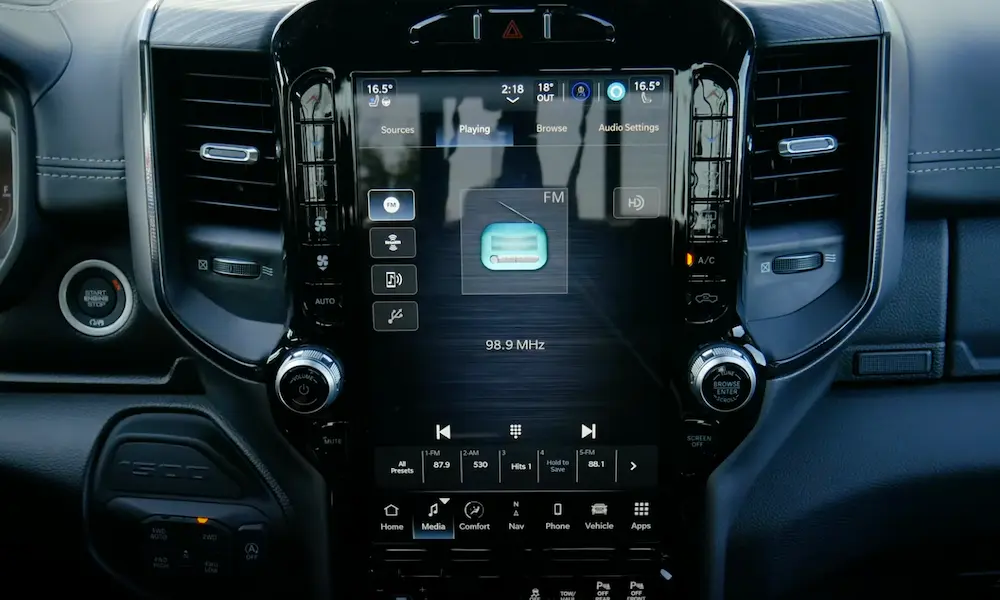
Your Jeep’s Uconnect screen just froze, went black, or started acting weird. Before you panic or book a dealership appointment, there’s a good chance a simple reset fixes everything. This guide walks you through every reset method — soft, hard, and electrical — matched to your specific Uconnect version. Stick around, because the wrong method on the wrong system does absolutely nothing.
First, Figure Out Which Uconnect You Have
This step matters more than people realize. Attempting a reset designed for a newer system on legacy hardware often yields no result — or triggers unintended diagnostic modes. Here’s how to quickly identify your system:
- Check your screen size — 5″, 7″, 8.4″, 10.1″, or 12.3″+
- Look for physical knobs — older systems have volume and tuner knobs; newer ones don’t always
- Check for built-in navigation — if maps work without your phone, you likely have a NAV variant
- Check your model year — that narrows it down fast
| Generation | Years | Display Size | Key Feature | Reset Method |
|---|---|---|---|---|
| MyGig (REN/RER/RHR) | 2007–2018 | 6.5″ | Hard-drive navigation, physical buttons | Hidden service menu via button combo |
| Uconnect 3 & 3C | 2011–2018 | 5″ / 8.4″ | First modern touchscreen, rotary knobs | Dual-knob hold (10–20 seconds) |
| Uconnect 4 & 4C | 2017–2022 | 7″ / 8.4″ | No built-in GPS; CarPlay/Android Auto only | Sleep cycle or fuse pull — NO knob reset |
| Uconnect 5 | 2021–Present | 8.4″ to 14.5″ | Android-based, wireless projection, OTA updates | Dual-knob hold OR 15-second power button hold |
Uconnect 5 runs on a customized Android operating system, which makes it more powerful but also more vulnerable to software glitches than older, closed-source systems.
The Soft Reset: Start Here Every Time
A soft reset is your first move for almost every Uconnect problem. Think of it like restarting your laptop — it clears volatile memory and reboots the operating system without touching your saved data.
What a soft reset fixes:
- Frozen or unresponsive touchscreen
- Dropped Bluetooth connection
- Audio playing but screen is black
- Glitchy navigation maps
- CarPlay or Android Auto not connecting
What it won’t erase:
- Radio presets
- Paired phones
- Saved contacts
- Vehicle settings
How to Do the Dual-Knob Soft Reset (Uconnect 3, 3C, and 5)
This is the standard protocol for most Jeep owners:
- Park your Jeep and shift into Park
- Turn the ignition to ON/RUN (don’t need to start the engine)
- Press and hold the volume knob (left) and tuner/browse knob (right) at the same time
- Hold both for 10–20 seconds
- Release when the screen goes black and the Jeep logo flashes
- Wait 30–180 seconds for the system to fully reboot
For Uconnect 5 specifically, you’ve got a backup option: press and hold the power button for 15 continuous seconds to force a reboot independently.
The 2018–2022 Uconnect 4 Problem: No Knob Reset
Here’s where a lot of Jeep owners get confused. If you have a 2018–2022 Uconnect 4 or 4C (like the WK2 Grand Cherokee facelift), the manufacturer deliberately removed the dual-knob soft reset from the firmware.
Holding those knobs just mutes your audio. It’s not broken — it was intentionally changed.
Your options for Uconnect 4 (2018–2022):
- Use the touchscreen menu to restart (if it’s still responsive)
- Trigger a natural sleep cycle: turn ignition off → open driver’s door → close it → wait 2–3 minutes → restart
- Pull the radio fuse (more on that below)
The Hard Reset: When a Soft Reboot Isn’t Enough
A hard reset — or factory wipe — erases everything and returns Uconnect to its original factory state. Use this for deep software corruption, persistent profile sync errors, or when you’re selling the vehicle.
What a hard reset erases:
- All paired Bluetooth devices
- Saved contacts and call history
- Navigation favorites and home address
- SiriusXM presets
- Custom vehicle settings (door locks, lighting, suspension preferences)
Method 1: Through the Touchscreen Menu
If your screen still responds, navigate to Settings → System → Reset to Factory Defaults. Confirm the prompt, and the system wipes the user partition and reboots to the setup screen.
Method 2: Physical Button Combination
If the screen’s partially frozen, try this:
- Press and hold the temperature Up and temperature Down buttons simultaneously for 5–10 seconds
- A hidden service menu appears on screen
- Navigate to Factory Reset and confirm
This bypasses the standard interface and invokes a service-level menu. Only select the factory reset option here — other settings in this menu can break vehicle features.
Black Screen? Here’s How to Diagnose It First
The black screen is the most frequently reported critical Uconnect failure. But the cause determines the fix. Don’t just start pulling fuses before you know what you’re dealing with.
Software Crash (Most Common)
Audio still plays through speakers, but the display is dead? That’s almost always a software crash. The display driver froze while the background processes kept running. A soft reset fixes this in most cases.
Blown Fuse
Total, instant power loss to the screen — no audio, no response, nothing? Check your fuse first. No button combination will fix a blown fuse. Find the radio fuse in your power distribution center and swap it for one with identical amperage.
Uconnect 5 Black Screen: The Software Flash Issue
If you own a 2022–2024 Jeep Grand Cherokee or Wagoneer with Uconnect 5 and your screen suddenly went black, the diagnosis is more specific. These crashes often come with diagnostic trouble codes B158F-00 and U0184-00, indicating loss of communication with the radio module.
Dealerships have been instructed not to replace the hardware immediately. In most cases, the physical module is fine. The fix is a forced software re-flash to version S27.XX or higher using dealer-level diagnostic tools. Ordering a standard replacement part often gets canceled automatically because specialized Z-code exchange parts are required for warranty tracking.
Screen Delamination (Physical Damage — No Reset Fixes This)
Got bubbles or a spiderweb pattern near the top corners of your 8.4″ screen? That’s delamination — a known manufacturing defect on 2017–2020 Uconnect 4 and 4C systems. The adhesive bonding the LCD to the digitizer breaks down from heat and UV exposure.
Symptoms of delamination:
- Fluid-like bubbles near screen edges
- “Ghost touching” — radio changing stations by itself
- Climate settings changing without input
- Phantom phone calls
No software reset, firmware update, or module reboot will fix delamination. The screen assembly needs physical replacement.
Physical Power Interruption: The Last Resort
When the screen is black, buttons do nothing, and software resets are useless, you need to cut the power completely.
The Fuse Pull Method
This is cleaner than disconnecting the whole battery. Locate the radio or infotainment fuse in your vehicle’s power distribution center (check your owner’s manual for the exact fuse). Pull it using a non-conductive fuse tool. Leave it out for 30–60 seconds to drain internal capacitors. Reinsert the fuse, and the head unit boots cold.
The Battery Disconnect Method
If the fuse pull doesn’t work, disconnect the negative battery terminal. Leave it off for 10–15 minutes. This forces every module on the CAN network to re-initialize and perform a fresh system check.
Critical Warning for 4xe and ESS Vehicles
If you drive a Jeep 4xe PHEV or any model with Engine Stop/Start technology, the battery disconnect trick doesn’t work the same way. These vehicles have a dual-battery architecture — a main 12V battery and a secondary auxiliary battery that keeps electronics alive during engine shutdowns.
Disconnecting only the main battery while the auxiliary still feeds the circuit means Uconnect never loses power and never reboots. Worse, working with disconnected cables while the auxiliary is active risks blowing the high-amperage fuse array.
For 4xe owners: Disconnect both the primary negative terminal and the auxiliary negative cable simultaneously and wait the full 15 minutes.
The 4xe Battery Drain Problem Linked to Uconnect
Speaking of 4xe vehicles — if your 2023 or 2024 Jeep 4xe dies overnight even while plugged in, Uconnect is likely the culprit.
The Telematics Box Module continuously pings the network to check for Emergency Vehicle Alert System signals. This firmware loop prevents the CAN bus from entering sleep mode, creating an Ignition Off Draw far above the normal 30-milliamp threshold. The 12V battery drains fast.
The interim fix involves charging the battery fully, running an IOD test, then disconnecting both batteries for 15 minutes to break the loop. The permanent fix requires an OTA firmware patch targeting the EVAS code specifically.
Keeping Uconnect Updated (So You Reset It Less Often)
Most Uconnect problems are firmware issues. Staying updated prevents many of them.
Uconnect 4 and earlier: Update manually via USB.
- Visit the DriveUconnect software update center and enter your VIN
- Download the firmware package and extract it to a FAT32 or NTFS formatted USB drive
- Keep the engine running the entire time — a power loss mid-flash permanently bricks the module
- The process takes 30–45 minutes
Uconnect 5: Updates push automatically over cellular or Wi-Fi. If a download interrupts mid-way, the system caches what it downloaded and resumes automatically once signal returns.
Off-Road Pages Disappeared? Here’s Why
If your Jeep’s Off-Road Pages (pitch, roll, altitude, GPS coordinates) vanished from the menu, it’s not a glitch you can reset away instantly.
Uconnect needs periodic cellular contact with Stellantis servers to verify your VIN is authorized for Off-Road Pages access. If you booted up in an area with poor signal — say, deep in the backcountry — that handshake failed and the feature got hidden.
A reset prompts the system to retry the authorization check, but it can take a full sleep cycle or up to 24 hours in good cellular coverage for the pages to fully reappear and stabilize.
FAQs
Does a Jeep Uconnect reset clear engine trouble codes?
No. A soft or hard Uconnect reset only affects the infotainment and telematics modules. It won’t clear check engine lights or powertrain codes in the ECM. A full 15-minute battery disconnect will temporarily clear volatile memory across all modules, but any underlying mechanical fault will trigger the light again once the onboard diagnostics re-run.
Will an expired SiriusXM Guardian subscription block software updates?
No. Core firmware updates and critical patches reach your vehicle through the built-in cellular modem regardless of your subscription status. Paid features like live traffic, OTA map updates, and Dynamic Range Mapping do require an active plan though.
Can you upgrade from Uconnect 4 to Uconnect 5?
Generally, no. Uconnect 5 runs on a completely different electrical architecture and communicates over CAN-FD networks that older vehicles don’t have. Dropping a Uconnect 5 screen into an older Jeep results in immediate communication failure between modules.
Can an OBD2 tool reboot Uconnect if the buttons fail?
Yes — advanced tools running software like AlfaOBD or JScan can send commands directly to the radio module via the OBD2 port. On newer models, you’ll need a Security Gateway bypass harness first. Once connected, these tools can force a module restart, clear telematics faults, or run proxy alignment procedures without touching the dashboard at all.
What should you do with Uconnect before selling your Jeep?
Do a full factory reset on the dashboard to wipe Bluetooth pairings, contacts, and saved addresses. Then log into your Jeep Connect or DriveUconnect portal and unregister the vehicle from your account. Skipping that second step can leave the new owner’s vehicle tied to your profile — meaning you’d still have remote start and location tracking access.