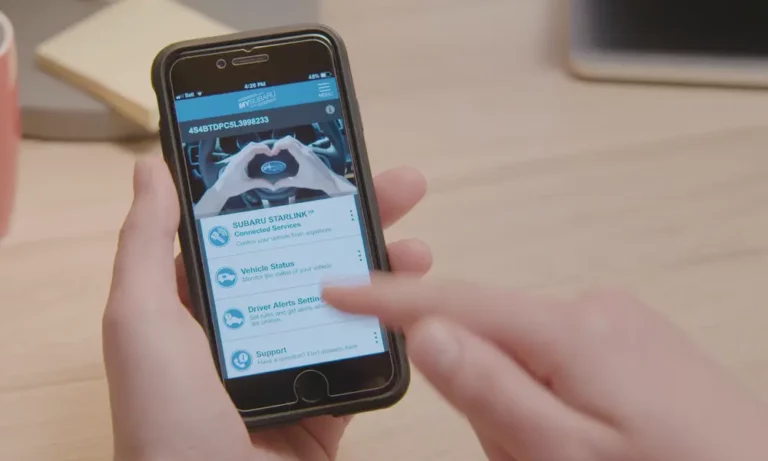
The MySubaru app not working is frustrating — especially when you just want to start your car from the couch. The good news? Most issues follow a predictable pattern, and many have simple fixes. This guide walks you through every common failure, from error codes to hardware quirks, so you can stop guessing and start troubleshooting.
What’s Actually Happening When the MySubaru App Fails
The MySubaru app doesn’t talk directly to your car. It sends a command to Subaru’s cloud servers, which then ping a physical module inside your vehicle called the Data Communication Module (DCM). The DCM connects to the AT&T cellular network independently — not through your phone.
So when the MySubaru app stops working, the problem could sit in any of these layers:
- Your phone’s app or OS
- Your account credentials or PIN
- Subaru’s backend servers
- AT&T’s cellular network
- The DCM hardware inside your car
That’s why a simple reinstall sometimes fixes things — and sometimes doesn’t touch the problem at all.
The Two Error Codes That Cause Most Headaches
SER-4357: The Remote Service Timeout
SER-4357 means the app sent your command, but the DCM never responded in time. A few things cause this:
- Fake “door ajar” warning: The Body Control Module sometimes reports a door as open even when it’s not. The DCM won’t run a remote start if it thinks a door is open — it’s a safety block.
- Server-side outages: In March 2026, users reported a widespread SER-4357 issue tied to Subaru’s telematics servers, not the car itself.
- Weak cellular signal at the car’s location: The DCM sits in a low-power sleep state. If AT&T signal is poor where you parked, the module might not “wake up” in time to receive the command.
PROV-A: The Provisioning Failure (Especially 2026 Models)
PROV-A shows up most often for 2026 Forester and Outback owners in the first 48 hours. It means the DCM never linked to your MySubaru account — essentially, it’s still in “factory dormancy mode” from the manufacturing plant.
The most common cause? The dealer didn’t properly complete the setup during the Pre-Delivery Inspection. According to Cascae Subaru’s breakdown of PROV-A, the technician must manually “wake” the DCM using the Subaru Select Monitor tool and re-request provisioning in Subaru’s internal system.
The good news for 2026 owners: the new system automatically retries provisioning every four hours for the first 48 hours if the car was in a low-signal area.
Check the LED Lights on Your Overhead Console First
Before you call anyone, look up. Near the SOS and “i” buttons on your overhead console, there are two small indicator LEDs. These tell you a lot about your DCM’s health.
| LED Status | What It Means |
|---|---|
| Solid Green | System is connected and communicating normally |
| Solid Red | Hardware fault, failed firmware update, or not provisioned |
| Alternating Red/Green flash | DCM is running a CommCheck with the network |
| No light at all | Blown fuse, Factory Mode, or complete hardware failure |
If you see a solid red light, this is a hardware or provisioning issue — no amount of app reinstalling will fix it. You’ll need dealer help.
Quick Fixes You Can Do Right Now
Do the 15-Second Head Unit Reset First
If your app shows stale data — like fuel levels from three days ago — your infotainment system may have a frozen telematics process. Press and hold the volume/power knob for 15 seconds. This forces a hard reboot of the head unit and its connection to the DCM. Many users on r/Crosstrek report this clears stuck remote start issues instantly.
Do a Clean App Reinstall
Don’t just delete and redownload. Follow this sequence:
- Delete the MySubaru app
- Restart your phone completely (clears volatile memory)
- Download the latest version from the App Store or Google Play
- Log in fresh without using saved credentials
Corrupted cache files cause more app failures than people realize.
Check Your Security PIN
Remote services require a Security PIN. If you’ve entered it wrong too many times, Subaru’s system locks your account for security. You’ll need to reset it at MySubaru.com — not in the app — using your account password.
iOS vs. Android: Different Problems, Different Fixes
The MySubaru app behaves differently depending on your phone. Here’s what each platform does wrong, and how to fix it.
| Platform | OS Minimum | Common Issue | Fix |
|---|---|---|---|
| iPhone | iOS 15.0+ | Black screen after login | Force close, clear app storage, reinstall |
| Apple Watch | watchOS 10.2+ | Frequent logouts | Enable “Stay Signed In” on iPhone first |
| Google Pixel | Android 13+ | Biometric/password conflict breaks remote start | Disable “Remember Password,” enter PIN manually |
| General Android | Android 10.0+ | “Bad Connection” message | Clear cache, update to app version 3.2.x |
iPhone-Specific: The Black Screen Bug
App version 3.2.x added Face ID and fingerprint login. If your session token expires and the biometric handshake fails, the app just shows a black screen — it won’t even prompt for a password. Force-close the app and clear its storage to break the loop.
Android Pixel Users: Ditch “Remember Password”
On Google Pixel devices running Android 13 through 16, saving your password while fingerprint is enabled creates a conflict in Android’s Keystore system. Remote start consistently fails. The fix: turn off “Remember Password” and type it in manually. It’s annoying, but it works.
The DCM Fuse Reset (Older Models: 2016–2022)
If you own a 2016–2022 Subaru and your battery keeps dying every few days, your DCM might be stuck in a constant cellular search loop. This happened to many owners after 3G networks shut down in 2022 — the old DCMs kept hunting for a signal that no longer exists, draining the battery.
A normal vehicle draws less than 50 milliamps in sleep mode. A stuck DCM can pull 10–20 times that, draining a standard battery dead within 48–72 hours.
The fuse reset process:
- Locate the 7.5A DCM fuse in your interior fuse box (usually behind the coin tray near the driver’s left knee)
- Pull the fuse for 30 seconds
- Reinsert it
This forces the DCM to clear its memory and reconnect. Important: while the fuse is out, your front speakers and SOS buttons go completely inactive — the DCM physically bridges those audio connections in Subaru’s wiring design.
If the fuse reset doesn’t stick, Subaru’s Technical Service Bulletin 15-318-24R covers an official DCM Bypass installation. A dealer technician can remove the DCM from the circuit while keeping your speakers and microphone functional.
New to a 2026 Model? Here’s Your Activation Checklist
The 2026 lineup introduced Companion Plans — the new name for Subaru’s connected services. Companion is the baseline; Companion+ adds remote start and climate control. Available on the 2026 Ascent, Crosstrek, Forester, Impreza, Outback, and WRX.
If you just took delivery and the MySubaru app isn’t working, run through this:
- Did the dealer perform a CommCheck? They press the “i” button for two seconds with the SSM4 tool disconnected. This initiates the network handshake.
- Did you get an activation email? The verification code inside it expires in 15 minutes. If you missed it, request a new one.
- Was the car parked in a garage during setup? The provisioning signal from Subaru’s backend can’t reach the DCM through a concrete structure. Move the car outside and wait.
- Check the NHTSA service bulletin for your model year if the dealer seems unsure about the setup process.
Don’t Confuse Subaru Starlink With SpaceX Starlink
This trips up a surprising number of people. When they search for “Starlink outage,” they land on SpaceX satellite status pages — which have nothing to do with your car.
Subaru Starlink is a ground-based cellular system running on AT&T’s network. It uses GPS satellites for location only. If SpaceX Starlink goes down, your Subaru remote start is completely unaffected. To check if Subaru’s system is actually down, call Subaru Customer Support directly at (800) 782-2783.
Got Locked Out of Your Account?
The app uses device-specific tokens for security. If you upgraded your phone or jumped to a new iOS version, Subaru’s backend might not recognize your device anymore. It’ll trigger a two-step verification — a code goes to your registered email or phone number. Enter it quickly; these codes time out.
If you set up biometric login but skipped adding Face ID or a fingerprint to your phone, the app won’t store your PIN. It’s not broken — it’s a security design choice. Set up biometrics on your device first, and the “Remember PIN” option will actually work.
Still Stuck? Here’s What to Tell the Dealer
If you’ve tried everything above and the MySubaru app still isn’t working, bring the car in. Tell the service advisor specifically:
- The exact error code you’re seeing (SER-4357 or PROV-A)
- The color of the LED on your overhead console
- Whether the “i” button connects to a Starlink operator or stays silent
- Your model year and trim level
That information gets the technician straight to the correct diagnostic flowchart without wasting time on guesswork. SER-4357 points to a cloud or cellular latency issue. PROV-A points to a hardware provisioning failure that requires the SSM4 tool to fix. Two different problems, two different solutions — knowing which one you have saves everyone time.