Your Toyota RAV4 radio not working can feel like losing a co-pilot mid-trip. Before you hand over thousands at a dealership, there’s a solid chance you can fix this yourself. This guide walks you through every real cause and fix — from a blown fuse to a software glitch — so read on before you spend a single dollar.
First Thing to Try: The Hard Reset
Don’t overthink it. Start here.
Hold the power button on your head unit for 10 to 15 seconds. This forces the system to reboot. If the screen is completely black, disconnect the negative battery terminal and leave it disconnected for 30 minutes. This clears the radio’s memory and gives it a clean restart.
This one step resolves over half of all reported radio failures — especially systems that freeze, loop, or go dark without warning.
If the radio comes back after the reset, great. If not, keep reading.
Check the Fuses First — Not Last
A blown fuse kills the Toyota RAV4 radio instantly. And about 52% of radio failures trace back to a blown fuse. That’s not a small number.
The tricky part? Fuse locations change across RAV4 generations. Here’s what you need to know by model year.
Third Generation RAV4 (2006–2012) Fuse Guide
| Fuse Label | Amperage | Location | What It Does |
|---|---|---|---|
| RAD NO. 1 | 20A | Engine Room Box A | Main power for audio and navigation |
| ACC | 7.5A | Instrument Panel | Ignition power for the head unit |
| PANEL | 7.5A | Instrument Panel | Button and display backlighting |
| ECU-B | 10A | Engine Room Box A | Memory and clock retention |
| DOME | 10A | Engine Room Box A | Interior lighting linked to audio memory |
One thing that trips people up here: the “ACC” fuse shares a circuit with the cigarette lighter. Plug in a cheap or faulty phone charger and it can blow the ACC fuse and kill your radio along with it.
Fourth Generation RAV4 (2013–2018) Fuse Guide
| Fuse Label | Amperage | Location | What It Does |
|---|---|---|---|
| D/C CUT | 30A | Engine Room | Master disconnect for radio and memory circuits |
| RADIO | 20A | Engine Room | Primary head unit power |
| ACC | 7.5A | Instrument Panel | Switched power for audio |
| PANEL | 7.5A | Instrument Panel | Display and illumination power |
| ECU-IG NO. 1 | 10A | Instrument Panel | Multimedia system communication |
The fourth gen has a sneaky one: the “D/C CUT” fuse. If this blows during a jump-start, the RADIO fuse might look completely fine — but your head unit stays dead. Check this fuse in the engine room before assuming the worst.
Fifth Generation RAV4 (2019–Present) Fuse Guide
| Fuse Label | Amperage | Location | What It Does |
|---|---|---|---|
| BKUP LP | 10A | Passenger Compartment | Audio, reverse lamps, and navigation |
| AMP | 30A | Engine Compartment | Power for JBL premium amplifier |
| ECU-B NO. 3 | 7.5A | Luggage Compartment | Memory retention for hybrid modules |
| P/OUTLET NO. 1 | 15A | Passenger Compartment | Auxiliary power and switching logic |
One important tip: never check fuses visually. Pull each one and test it with a multimeter. A fuse can look fine and still be blown.
The 12-Volt Battery Is a Bigger Problem Than You Think
Here’s what most people miss entirely.
If your 12-volt auxiliary battery voltage drops below 11.8 volts, the infotainment system won’t initialize properly. You’ll get a black screen, a reboot loop, or random restarts — and none of it is the radio’s fault.
This hits RAV4 Hybrid and Prime owners especially hard. The 12-volt battery is tucked in the luggage compartment on these models, and it powers all electronics while the hybrid system handles propulsion. A weak 12-volt battery during startup causes the radio’s processor to crash every single time it tries to boot.
Check your battery’s resting voltage. If it reads below 12.2 volts, replace it before spending anything on the radio. If you park the car for long stretches, use a smart charger to keep it healthy.
Your RAV4 Radio Keeps Rebooting? This Is Why
The 2019 and 2020 RAV4 has a well-documented “boot loop” issue. The Toyota logo appears, the system restarts, and it repeats forever. This isn’t a hardware failure — it’s a software crash.
Technical Service Bulletin T-SB-0051-21 identifies this as a firmware fault in the Denso-Ten head unit. The system can’t complete its startup handshake, often because an interrupted update or a corrupted Bluetooth cache is blocking the boot sequence.
The Reverse Gear Fix
This sounds strange, but it works. Here’s the procedure from the TSB:
- Start the vehicle
- Shift into reverse
- Engage the parking brake
- Stay in reverse for at least 5 minutes
Putting the car in reverse forces the system to prioritize the backup camera feed. This pauses the crashing background processes and gives the system a stable window. Once it stabilizes, connect a USB drive with the latest firmware and complete the update.
If you haven’t checked for a software update in a while, go to Settings → Software Update in your head unit menu and compare your version against Toyota’s TSB database.
Bluetooth Problems Draining Your Patience?
Choppy audio, dropped connections, and phones the system suddenly “doesn’t recognize” — these all point to corrupted pairing data.
A basic reset won’t fix this. You need to go into Settings and use the “Delete Personal Data” function. This wipes the system’s contact cache, call history, and Bluetooth handshakes. After that, hold the power button for 10 to 15 seconds to reboot the unit before pairing your phone again.
Don’t skip the reboot step — pairing fresh onto a still-loaded system just recreates the problem.
No Sound But the Screen Works? Check the JBL Amplifier
If the screen functions normally but you hear nothing, your problem likely isn’t the head unit at all.
RAV4 models with the JBL premium audio system use an external amplifier — and that amp has its own failure points. In third-gen models, the amp sits in the right rear quarter panel. In fifth-gen models, it’s mounted behind the rear seat or under the front passenger seat.
JBL Amplifier Fault Diagnosis
| Symptom | Likely Cause | How to Check |
|---|---|---|
| Screen works, no sound at all | Blown AMP fuse or dead amplifier | Check the 30A AMP fuse in the engine bay |
| Loud pop, then silence | Internal short in amplifier | Covered by T-SB-0086-20 |
| Audio cuts out when warm | Amplifier overheating | Check for blocked ventilation or debris |
| Constant static or hum | Grounding failure at the amplifier | Test resistance at the amplifier ground point |
The JBL amplifier communicates with the head unit via the CAN-bus. If the car battery was recently replaced and the system hasn’t re-learned its peripherals, the amp may stay in standby mode permanently. Disconnecting the battery and touching the positive and negative cables together (with the battery disconnected) clears the amp’s logic and often resolves this.
Black Screen With Buttons Still Lit? Here’s What That Means
This specific symptom — buttons illuminated but screen completely black — tells you something useful. The head unit is receiving power, but the display’s backlight or internal video processor has failed.
Extreme temperature swings common across the US cause the touchscreen layers to expand at different rates, leading to delamination or dead zones. Specialist repair shops often replace just the digitizer for around $250, versus the thousands a dealership might quote for a full unit replacement.
The September 2025 Recall — Check If Your RAV4 Is Covered
This one matters if you own a newer model.
On September 11, 2025, Toyota issued a recall covering 591,000 vehicles including the RAV4 due to the 12.3-inch display failing to activate on startup or shutting off while driving. The NHTSA flagged this as a safety issue because a blank screen blocks critical warning indicators and disables the rearview camera.
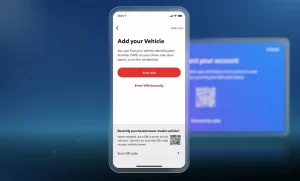
Toyota covers software updates and hardware replacements under this recall at no cost to you. Check your VIN at NHTSA.gov before spending anything on repairs.
Poor Radio Reception or No GPS? It’s Probably the Antenna
If your GPS says “No Signal” or FM stations that used to come in clearly are now full of static, the head unit probably isn’t the issue.
The shark fin antenna on fourth and fifth-gen RAV4s contains active electronics for multiple signal bands. Technical Service Bulletin T-SB-0016-23 identifies a common failure in the rubber base gasket that seals the antenna to the roof. When that gasket cracks, water seeps in and travels down the coaxial cable directly into the head unit — causing permanent connector damage.
Watch for these warning signs:
- Water stains on your headliner near the rear dome light
- A “No GPS” message appearing on navigation
- Static on stations that used to receive clearly
Replacing the antenna base is a manageable DIY repair. You’ll need to partially lower the rear headliner to access the mounting nut. A thin layer of automotive silicone sealant on an aging antenna gasket can prevent a very expensive electronics failure down the road.
What It All Costs to Fix
Here’s a realistic breakdown of repair costs in the US market:
| Repair Type | Estimated Cost (USD) | What You Get |
|---|---|---|
| Fuse Replacement | $5–$10 | Immediate fix for power loss |
| Software Flash (Dealer) | $150–$300 | Resolves firmware boot loops |
| Exchange Unit (OEM) | $600–$1,000 | Factory function with warranty |
| Aftermarket Head Unit | $300–$600 | Modern features like wireless CarPlay |
| New OEM Unit | $5,000–$11,000 | Only if exchange program isn’t available |
Always Ask for the Exchange Price
Here’s something most people don’t know: Toyota runs a Radio Exchange Program. When a head unit fails out of warranty, dealers often quote you the cost of a brand-new unit — which can run between $4,000 and $11,000. But the exchange program sends your broken unit to a repair facility and returns a remanufactured one for $600 to $1,000.
Dealers don’t always volunteer this option. Ask specifically for the “exchange price” — not the new unit price.
Aftermarket: A Smart Option If OEM Costs Too Much
The US aftermarket offers solid alternatives, including full wireless CarPlay units designed specifically for the RAV4. The trade-off is integration — newer RAV4 trims use the infotainment screen to control door locks, lighting timers, and climate settings. A basic aftermarket unit loses those menus.
Higher-end aftermarket solutions pair with a CAN-bus adapter like the iDataLink Maestro to retain those features, but that adds cost and complexity to the install.
Your RAV4 Radio Diagnostic Checklist
Run through this in order before spending money anywhere:
- Hard reset — Hold power button 10–15 seconds. Black screen? Disconnect battery for 30 minutes
- Check all fuses — Use a multimeter on RADIO, ACC, DOME, and D/C CUT (gen-specific)
- Test the 12-volt battery — Under 12.2V at rest? Replace it before anything else
- Check for the recall — Verify your VIN at NHTSA.gov for the September 2025 recall coverage
- Isolate the audio source — Only broken on FM? Antenna issue. Dead across all sources? Amplifier or head unit
- Delete Bluetooth data — For connectivity issues, use “Delete Personal Data” in system settings
- Check software version — Go to Settings → Software Update and compare to the latest TSB
The Toyota RAV4 radio not working is rarely a one-cause problem. But starting with a reset and a fuse check puts you ahead of 90% of expensive repair quotes — and that’s the goal.