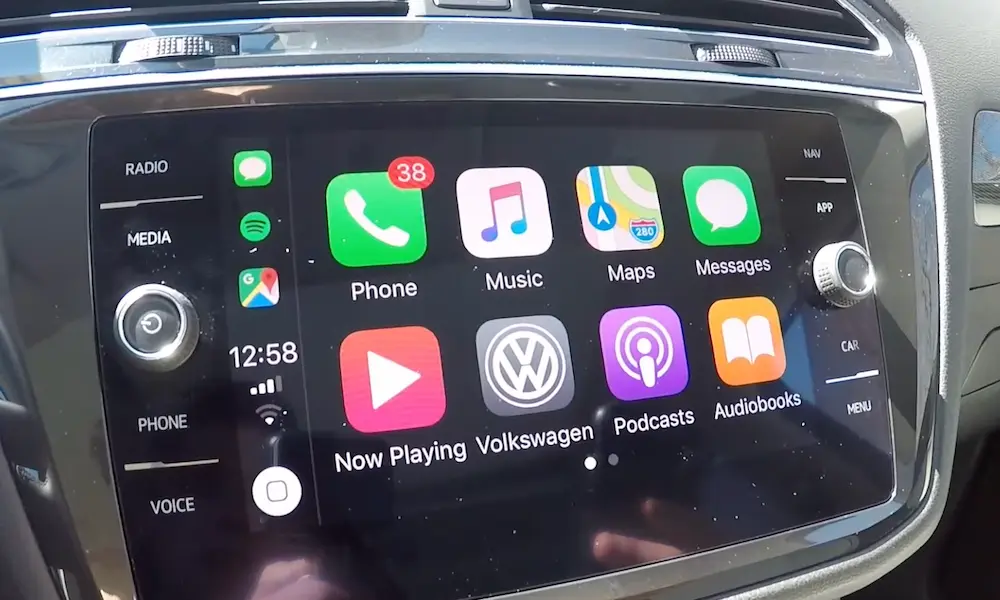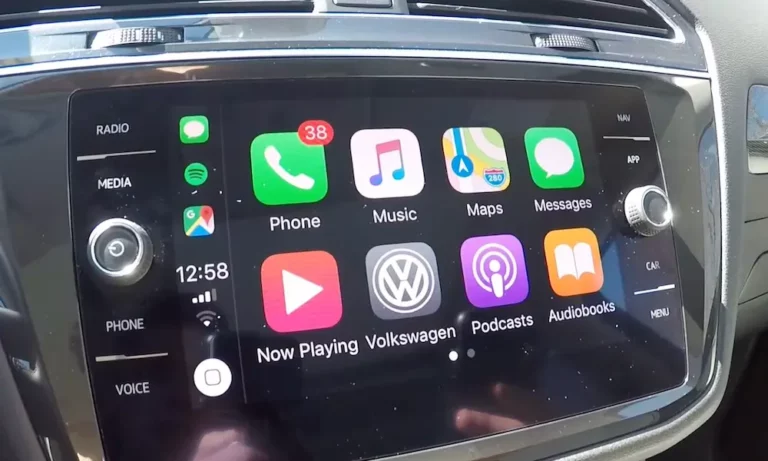
Is your Volkswagen’s Apple CarPlay suddenly giving you the silent treatment? You’re trying to connect your iPhone for navigation or music, but all you get is a blank screen or error message. Don’t worry—this is a common issue that usually has a simple fix.
Check Your USB Connection First
When your Volkswagen CarPlay isn’t working, the USB connection is often the culprit. Here’s what to check:
- Use the right cable: Not all cables are created equal. Use an Apple-certified (MFi) Lightning or USB-C cable. Those cheap gas station cables? They’re usually the first thing to fail.
- Try a different USB port: Some VW models only allow CarPlay through specific USB ports that are marked with a smartphone icon. Check all available ports in your vehicle.
- Inspect for damage: Look closely at both your cable and the car’s USB port. Frayed cables or debris in the port can prevent proper connection. A quick blast of compressed air can clear out lint buildup in ports.
- Clean connections: Gently clean your USB port with compressed air. Research shows that physical obstructions account for 15% of connection problems.
Reboot Everything
Sometimes the simplest fix is just turning things off and on again:
- Restart your infotainment system: Hold the power button (or volume knob in some models) for 10-15 seconds until the system restarts.
- Reboot your iPhone: Turn your iPhone off completely, wait 30 seconds, then power it back on.
- Reconnect after reboot: Always connect your phone after both devices have fully restarted.
This basic reboot sequence resolves about 80% of temporary CarPlay issues in Volkswagen vehicles.
Check iPhone Settings and Software
Your iPhone’s settings might be preventing CarPlay from working properly:
- Update iOS: Go to Settings > General > Software Update. Outdated iOS can cause compatibility issues, especially with newer VW models.
- Check CarPlay settings: Make sure CarPlay is enabled in Settings > General > CarPlay.
- Enable Siri: CarPlay requires Siri to function. Check if it’s enabled under Settings > Siri & Search.
- Disable USB Restricted Mode: Go to Settings > Face ID & Passcode and turn off USB Restricted Mode to prevent automatic locking during drives.
Update Your Volkswagen’s Firmware
Outdated infotainment software is a common cause of CarPlay problems:
- Check your current firmware version: You can often find this in the infotainment settings under “System Information” or by holding the Menu button for 10 seconds to access the developer menu.
- Visit your dealership: The most reliable way to update your VW’s firmware is through an authorized dealership. They have access to the latest updates specifically for your model.
- DIY update options: Some users report success updating firmware through USB drives, but this should be approached with caution.
Model-Specific Troubleshooting
Different Volkswagen models have different common issues:
MIB2 Systems (2015-2020 Models)
- USB port degradation: These models commonly suffer from worn USB ports. If your connection is intermittent, the port might need replacement.
- Software compatibility: Older MIB2 systems may require specific firmware updates to work with newer iPhones.
- Power delivery issues: Some ports don’t provide enough power for newer iPhones, leading to disconnects.
MIB3 Systems (2021+ Models)
- Wireless CarPlay problems: Need software version 1668 or later for stable wireless function.
- Bluetooth conflicts: Sometimes disabling and re-enabling Bluetooth can resolve wireless CarPlay issues.
Wireless CarPlay Specific Issues
If your VW has wireless CarPlay capability:
- Re-pair devices: Sometimes you need to start fresh:
- On your iPhone: Go to Settings > General > CarPlay > Your VW > Forget This Car
- On your VW: Delete the phone from paired devices
- Re-pair by following the on-screen instructions
- Network conflicts: Make sure your iPhone isn’t connected to other Wi-Fi networks that might interfere.
- Bluetooth connection: Wireless CarPlay initially connects via Bluetooth, so make sure that’s working first.
iPhone 15 and USB-C Specific Problems
If you have a newer iPhone with USB-C:
- Use proper cables: Avoid adapters when possible. A direct USB-C to USB-C cable is best if your VW supports it.
- Power delivery issues: Some VW USB ports don’t deliver enough power for newer iPhones. Reports show that a powered USB hub can help in these cases.
- Update both devices: Both your iPhone and VW need the latest updates to handle USB-C connections properly.
Environmental Factors
Your environment can affect CarPlay performance:
- Temperature extremes: Cold weather can cause iPhone batteries to throttle performance, affecting data transfer. Pre-warm your cabin before connecting.
- Humidity issues: Moisture can corrode USB contacts. In humid climates, consider applying dielectric grease to connectors for protection.
Advanced Diagnostics Table
| Problem | Common Causes | Quick Fixes | When to Visit Dealer |
|---|---|---|---|
| No CarPlay detection | USB cable failure, wrong port | Try new cable, different port | If all cables/ports fail |
| Intermittent connection | Loose cable, power issues | Secure cable, clean port | Port replacement needed |
| Connection drops while driving | Software bug, heat issues | Update firmware, don’t leave phone in sun | Persistent after updates |
| CarPlay freezes | Infotainment system crash | Hard reset (hold power 10+ seconds) | System needs reprogramming |
| Audio issues with CarPlay | Amplifier interference | Check audio settings, disable external amp | Wiring harness problems |
Preventative Maintenance
To avoid future CarPlay issues:
- Regular updates: Keep both your iPhone and Volkswagen’s infotainment system updated.
- Cable care: Invest in high-quality cables and don’t bend them sharply.
- Port cleaning: Periodically clean USB ports with compressed air to prevent dust buildup.
- Temperature awareness: Extreme heat or cold can affect both your phone and car’s electronics.
When All Else Fails
If you’ve tried everything above and still can’t get CarPlay working:
- Try a different iPhone: This will help determine if the problem is with your phone or car.
- Check online forums: Sites like Reddit and VW T6 Forum have model-specific troubleshooting from other owners.
- Reset infotainment to factory settings: This is a last resort but can clear persistent software issues.
- Visit your dealership: If the connection issues persist, your VW may need a hardware component replaced or a professional firmware update.
By working through these steps systematically, you’ll likely resolve your Volkswagen CarPlay issues and get back to enjoying seamless connectivity in your vehicle. Remember that most problems stem from simple cable or software issues that are easily fixed at home.