Have you seen that annoying TPMS light glowing on your Dodge Challenger’s dashboard? Don’t worry—it’s usually an easy fix. Most Challengers use an automatic relearn system, which means you won’t need fancy equipment or a mechanic visit for basic resets. This guide will walk you through exactly how to reset your Challenger’s tire pressure sensors, with solutions for both quick fixes and more stubborn problems.
What is the Dodge Challenger TPMS System?
The Tire Pressure Monitoring System (TPMS) in your Dodge Challenger is a safety feature that monitors the air pressure in your tires. When pressure drops below the recommended level, the system triggers a warning light on your dashboard.
Unlike some vehicles that require special tools or reset buttons, the Dodge Challenger uses an automatic relearn TPMS system that’s designed to be user-friendly. The system automatically recalibrates after you correct tire pressures and drive for a short period.
How to Find the Correct Tire Pressure for Your Challenger
Before attempting any reset, you’ll need to know the proper tire pressure for your specific model:
- Look for the tire pressure placard on the driver’s side door jamb
- The placard lists recommended cold inflation pressures for both front and rear tires
- Typical pressure ranges from 32-36 PSI for standard Challengers, but performance models may vary
Remember that tire pressure should be checked when tires are “cold” – meaning the car hasn’t been driven for at least three hours.
Primary Reset Method: Auto Relearn Procedure
This is the standard method recommended by Dodge for resetting your Challenger’s TPMS system:
Step 1: Inflate All Tires Properly
- Check and inflate all four tires to the exact pressure listed on your door placard
- Don’t forget to check your spare tire if it has a sensor
- Use a quality digital tire gauge for accuracy
Step 2: Ignition Setup
- Turn the ignition to the ON/RUN position (don’t start the engine)
- Keep the vehicle stationary for 20 minutes with the ignition on
- To prevent battery drain, turn off climate controls and navigation systems
Step 3: Activate Sensors (Optional but Recommended)
During the 20-minute waiting period, you can help the process by activating each sensor in this specific order:
- Left front tire
- Right front tire
- Right rear tire
- Left rear tire
While professional shops use a TPMS activation tool, you can sometimes trigger the sensors by quickly releasing a small amount of air from each tire in the sequence above.
Step 4: Drive to Complete Reset
- Drive your Challenger at speeds above 15 mph (24 km/h) for a minimum of 20 minutes
- Some Dodge technical resources recommend maintaining about 28 mph for at least 5 minutes
- The system will automatically recognize and memorize the new sensor information during this drive
- The TPMS warning light should turn off after the system registers the correct pressures
Quick Reset Method for Simple Low Pressure Warnings
If you’ve just added air to your tires after getting a low pressure warning, this faster method often works:
- Inflate all tires to their proper pressure according to the door placard
- Drive immediately at speeds over 15 mph for approximately 2-5 minutes
- The TPMS light should turn off automatically once the system receives updated pressure readings
This quicker approach works best for minor pressure adjustments when the sensors are otherwise functioning normally.
Understanding the System’s Reset Requirements
Driving Speed Requirements
The auto-relearn system has specific speed requirements to function properly:
| Requirement | Specification | Notes |
|---|---|---|
| Minimum Speed | 15 mph (24 km/h) | System won’t register below this speed |
| Optimal Speed | 28+ mph | Faster recognition at highway speeds |
| Duration | 5-20 minutes | City driving may require longer time |
| Driving Pattern | Continuous | Avoid frequent stops if possible |
System Behavior to Expect
Understanding how the system behaves helps prevent frustration:
- The TPMS warning light doesn’t immediately turn off when you add air
- You must drive the vehicle for the system to recognize the pressure change
- City driving with frequent stops may require up to 20 minutes before reset
- The light should stop flashing once the system successfully relearns
When You Might Need Professional Help
While the auto-relearn procedure works for most situations, there are times when professional assistance might be needed:
Scenarios Requiring Professional TPMS Programming:
- You’ve installed new TPMS sensors
- Your dashboard shows “Check TPM System” or “—” instead of pressure readings
- You’ve tried the auto-relearn procedure multiple times without success
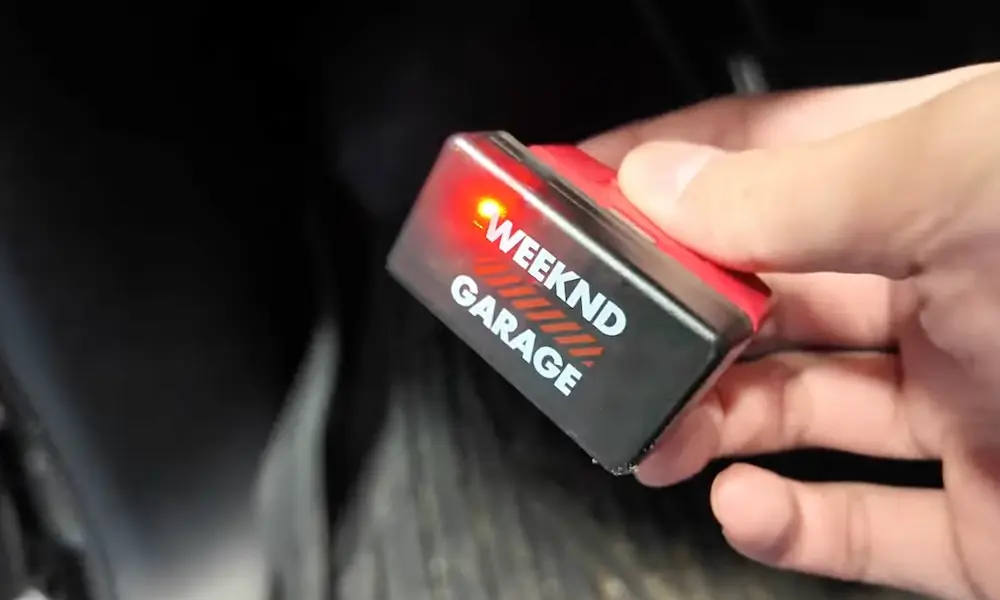
- You own a 2008-2017 Challenger and prefer OBD relearn instead of driving
Many auto parts stores offer free TPMS diagnostics, or you can visit your Dodge dealer for specialized service.
Troubleshooting Common TPMS Issues
TPMS Fuse Check
If your system isn’t responding at all, check the TPMS fuse:
- The fuse is located in the trunk area fuse box, near the spare tire and car battery
- Access by pressing the button on the fuse box cover and pulling out
- Check if the TPMS fuse is blown and replace if necessary
Common Causes of TPMS Problems
| Issue | Explanation | Solution |
|---|---|---|
| Sensor Batteries | Last 5-10 years, cannot be replaced | Replace entire sensor when battery dies |
| Temperature Changes | 1 PSI change per 12°F temperature swing | Recheck pressure after weather changes |
| Aftermarket Wheels | Can cause RF signal interference | Ensure TPMS sensors are properly positioned |
| Sensor Damage | Physical damage during tire service | Inspect sensors when tires are removed |
Verifying a Successful Reset
Here’s how to confirm your reset worked properly:
- The TPMS light should turn off completely after the relearn process
- If the light blinks for 75 seconds then stays solid, there’s a system malfunction
- Your instrument cluster should display current tire pressures (if equipped)
Seasonal Considerations for Challenger TPMS Systems
The changing seasons can significantly impact your TPMS system:
Winter TPMS Management
- Cold weather naturally lowers tire pressure (approximately 1 PSI per 12°F drop)
- Check pressures more frequently during cold snaps
- If switching to winter wheels, ensure they have compatible TPMS sensors
Summer Heat Effects
- Rising temperatures increase tire pressure, possibly triggering high-pressure alerts
- Don’t release air from hot tires—check when cold
- Performance driving creates additional heat and pressure buildup
TPMS After Tire Rotation or Replacement
When rotating tires or getting new rubber, your TPMS may need special attention:
After Tire Rotation
Most modern Challengers (2015+) don’t require reprogramming after rotation since the system can identify each sensor’s new position automatically during the standard relearn procedure.
For older models, follow these steps:
- Complete the tire rotation
- Perform the standard auto-relearn procedure described earlier
- Allow extra driving time (up to 30 minutes) for the system to recognize the new positions
After New Tire Installation
When getting new tires installed:
- Ensure the shop properly transfers your existing TPMS sensors (if they’re still functional)
- After installation, follow the standard auto-relearn procedure
- Some shops will perform a TPMS reset as part of their service
TPMS and Aftermarket Wheels Compatibility
If you’ve upgraded to aftermarket wheels, there are some important considerations:
- Ensure the new wheels can properly accommodate TPMS sensors
- The valve stem hole must be large enough for TPMS sensor stems
- Some oversized wheels may cause RF signal interference
- Consider using TPMS-specific valve stems designed for your Challenger
Preventative TPMS Maintenance
Keep your TPMS system working properly with these maintenance tips:
- Check tire pressure monthly, even if the warning light isn’t on
- Have sensors inspected whenever tires are removed
- Replace sensors proactively when reaching 7-8 years of age
- Consider replacing all sensors simultaneously when one fails
- Keep valve stem caps in place to protect sensor components from dirt and moisture
The Bottom Line on Challenger TPMS Resets
The Dodge Challenger’s automatic TPMS system is designed to be user-friendly, typically requiring only proper tire inflation and a brief drive to reset. Unlike some vehicles that need special tools or reset buttons, your Challenger handles most of the work for you.
By following the steps outlined in this guide, you should be able to successfully reset your TPMS system and get that annoying warning light to turn off. Remember that patience is key—sometimes the system just needs a good 20-minute drive to recognize the new pressure readings.