You’re driving along in your trusty Dodge Ram when suddenly it decides to lock you out of your own truck. The anti-theft system is blinking at you mockingly, and you’re stuck in a parking lot wondering what went wrong. Don’t worry—you’re about to learn exactly how to reset your Dodge Ram’s anti-theft system and get back on the road.
What Is the Dodge Ram Anti-Theft System?
The Dodge Ram uses what’s called a Sentry Key Immobilizer System (SKIS). This smart security feature helps protect your truck from theft by requiring a specific key with the right transponder chip to operate.
Here’s how it works:
- Your key has a tiny chip inside it
- The Wireless Control Module (WCM) detects this chip
- The Powertrain Control Module (PCM) gets the signal and allows the engine to start
When the system doesn’t recognize your key or thinks something fishy is happening, it locks down your truck faster than you can say “false alarm.”
How to Tell If Your Anti-Theft System Is Activated
Your truck will give you some clear signals when the anti-theft system is causing trouble:
- The security light on your dashboard is flashing or solid
- Your engine cranks but won’t start
- The truck starts but immediately shuts off
- You can’t unlock doors with your key fob
The security light is your best indicator—a flashing light usually means an invalid key was detected, while a solid light points to an electronic system fault.
Basic Reset Methods for All Dodge Ram Models
The Key Cycle Method
This is the simplest fix to try first:
- Insert your key into the ignition
- Turn to the “ON” position (don’t start the engine)
- Leave the key in this position for 10-15 minutes
- If the security light stops flashing, try starting the engine
This method gives the system time to recognize your key and reset itself.
The Battery Disconnect Method
This approach resets the truck’s computer systems:
- Open your hood and locate the battery
- Disconnect the negative battery terminal (black)
- Then disconnect the positive terminal (red)
- Wait 30 minutes for all capacitors to discharge
- Reconnect the positive terminal first, then the negative
- Lock and unlock your driver’s door with your key
Many Ram owners report this method works when others fail because it forces a complete system reboot.
Model-Specific Reset Instructions
For 1998-2009 Dodge Rams (Key Ignition)
These older models have some unique reset procedures:
Security Light Timeout Reset
- Insert your key and turn to “ON” position
- If the security light flashes, wait approximately 3 minutes
- The light should eventually stop flashing, indicating a reset
- Try starting your truck
Gauge Cluster Reset
For some stubborn cases, try this:
- Turn the key to “ON”
- Press and hold the trip odometer button for 30 seconds
- Wait until the gauges sweep and a code appears
- Turn the key off, then try starting the vehicle
During this process, you might see a diagnostic code display that helps identify the specific issue.
For 2010-2025 Dodge Rams (Key Fob or Push-Button Start)
Newer Rams have more sophisticated systems but can still be reset:
Key Fob Reinitialization
If your fob seems to be the issue:
- Replace the key fob battery if it’s weak
- Press the lock and unlock buttons simultaneously for 5 seconds
- Test if the truck now recognizes the fob
Push-Button Reset
For push-button start models:
- Have a valid key fob inside the vehicle
- Press the brake pedal
- Hold the start button for 15 seconds
- This forces a system reboot
Some owners of newer Rams find that disconnecting the battery and touching the positive and negative cables together (with the battery disconnected) for about 5 minutes helps reset the Totally Integrated Power Module (TIPM).
Advanced Troubleshooting
If basic resets don’t work, it’s time to dig deeper:
Check for Blown Fuses
The anti-theft system has dedicated fuses:
- Locate the fuse box (usually under the dashboard or hood)
- Find the fuse labeled “SKREEM” or “Immobilizer” (typically 10-15 amps)
- Check if it’s blown and replace if necessary
SKREEM Module Issues
The Sentry Key Remote Entry Module (SKREEM) can sometimes fail:
- It’s usually mounted near the ignition cylinder
- Moisture or electrical surges can damage it
- Symptoms include intermittent starting and persistent security lights
If you suspect a SKREEM issue, you might need to:
- Remove the steering column shroud
- Unplug the SKREEM connector
- Install a new module (requires professional reprogramming)
According to the National Highway Traffic Safety Administration, module replacements should be performed by qualified technicians to maintain vehicle safety standards.
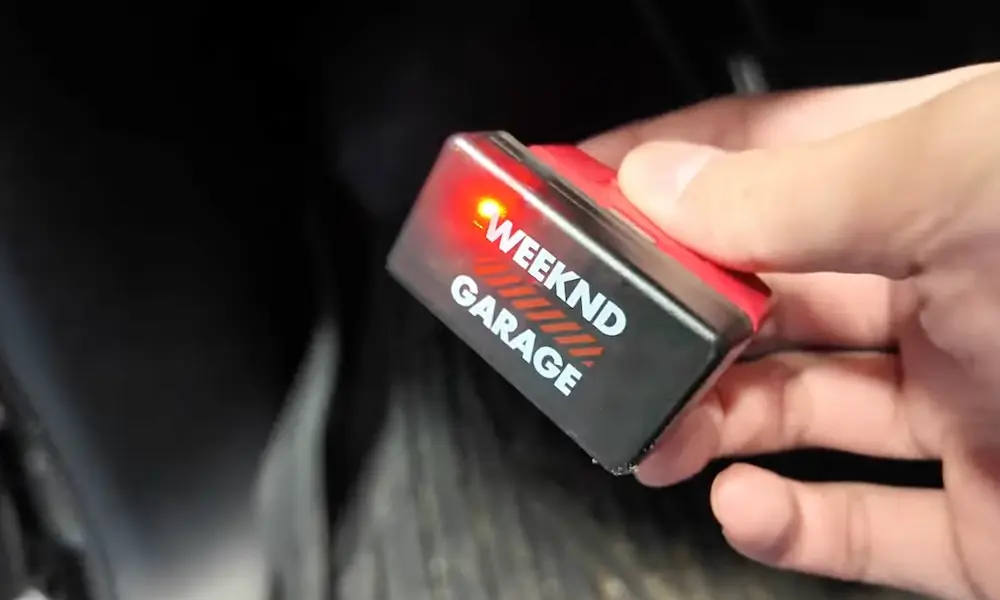
Using OBD-II Scanners
For persistent problems, an OBD-II scanner can help:
- Connect the scanner to your diagnostic port
- Access the “Security Access” menu
- Perform a PCM Keep Alive Memory (KAM) reset or SKREEM initialization
This method requires a more advanced scanner with security access features.
Model Year Specific Solutions
For 2000-2003 Rams
Some owners have success with this method:
- Disconnect the battery
- Short the terminals with a wire for 10 seconds to clear residual charge
- Reconnect and try starting
For 2004-2008 Rams
A key detail for these models:
- After reconnecting the battery
- Lock the driver’s door with the physical key
- This prevents alarm reactivation
For 2019+ Rams
Try this hard reset approach:
- Disconnect the battery
- Touch the positive and negative cables together (with battery disconnected) for 5 minutes
- This resets the TIPM more thoroughly
Common Anti-Theft System Problems and Fixes
| Problem | Likely Cause | Solution |
|---|---|---|
| Solid security light | Electronic system fault | Diagnostic scan needed, possible module replacement |
| Flashing security light | Invalid key detected | Wait for timeout or try battery disconnect |
| Truck starts then stalls | PCM-SKREEM communication failure | Reset PCM with scanner or battery disconnect |
| Key fob not working | Dead battery or desynchronized | Replace battery or resynch fob with lock/unlock procedure |
| Engine won’t crank at all | System in lockdown mode | Try complete battery disconnect reset |
When DIY Won’t Do: Professional Solutions
Sometimes you need professional help. Consider taking your truck to a dealer or qualified mechanic when:
- The security light remains solid after multiple reset attempts
- Multiple keys fail to start the vehicle
- The truck starts but immediately stalls, indicating a PCM-SKREEM communication failure
- You’ve tried all reset procedures without success
Dealers can use specialized equipment to:
- Diagnose faulty components
- Reprogram key transponders
- Replace and program new SKREEM modules
- Perform PCM security resets
Preventing Future Anti-Theft System Problems
Keep these tips in mind to avoid future issues:
- Always have a spare programmed key
- Replace key fob batteries annually
- Avoid exposing your key fob to extreme temperatures
- Don’t place keys near strong electromagnetic sources
- Keep your battery connections clean and tight
- Consider a preventative TIPM reset during regular maintenance
The Key to Success
Resetting your Dodge Ram’s anti-theft system is usually just a matter of knowing the right procedure for your model year. Most issues can be resolved with the battery disconnect method or key cycling technique, but don’t hesitate to try the more advanced solutions if needed.
Remember that patience is crucial—some reset procedures require waiting several minutes for the system to clear itself. If you’ve worked through all the options without success, it might be time to visit your dealer with your proof of ownership in hand.
With these tips, you’ll be back behind the wheel of your Ram instead of standing beside it wondering what went wrong.