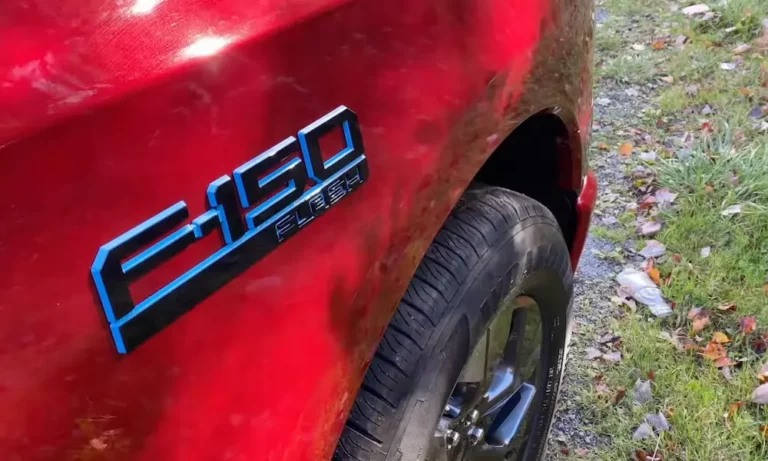
Is your Ford F150 alarm blaring at 3 AM for no apparent reason? Nothing’s worse than that heart-stopping moment when your truck decides to throw a middle-of-the-night concert for the whole neighborhood. Don’t worry—this isn’t just your truck being temperamental. There are several common reasons why your F150 alarm system goes haywire, and most have surprisingly simple fixes.
The Most Common Causes of F150 False Alarms
When your Ford F150 alarm keeps going off without a legitimate threat, it’s typically due to one of these culprits:
Faulty Hood Latch Sensor
Your F150’s hood latch sensor is designed to trigger the alarm if someone tries to open the hood. However, this sensor is notorious for sending false signals when it gets dirty or damaged.
To fix this issue:
- Locate the hood latch sensor (part of the hood latch assembly)
- Clean it thoroughly with electrical contact cleaner
- Check for loose connections or damage
- If cleaning doesn’t help, you might need to replace the latch assembly (part number FL3Z16700B)
Some owners have found temporary relief by bending the sensor bracket slightly or securing it with adhesive tape until a proper replacement can be installed.
Oversensitive Motion and Infrared Sensors
Your truck’s cabin contains motion sensors designed to detect intruders. Unfortunately, these can be triggered by:
- Insects crawling inside your truck
- Temperature fluctuations
- Leaves or debris blowing past windows
- Pets left inside
The solution is simple—disable the interior motion sensing feature:
- Navigate to Settings → Vehicle → Alarm System → Perimeter Sensing on your infotainment system
- Toggle off interior sensing
Remember that this setting resets with each ignition cycle, so you’ll need to disable it again whenever you restart your truck.
Low Battery Voltage
A weak 12V battery is a surprisingly common trigger for false alarms. When battery voltage drops below 12.4V, the alarm system can behave erratically.
To check your battery:
- Use a multimeter to test battery voltage
- Clean terminal connections if they’re corroded
- Replace the battery if voltage consistently reads below 12V
Key Fob Battery Issues
That little CR2032 battery in your key fob can cause big problems when it starts to die. A weak key fob battery might send corrupted signals to your truck, triggering false alarms.
The fix is straightforward:
- Replace the CR2032 battery in your key fob
- Avoid physical damage to the fob
- Keep your fob away from extreme temperatures
Software Glitches in Your F150’s System
Technology isn’t perfect—sometimes the issue is in your truck’s digital brain.
Body Control Module (BCM) Software Problems
Ford has identified software issues in the Body Control Module that can cause false alarms. According to Ford’s technical service bulletins, these glitches can misinterpret normal vibrations as security threats.
The solution requires a professional touch:
- Visit your dealership for a BCM firmware update
- Ensure technicians follow proper update procedures
- Have TPMS sensors relearned after the update
System Reboot Procedures
Sometimes your F150’s electronics just need a restart, similar to your smartphone:
- Disconnect the negative battery terminal
- Wait at least 15 minutes
- Reconnect the battery
- Allow all systems to reinitialize
Environmental Factors Triggering Your F150 Alarm
Your truck doesn’t exist in a vacuum—external factors can mess with its systems too.
Electromagnetic Interference
Believe it or not, parking near high-voltage power lines or transmitters can introduce electromagnetic noise that disrupts your F150’s alarm circuitry. If your truck only seems to have alarm issues in certain locations, try parking elsewhere.
Vibration and Shock Sensor Issues
Your F150’s shock sensors can be too sensitive, triggering the alarm during:
- Thunderstorms
- Heavy trucks passing by
- Construction work nearby
Some F150 models allow sensitivity adjustment:
- Locate the shock sensor module (often near the driver’s side vent tube)
- Look for a small dial resembling a volume knob
- Carefully adjust the sensitivity downward
If you can’t access this adjustment, your dealership may need to reprogram the system.
Mechanical Issues That Trigger False Alarms
Not all problems are electronic—sometimes good old-fashioned mechanical issues are to blame.
Door and Tailgate Latch Problems
Misaligned or sticky door latches can make your truck think someone’s trying to break in:
- Spray door latches with WD-40 or silicone lubricant
- Check for proper alignment when closing doors
- Inspect wire connections to door sensors
- Replace damaged latches or sensors
Loose Electrical Connections
Vibration from driving can loosen electrical connections over time:
- Check visible wiring connections around door jambs
- Inspect the wiring harness near the hood latch
- Look for damaged or pinched wires
- Secure any loose connections
Comprehensive Diagnostic Steps
When your Ford F150 alarm keeps going off, follow this systematic approach:
Step 1: Eliminate Simple Causes
- Make sure all doors, hood, and tailgate are completely closed
- Remove keys from your pocket to prevent accidental panic button presses
- Check for objects inside that might trigger motion sensors (balloons, hanging items)
Step 2: Check Battery Health
- Test your 12V battery with a multimeter (should read 12.4V or higher)
- Inspect battery terminals for corrosion
- Test key fob battery by trying a spare fob if available
Step 3: Inspect Physical Components
- Clean hood latch sensor contacts
- Lubricate door latches
- Check for damage to door or hood sensors
Step 4: Try System Reset Procedures
- Disconnect battery for 15+ minutes
- If accessible, remove alarm system fuse for 5 minutes
- Reset all door lock buttons simultaneously
| Battery Voltage | System Behavior | Recommended Action |
|---|---|---|
| 12.6V+ | Normal operation | No action needed |
| 12.2-12.5V | Possible false alarms | Recharge battery |
| Below 12.2V | High risk of false alarms | Replace battery immediately |
| Component | Common Symptoms | DIY Fix |
|---|---|---|
| Hood Latch Sensor | Morning/random alarms | Clean with contact cleaner |
| Motion Sensors | Alarms when parked | Disable interior sensing |
| Key Fob | Alarms when approaching | Replace CR2032 battery |
| Door Latches | Alarms after closing doors | Lubricate mechanisms |
Advanced Troubleshooting For Persistent Problems
When standard fixes don’t work, it’s time to dig deeper.
Using FORScan Software
For tech-savvy owners, FORScan diagnostic software can help:
- Purchase a compatible OBD-II adapter
- Download FORScan software
- Connect to your truck’s computer
- Check for diagnostic trouble codes
- Permanently disable problem sensors if needed
Remember that modifying settings might affect warranty coverage—proceed with caution.
Disconnecting Problem Sensors
As a last resort, you can physically disconnect troublesome sensors:
- Identify the problem sensor using diagnostic tools
- Locate its wiring connection
- Disconnect or isolate the sensor
- Be aware this may trigger a warning light on your dash
When To Visit The Dealer
Some issues require professional intervention:
- When BCM software updates are needed
- If multiple sensors are malfunctioning
- When diagnostic codes indicate complex problems
- If your truck is under warranty (free fixes!)
Preventing Future False Alarms
Once you’ve solved your immediate issue, take these steps to prevent recurrence:
Regular Maintenance Checks
- Test your battery every 6 months
- Replace your 12V battery every 3-4 years
- Change key fob batteries annually
- Clean hood latch and door sensors during oil changes
Software Awareness
- Check Ford’s owner support website periodically for updates
- Ask about software updates when servicing your truck
Seasonal Adjustments
- In winter, check battery health more frequently
- During storm season, consider disabling interior motion sensing
- When parking in new locations, be mindful of electromagnetic interference
Your Ford F150 is a complex machine with many integrated systems. When the alarm system acts up, it’s rarely a random event—something specific is triggering it. By methodically working through these potential causes, you’ll likely find and fix the issue without expensive dealer visits. Most importantly, you’ll get back to peaceful nights without your truck serenading the neighborhood!