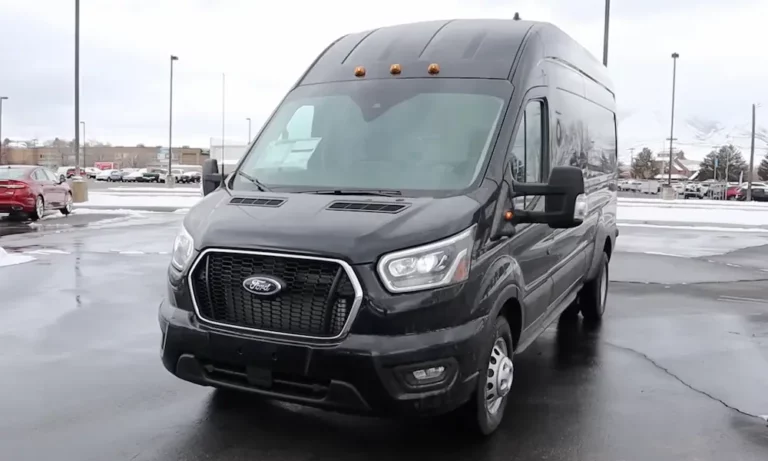
So you’re stuck with a Ford Transit that’s built like a tank but has tech from the Stone Age. You’re not alone—thousands of Transit owners are driving around with screens that make a flip phone look futuristic. The good news? Adding a Ford Transit Apple CarPlay upgrade isn’t rocket science, and you’ve got options that won’t require selling a kidney.
Let’s cut through the confusion and get your van into this decade.
Why Your Ford Transit Doesn’t Have CarPlay (And Why That’s Fixable)
Here’s the thing: Ford built these vans to last forever. Your 2015 Transit’s engine? It’ll probably outlive your mortgage. But the tech inside? It was outdated before you drove it off the lot.
Most 2015-2019 Transits came with either a tiny 4.2-inch screen or the Sync 2 “MyFord Touch” system. Both look impressive until you realize they can’t run CarPlay. The Sync 2 runs on Microsoft’s software, which Ford abandoned faster than New Coke. No software update exists to magically add CarPlay—you need new hardware.
The 2016 model year is particularly annoying. Some Transits got Sync 3 hardware but ancient software versions that didn’t include CarPlay. Others got USB ports that literally reject iPhones with an “USB Hub Not Supported” error message.
Starting in 2020, Ford redesigned the dashboard with that floating tablet look, and most models got proper CarPlay. Some 2022+ versions even support wireless CarPlay. But if you’re driving anything older? You’re doing this upgrade yourself.
Three Ways to Get CarPlay in Your Transit
You’ve got three distinct paths here, and the right one depends on your budget, how permanent you want the install, and whether you’re comfortable with a screwdriver.
The Quick Fix: Portable CarPlay Screens
If you just need CarPlay tomorrow and don’t want to tear apart your dashboard, portable screens are your answer.
Brands like Carpuride and Lamtto sell 7-10 inch displays that connect wirelessly to your iPhone. They’re basically tablets that only do one thing—host CarPlay. You mount them on your dash, connect audio through either an AUX cable or FM transmitter, and you’re done.
The reality check: These look like an iPad duct-taped to your dashboard. Suction cups fail constantly on the Transit’s textured dash, especially when the van turns into an oven in summer. You’ll need a proper mounting system.
The RubiGrid mounting platform from Bulletpoint is what serious van builders use. It bolts into your dashboard tray and creates a metal grid that holds devices rock-solid. You’re drilling holes, but it’s worth it if you’re keeping the van long-term.
ProClip USA offers clip-in mounts that wedge into dashboard seams without drilling. They position the screen closer to your hand, which beats reaching across the massive Transit dash.
Cost: $150-$300 total. Audio quality through FM transmitter is terrible—use the AUX cable.
The Factory Look: OEM Sync 3 Retrofit
This is the upgrade that makes your Transit feel like you bought it in 2025 instead of 2015. You’re swapping out the old brain (APIM module) and screen for genuine Ford Sync 3 parts.
The upgrade uses three main components:
The APIM (Accessory Protocol Interface Module) — This computer runs the show. You can pull one from a junked Ford at a salvage yard or buy refurbished. Navigation APIMs cost more but are pointless since you’ll use Apple Maps through CarPlay anyway.
The capacitive touchscreen — That old resistive Sync 2 screen has to go. You need the glass touchscreen from a 2017+ Ford. The mounting brackets differ between vehicles, so you’ll swap your Transit brackets onto the new screen.
The USB hub — This is where 2016 owners get burned. Older USB hubs lack the Apple authentication chip. You need part number HC3Z-19A387-B or newer. It’s a $40 part that prevents weeks of frustration.
Here’s where it gets technical: these parts arrive programmed for whatever Ford they came from. If you install a Fusion APIM in your Transit without reprogramming, the screen will search for features your van doesn’t have—dual-zone climate control, ambient lighting, fancy seats.
You’ll need FORScan software to reprogram the APIM with your Transit’s configuration. It’s free software, but you need a $25 OBDLink adapter and the patience to edit hexadecimal codes. Mess up the backup camera settings, and you’ll get a blue screen when you shift into reverse.
The shortcut: Companies like 4D Tech sell pre-programmed kits. You send them your VIN, they program everything on a bench, and you get plug-and-play parts. It’s $1,300-$1,800 versus $500 for DIY salvage parts.
For 2020+ Transits with the floating screen, 4D Tech sells 4-inch to 8-inch conversion kits that maintain that modern tablet aesthetic while adding CarPlay.
Cost: DIY salvage route runs $500-$700. Professional kits hit $1,500-$1,800.
The Audiophile Route: Aftermarket Head Units
Ditch Ford entirely and install a Pioneer, Kenwood, or Sony touchscreen. This makes sense if you’re upgrading speakers too, or if you’ve got the base 4.2-inch screen where the OEM upgrade requires expensive harness conversions.
You’ll need three things:
A dash kit — The Metra 99-5832G is the standard for 2015-2019 Transits. Here’s what nobody tells you: you’re cutting your dashboard. The kit requires sawing away plastic behind the bezel to create depth for the radio chassis. Once you cut, there’s no going back to factory without replacing the entire dash skeleton.
The kit includes brackets to relocate your hazard switch and the passenger airbag light. That airbag light is part of the safety system circuit—if you don’t connect it properly, you’ll trigger an airbag warning light on your gauge cluster.
For 2020+ Transits, the Metra 107-FD1B works with L-shaped chassis radios to maintain that floating screen look.
An iDatalink Maestro RR module — Modern Fords aren’t just radios with speakers. Your steering wheel controls, backup camera, and even door-open warnings run through the vehicle’s data network. A basic wiring harness leaves you with a radio that can’t talk to your van.
The Maestro module translates between Ford’s network and your aftermarket radio. It retains steering wheel controls and, crucially, keeps your backup camera working with dynamic parking lines that curve when you turn the wheel.
You need the right harness: HRN-RR-FO2 for 2015-2019 models with the 4.2-inch screen, or HRN-RR-FO3 for 2020+ vans. Buy the wrong one and the connectors won’t physically match.
A compatible head unit — Not all aftermarket radios work with Maestro. Higher-end Kenwood and Alpine units can display vehicle data from your OBD port—tire pressure, engine load, real-time gauges—directly on the CarPlay screen. Budget radios just do CarPlay.
Cost: $900-$1,200 DIY. Add $500 if a shop does the install and custom speaker work.
What About That 2016 USB Hub Problem?
If you’ve got a 2016 Transit with Sync 3 but your iPhone won’t connect, you’re experiencing Ford’s transitional year nightmare. The hardware supports CarPlay but the software version is too old (v1.0 or v1.1) and the USB hub is wrong.
Two fixes:
Update Sync to version 3.0+ — Download the update from Ford’s website onto a USB drive and install it through the Sync menu. This adds the CarPlay functionality to the APIM.
Replace the USB hub — Pull the old hub out of the center console (it’s held by plastic clips) and swap in the newer hub with Apple authentication. The part costs $40-$60 and takes 10 minutes with a trim removal tool.
Ignore either step and you’ll waste hours troubleshooting a simple compatibility issue.
The Installation Reality Check
Let’s be honest about what you’re getting into.
For portable screens: You’re mounting hardware, running one cable, and pairing Bluetooth. An hour, tops. The hard part is finding a mount that doesn’t fall off when you hit a pothole.
For OEM retrofits: If you buy a pre-programmed kit, it’s 1-2 hours of removing trim panels and plugging connectors. If you’re doing salvage parts with FORScan programming, budget 4-6 hours and expect to troubleshoot camera settings and module errors.
For aftermarket units: You’re cutting plastic, soldering or crimping 20+ wires if you don’t use the Maestro harness, and potentially dealing with airbag light issues if you mess up the bezel transfer. This is a full Saturday project.
The backup camera is where most DIY installs go wrong. The camera signal doesn’t automatically route to aftermarket radios—the Maestro module intercepts it. On OEM retrofits, if you don’t configure the APIM’s camera settings correctly in FORScan, you’ll see a blue screen or lose the dynamic parking lines.
Should You Pay Someone Else?
If you’re running a fleet or converting a high-end camper van, professional installation makes sense. Shops like Mobile Electronics USA in Chicago specialize in Transit upfits. They’ll integrate CarPlay with upgraded speakers, sound deadening (desperately needed in these metal echo chambers), and custom fabrication for dispatch screens or other fleet electronics.
You’re paying $100-$150/hour for labor, but you get warranties and troubleshooting. If Apple releases an iOS update that breaks CarPlay compatibility with your aftermarket radio (it happens), the shop handles the firmware updates.
For basic installs? Save the money. The portable screen route is genuinely foolproof, and OEM retrofit kits from 4D Tech are designed for DIY installation.
Which Upgrade Path Actually Makes Sense?
You drive for work and don’t own the van: Portable screen with a ProClip mount. Done in an hour, takes five minutes to remove when you switch vehicles.
You’re building a camper van or keeping the Transit 10+ years: OEM Sync 3 retrofit. It preserves resale value, looks factory, and integrates perfectly with existing controls. Spend the extra $800 for a pre-programmed kit unless you enjoy reading wiring diagrams at 2 AM.
You’re upgrading speakers anyway or have the base 4.2-inch screen: Aftermarket head unit with Maestro. You get better audio processing, bigger screens (up to 10 inches), and the ability to monitor engine diagnostics through the radio. Just accept you’re permanently modifying the dashboard.
You’ve got a 2016 with Sync 3: Don’t buy anything yet. Update the software and swap the USB hub first. You might already have CarPlay hiding under outdated firmware.
The Parts You Actually Need
Here’s a realistic shopping list for each route:
| Upgrade Type | Required Parts | Estimated Cost | Install Time |
|---|---|---|---|
| Portable Screen | Carpuride/Lamtto unit, RubiGrid or ProClip mount, AUX cable | $200-$350 | 1 hour |
| OEM Salvage Retrofit | Used Sync 3 APIM, capacitive screen, USB hub, OBDLink adapter | $500-$700 | 4-6 hours |
| OEM Pre-Programmed Kit | 4D Tech complete kit (APIM, screen, hub, harnesses) | $1,300-$1,800 | 1-2 hours |
| Aftermarket Radio | Pioneer/Kenwood unit, Metra dash kit, Maestro RR, HRN-RR-FO2 harness | $900-$1,400 | 4-6 hours |
The numbers assume you’re doing the work yourself. Professional installation adds $300-$800 depending on complexity.
Don’t Make These Mistakes
Buying a Sync 2 APIM thinking you can update it to Sync 3. You can’t. The hardware is fundamentally different. If it says “MyFord Touch” with colorful quadrants, it’s junk for CarPlay purposes.
Forgetting to transfer the airbag indicator light when using aftermarket dash kits. That little orange light isn’t decorative—it’s part of the restraint system circuit. Leave it unplugged and your airbag system shuts down.
Using salvage APIMs without checking the part number. A 2019 APIM (starting with ‘K’) has faster processors than a 2017 unit. Both work, but you’ll notice the lag on the older chip when loading maps.
Assuming any USB hub works. Apple devices require specific authentication chips in the hub hardware. Generic hubs from Amazon will charge your phone but won’t establish a CarPlay connection.
Skipping the FORScan configuration on DIY OEM retrofits. Yes, it’s tedious. Yes, you’ll spend an hour Googling “7D0-01-01 hex values.” But it’s the difference between a perfect install and a $600 paperweight.
The Bottom Line on Ford Transit Apple CarPlay Upgrades
Your Transit isn’t stuck in 2015 forever. Whether you slap a portable screen on the dash tomorrow or spend a weekend doing a full Sync 3 conversion, CarPlay is absolutely doable.
Start by identifying exactly what you’ve got now. Pull up your Sync version in Settings > General > About Sync. If it says Sync 3, you might just need a software update and USB hub swap. If it says Sync 2 or MyFord, you’re doing a hardware upgrade.
Match the solution to your situation. Fleet drivers and short-term owners should stick with portable screens. Van builders and long-term owners get massive value from OEM retrofits that feel factory-installed. Audio enthusiasts and base-model Transit owners should consider the aftermarket route for superior sound quality and larger screens.
The Ford Transit Apple CarPlay upgrade isn’t about chasing the latest tech—it’s about making a vehicle you’ll drive for the next decade actually usable with the phone that’s already in your pocket. Your van’s engine will outlast three iPhones. Might as well make sure they can talk to each other.