You hop in your Jeep, plug in your iPhone, and… nothing. Or worse, it connects for thirty seconds, then drops. You’ve tried three different cables, restarted everything twice, and you’re ready to drive straight to the dealership. Before you do that, let’s figure out what’s actually broken—because it’s probably not what you think.
Why Jeep CarPlay Fails More Than Other Brands
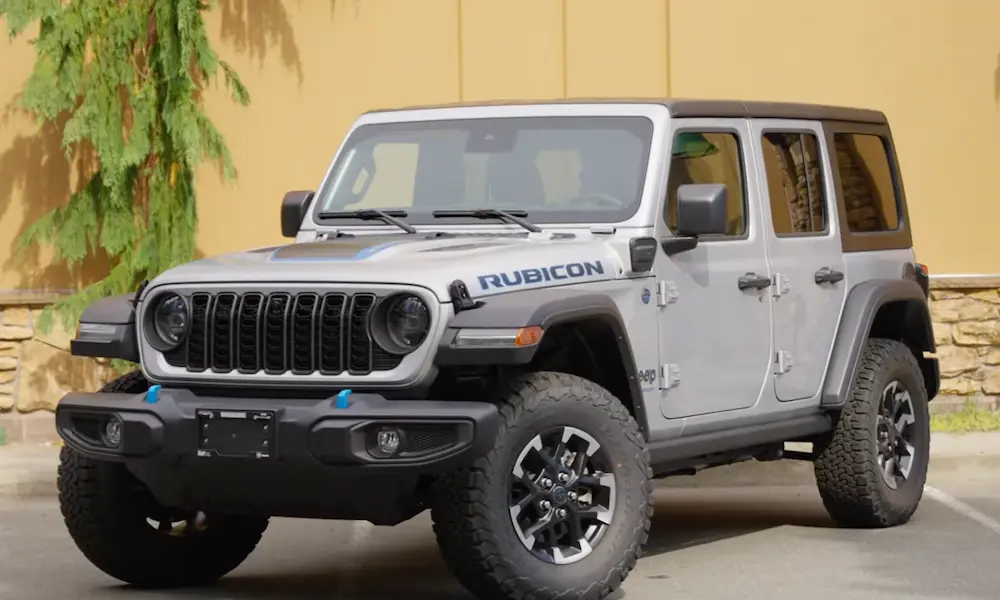
Here’s the uncomfortable truth: Jeep Wranglers and Gladiators eat USB connections for breakfast. It’s not entirely your fault, and it’s not entirely Apple’s fault. The problem sits right in the middle—where your Uconnect system tries to shake hands with your iPhone through a physical connection that’s getting beat up by bumps, vibration, and plain old wear.
The Wrangler and Gladiator platforms use a component called the Media Hub (that’s the actual USB port assembly in your dashboard). According to Technical Service Bulletin 08-020-24, this part has a known defect in 2018-2023 models. The wiring to your center console port can pinch during assembly. The dashboard port itself? Those solder joints crack over time from the weight of your cable swinging around.
Stellantis (the parent company) has also acknowledged software bugs in TSB 08-088-21 that cause “Device Not Supported” errors and audio dropouts. This isn’t just user error—it’s engineering growing pains.
The Cable Isn’t “Just a Cable”
Let’s kill this myth right now: all USB cables are not created equal. CarPlay demands high-speed data transfer (480 Mbps) while charging your phone. Cheap cables use thin wire that can’t handle both jobs.
Here’s the physics: as your phone draws more power (like when you’re running GPS and streaming music), resistance in a cheap cable causes voltage drop. When the voltage at your phone dips below 4.75V, your iPhone shuts down the data connection as a safety measure. You’ll still see it charging, but CarPlay disappears.
What actually works:
- Apple’s official cables (boring but reliable)
- MFi-certified cables under 3 feet long (Anker PowerLine is solid)
- Replace any cable with visible fraying or bent connectors
What doesn’t work:
- Gas station cables
- That 6-foot cable you use at home (too much resistance)
- Non-certified Amazon “deals”
Clean Your iPhone Port (Seriously)
This sounds stupidly simple, but it fixes about 30% of cases. Your Lightning or USB-C port is a lint magnet. Every time you shove your phone in your pocket, fibers pack into the bottom of the port.
When you plug in a cable, it looks seated, but the connector isn’t making contact with the data pins deep inside. You’ll get power (charging works), but the high-speed data pins never connect.
The fix: Grab a wooden toothpick or plastic dental pick. Gently scrape the bottom of your iPhone’s charging port. You’ll be shocked at how much crud comes out. Then use compressed air to blow out the debris. Don’t use metal tools—you can short the pins.
The Uconnect Reset That Actually Works
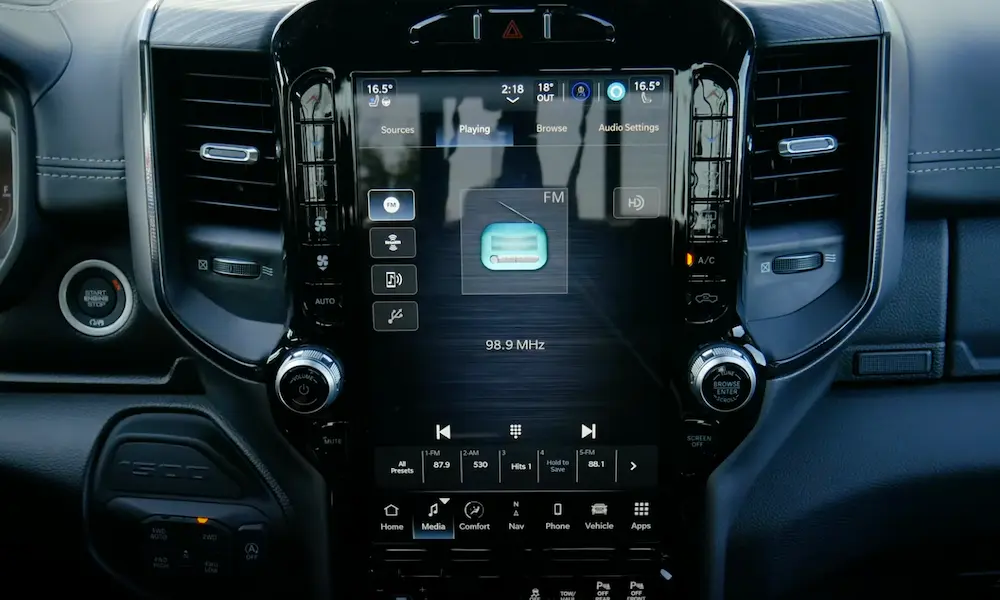
Uconnect systems have multiple types of resets, and most people do the wrong one. Here’s what each reset actually does:
Soft Reset (Start Here)
This reboots the operating system without deleting your settings.
- Press and hold the Volume knob and Tuner knob at the same time
- Hold for 10-20 seconds (ignore the screen flickering)
- Release when you see the Jeep/Ram/Dodge logo
This clears temporary glitches in the Projection Manager—the software daemon that handles CarPlay. It’s like force-quitting an app on your phone.
Deep Sleep Reset (When Soft Reset Fails)
The USB controller chip in your Media Hub sometimes gets “stuck” in a bad state. Because it receives constant power even when your Jeep is off, a simple ignition cycle doesn’t reset it.
- Turn off your engine
- Open the driver’s door (this tells the computer you’re actually leaving)
- Close the door and walk away for 15-30 minutes
- This allows the CAN bus to enter full sleep mode and discharge
For stubborn cases, physically pull Fuse 97 (F97) from the Power Distribution Center under your hood. Leave it out for 5 minutes. This cuts power to the Media Hub completely, forcing a cold boot of the USB controller.
Delete Everything and Start Fresh
When you get “Device Not Supported” errors, your Uconnect system has corrupted data about your iPhone stored in its memory. Simply deleting the phone from the Bluetooth menu doesn’t clear this.
On your Uconnect screen:
- Go to Phone settings and delete your iPhone
- Critical step: Go to Device Manager or Projection Manager settings (sometimes under Settings > Apple CarPlay) and delete the device from this specific menu
- Perform a soft reset
On your iPhone:
- Settings > Bluetooth > Tap “i” next to your Jeep’s name > Forget This Device
- Settings > General > CarPlay > Select your Jeep > Forget This Car
- Restart your iPhone (hold power button, slide to power off, wait 30 seconds, power on)
Now reconnect with a fresh pairing. When you plug in the USB cable, your iPhone will ask “Allow this device to access…?” You must tap Allow while the phone is unlocked.
Test the Right USB Port
If your center console USB port works intermittently but your dashboard port works fine, you’ve just diagnosed the problem: damaged wiring harness.
TSB 08-020-24 specifically documents this failure in 2018-2023 Wrangler JL and Gladiator JT models. The harness routing to that remote console port gets pinched during vehicle assembly. The longer cable run also makes it more sensitive to cheap cables.
Quick diagnostic: Plug into the dashboard Media Hub port instead. If CarPlay suddenly becomes rock-solid, your console harness is toast. Don’t waste time troubleshooting software—the physical wiring needs replacement at a dealer.
When It Disconnects Over Bumps
If your CarPlay cuts out when you hit potholes or you need to hold the cable at a specific angle, you’ve got a mechanical failure—not a software problem.
The Media Hub assembly (Mopar part number 68505684AA) has surface-mounted USB connectors soldered to a circuit board. The constant vibration in a Jeep, especially off-road, creates micro-fractures in those solder joints.
The wiggle test: With CarPlay connected, gently wiggle the USB cable while watching the screen. If the connection drops and restores as you move the cable, the solder joints are cracked. No software update will fix physics.
You need a new Media Hub. The part costs around $50-80, and replacement is straightforward if you’re comfortable with basic tools:
- Remove the climate control panel below the screen (plastic clips)
- Remove the screws securing the Media Hub bezel (7mm)
- Pull the hub assembly out and disconnect the harness
- Install new hub and reassemble
The iOS Settings That Silently Kill CarPlay
Your iPhone has security features that block USB data transfer, and they often trigger without you realizing it.
USB Restricted Mode: If your iPhone hasn’t been unlocked in the last hour, the data port is disabled to prevent hacking tools. Go to Settings > Face ID & Passcode > scroll down to “Allow Access When Locked” and enable “USB Accessories.”
Screen Time Restrictions: Settings > Screen Time > Content & Privacy Restrictions > Allowed Apps. Make sure CarPlay is enabled. Corporate MDM profiles sometimes disable this without asking.
VPN interference: If you run a VPN on your iPhone (for ad-blocking or privacy), it can break CarPlay’s peer-to-peer connection. Disable it and test.
The Firmware Update You Can’t Do Yourself
If you’re getting specific errors like “Product plan UUID is not correct” or CarPlay audio cuts out randomly, you’re hitting bugs documented in TSB 08-088-21.
Stellantis released firmware patches (like version 28.3 for Uconnect 4 systems), but here’s the frustrating part: you can’t install these yourself. They require the dealer’s wiTECH diagnostic tool. The DriveUconnect website doesn’t offer downloadable updates for most Wrangler/Gladiator model years anymore.
Symptoms that mean you need a dealer update:
- “Device Not Supported” with multiple known-good cables
- CarPlay connects but screen stays black (audio still works)
- System freezes when you plug in your phone
- Works fine for weeks, then suddenly breaks after an iOS update
Wireless CarPlay Problems Are Different
If you’ve got Uconnect 5 (the newer Android-based system in 2021+ Grand Cherokees and refreshed Wranglers), wireless CarPlay adds complexity.
Wireless CarPlay uses Bluetooth for the initial handshake, then switches to a dedicated 5GHz Wi-Fi network. If your phone won’t release your home Wi-Fi connection to join the car’s network, you’ll see “Connection Failed” loops.
The parking lot test: Drive down the street away from your house. If CarPlay suddenly connects, your iPhone was refusing to leave your home Wi-Fi. Fix this by forgetting your home network temporarily or using Shortcuts automation to disable Wi-Fi when you get in the car.
5GHz interference: Aftermarket dash cams, radar detectors, or other wireless accessories can jam the 5GHz spectrum. Unplug everything and test.
The Aftermarket Wireless Adapter Hack
For Uconnect 4 systems stuck with wired-only CarPlay, wireless adapters (Carluex, Ottocast, generic “2.0” models) offer a workaround. You plug the adapter into the USB port once, and it stays there permanently. It creates a Wi-Fi network for your phone.
Why this sometimes works better than stock wired:
- Reduces physical wear on your phone’s port and the Media Hub
- The adapter’s firmware maintains the USB “keep-alive” signal more aggressively than iPhones do
- You’re not yanking the cable every time you get out
Power trick: If the USB port can’t supply enough juice to run the adapter and charge your phone, use a cigarette lighter charger for power and leave the adapter in the USB port for data only.
What the Diagnostic Matrix Tells You
Here’s a quick reference for matching symptoms to actual causes:
| Your Symptom | What’s Actually Broken | The Fix |
|---|---|---|
| “Device Not Supported” message | Cable, dirty port, or outdated firmware | Clean port, MFi cable, check TSB 08-088-21 |
| Drops over bumps or specific angles | Cracked solder joints in Media Hub | Replace part 68505684AA |
| Works on dash port, fails on console port | Pinched wiring harness | Reference TSB 08-020-24 |
| Black screen but audio plays | Projection Manager crash or iOS bug | Soft reset + delete from Projection Manager menu |
| Wireless won’t connect | VPN active or Wi-Fi interference | Disable VPN, forget home network |
| System freezes when phone plugs in | Corrupted pairing database | Deep sleep reset + full delete/re-pair |
The Order of Operations That Saves Time
Don’t randomly try fixes. Work through this sequence:
Level 1 (5 minutes):
- Clean your iPhone port with a toothpick
- Try a different MFi-certified cable (under 3 feet)
- Test the dashboard USB port instead of console port
- Soft reset Uconnect (Volume + Tuner for 15 seconds)
Level 2 (15 minutes):
- Delete phone from Uconnect and Projection Manager menu
- Forget car on iPhone (Bluetooth and CarPlay)
- Restart iPhone
- Deep sleep reset (door cycle for 30 minutes)
Level 3 (Physical intervention):
- Pull Fuse 97 for 5 minutes
- If console port fails but dash port works, you need harness service
- If connection is angle-dependent, Media Hub needs replacement
Level 4 (Dealer):
- Check if your VIN is covered by TSB 08-088-21 or 08-020-24
- Request firmware update via wiTECH
- If under warranty, push for Media Hub or harness replacement
The iPhone Settings Checklist
Before you replace hardware, verify these iPhone settings:
- Settings > General > CarPlay: Your Jeep should be listed
- Settings > Face ID & Passcode > Allow Access When Locked: Enable “USB Accessories”
- Settings > Screen Time > Content & Privacy Restrictions: CarPlay allowed
- Settings > Bluetooth: Car name should show “Connected” not “Not Connected”
- No active VPN while testing
- Disable “Auto-Join” for home Wi-Fi networks if testing wireless