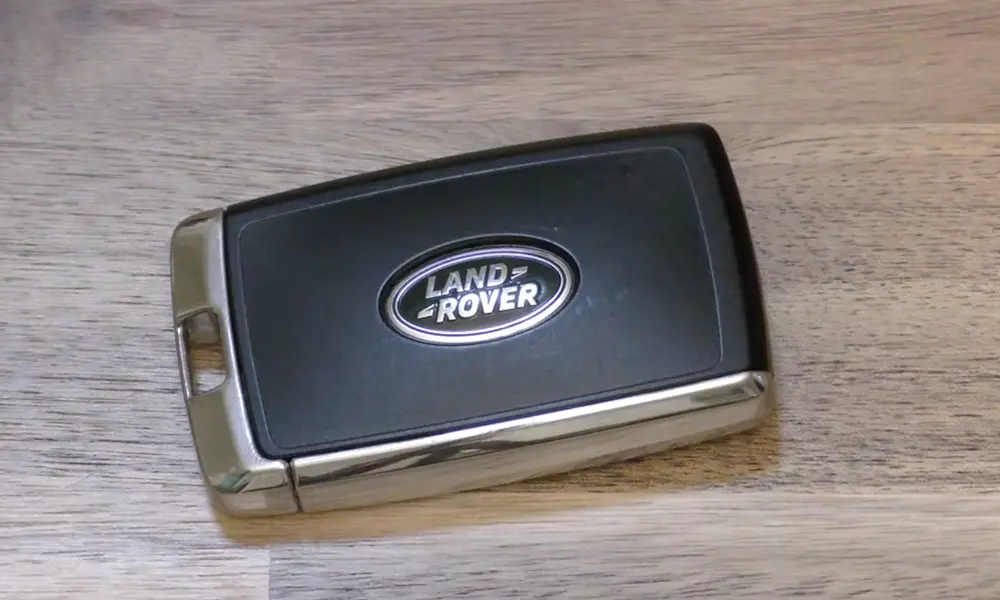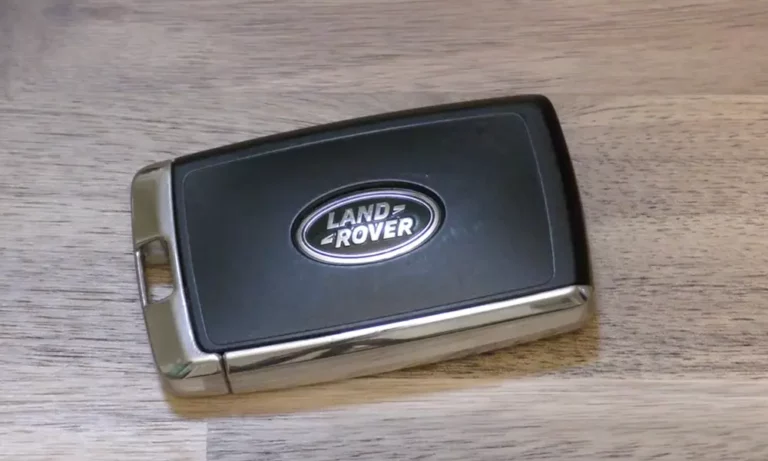
Your Land Rover key fob is giving you grief — maybe the range is shrinking, the doors won’t respond, or that “Smart Key Battery Low” message just popped up. Good news: a Land Rover remote key battery replacement takes about five minutes and costs under $5. This guide walks you through everything, from picking the right battery to getting back on the road if the fob dies completely.
Which Battery Does Your Land Rover Key Fob Need?
Almost every modern Land Rover uses a CR2032 lithium coin cell. It’s the round, silver disc you’ve probably seen at every pharmacy and hardware store.
Here’s a quick reference by model:
| Vehicle Model | Key Type | Battery |
|---|---|---|
| Range Rover (2010–Present) | Smart Key / Proximity | CR2032 |
| Discovery / LR4 (2010–Present) | Smart Key / Proximity | CR2032 |
| Defender (2020–Present) | Smart Key / Proximity | CR2032 |
| Range Rover Evoque (All Years) | Smart Key / Proximity | CR2032 |
| Discovery Sport (All Years) | Smart Key / Proximity | CR2032 |
| Range Rover Velar (All Years) | Smart Key / Proximity | CR2032 |
| Range Rover P38 (1995–2002) | Traditional Remote | Two CR2025 cells |
| LR3 / Range Rover Sport (2005–2009) | Rechargeable Fob | VL2330 |
If you drive an older LR3 or early Range Rover Sport, your fob uses a rechargeable VL2330 cell that charges through the ignition. These are a different story — keep reading for those.
Don’t Grab the Wrong Battery
Here’s where a lot of people trip up. The CR2025 and CR2016 look almost identical to the CR2032 on a store shelf. They’re all 20mm wide and all output 3 volts. The difference is thickness — and it matters a lot.
| Battery | Diameter | Thickness | Capacity |
|---|---|---|---|
| CR2032 | 20mm | 3.2mm | ~235 mAh |
| CR2025 | 20mm | 2.5mm | ~160 mAh |
| CR2016 | 20mm | 1.6mm | ~90 mAh |
A CR2025 might slide into the slot, but it won’t make solid contact with the terminals. You’ll get intermittent signals or nothing at all. A CR2016 is even worse — at half the required thickness, it simply won’t work in a proximity smart key. Always grab the CR2032.
Signs Your Key Fob Battery Is Dying
Your Land Rover gives you clear signals before the battery quits entirely.
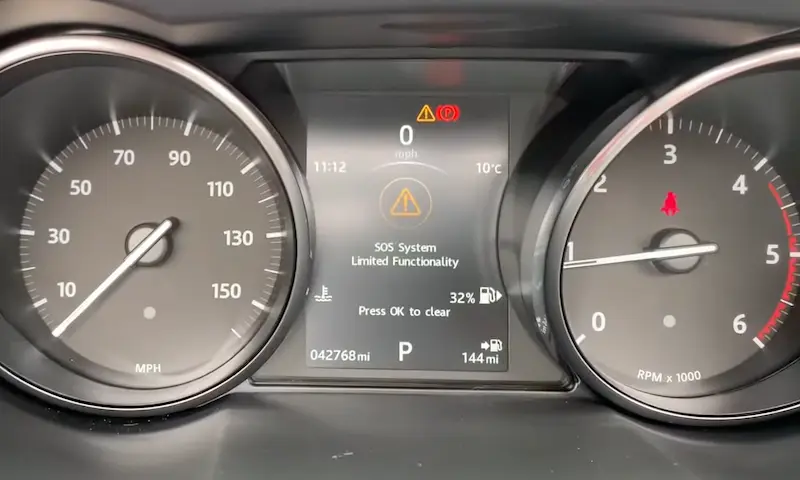
Dashboard warning: The instrument cluster displays “SMART KEY BATTERY LOW” when the cell drops below roughly 2.7 volts. You’ve got several weeks of normal use from that point — but don’t sit on it.
Don’t confuse it with this: If your dash says “LOW BATTERY, PLEASE START ENGINE,” that’s your main 12V vehicle battery, not the fob. Two completely different issues.
Other things to watch for:
- You have to stand right next to the door for the fob to respond (range drops from ~30 yards to basically nothing)
- Buttons need multiple presses to work
- Keyless entry stops responding when you touch the door handle
- The small LED on the fob looks dim or stops flashing entirely
If you’re noticing any of these, it’s time for a replacement.
How to Replace the Battery in a Modern Land Rover Smart Key
You don’t need any tools for this. The emergency key blade does the job.
Step 1: Pop Out the Emergency Key Blade
Find the small black button or sliding latch on the side or base of your fob. Press it and pull the metal blade straight out. On some newer models, the blade sits inside a chrome side cover — slide that cover toward the top of the fob instead.
Don’t skip this step. The blade locks the two halves of the housing together.
Step 2: Split the Fob Open
Insert the tip of the emergency blade into the slot where it used to sit. Give it a gentle twist. The two halves will separate with a soft click. Work only at that slot — don’t pry at the corners or edges. The plastic clips there are easy to damage, and a broken seal lets moisture into the electronics.
Step 3: Remove the Old Battery
The CR2032 sits in a circular carrier on the circuit board. Use your fingernail or a non-metal tool to pop it out. Don’t use a metal screwdriver tip on the board — you risk scratching a trace.
Step 4: Install the New Battery (Orientation Matters)
Drop the new CR2032 in with the positive side facing up. That’s the smooth side with the brand name printed on it. The textured side goes down.
Critical: Don’t touch the flat faces of the battery with your bare fingers. Skin oils create a thin resistive layer that causes premature corrosion and shorter battery life. Handle it by the edges. If you do touch it, wipe the face with a dry, lint-free cloth before closing the fob.
Step 5: Close It Up and Test
Press the two halves together until you hear a click. Reinsert the emergency key blade. Then walk about 10 yards from your vehicle and press the lock or unlock button. Full range means the job’s done.
Replacing the Battery in a Land Rover P38 Remote
The P38 remote (1995–2002) works differently. It uses a carriage-style battery holder secured by two small screws. Open it up with a small Phillips screwdriver and you’ll find room for two CR2025 batteries stacked together.
One important note: don’t try to substitute two CR2032 cells here. They’re thicker, and cramming two in will crack the plastic carriage or stop the cover from closing properly. Moisture gets in, and things get worse from there.
The Rechargeable Fob on LR3 and Early Range Rover Sport
The LR3 and Range Rover Sport models from 2005–2009 used a clever system: the fob charged itself whenever you docked the key in the ignition barrel. The internal battery is a VL2330 rechargeable cell.
The problem? These cases were often ultrasonically welded at the factory. Getting inside means carefully cutting along the seam. Once you’re in, the cell is usually soldered to the circuit board, so you need a replacement with the correct pin configuration (look for HFN or 1HF variants).
Watch out for cheap aftermarket cells that arrive at only 2 volts. A fully charged VL2330 needs 3.25–3.55 volts to authorize the immobilizer. A weak cell might cycle the locks but refuse to start the engine — which is a frustrating situation to be in at 7am.
What to Do If the Fob Battery Dies Completely
Don’t panic. Land Rover builds in two failsafes.
Get Into the Car
Look at the driver’s door handle. There’s a small slot on the underside of the plastic cover. Insert the emergency metal key blade, pry the cover off gently, and use the blade to turn the hidden lock cylinder. The alarm will trigger — that’s normal. It stops once the car detects a valid transponder inside.
Start the Engine Without a Working Fob
This one surprises most people. Look at the steering column for a set of three raised ribs or a small marked area. Hold the dead fob flat against that spot, press the brake pedal, and push the start button at the same time. The car energizes the transponder chip inside the fob using an electromagnetic field — no battery required. The engine starts normally.
What If the Fob Still Doesn’t Work After Replacing the Battery?
Sometimes the fob loses sync with the vehicle’s security module, especially if the battery was dead for a while. Try this soft reset first:
- Use the emergency blade to manually unlock the driver’s door
- Within 10 seconds, press the unlock button on the remote
If that doesn’t work and you drive an L322 Range Rover (2002–2012), there’s a slightly longer sequence:
- Sit in the car with the door closed
- Cycle the ignition to position one, then back to zero
- Remove the key
- Hold the unlock button while pressing lock three times
- The door locks will cycle to confirm a successful sync
One More Thing: Replace Both Keys at the Same Time
If your Land Rover came with two fobs, replace both batteries together. They were manufactured at the same time and live in the same environment. If one is dying, the other is close behind. Swap both now and you won’t see that “Smart Key Battery Low” warning again for another one to two years.
Where to Buy a CR2032 Battery
You don’t have to go far. CR2032 batteries are everywhere:
| Store Type | Examples | Why Go There |
|---|---|---|
| National Pharmacies | Walgreens, CVS | Open late, sometimes 24 hours |
| Big-Box Retailers | Walmart, Best Buy | Cheap multi-packs |
| Hardware Stores | Home Depot, Lowe’s | Easy to grab while running errands |
| Battery Specialty | Batteries Plus | They’ll test and install it for you |
| Land Rover Dealer | Land Rover Manhattan and others | Guaranteed OEM-spec parts |
Stick with trusted brands — Panasonic, Duracell, Energizer, Sony, or Maxell. Generic batteries often have inconsistent discharge curves that smart keys don’t handle well. Also check the expiry date on the package. Lithium coin cells last up to 10 years in storage, but a battery that’s been sitting since 2018 won’t give you the full lifespan after installation.
Temperature and Interference: Two Things That Kill Fob Range
Heat: If you live in Arizona, Florida, or anywhere the car bakes in direct sun, keep your fob out of the dashboard and away from windows. Interior temps can hit 140°F, which destabilizes the lithium chemistry and cuts battery life dramatically.
Cold: Extreme cold — think Minnesota winters — temporarily raises the battery’s internal resistance. You might see a “low battery” warning that disappears once the fob warms up in your pocket. It’s real; just replace the battery when you can.
Radio Frequency Interference (RFI): If your fob works fine in parking lots but fails at home, the battery probably isn’t the problem. Garage door openers, wireless security systems, and medical equipment can all interfere with the 315 MHz or 433 MHz signals your fob uses. Try moving the vehicle slightly or identifying the interference source before buying a new battery.