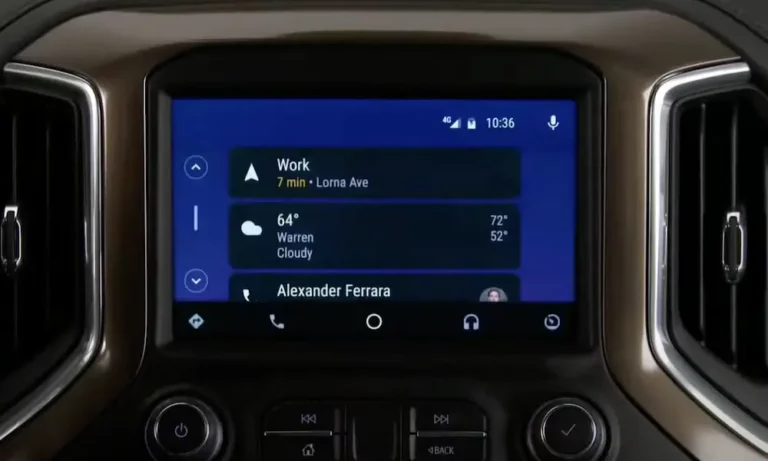
Your Chevy’s screen is glowing, the menus work fine, but dead silence greets you. Frustrating, right? The good news is that most cases of a Chevy radio turning on but no sound have a fixable cause. Work through this guide from top to bottom, and you’ll likely find your answer before spending a dime at a dealership.
Why Does This Happen in the First Place?
Modern Chevrolets aren’t simple radios with a few wires. They’re rolling computers. Your Silverado, Equinox, or Malibu uses multiple modules that talk to each other over a data network. The screen you see is handled by one module. The audio you hear is handled by another.
When those modules stop talking cleanly, the screen stays bright and responsive while the speakers go completely silent. It looks like everything works. Technically, it doesn’t.
The failure can come from software, a blown fuse, a weak battery, or a fried amplifier. Let’s sort out which one you’re dealing with.
Start Here: Soft Reset Your Chevy Infotainment System
A soft reset clears the temporary cache and restarts module communication. It doesn’t wipe your presets or saved addresses. Try this first — it fixes a surprisingly large number of “no sound” complaints.
For MyLink/IntelliLink systems (2014–2019):
Press and hold the Home and Fast-Forward buttons at the same time for 10–15 seconds. The screen will go black, then restart with the Chevy logo. This reboot sequence re-establishes the handshake between your HMI and audio modules.
For Google-based systems (2022–2025):
Put the vehicle in Park. Press and hold the End Call / Phone Hang-up button on your steering wheel for 15–30 seconds. This forces the Central SOC Module to kill all active processes and restart the audio engine.
Bonus trick for 2017–2019 models:
Briefly press the OnStar button, then immediately hang up. This can trigger a priority audio override that kicks the system back to life.
Still silent? Move to the next step.
Boot Into Safe Mode and Do a RAP Cycle
If a basic reboot didn’t work, a corrupted app or bad media file might be blocking the audio driver. Safe Mode strips the system down to factory-only software and often exposes the problem.
Here’s how to get there:
- Tap Settings on the infotainment screen
- Select System
- Scroll to Reset Options
- Choose Restart in Safe Mode
After the system reboots in Safe Mode, do a Retained Accessory Power (RAP) cycle. Turn the car off, open the driver’s door, and leave it open for at least 60 seconds. Opening the door signals the Body Control Module to cut power to the infotainment bus entirely, forcing a true cold boot on the next start.
This two-step combo often resolves issues caused by failed over-the-air updates that left the audio firmware in a broken state.
Do a Hard Reset: Disconnect the Battery
When software tricks don’t cut it, you need to cut power completely. A hard reset forces every module to start from scratch.
Here’s the process:
- Turn the car off and remove the key
- Disconnect the negative battery cable first, then the positive
- Touch the two cable ends together for 15–30 seconds (not touching the battery terminals — just the cables)
- Reconnect positive first, then negative
- Start the car and test the audio
That brief cable-touching step drains the stored charge from the system’s capacitors, clearing volatile memory corruption that a simple soft reset can’t reach. It’s particularly effective at waking up an external Bose amplifier that’s gone into permanent protection mode.
Check the Fuses — There Are More Than One
Most people check one fuse and stop. That’s a mistake. Chevrolet splits radio power across multiple fuses. The “radio” fuse typically powers the screen. A completely separate fuse powers the audio processor or external amplifier.
One blown fuse gives you exactly this symptom: screen works, no sound.
Silverado Fuse Map (2019–2025)
| Fuse | Amperage | What It Controls | Location |
|---|---|---|---|
| F9 / F18 | 20A / 30A | Radio / Infotainment Head Unit | Instrument Panel (Cabin) |
| F15 | 10A | Dashboard Display Screen | Instrument Panel (Cabin) |
| F31 / F36 | 30A | Audio Amplifier (Bose/Premium) | Instrument Panel or Engine Bay |
| F26 / F27 | 50A | Main Power Distribution | Passenger-Side Dash |
The Silverado has three separate fuse panels: one under the hood, one on the driver’s side dash, and one on the passenger’s side dash. Check all three. Pull each audio-related fuse and look for a broken wire inside the glass or plastic casing.
For the Equinox and Malibu, the radio fuses sit in the instrument panel block on the side of the dashboard or under the steering column. The 2025 Equinox uses an Underhood Bussed Electrical Center (UBEC) as its main distribution hub — a failure there can silence the radio as part of a wider Body Control Module communication failure.
Your Bose Amplifier Might Be in Protect Mode
Chevy trucks and SUVs with the Bose Premium Audio system have an external amplifier — usually mounted behind the rear seat in trucks. This amp monitors itself constantly. If it detects a problem, it shuts its own output off to prevent damage. The radio still plays, the screen still works, but no sound reaches the speakers.
What triggers protect mode?
- A speaker wire pinched in the rubber boot between the door and the frame (creates a short)
- A failing battery dropping voltage below the amp’s threshold during startup
- Water intrusion from a leaking third brake light or rear window seal
A loud pop at startup followed by total silence is a classic Bose protect mode symptom. The amp detected a fault and shut down.
If you have water damage, look for white or green powdery residue around the amp’s connectors and casing. That’s corrosion, and it’s a definitive sign the amp has been compromised.
Read the Diagnostic Trouble Codes
If you have an OBD2 scanner, plug it in. These “U-codes” point directly to the broken communication link causing your silence.
| DTC Code | What It Means | What It Tells You |
|---|---|---|
| U1651 | Lost Communication With Amplifier | Radio sends signal, but the amp is dead or unpowered |
| U0184 | Lost Communication With Radio | Head unit isn’t talking to the vehicle network |
| B1325 | Device Voltage Below Threshold | Module shut down due to low battery voltage |
| B0081 | Speaker Circuit Fault | Short or open circuit detected in a speaker line |
U1651 is the most common code in Chevy trucks with the “radio on, no sound” problem. It means your SilverBox or HMI module is trying to send audio, but the amplifier never responds.
Your Battery Might Be the Real Culprit
This one surprises people. A battery that starts your engine just fine can still cause a Chevy radio to turn on but produce no sound.
Here’s why: when the starter cranks, it pulls a massive amount of current. Voltage across the whole system dips hard for a split second. If your battery is aging or weakened by cold weather, that voltage can drop below 11 volts — the minimum threshold the audio modules need to complete their startup self-test. The screen boots in a low-power state. The high-current audio processor or Bose amp never fully “wakes up.”
Test your battery at any auto parts store. Many will test it for free. A battery that tests “weak” but not “dead” is still enough to cause this exact problem.
No Turn Signal Sound Either? That Changes the Diagnosis
Modern Chevrolets play safety chimes — turn signal clicks, seatbelt warnings, parking alerts — through the same speakers as your music. There’s no separate buzzer.
This detail is a useful diagnostic clue:
- No music AND no turn signal click → The failure is upstream of the speakers, likely in the amplifier or SilverBox module itself
- Music plays but no turn signal click → The driver-side front speaker or its specific wiring is the likely culprit
The driver-side front speaker is the designated output for safety chimes in almost all Chevy configurations. Knowing which sounds are missing points you directly to the broken part of the chain.
If you installed an aftermarket head unit and lost your chimes, you need a PAC or Metra interface module to bridge the factory data bus with the new radio. Without it, the computer plays the chimes, but they have nowhere to go.
Used Replacement Module? Check for a VIN Lock
If you replaced your infotainment unit with a used part from a salvage yard, the “no sound” problem might have nothing to do with the hardware itself.
General Motors locks infotainment modules to the VIN of the vehicle they were originally programmed for. If the screen shows a “LOCKED” message, the module saw a VIN mismatch between its internal memory and the Body Control Module’s broadcast and locked itself out.
Fixing this requires a dealer or shop with access to GM’s Service Programming System (SPS) to run a VIN Relearn procedure. It can’t be done with a standard OBD2 scanner.
A related error — “Waiting for Update Media” — means the HMI module’s flash memory has completely failed. The unit is waiting for recovery software it can’t receive through normal means. That one typically needs a hardware replacement.
Keep This From Happening Again
A few simple habits protect your Chevy’s audio system long-term:
- Test your 12-volt battery every fall. A weak battery is the most common trigger for the low-voltage initialization loop that silences your audio.
- Don’t let OTA updates run on a weak battery. Install system updates when you’re driving on a highway so the alternator keeps voltage stable throughout the whole process.
- Check your ground connections. On 2014–2018 Silverados and Sierras especially, corroded ground straps under the dashboard cause intermittent audio blackouts — the kind where the sound randomly comes back after you hit a bump.