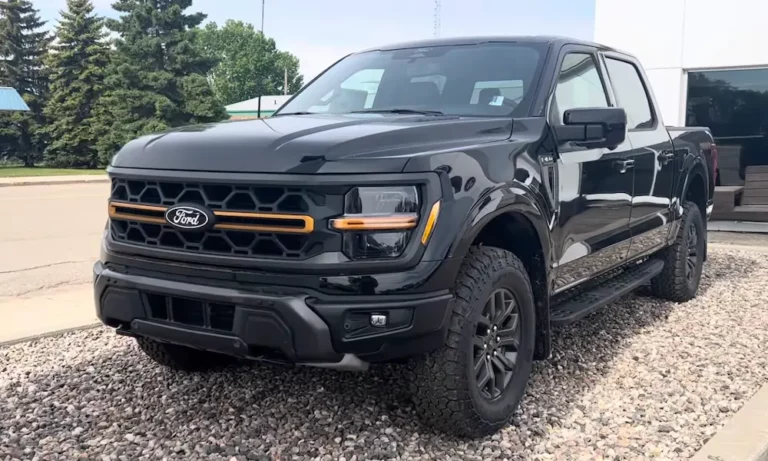
You shift into reverse, ready to back out of your driveway, and boom—blue screen. Or worse, a frozen image that makes you think the coast is clear when it’s not. If you’re dealing with Ford F150 backup camera problems, you’re not imagining it. This isn’t a quirky glitch. It’s a widespread issue that’s cost Ford $165 million in federal penalties and triggered massive recalls. Let’s break down what’s happening and what you can do about it.
Why Ford F150 Backup Cameras Keep Failing
The backup camera issues in the F-150 aren’t one simple defect—they’re a messy combo of hardware failures, software bugs, and design shortcuts that vary depending on what year truck you own.
The Blue Screen Phenomenon (2015-2020 Models)
If you’re staring at a solid blue screen when you shift into reverse, your truck is trying to tell you something specific. The display successfully switched to camera mode, but it’s getting zero video signal from the camera itself.
This happens because the 2015-2020 F-150s use an older analog system. Your camera sends video through physical copper wires, and when those wires corrode or break, the signal dies. The most common culprit is Splice S209—a wire junction tucked behind your rear bumper that loves to collect moisture and corrode.
Here’s the kicker: if you still see parking guidelines over that blue screen, the camera’s brain is working fine. It’s just the video wires that are toast. No guidelines? You’ve lost power completely, probably from a bad ground or blown fuse.
Black Screens and Frozen Images (2021-2025 Models)
Newer F-150s ditched the analog setup for a digital system called LVDS (Low-Voltage Differential Signaling). Sounds fancy, right? It is—until it isn’t.
The 2021+ models suffer from software crashes in the Sync 4 infotainment system. Your camera hardware might be perfectly fine, but the computer managing the video feed chokes. You’ll see a frozen frame (dangerous, because you think the path is clear), a black screen, or the whole system rebooting with the Ford logo spinning.
Ford finally admitted in Recall 25S49 that versions 1.7 through 1.9 of the Sync 4 software contain a memory leak that causes these crashes. Translation: the code is buggy.
The Physical Connector Problem
Both generations share one annoying weak point: the tailgate connector. Every time you open and close your tailgate, you’re flexing a bundle of wires. Over time, especially if you remove the tailgate for hauling, those connections fray.
On 2021+ trucks, Ford switched to delicate Fakra coaxial connectors. They’re great for high-def video but terrible for durability. Drop your tailgate wrong, and you can crack the pin housing, giving you an instant black screen.
What the Recalls Actually Cover
Ford has issued multiple recalls for F150 backup camera problems, and keeping track of which one applies to you matters.
Recall 20S26 (2020)
This was Ford’s first attempt, targeting 2020 models with defective printed circuit boards inside the camera. The fix? Replace the whole camera unit. But this recall was narrow—it left millions of earlier trucks with identical symptoms out in the cold.
Recall 23S48 (2023)
Ford expanded the net in 2023, covering over 1 million vehicles from 2021-2023. The problem? They didn’t have enough replacement parts. Owners got letters saying, “Yeah, your truck’s defective, but we can’t fix it yet.” That’s as frustrating as it sounds.
Recall 25S49 (May 2025)
This is the big one. Ford discovered that the APIM software was causing camera failures in newer trucks. Instead of swapping hardware, dealers now update the software. If your truck has built-in cellular, you might even get an over-the-air update.
Here’s a quick breakdown:
| Recall Number | Model Years | Root Cause | Fix |
|---|---|---|---|
| 20S26 | 2020 | Bad circuit board | Camera replacement |
| 23S48 | 2021-2023 | Multiple hardware issues | Camera/harness replacement |
| 25S49 | 2021-2025 | Sync 4 software bug | Software update |
How to Diagnose Your Specific Problem
Don’t just throw parts at this. A methodical approach saves you money and frustration.
Start With a System Reset
For 2021+ trucks showing black screens or freezes, try a Sync master reset first. This isn’t just turning the truck off and on.
Hold down the Power button (middle of the volume knob) and the Seek Forward button (right arrow) at the same time for 10 seconds straight. The system will force-reboot and clear temporary glitches. If your camera works after this, you’ve got the software issue from Recall 25S49.
The Tailgate Wiggle Test
For 2015-2020 blue screen issues, park your truck, put it in reverse (engine off, parking brake on), and have someone watch the screen. Now open and close the tailgate while wiggling the wire harness between the bed and gate.
If the image flickers or briefly appears, you’ve got a broken wire or corroded connector—not a dead camera. That’s actually good news because it’s cheaper to fix.
Check Your Fuses
This sounds basic, but the camera fuse location isn’t obvious. For 2015-2020 models, check the passenger compartment fuse box (right kick panel). You’re looking for Fuse 38 (30A), which powers the rear window switches and often shares a circuit with the camera logic.
Newer models use electronic fuse protection through the Body Control Module, so a traditional fuse check won’t help. You’ll need a dealer scan tool to see if the circuit “tripped.”
Inspect Connector C405
On 2015-2020 trucks, the main camera connector lives near the rear bumper, exposed to all the road salt and spray you can imagine. Pop off the connector and look for:
- Green or white crusty stuff (corrosion)
- Pushed-back pins
- Moisture inside the housing
If the connector looks nasty, you’ve found your problem. A can of electrical contact cleaner and some dielectric grease might bring it back to life temporarily, but plan on replacing the pigtail harness (part number JL3Z-14A412-A, about $90-100).
DIY Fixes vs. Dealer Repairs
The cost difference between fixing this yourself and letting a dealer handle it is massive.
Dealer Route
A full backup camera replacement at a Ford dealership runs $772 to $814 for basic models. If you’ve got the 360-degree camera system, expect over $1,500 because they’ll need to recalibrate multiple cameras.
Labor accounts for most of that cost. Dealers charge 1-2 hours at $150-200/hour just to remove the tailgate emblem and swap the camera.
DIY Approach
The camera module itself? You can grab an OEM replacement online for $150-325 depending on your year. The swap takes about an hour if you’re handy with basic tools.
The tricky part is removing the Ford oval emblem without cracking it. Don’t use a screwdriver. Grab some heavy-duty fishing line, slide it behind the emblem, and saw through the adhesive with a back-and-forth motion. This prevents the plastic bezel from snapping.
Important part numbers:
- 2015-2017 cameras: FL3Z-19G490-D
- 2018-2020 cameras: JL3Z-19G490-E
- Tailgate harness: JL3Z-14A412-A
One catch: if you’ve got the Image Processing Module B (IPMB) system for 360-degree cameras, you’ll need Ford’s FDRS software to initialize the new camera. That’s dealer-only territory unless you’ve got a serious scan tool.
The 15-Year Extended Warranty You Might Not Know About
Here’s the silver lining in this mess. After NHTSA slapped Ford with a $165 million penalty, the automaker agreed to extend backup camera warranty coverage to 15 years from the original warranty start date.
This Customer Satisfaction Program covers:
- Full camera diagnosis
- Camera replacement
- Wiring harness repair
- Related software updates
Ford will even reimburse you if you already paid out-of-pocket for camera repairs before this program existed. You’ll need your repair invoices and proof of payment. Check Ford’s owner support site or call their customer service line to submit a claim.
Why This Isn’t Just Annoying—It’s Actually Dangerous
A broken backup camera isn’t like a busted radio. Federal law (FMVSS No. 111) requires backup cameras on all new vehicles under 10,000 pounds because they save lives. Kids, pedestrians, and objects in your blind spot are invisible without that camera working.
The frozen image problem is particularly nasty. You glance at the screen, see an empty driveway from 10 seconds ago, and start backing up—right into the skateboard or kid who just rolled behind you. The NHTSA investigation found this creates a genuine crash risk, which is why the penalties were so steep.
What About the Massive Engine Recall?
If you’re dealing with camera issues and also got a notice about Recall 24S55 (intake valve problems on 2.7L and 3.0L EcoBoost engines), you’re not alone. These recalls hit simultaneously, creating a bottleneck at dealerships.
The engine recall requires a 15+ hour engine teardown, which clogs service bays. Meanwhile, camera parts were backordered. The result? Dealers couldn’t sell new inventory (stop-sale orders for open recalls) and couldn’t fix existing trucks fast enough.
If you’re waiting on both repairs, lean on the dealership service manager. The extended warranty means you’re covered—they need to prioritize getting you scheduled.
The Software vs. Hardware Question
Here’s the reality check: if you own a 2015-2020 F-150, you’ve got a hardware problem that needs physical parts replaced. Corrosion, broken wires, and failed circuit boards don’t fix themselves.
If you own a 2021-2025 F-150, start with software. Check if your Sync system is up to date. Go to Settings > General > About Sync, and note your version number. Anything below version 2.0 likely has the bug. Call your dealer and ask if Recall 25S49 applies to your VIN.
Don’t let a dealer replace your camera on a 2021+ truck without updating the software first. You’ll waste money on a part that wasn’t broken.
What Ford Should’ve Done Differently
Look, this whole saga reeks of cost-cutting. The analog system’s Splice S209 should’ve been sealed better or relocated. The Fakra connectors are too fragile for a work truck. And pushing buggy Sync 4 software to production vehicles? That’s inexcusable for a safety-critical system.
The $165 million federal penalty isn’t just about the camera failures—it’s about Ford’s slow response and incomplete recall reporting. NHTSA found that Ford knew about these issues earlier than they let on.
The good news? The punishment seems to be working. The 15-year warranty extension and aggressive software update rollout show Ford finally taking this seriously.
Your Next Steps
If you’re dealing with Ford F150 backup camera problems right now, here’s your action plan:
For 2015-2020 trucks:
- Try the tailgate wiggle test to confirm it’s a wiring issue
- Check Fuse 38 in the passenger compartment fuse box
- Inspect connector C405 for corrosion
- Call your dealer about the 15-year extended warranty coverage
- If you’re DIY-inclined and it’s just the camera, order the correct part number and swap it yourself
For 2021-2025 trucks:
- Perform the Sync master reset (Power + Seek Forward for 10 seconds)
- Check your Sync software version
- Call Ford and verify if Recall 25S49 applies to your VIN
- Schedule a software update at the dealer (it’s free under recall)
- Only replace hardware if the software update doesn’t fix it
Don’t ignore this. A non-functional backup camera puts you at legal risk if you back into someone, and it genuinely increases the chance of a tragic accident. The extended warranty means you shouldn’t be paying out-of-pocket, so use it.
Ford screwed this up, but they’re being forced to make it right. Take advantage of the coverage while you’ve got it.