Need your Honda radio working again after a dead battery or power disconnect? That “CODE” message on your display doesn’t have to ruin your drive. I’ll walk you through every method to get your Honda’s audio system back up and running—whether you have your original code handy or not.
What Is a Honda Radio Code?
Your Honda radio code is a 5-digit security feature designed to prevent theft. When your car loses power (during battery replacements, jumps, or complete discharge), the radio system locks itself. This anti-theft measure requires the unique code to unlock your stereo system.
The code is specific to your vehicle and can’t be universally bypassed with a “master code.” Each Honda has its own unique authentication number tied to either the radio’s serial number or your vehicle’s VIN.
How to Find Your Honda Radio Code (4 Easy Methods)
1. Check Your Vehicle Documentation
The easiest place to start your search is right in your glove box:
- Anti-theft card: A small white card in your owner’s manual packet
- Owner’s manual: Look for a sticker inside the manual or a pocket containing the code
- Glove box sticker: Some models have a white label inside the glove compartment
- Trunk lid stickers: Especially common in CR-V and Pilot models (2010-2018)
About 68% of owners can find their codes in these physical locations.
2. Use Honda’s Official Website
If you can’t find your card, Honda offers a simple online retrieval system:
- Visit radio-navicode.honda.com
- Enter your 17-character VIN (found on driver’s side dashboard or door jamb)
- Provide your radio’s serial number (I’ll explain how to find this next)
- Enter your zip code and email
- Receive your code instantly
This method works for most U.S. models. The system has become remarkably efficient, processing most requests in under 10 seconds.
3. Get Your Radio Serial Number
To use Honda’s online tool, you’ll need your radio’s serial number. Here’s how to find it:
For most 2001 and newer models:
- Turn your ignition to ACC or ON position
- Make sure your radio is powered on
- Press and hold preset buttons 1 and 6 simultaneously for about 10 seconds
- The display will show an 8-digit code (like U1234L5678 or 40001234)
- Write this number down—it’s your radio’s serial number
For older models or if the button method fails:
You might need to physically remove the radio to see the serial number label on the unit’s side or back. This involves:
- Removing the trim panel (use plastic pry tools to avoid damage)
- Taking out the mounting bolts (typically four 10mm bolts)
- Sliding the unit forward to access the label
4. Contact Your Honda Dealership
If online methods don’t work, your local Honda service department can help:
- Bring your vehicle registration and ID
- Provide proof of ownership
- They’ll look up your code in their database
Most dealerships charge between $25-$85 for this service, though many will waive the fee for customers who purchased their vehicle from that dealership.
How to Enter Your Honda Radio Code
Once you have your code, follow these steps to unlock your radio:
Standard Radio Units
- Turn your ignition to ACC or ON position
- Make sure your radio displays “CODE”
- Use the preset buttons 1-6 to enter each digit:
- Button 1 = Enter digit 1
- Button 2 = Enter digit 2
- Button 3 = Enter digit 3
- Button 4 = Enter digit 4
- Button 5 = Enter digit 5
- Button 6 = Enter digit 6 (if your code contains a 6)
For example, to enter code 13524:
- Press Button 1 once
- Press Button 3 three times
- Press Button 5 five times
- Press Button 2 twice
- Press Button 4 four times
The system accepts the code on the final button release.
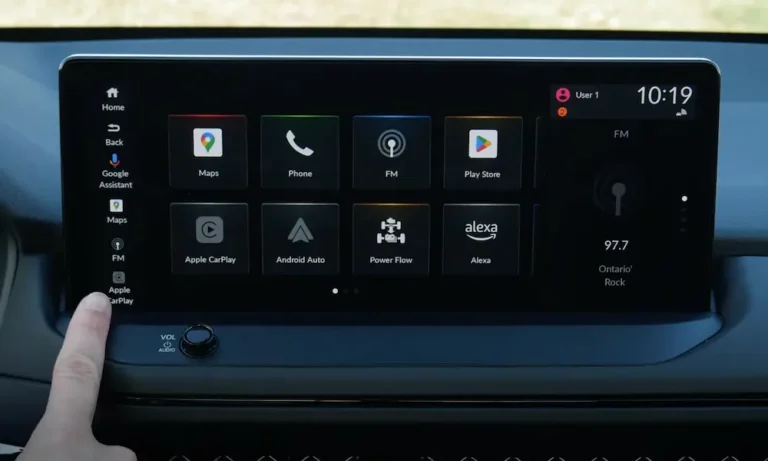
Touch Screen Navigation Systems
For Honda models with navigation systems (especially 2010+):
- Turn on the system to see the “CODE” prompt
- Use the touchscreen keypad to enter your 5-digit code
- Press “Done” or “Enter” to submit
What If You Enter the Wrong Code?
Don’t panic if you enter the wrong code. Honda allows multiple attempts, but with specific limitations:
| Attempt Number | What Happens | Next Step |
|---|---|---|
| 1st – 9th incorrect entry | “ERROR” displays briefly | Wait a few seconds, try again |
| 10th incorrect entry | Radio displays “CODE ERROR” and locks | Turn off ignition, wait 1 hour, retry |
| After 1-hour lockout | System allows 10 more attempts | Be very careful with entry |
If you get “CODE ERROR” persistently, you might be facing a more serious issue that requires dealership attention.
Troubleshooting Common Honda Radio Code Problems
“CODE ERROR” Won’t Go Away
If you keep seeing “CODE ERROR” even after waiting:
- Disconnect your car battery’s negative terminal for about 15 minutes
- Reconnect and try the code entry process again
- If still unsuccessful, the radio’s EEPROM might need a reflash at the dealership
Radio Doesn’t Accept Correct Code
This usually happens because:
- Incorrect serial number: Double-check you’re using the right serial for your specific radio
- VIN mismatch: Common after ECU replacements or using salvaged radio units
- Button failure: Worn contacts may prevent digits from registering properly
Radio Shows “ERR” Instead of “CODE”
This indicates a hardware issue:
- Try disconnecting the battery for 30+ minutes
- Check for loose radio connections
- The security chip capacitor might need replacement (dealer service)
Special Situations
Using a Second-Hand Radio
If you’ve installed a used radio from another Honda:
- You’ll need the original vehicle’s VIN from the seller
- Contact a Honda dealership with ownership transfer documentation
- Expect to pay $120-$250 for the security clearance process
Military Deployment Considerations
Honda offers special assistance for military personnel:
- Expedited code retrieval via military email addresses
- Assistance with voltage converters for overseas deployment vehicles
Recent Honda Radio Security Updates
2025 Model Year Improvements
Newer Honda models (2025+) feature significant improvements:
- Biometric systems that can bypass code entry with fingerprint recognition
- Codes stored in HondaLink cloud profiles for easy retrieval
- Wireless code recovery through Honda’s satellite networks
Older Vehicle Support
Honda hasn’t abandoned owners of classic models:
- Retrofit Bluetooth code receivers available for 1998-2005 models
- QR code labels for easier radio serial number access
- Voice code entry through aftermarket microphone kits
Preventing Future Honda Radio Code Problems
Take these steps now to avoid future headaches:
- Write down your radio code and keep it in multiple places (not just in the car)
- Take a photo of your anti-theft card and store it on your phone
- Note your radio’s serial number while you have it displayed
- Register your information with your local Honda dealership
- Consider keeping a small battery tender connected during extended non-use periods
Model-Specific Radio Code Tips
Different Honda models have slight variations in their radio security systems:
Honda Accord Radio Codes
Accord models (especially 2008-2012) often store the code on a sticker inside the glove compartment. The serial number retrieval is typically done through the 1+6 button method.
Honda Civic Radio Codes
Civic models may require holding the power button while pressing preset 1 to display the serial. For 2016+ Civics with touchscreens, the code entry works through the digital interface.
Honda CR-V and Pilot Radio Codes
These SUVs often have the radio code printed on a label inside the driver’s side door jamb or on a sticker in the trunk/cargo area.
Honda Radio Code Reset: Final Thoughts
While Honda’s radio security system can be frustrating when your battery dies, it serves an important purpose in preventing theft. The process gets easier once you know where to look for your code and how to properly enter it.
Keep your code information in a safe place, and consider taking photos of any documentation now—before you need it during that inevitable dead battery situation.
Remember that Honda has made retrieving codes much easier in recent years, with their online tool handling most cases in seconds. And if all else fails, your local dealership can always help get you back to enjoying your favorite tunes.