Your Silverado’s screen lights up, but nothing comes out of the speakers. Before you book a dealer appointment, there’s a good chance you can fix this yourself. This guide walks you through every known cause of the Silverado radio no sound problem — from a blown fuse to a corrupted software module — sorted by generation so you find your fix fast.
Why Your Silverado Radio Has No Sound (It’s Not Always the Speakers)
Most people assume a dead radio means dead speakers. In a modern Silverado, that’s rarely true.
Today’s Silverado routes audio through a network of software-controlled modules. The screen, the radio tuner, and the amplifier all talk to each other over a digital bus. If any one module freezes, crashes, or loses power, the whole audio chain goes silent — even if every speaker is physically fine.
According to GM diagnostic data, a blank screen or frozen infotainment display in 2013–2019 models is almost never a bad screen. It’s almost always a module that’s lost power or communication.
Here’s why this matters: the audio system in newer trucks also handles your turn signal clicks, park assist beeps, and other safety chimes. A Silverado radio no sound issue isn’t just annoying — it can disable safety alerts too.
Quick Diagnosis: What’s Your Truck Telling You?
Before you pull anything apart, match your symptoms to the table below. This narrows down the problem fast.
| Symptom | Most Likely Cause | Where to Look |
|---|---|---|
| Screen on, no sound at all | Software hang or blown amp fuse | Fuse panel or infotainment reset |
| “Waiting for Update Media” stuck | HMI module software failure | Dealer reflash or HMI replacement |
| Sound works, then cuts out mid-drive | Amplifier hardware defect (PIT6406B) | Amp behind rear seat |
| No sound only in cold weather | Aging Bose amp capacitors | Rear-wall or console amp |
| No sound after spill in console | Short circuit in amp connector | Center console amp |
| Sound delay of 3–5 minutes at startup | Software bug — CSM hang | TSB 23-NA-143 update needed |
| Crackling or weak sound in one channel | Water-damaged speaker or corroded terminal | Door panel speakers |
Silverado Radio No Sound Fixes by Generation
Your truck’s architecture determines where the problem lives. The fixes are different for a 2004 Silverado versus a 2023.
2000–2007 Silverado (GMT800): Start With the Basics
These trucks use a straightforward analog setup. Audio goes from the head unit directly to the speakers, or through a small amplifier under the center console.
Check these first:
- Speaker cones: The door speakers on GMT800 trucks are notorious for rotting. Pull the door panel and look for cracked, moldy, or physically damaged cones.
- Battery terminal test: Disconnect the speaker harness at the radio and briefly touch each wire pair to a 9V battery. If the speaker doesn’t pop, it’s dead or corroded.
- Console amp: Some GMT800 trucks have a small external amp under the center console. Check the 10A fuse feeding it.
- Drain holes: Clogged door drain holes flood the speaker cavity. Clear them with a wire and let the doors dry before testing.
The most common culprit in trucks this old is water damage. Moisture kills the copper voice coils inside the speaker, and you’ll hear crackling or nothing at all.
2014–2018 Silverado (K2XX): The HMI Module Era
This generation introduced the MyLink system and split infotainment functions across multiple modules. The Human Machine Interface (HMI) module handles the user interface and authorizes audio to the amplifier. If it freezes, your truck goes silent.
Step 1: Try the soft reboot first.
Hold the Home button and Fast Forward button together for 10 seconds. This clears the temporary memory cache without wiping your settings. Many Silverado radio no sound problems on these trucks resolve in under a minute with this method.
Step 2: Check the fuse panel.
The passenger-side instrument panel fuse block is your target on 2014–2018 models. Pull the radio fuse and the display fuse — even if they look fine. Leave them out for 60 seconds, then reinsert. This forces a module reset that a soft reboot sometimes can’t achieve. Watch this video for the exact fuse locations on your year.
Step 3: Look for diagnostic code U0184.
This code means the radio module has lost communication on the vehicle’s data network. It often appears alongside a black screen and no chimes. If you pull this code, focus on the G218 ground point near the driver’s side kick panel. Factory insulation sometimes gets trapped between the ground terminal and the frame during assembly, creating a high-resistance connection that kills the whole system.
Step 4: If the screen shows “Waiting for Update Media.”
Stop troubleshooting fuses. That message means the HMI module has a corrupted software state or a failing NAND flash chip. You need a dealer reflash or an HMI module replacement. TSB 17-NA-025 covers this exact fault for 2016–2017 model years.
2019–2024 Silverado (T1XX): Software and Amplifier Problems
This generation moved to the Infotainment 3 system and, from 2022.5 onward, a Google Built-in system running on the Center Stack Module (CSM). These trucks are smarter — and more sensitive.
The 30-amp amp fuse fix (2022.5+ models):
Owners on forums have solved Silverado radio no sound problems on refreshed models by pulling and reinserting a specific 30-amp fuse in the driver-side instrument panel. This fuse feeds the Bose amplifier. Pulling it resets communication between the CSM and the amp. Try this before anything else on 2022.5+ trucks.
Check for TSB 23-NA-143:
If your 2023 or 2024 Silverado has delayed audio, frozen screens, or missing turn signal clicks, this Technical Service Bulletin is your answer. It covers a software defect where the radio fails to initialize its audio buffers correctly at startup. The fix is a software update (version Y169 or Y171) installed via USB or over-the-air at a dealer. This update is free under warranty.
Amplifier hardware defects — PIT6406B and PIT6101D:
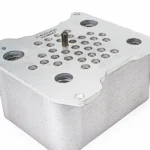
Some 2022–2025 Silverados have physically defective amplifiers. PIT6406B describes total audio loss that may return on the next ignition cycle. If a dealer “Global Reset” doesn’t fix it, the amp needs replacing.
PIT6101D goes further — it identifies specific manufacturing batches with internal component defects. Check the amplifier housing behind the rear passenger seat. If the Julian date stamped on it is earlier than 23327 (the 327th day of 2023), that amp may need replacing regardless of software fixes.
Phone projection conflicts on 2023–2024 models:
If you lose sound specifically after connecting Android Auto or CarPlay, try this: go to Settings → Apps and Permissions, find the Audio or Android Auto app, and hit Force Stop. This resets the digital handshake between your phone and the CSM without a full system reboot.
The Full Reset Ladder: Try These in Order
Don’t skip straight to pulling the battery. Work through these steps first.
Level 1 — Soft Reboot (2 minutes)
- 2014–2019: Hold Home + Fast Forward for 10 seconds
- 2022+: Park the truck, hold the End Call button on the steering wheel for 10 seconds
- This clears temporary memory and restarts the operating system without touching your settings
Level 2 — Factory Data Reset (15 minutes)
- Go to Settings → System → Reset Options
- Select Factory Data Reset
- Enter PIN 0000 if prompted
- Wait 10–15 minutes before pairing your phone
Level 3 — Power Cycle / Capacitor Discharge
- Disconnect the negative battery cable with a 10mm wrench
- Wait at least 15 minutes — this fully drains the HMI and radio module capacitors
- Reconnect and let the system initialize before testing audio
- This forces a true hardware restart that software resets can’t replicate
Physical Problems That Kill Your Audio
Software aside, your Silverado lives a rough life. Physical damage causes plenty of Silverado radio no sound conditions too.
Clogged door drain holes trap water inside the door cavity. That water saturates the speaker cone, corrodes the terminals, and eventually kills the driver. Clear the drain holes at the bottom of each door with a wire once a year. Water pooling around your speakers will destroy them faster than anything else.
Center console spills reach the Bose amplifier or subwoofer on equipped trucks. Sugary drinks are especially destructive because they leave a conductive residue that causes shorts. The amplifier connector inside the console is the first thing to check after any spill.
Pinched seat harnesses cause a short-to-ground that puts the amplifier into Protection Mode. The amp detects the short and mutes everything to prevent overheating. Check the wiring under the front seats — especially if you recently adjusted the seat tracks or had work done under there.
Cold-weather amp failure is a real thing on older Bose-equipped trucks. If your sound only returns after the interior warms up, the amp’s internal capacitors aren’t holding charge at low temperatures. That’s a sign the amplifier is near end of life and will eventually fail completely.
Aftermarket Radio? Read This First
If you’re replacing a failed factory radio on an older Silverado with a Bose system, don’t just swap in a new head unit. The factory Bose amplifier is software-locked to the vehicle’s original ID. A direct swap will kill your door chimes, OnStar, and steering wheel controls.
You need a T-harness adapter and a line output converter (LOC) to maintain communication between the new radio and the existing amp network. Skip this step and you’ll trade one problem for three.
Know Your Rights: Warranty and Lemon Law
Software updates like TSB 23-NA-143 and amplifier replacements under PIT6406B are free under the bumper-to-bumper warranty. If your dealer claims the software is already current but the problem persists, ask them to document the specific bulletin number on your repair order. That paper trail matters.
If your Silverado radio no sound problem comes back after two or more software reflashes, you may have grounds under your state’s Lemon Law. Because the audio system controls safety-critical chimes, repeated failures carry more weight than a standard infotainment complaint. Document every visit, every code pulled, and every bulletin applied.