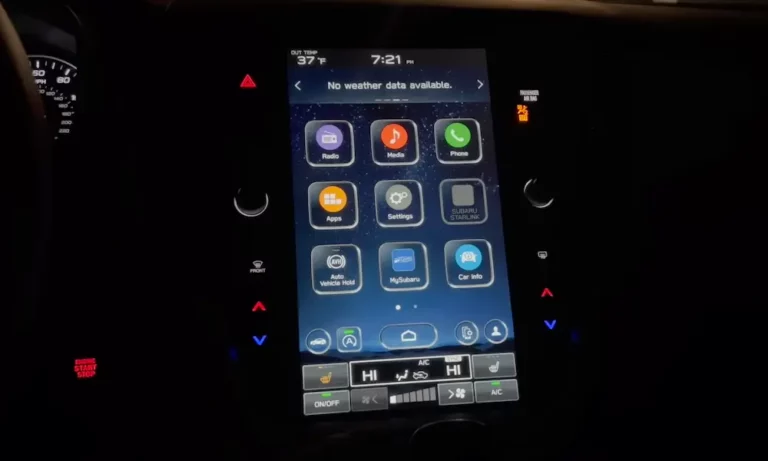
Your Subaru touch screen just stopped responding — or worse, it’s tapping things on its own. Before you panic about a $2,000 dealership bill, there’s a good chance you can fix this yourself. This guide covers every proven fix, from a 10-second reboot to a free warranty replacement. Read it to the end — the warranty section alone could save you thousands.
Why Is Your Subaru Touch Screen Not Working?
The short answer? It’s usually one of two things: a software glitch or physical screen damage called delamination.
The Subaru Starlink infotainment system — especially in 2018–2023 model years — has a well-documented history of touch screen failures. These range from a completely black screen to a screen that taps itself like it’s haunted.
Here’s what typically goes wrong:
- Software freeze — The system crashes and stops responding to input
- Screen delamination — The adhesive between the screen layers breaks down, causing bubbles, an oily sheen, or ghost touch behavior
- Firmware bugs — Outdated software causes lag, CarPlay failures, or random reboots
- DCM module issues — A failing telematics module can lock the screen in a boot loop
- Blown fuse — No power means no screen
Let’s work through each fix in order — start simple, then go deeper.
Fix 1: Soft Reboot Your Subaru Screen (Try This First)
A soft reboot clears temporary memory glitches without deleting your settings. It takes about 15 seconds and fixes frozen or unresponsive screens more often than you’d think.
Here’s how to do it:
- Start the car or put it in Accessory mode
- Press and hold the volume/power knob for 10–15 seconds
- The screen goes black — keep holding
- Release when the Subaru or Starlink logo appears
That’s it. This doesn’t wipe your radio presets, Bluetooth devices, or saved addresses. If your Subaru touch screen not working issue is just a frozen interface, this usually sorts it out.
If the screen comes back but the same problem returns within a few days, keep reading.
Fix 2: Factory Reset the Infotainment System
If your screen works but it’s buggy — CarPlay keeps crashing, menus lag badly, or Bluetooth won’t connect — a factory reset may be what you need.
Steps:
- Go to Settings > General > Factory Data Reset (some models show it as System > Factory Reset)
- Confirm the reset
- Wait for the system to reboot
Fair warning: This wipes everything. Your EQ settings, saved addresses, paired devices — all gone. You’ll need to set things up from scratch. But it restores the system to its out-of-the-box state, which often kills persistent software bugs for good.
Fix 3: Pull the Fuse or Disconnect the Battery
When the screen is totally dead, stuck in a boot loop, or completely unresponsive to the power button, you need to cut power entirely.
Option A – Pull the infotainment fuse:
- Find the 15-amp audio/navigation fuse in your fuse box
- Pull it out and wait 10–15 minutes
- Reinsert it — the system does a full cold boot
Option B – Disconnect the battery:
- Remove the negative battery terminal
- Wait 30 minutes to let all the capacitors drain
- Reconnect it
After a battery disconnect, a few other systems may need a quick reset. Hold the power windows up or down for 5 seconds each, and let the car idle for about 5 minutes to recalibrate the throttle position sensor.
Is Your Screen Doing Things on Its Own? That’s Ghost Touch
If your Subaru touch screen isn’t just unresponsive but is actively tapping itself — changing radio stations, zooming in on maps, making phone calls — that’s called ghost touch, and it’s a hardware problem.
Ghost touch happens when the adhesive bonding the screen layers together starts to break down. As the gel shifts or air gaps form, the digitizer reads those internal changes as finger touches. The system can’t tell the difference between your fingertip and a shifting blob of adhesive.
Signs your screen is delaminating:
- Bubbles or blisters visible under the glass
- An oily or rainbow sheen that won’t wipe off
- Cloudy or hazy patches in certain spots
- The screen registers taps you didn’t make
This is a known defect in the Subaru Gen 3.0 and Gen 3.1 head units, particularly the Harman Kardon units in 2018–2019 Outback and Legacy models. No software update fixes this — it’s a structural failure.
| Symptom | What’s Happening | What It Means |
|---|---|---|
| Bubbles/blisters | Adhesive separating from glass | Dead touch zones forming |
| Oily/rainbow sheen | Bonding gel shifting | Ghost touch incoming |
| Edge lifting | Thermal stress on the perimeter | Digitizer failure risk |
| Cloudy patches | Moisture getting in | Intermittent unresponsiveness |
Heat and Cold Are Making It Worse
Your car’s dashboard is brutal on electronics. On a hot summer day, dashboard temps can crack 150°F (65°C). That heat accelerates the chemical breakdown of the adhesive layer. Owners in Florida and Hawaii consistently report faster screen failure than those in cooler climates.
Cold weather is rough too. As materials contract in low temps, the glass, plastic, and electronics all shrink at different rates. This stresses the digitizer and can cause dead zones that only show up on cold mornings and disappear once the cabin warms up.
Rapid heating of a frozen screen can also pull moisture in through compromised edge seals — and moisture triggering electrical shorts means more ghost touch behavior.
What you can do:
- Use a custom-fit windshield sunshade — it’s the single most effective way to protect your screen from heat damage
- Use remote start to cool the cabin before you get in
- Crack a window when parking in the sun
Check for the Free Warranty Replacement First
Before you spend a single dollar on repairs, check if your vehicle qualifies for a free replacement.
In January 2025, Subaru of America formally extended the warranty on CP1 and Gen 3.1 head units. This was a direct response to class-action lawsuits and thousands of owner complaints — Subaru officially acknowledged these are systemic failures.
| Detail | What You Need to Know |
|---|---|
| Coverage length | 8 years or 150,000 miles |
| Effective date | January 28, 2025 |
| Qualifying issues | Black screen, no audio, constant reboots, CarPlay/Android Auto failures, unresponsive touch |
| What’s excluded | Physical damage, speakers, wiring, amps |
| Replacement limit | One head unit replacement after software fails to fix it |
The full NHTSA service bulletin lists the exact qualifying models and conditions. Check it against your VIN before heading to the dealership.
Already paid for this repair out of pocket? Subaru Canada’s reimbursement program lets eligible owners apply for a refund. You’ll need your original repair invoice showing the VIN, facility address, repair date, and proof of payment. The Canadian deadline for applications is March 6, 2026.
If you own a 2018 Outback or Legacy, you may fall under an earlier — now expired — warranty extension. In that case, contact Subaru of America customer service directly and ask about goodwill coverage. Many owners have had repairs covered this way, especially with documented ghost touch evidence.
Pro tip: Record the ghost touch behavior on your phone before going to the dealership. A clear video of the screen tapping itself makes it very hard for a service advisor to dismiss your claim.
What About a DCM Fuse Causing Screen Issues?
Here’s one that surprises a lot of owners. If your screen keeps rebooting endlessly — and your battery is mysteriously dying after 24–48 hours of not driving — your Data Communication Module (DCM) might be the culprit, not the screen itself.
The DCM handles Starlink telematics. After the 3G network shutdown, older Gen 1 DCMs started hunting constantly for a signal that no longer exists. This keeps the module awake after the car is off, draining your battery. It also causes the infotainment head unit to freeze while waiting for a DCM response that never comes.
The fix many owners use is pulling the 7.5A DCM fuse from the interior fuse panel. This disables Starlink services and the hands-free microphone, but it stops the battery drain and often stabilizes the rest of the infotainment system completely.
| Component | What It Does | When It Fails |
|---|---|---|
| DCM Module | Telematics, SOS, remote start | Boot loops, parasitic drain, no microphone |
| Audio fuse | Powers the head unit | Black screen, no sound, no backup camera |
| Grounding strap | Electrical continuity | Flickering, erratic touch, static |
Your Repair Options (With Real Costs)
If your vehicle doesn’t qualify for the warranty extension and the reboots aren’t fixing anything, here’s what your options actually cost.
Dealership replacement: $1,500–$3,000
Seamless, but expensive. Be aware that refurbished units from dealerships sometimes use the same flawed adhesive design, so the problem can return.
Third-party digitizer repair: $200–$500
Companies like CueScreens and Kinetic Vehicles replace only the glass and digitizer layer — not the whole computer — using improved adhesive materials. It fixes the actual root cause and costs a fraction of a full replacement.
Aftermarket head unit: varies
For vehicles well out of warranty, brands like Sony, Kenwood, or Alpine offer modern units with wireless CarPlay and faster processors. The trade-off is that some native Subaru features — EyeSight settings, specific climate displays — may not carry over.
How to Clean Your Screen Without Damaging It
This one catches people off guard. The wrong cleaning product can make a borderline screen fail faster. Subaru screens have anti-glare and oleophobic coatings that dissolve on contact with certain chemicals.
Safe to use:
- Dry microfiber cloth for dust
- Lightly damp microfiber with distilled water for fingerprints
- Screen cleaner that’s explicitly labeled alcohol-free
Never use:
- Isopropyl (rubbing) alcohol
- Windex or any ammonia-based glass cleaner
- Household cleaning wipes
These chemicals strip the protective coatings and can seep into the screen edges, speeding up the adhesive breakdown underneath.
One more thing: rubbing too aggressively with a dry cloth builds up static electricity on the screen. In dry winter conditions, this static can make the screen temporarily unresponsive or trigger phantom touches. A very lightly damp cloth discharges it instantly.
How to Update Your Subaru Software (It Might Fix the Lag)
If your screen works but responds slowly or CarPlay keeps dropping, a firmware update might be all you need. Outdated software is a common cause of lag and app crashes that owners mistake for hardware failure.
Over-the-air update (2019+ models):
- Connect to a strong Wi-Fi network — your home network or a phone hotspot works best
- Go to Settings > General > Software Update > Check for Updates
- If “Check for Updates” is greyed out, your signal is too weak or a download is already running
- Once the install hits 100%, turn the car off for at least 5 minutes to finalize
The update can take over an hour. Keep the parking brake on and make sure the car is somewhere the engine can idle safely.
USB update:
If your screen is too broken to access the settings menu, a USB firmware update is the next step. This involves downloading the correct firmware for your specific trim (Base, Mid, or High/Navi) and loading it onto a 16GB+ USB drive formatted to NTFS. Subaru’s TSB 15-236-18R covers the version check process in detail. This is typically done at a dealership, but the procedure is publicly documented.
The Hidden Diagnostic Menu (Advanced Users Only)
Subaru Starlink systems have a built-in diagnostic menu that most owners never know exists. It lets you check GPS signal strength, camera alignment, and internal temperatures without any scan tools.
To access it on Gen 3.0/3.1 (2018–2023):
- Put the car in Accessory mode
- Hold the Home button and press the Tune/Scroll knob twice
- Release Home after a brief pause
For the full dealer/service menu, hold Home and press the Tune knob six times rapidly. This menu lets you download diagnostic data to a USB drive — hex codes that Subaru engineers use to identify intermittent failures that don’t show up as standard OBD-II codes.
On some 7-inch Starlink units, you’ll need to press the Tune knob five times instead. Timing matters — it usually takes a few tries to get it right.