
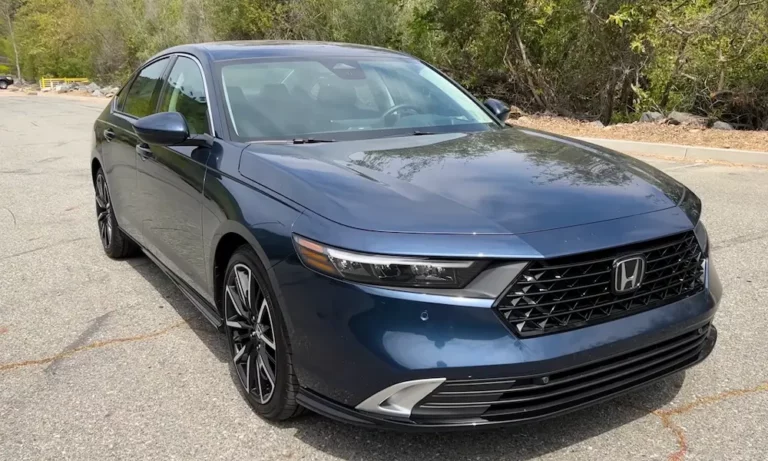
Your Honda’s dashboard just lit up with another lane departure warning, and you’re wondering if it’s actually helping or just being annoying. Here’s the thing: this system could save your life, but only if you understand how it works and when it’s trying to tell you something important. Let’s break down what’s really going on with your Honda lane departure warning system.
What Is Honda Lane Departure Warning?
Honda lane departure warning is a camera-based safety feature that alerts you when your vehicle drifts out of its lane without a turn signal. It’s part of Honda’s broader Honda Sensing suite, which bundles several advanced driver assistance technologies into one package.
The system uses a sophisticated camera mounted behind your rearview mirror. This camera constantly watches the road ahead, analyzing lane markings to determine if you’re staying in your lane. When it detects an unintentional drift, it’ll alert you through visual warnings, audible beeps, or steering wheel vibrations—depending on your Honda model.
Here’s what makes it valuable: lane departure incidents contribute to over 1.9 million single-vehicle crashes annually in the U.S., resulting in nearly 12,000 deaths. Studies show that lane departure warning systems reduce single-vehicle, sideswipe, and head-on crashes by 11% and lower injury rates by 21%.
The system kicks in at speeds above 45 mph on relatively straight roads. It can recognize painted lines, Botts Dots, and cat’s-eye markers, plus it’s smart enough to know when you’re intentionally changing lanes with your turn signal versus accidentally drifting.
How Honda Lane Departure Warning Actually Works
Your Honda’s multipurpose camera doesn’t just sit there looking pretty. It’s processing visual data in real-time, distinguishing between different lane marking types and road conditions.
The camera recognizes both solid and broken lane lines. It can even adapt to yellow construction zone markings. The processing algorithms account for your speed, steering input, and road curvature to minimize false alarms while staying sensitive to actual lane departures.
When the system detects you’re drifting without signaling, it reacts fast. You’ll see an icon light up in your instrument panel, usually accompanied by a series of beeps. Many Honda models also vibrate the steering wheel, which is particularly effective if you’ve got music cranked up or kids screaming in the back seat.
The system shares its camera with other Honda Sensing features like Forward Collision Warning and Collision Mitigation Braking System. This integration means one camera powers multiple safety layers, making the whole system more efficient.
Which Honda Models Have Lane Departure Warning?
Honda didn’t mess around with rolling out this technology. The company made a deliberate push to include Honda lane departure warning across its entire lineup as standard equipment.
The Honda Pilot led the charge in 2016, becoming one of the first models with standard Honda Sensing. The CR-V followed in 2017. By 2018, the Accord, Civic, Odyssey, and Clarity all came standard with the technology.
Here’s the timeline breakdown:
| Model Year | Models with Standard Honda Sensing |
|---|---|
| 2016 | Pilot |
| 2017 | CR-V, Pilot |
| 2018 | Accord, Civic, CR-V, Odyssey, Clarity, Pilot |
| 2018+ | All Honda models |
The Honda Fit took a slightly different approach. In 2018, Honda Sensing was standard on EX and EX-L trims but available on LX and Sport models. This strategy brought the technology to different price points while maintaining accessibility.
By 2018, Honda had sold over one million vehicles equipped with Honda Sensing in the United States. Today, if you’re buying a new Honda, you’re getting lane departure warning—no questions asked.
Common Problems You’ll Actually Encounter
Let’s talk about the real issues you might face with your Honda lane departure warning system. Despite its sophisticated design, things can go wrong.
Camera Overheating
This is probably the most common problem. Your windshield-mounted camera can overheat in extreme weather, especially after sitting in direct sunlight on a scorching day. When this happens, you’ll see multiple Honda Sensing features shut down simultaneously. The good news? The system typically resumes normal operation once the camera cools down.
Electronic Camera Failures
Internal electronic malfunctions are more serious. These often trigger diagnostic code U3000-49, indicating a problem deep within the camera unit. This typically requires a complete camera replacement, which can cost up to $5,000 at dealership service centers. The failure affects multiple Honda Sensing functions at once, lighting up your dashboard like a Christmas tree.
Battery-Related Issues
Low battery voltage can mess with your Honda lane departure warning. The system’s sensitivity to electrical problems means a weak battery might trigger error messages and system disruptions. Many drivers report these issues resolve after battery replacement.
False Alerts and Sensitivity Issues
Some drivers complain about overly sensitive warnings, especially on narrow rural roads or in construction zones with unclear markings. The system might alert you when you’re actually driving safely within your lane because it’s detecting faded or confusing lane markings.
When Your System Needs Calibration
Your Honda lane departure warning requires precise calibration to work correctly. This isn’t something you can skip or DIY in your driveway.
Windshield Replacement Requirements
Replace your windshield? You need recalibration. Period. Honda specifically requires OEM windshields for Honda Sensing vehicles because aftermarket glass can introduce optical distortions that screw up camera accuracy.
The calibration process uses static targets positioned at precise distances and angles. Honda specifies measurements down to about 100 millimeters of precision. The process takes approximately one hour and requires specialized diagnostic equipment that only properly equipped service facilities have.
Other Calibration Triggers
You’ll need recalibration after:
- Camera removal or replacement
- Structural collision repairs
- Airbag deployment
- Certain suspension or alignment work
- Persistent diagnostic trouble codes
Don’t try to save money by skipping this step. An improperly calibrated system won’t protect you when you actually need it.
Understanding System Limitations
Your Honda lane departure warning isn’t magic. It operates within specific boundaries that you need to understand.
Environmental Factors
Rain, snow, fog, or extreme heat can obstruct the camera. Poor visibility prevents accurate lane marking detection, causing the system to temporarily suspend operation. You’ll also have problems when lane markings are faded, missing, or unclear—like in construction zones or on poorly maintained rural roads.
Speed and Road Conditions
The system only works at speeds above 45 mph. This makes sense since lane departures are most dangerous during highway driving. The system may also suspend during sharp curves, aggressive steering, or when it detects you’re actively controlling the vehicle.
Not a Replacement for Attention
Here’s the critical part: Honda lane departure warning serves as a supplementary safety measure, not a replacement for paying attention. You’re still responsible for safely operating your vehicle. The system has limited recognition capabilities and can’t handle every scenario.
When It Won’t Work
Expect issues when:
- Lane markings are covered by snow or debris
- Sunlight creates extreme glare
- You’re driving on unmarked roads
- Construction zones have temporary or confusing markings
- The windshield is dirty, cracked, or damaged
How to Turn It Off (And Why You Might Want To)
Sometimes you need to disable your Honda lane departure warning. Maybe you’re on a narrow country road, driving through a construction zone with terrible lane markings, or just tired of constant alerts.
Temporary Deactivation
Most Honda models have an LDW button located to the left of the steering wheel. Press it once to temporarily disable the system. The system will reactivate automatically the next time you start your vehicle.
Permanent Default-Off Setting
Want it to stay off by default? Hold the LDW button for approximately four seconds while the system is already deactivated. This changes the default behavior, requiring manual activation each time you start your vehicle.
Customization Options
Advanced Honda models offer additional customization through the infotainment system. You might be able to adjust warning sensitivity or modify alert types. Check your owner’s manual for specific options available in your model.
Valid Reasons to Disable
- Driving on narrow rural roads where you legitimately need to hug the edge
- Construction zones with confusing temporary markings
- Off-road situations
- Towing wide trailers that trigger false alerts
Just remember to reactivate the system for normal highway driving where it provides the most value.
The Difference Between Warning and Assist
Honda offers two related but different systems, and understanding the distinction matters.
Lane Departure Warning (LDW)
This is the passive system we’ve been discussing. It only warns you through visual, audible, or haptic alerts. It doesn’t touch your steering—it just tells you there’s a problem.
Lane Keeping Assist System (LKAS)
LKAS takes the next step by applying mild steering torque to guide your vehicle back toward the lane center. This is active intervention, not just a warning.
The systems work together seamlessly when both are active. LDW provides initial warnings, and LKAS engages when more significant intervention is needed. They share the same camera technology and lane detection algorithms.
Traffic Jam Assist
Some Honda models include Traffic Jam Assist functionality, which extends LKAS capabilities to lower-speed driving. This helps maintain lane position during stop-and-go traffic.
| Feature | Type | Speed Range | Action |
|---|---|---|---|
| Lane Departure Warning | Passive | 45+ mph | Alerts only |
| Lane Keeping Assist | Active | 45-90 mph | Gentle steering input |
| Traffic Jam Assist | Active | 0-45 mph | Low-speed lane keeping |
Both systems complement each other, creating a comprehensive safety net across different driving scenarios.
Diagnosing Problems Like a Pro
When your Honda lane departure warning acts up, you need to know how to diagnose the issue.
Check for Diagnostic Codes
Use an OBD scanner that can access chassis systems beyond basic engine codes. Common trouble codes include:
- U3000-49: Multipurpose camera internal failure
- Various communication codes indicating interconnection problems
Physical Inspection Steps
- Clean the camera area on your windshield
- Check for windshield damage or aftermarket glass
- Examine wiring connections for damage or corrosion
- Verify the camera mount is secure
Software Updates and Service Bulletins
Honda regularly issues Technical Service Bulletins to address known issues. Service bulletin B23-008, for example, addresses detection logic problems in multipurpose camera software. Your dealer should check for applicable updates during service visits.
When Professional Help Is Necessary
Some issues require dealer-level diagnostic equipment. If you’re seeing persistent error messages, multiple system failures, or problems that return after basic troubleshooting, it’s time to visit a Honda service center with proper diagnostic tools.
Don’t ignore warning lights or persistent error messages. The system that seems annoying today might be the thing that prevents a serious accident tomorrow.
Getting the Most Value From Your System
Your Honda lane departure warning works best when you understand how to use it properly. Keep the windshield clean, especially the area around the camera. Dirt, bugs, or film on the glass can interfere with detection accuracy.
Use the system as it’s intended—as a backup safety net, not a primary driver. Stay attentive and engaged with driving, treating the warnings as helpful reminders rather than crutches.
Pay attention to when the system suspends operation. If you’re consistently getting “system unavailable” messages, investigate the cause rather than ignoring them. Environmental factors like heavy rain are normal, but frequent issues might indicate a problem needing professional attention.
Consider your driving environment when deciding whether to keep the system active. Highway driving benefits most from lane departure warning, while narrow country roads might require temporary deactivation.
The technology continues evolving with improved detection accuracy, better environmental robustness, and enhanced integration with other vehicle systems. Honda’s commitment to making this technology standard across its lineup demonstrates its proven value in preventing accidents and saving lives.
Your Honda lane departure warning isn’t perfect, but it’s a significant safety tool that’s already preventing thousands of crashes. Understanding how it works, when it helps, and how to maintain it ensures you get maximum benefit from this potentially life-saving technology.













